Just Enough Items (JEI) Optional for JurassiCraft-1.12.2-2.1.23.jar
optionalMatching file found Matched file: 4.16.5.1030 for Forge 1.12.2

CurseForge · Minecraft mod
Jurassic Park in Minecraft!
Quick answer
JurassiCraft-1.12.2-2.1.23.jar targets 1.12.2. The project page does not say whether this file belongs on the client, dedicated server, or both. All 1 required mods have matching files.
Where it goes
The project page does not say whether this file belongs on the client, dedicated server, or both.
The source does not explicitly classify this release as client-only or server-only.
JurassiCraft-1.12.2-2.1.23.jar. Change the file and its required mods may change too.
Install LLibrary first. We found matching files for this game-version and loader setup.
We only count dependency files that match this setup. A file for another loader does not fill the gap.
Before you install it
Built for JurassiCraft-1.12.2-2.1.23.jar. Pick another file and the loader, install side or required mods may change.
Use JurassiCraft-1.12.2-2.1.23.jar. It targets 1.12.2; another release may have different loader, side or dependency requirements.
Install LLibrary first. We found matching files for this game-version and loader setup.
The project page does not say whether this file belongs on the client, dedicated server, or both.
Use the “Get this file” button beside JurassiCraft-1.12.2-2.1.23.jar. It opens that exact file at the source.
About this project
Welcome to JurassiCraft!
JurassiCraft is a mod introducing prehistoric content into Minecraft! This mod allows you to create dinosaurs by extracting DNA from fossils and amber, and putting that through a process until you get a baby dinosaur! Not only does this mod add dinosaurs, it also adds many prehistoric plants!
Confused how to use this mod? Visit our wiki! It contains all the information you will need to create your very own dinosaurs!
Currently, this mod contains only 10 dinosaurs, but more will be added in the future!
If you would like to join our Discord, where you can talk about the mod with us, see update progress, and even get some sneak peeks to features coming in later updates, you can join here!
Come Join our 24/7 Official Server @ mc.jurassicraftmod.com!
 This project is sponsored by Nodecraft. Use code [JurassiCraft]()for a 30% discount off your first month of service!
 If you enjoy JurassiCraft and want access to early access builds, you can click here to be taken to our patreon! Thanks for the support.
If you have any bugs to report please report them here:
https://github.com/JurassiCraftTeam/JurassiCraft2/issues
Content:
This mod contains many things, but here are some of the main things it includes:
Dinosaurs:
Want to take a look at these dinosaurs before downloading? Take a look at our DeviantArt!
Installation:
This mod requires Minecraft 1.12.2 or 1.11.2.
Images:
Videos:
The Team:
This mod wouldn't be possible if it wasn't for the amazing team that has dedicated so much of their time to this mod.
Project Owner:
Contributors + Special Thanks To:
Q: Will you down-port to 1.7.10?
A: No, we do not support 1.7.10.
Q: Can you add dinosaur X?
A: We already have all the dinosaurs we want to add in future updates planned, and will likely not be changing those plans, but X may be in one of these planned updates.
Q: When will the next update come out?
A: We do not know, all we know is that we will release it once it is ready.
Q: Where did all the dinosaurs from the 2.0 pre-release go?
A: We removed them, we decided to rather focus on quality than quantity.
Q: I am getting an OutOfMemoryError when I try to use JC! What do I do?
A: You need to allocate more RAM to MC. This can be done by enabling advanced launch settings in your launcher and changing your VM Arguments.
Project description from CurseForge.
Pick your setup
Choose the version and loader you play, then open the matching release.
Check the dependencies, then try the file in a copied instance before changing a world you care about.
Recent files
20 Oct 2021
11 Feb 2019
4 Jan 2019
27 Dec 2018
15 Oct 2018
25 Aug 2018
18 Aug 2018
18 Aug 2018
30 Jul 2018
29 Jul 2018
26 Jul 2018
25 Jul 2018
Looking for an older file? The official CurseForge project page is in Resources.
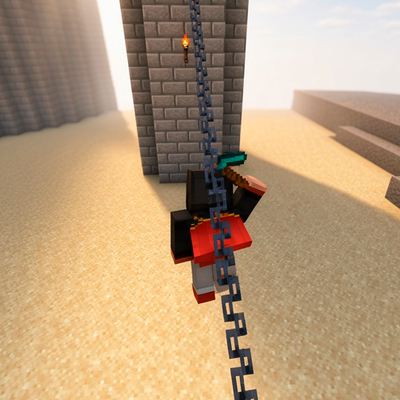 mod
modA zipline mod for 1.12.2, inspired by Ziplines: Rezipped!, with rideable cables, swinging movement and chainable zipline sections.
 mod
modAdds high-performance Pressure Conduits to Ender IO, allowing for instant, lossless, and zero-volume air pressure transport for your PneumaticCraft machines.
 mod
modThis mod disables vanilla chat to add phones, and different antennas that you can create your own mobile network area to chat with people, as in vanilla chat but using the phone and your mobile network.