Minecraft version
Back to mods 
CurseForge · Minecraft mod
SlackMC
Connect Minecraft chat to a Slack channel
Choose a version Pick your version below, then grab the matching file.
Quick answer
Which SlackMC release should I use?
Latest stable file SlackMC 0.7
Game version 1.8.9
Loader Not required
SlackMC 0.7 targets 1.8.9. The project page does not say whether this file belongs on the client, dedicated server, or both. No extra mods listed for this file.
Where it goes
Is SlackMC required on the client, server, or both?
The project page does not say whether this file belongs on the client, dedicated server, or both.
Client Source doesn’t say
Dedicated server Source doesn’t say
Loader for this release No loader listed
Required install it here Optional supported, not mandatory Not supported do not install here Source doesn’t say do not assume
The source does not explicitly classify this release as client-only or server-only.
What else does SlackMC 0.7 need?
SlackMC 0.7. Change the file and its required mods may change too.
This file does not list any required mods. Do not add a library just because a different file uses it.
This file does not list any required or optional mods.
Before you install it
Add SlackMC without breaking your instance.
Built for SlackMC 0.7. Pick another file and the loader, install side or required mods may change.
- 01
Stick to this file
Use SlackMC 0.7. It targets 1.8.9; another release may have different loader, side or dependency requirements.
- 02
Bring the mods it needs
This file does not list any required mods. Do not add a library just because a different file uses it.
- 03
Put it on the correct side
The project page does not say whether this file belongs on the client, dedicated server, or both.
- 04
Pick the file you checked
Use the “Get this file” button beside SlackMC 0.7. It opens that exact file at the source.
About this project
What does SlackMC add?
Features
- Posts messages sent in Slack to Minecraft server chat and vice-versa.
- Posts in Slack when players join/leave server, receives an achievement, or dies.
- Posts Minecraft server chat messages and broadcasts in Slack.
- Allows for certain Slack users to be opped (specified in config file), being able to run any server command from Slack.
- Custom !who command to list players currently connected to server.
Installation
- Place JAR in mods directory. Start server to generate config file
- Create an "Incoming Webhook" in Slack and add the URL to the config file.
- Create an "Outgoing Webhook" in Slack and add the token to the config file. Also, set the URL for the outgoing webhook to be the URL of your server, followed by the port specified in the config file.
- You can also change the server name to change what shows up in Slack the server posts.
- Run the command "/slackmc reload" to reload the config file, which should connect the server to Slack. (A server restart may be required)
Project description from CurseForge.
Pick your setup
SlackMC by Minecraft version and loader
Choose the version and loader you play, then open the matching release.
Minecraft version
1.8.9
1 loader buildMinecraft version
1.7.10
1 loader buildCheck the dependencies, then try the file in a copied instance before changing a world you care about.
Recent files
SlackMC versions and loaders
SlackMC 0.8.1
SlackMC-1.10.2-0.8.1.jar
19 Oct 2016
Client Source doesn’t say Server Source doesn’t say Dependencies No extras listed Listed on Release listing
Check the 1.10.2 setup 1.10.2 beta
SlackMC 0.8
SlackMC-1.10.2-0.8.jar
19 Oct 2016
Client Source doesn’t say Server Source doesn’t say Dependencies No extras listed Listed on Release listing
Check the 1.10.2 setup 1.10.2 beta
SlackMC 0.7
SlackMC-1.8.9-0.7.jar
23 Feb 2016
Client Source doesn’t say Server Source doesn’t say Dependencies No extras listed Listed on Release listing
Check the 1.8.9 setup 1.8.9 release
SlackMC 0.6
SlackMC-1.7.10-0.6.jar
23 Feb 2016
Client Source doesn’t say Server Source doesn’t say Dependencies No extras listed Listed on Release listing
Check the 1.7.10 setup 1.7.10 release
Looking for an older file? The official CurseForge project page is in Resources.
 mod
CurseForge · Minecraft
Plasmo Voice Legacy Forge
Unofficial Plasmo Voice backport for Minecraft 1.7.10 / Forge, primarily developed and tested for GT New Horizons.
 mod
CurseForge · Minecraft
SmartUtility
A modular collection of quality-of-life features for Minecraft, built for NeoForge. Every module is a separate, independently switchable feature, and most of them run entirely on the server.
 mod
CurseForge · Minecraft
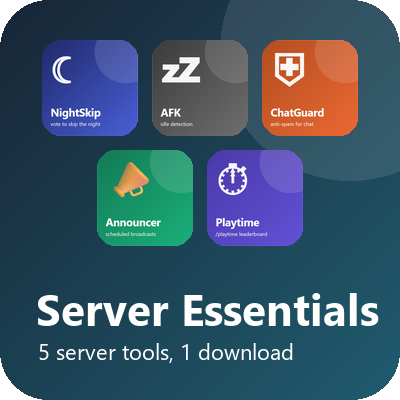
Server Essentials (Fabric)
Twelve server tools in one download: restarts, backups, maintenance mode, info commands, polls, mail, TPS monitor, night-skip vote, AFK, chat guard, announcer and playtime.