MrCrayfish's Furniture Mod: Refurbished Optional for Advanced Chimneys adchimneys-26.2.0.1-neoforge-build.0128.jar
optionalMatching file found Matched file:
MrCrayfish's Furniture Mod: Refurbished 1.0.25
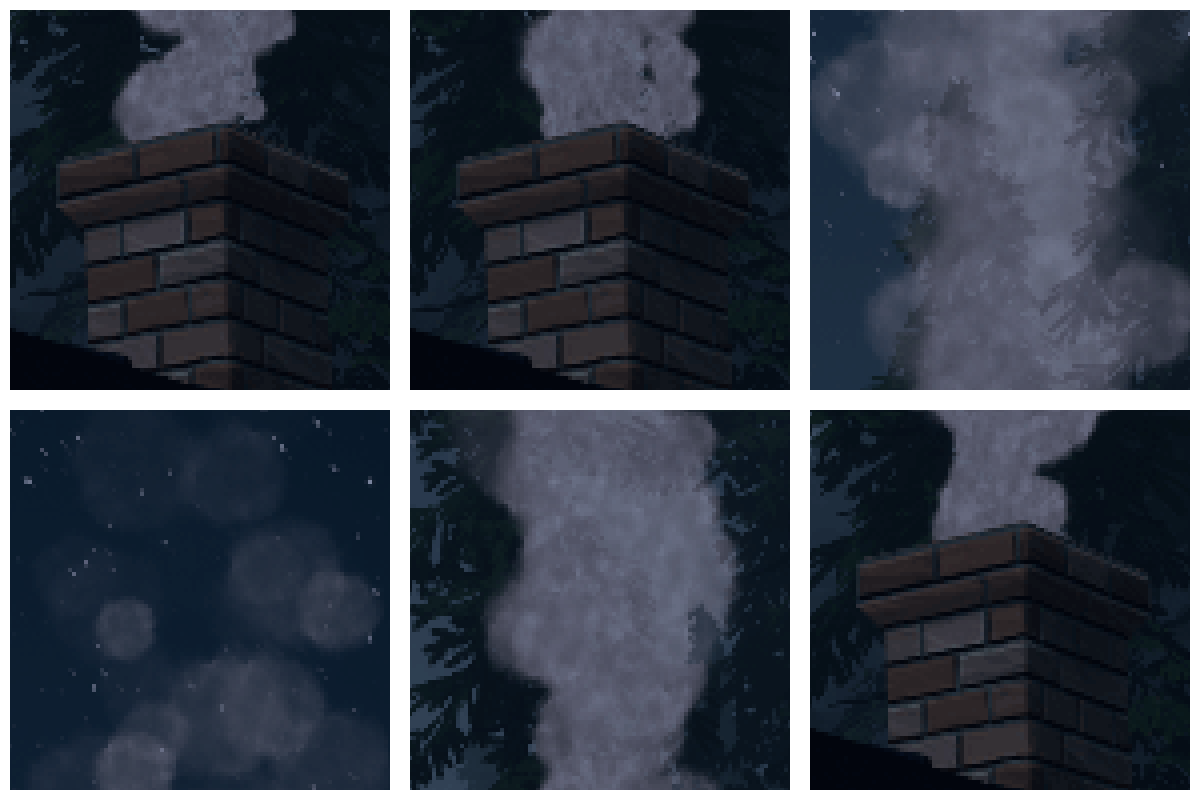
CurseForge · Minecraft mod
Adds chimney pipes that route smoke from any heat source outdoors, keeping your interior clean and particle-free
Quick answer
Advanced Chimneys adchimneys-26.2.0.1-neoforge-build.0128.jar targets 26.2 with NeoForge. The project page does not say whether it belongs on the client. The project page does not say whether it belongs on the dedicated server. No extra mods listed for this file.
Where it goes
The project page does not say whether it belongs on the client. The project page does not say whether it belongs on the dedicated server.
The source does not explicitly classify this release as client-only or server-only.
adchimneys-26.2.0.1-neoforge-build.0128.jar. Change the file and its required mods may change too.
This file does not list any required mods. Do not add a library just because a different file uses it.
3 extra mods were pulled in by other dependencies. Indented rows show who needs each one. We only count dependency files that match this setup. A file for another loader does not fill the gap.
Before you install it
Built for Advanced Chimneys adchimneys-26.2.0.1-neoforge-build.0128.jar. Pick another file and the loader, install side or required mods may change.
Use adchimneys-26.2.0.1-neoforge-build.0128.jar. It targets 26.2 with NeoForge; another release may have different loader, side or dependency requirements.
This file does not list any required mods. Do not add a library just because a different file uses it.
The project page does not say whether it belongs on the client. The project page does not say whether it belongs on the dedicated server.
Use the “Get this file” button beside adchimneys-26.2.0.1-neoforge-build.0128.jar. It opens that exact file at the source.
About this project
"Advanced Chimneys" lets you build customizable smoke ventilation systems from common building materials that redirect smoke from any heat source outdoors, eliminating interior particle clutter for a cleaner, more immersive aesthetic.
Construct simple vertical chimneys or complex ventilation networks using pumps, vents, and pipes.
Customize chimney appearance by repainting them with any block, and watch realistic smoke billow and shift in response to wind direction.
Connect multiple heat sources to intensify and amplify the smoke effect for truly impressive results.
REQUIRES ForgeEndertech library
Not immersed enough? Pair Advanced Chimneys with Pollution of the Realms for a complete atmospheric experience.
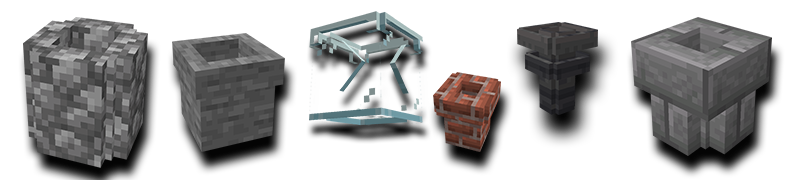
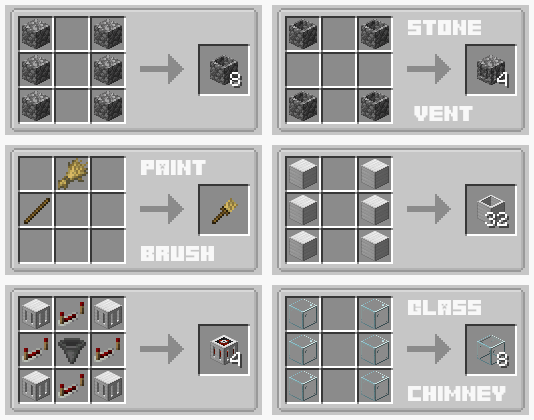
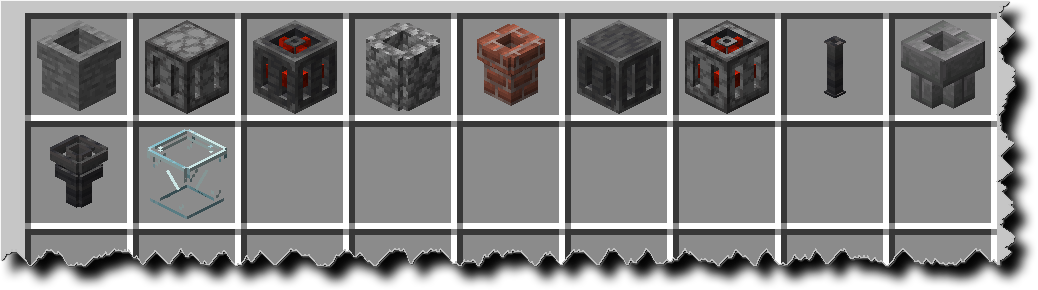
Repaint your chimneys to any block you like using a paintbrush, a bucket of water and a bunch of dyes.
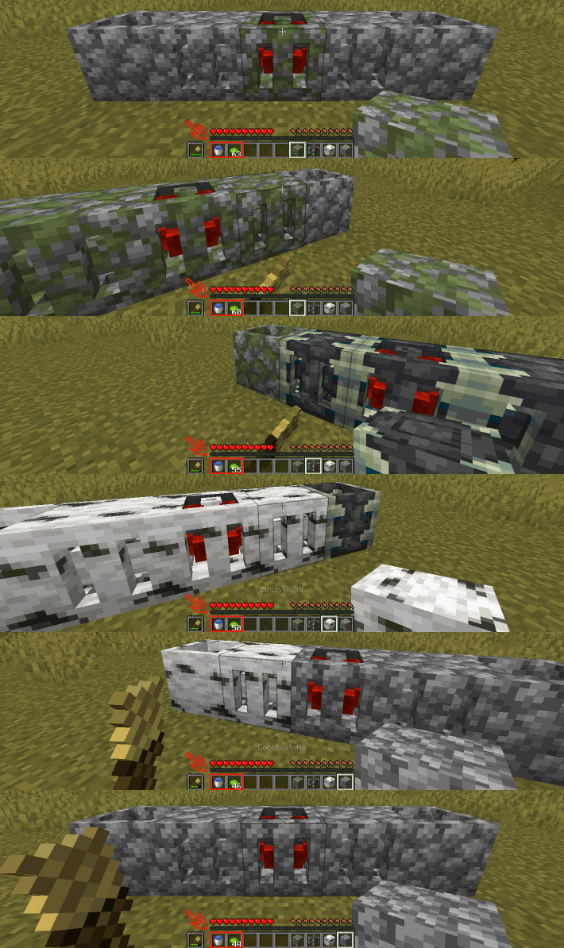
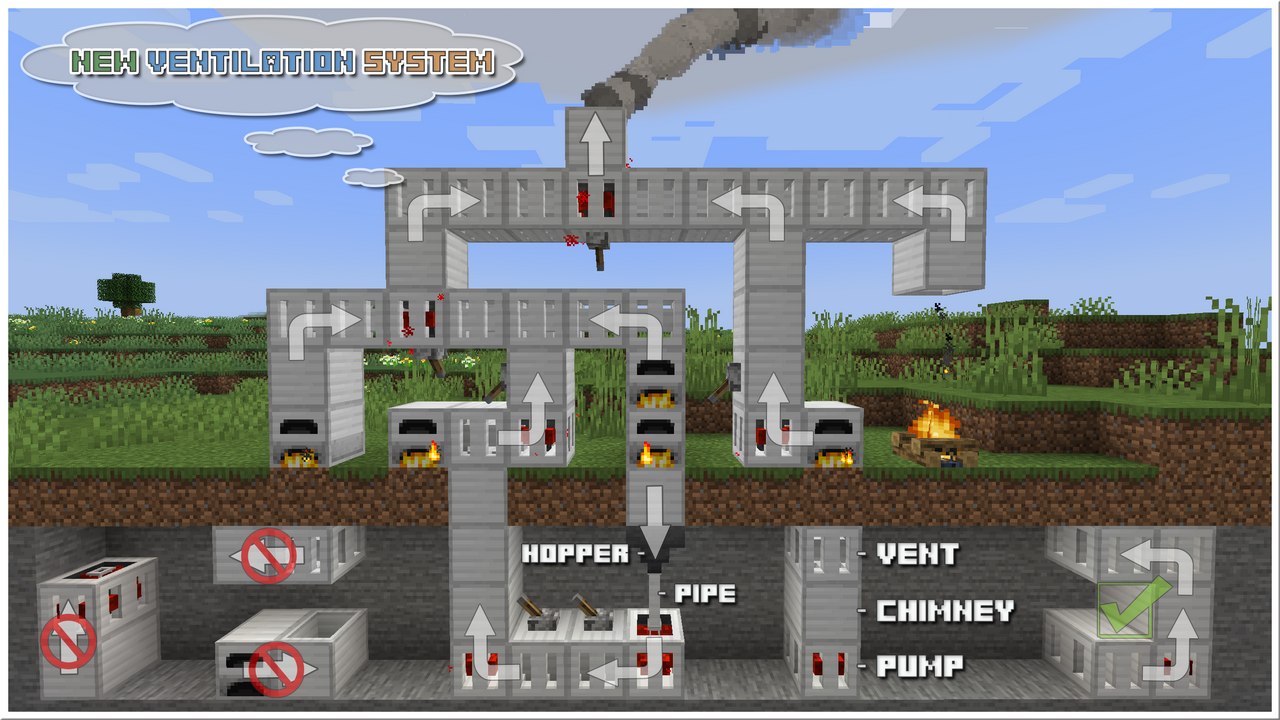
[This tutorial is for 1.12 only!]
Project description from CurseForge.
Pick your setup
Choose the version and loader you play, then open the matching release.
Check the dependencies, then try the file in a copied instance before changing a world you care about.
Recent files
25 Jul 2026
25 Jul 2026
25 Jul 2026
24 Jul 2026
18 Jul 2026
17 Jul 2026
12 Jul 2026
12 Jul 2026
26 Jun 2026
21 Jun 2026
20 Jun 2026
20 Jun 2026
Looking for an older file? The official CurseForge project page is in Resources.
 mod
modAestetic low tech mod with wooden logistics
 mod
modA Minecraft mod that automatically generates beautiful roads between structures like villages and outposts.
 mod
modThe mod adds falling leaves to the main menu and the player's inventory, which can be pushed away using the cursor.