Construct's Armory Optional for Zen Toolforge zentoolforge-1.1.jar
optionalMatching file found Matched file: conarm-1.12.2-1.2.5.10.jar
CurseForge · Minecraft mod
CraftTweaker utilities for working with Tinker's Construct (or Construct's Armory)
Quick answer
Zen Toolforge zentoolforge-1.1.jar targets 1.12.2. The project page does not say whether this file belongs on the client, dedicated server, or both. 1 required mod needs a matching file.
Where it goes
The project page does not say whether this file belongs on the client, dedicated server, or both.
The source does not explicitly classify this release as client-only or server-only.
zentoolforge-1.1.jar. Change the file and its required mods may change too.
Install CraftTweaker, ModTweaker, Tinkers Construct, MTLib first, but 1 required mod has no matching file for this setup. Do not mix loader builds to force a match. 6 come through another mod in the chain.
6 extra mods were pulled in by other dependencies. Indented rows show who needs each one. We only count dependency files that match this setup. A file for another loader does not fill the gap.
Before you install it
Built for Zen Toolforge zentoolforge-1.1.jar. Pick another file and the loader, install side or required mods may change.
Use zentoolforge-1.1.jar. It targets 1.12.2; another release may have different loader, side or dependency requirements.
Install CraftTweaker, ModTweaker, Tinkers Construct, MTLib first, but 1 required mod has no matching file for this setup. Do not mix loader builds to force a match. 6 come through another mod in the chain.
The project page does not say whether this file belongs on the client, dedicated server, or both.
Use the “Get this file” button beside zentoolforge-1.1.jar. It opens that exact file at the source.
About this project
Zen Toolforge adds a few minor utilities for working with Tinker's Construct (and Construct's Armory) in CraftTweaker. It does nothing unless CraftTweaker scripts make use of it. To install it, you must install CraftTweaker, ModTweaker, and Tinker's Construct (plus their dependencies in turn). Construct's Armory is supported if it's installed, but it's not required.
The mod includes two significant functions and three minor ones. The two significant ones let CraftTweaker build a tool from a tool definition and a list of materials, and deconstruct tools into their component parts (not including modifier items!). Those are why this mod is called "Zen Toolforge".
I built the mod to fill a need in my own scripting: it allows me to write a script that makes mobs armed with Tinker's Construct weapons in random materials, and armoured the same way with Construct's Armory armour, and set them to drop parts rather than their full armour or tools on defeat.
Some bonus functions let one get an ITICMaterial from an identifier string (dynamically, unlike a bracket handler) and test whether a given item has a trait or modifier.
There's currently a caveat: if you use this in a script that runs before tool materials are loaded, tools may spawn without traits (because the tool materials can't supply their own traits at that point). As a workaround, I recommend using the CraftTweaker updateTag() method to manually apply the trait array NBT. Tools affected by this problem should fix themselves once modified on a Tool Station or Tool Forge.
All the current functions are in the "mods.zentoolforge.Toolforge" module; it should be imported before use. While more documentation is available in the "Pages" section, a list of function signatures follows:
Feel free to request additional methods or give feedback.
In case it's not obvious from the license: you may freely use this mod in modpacks.
Project description from CurseForge.
Pick your setup
Choose the version and loader you play, then open the matching release.
Check the dependencies, then try the file in a copied instance before changing a world you care about.
Recent files
9 Apr 2019
8 Apr 2019
Looking for an older file? The official CurseForge project page is in Resources.
 mod
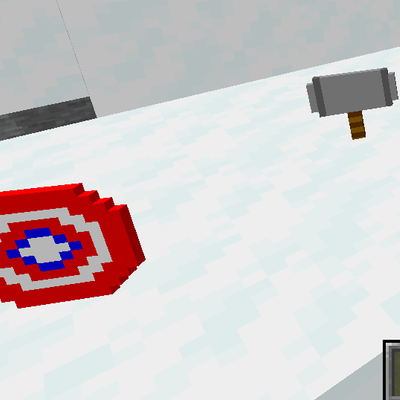
modBecome your favorite Marvel heroes! Play as Spider-Man, Iron Man, Doctor Strange, Captain America, Hulk, and Thor, each with unique powers, weapons, and abilities.
 mod
modThis add-on adds Voice of the World’s animations and sound effects into the Tensura: Reincarnated mod.
 mod
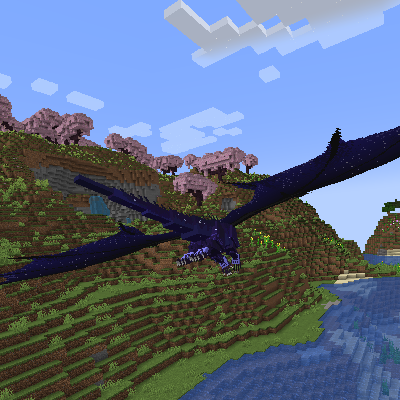
modStar Dragon is a new dragon species added for the Dragon Survival mod, with a starry sky theme, featuring glowing star veins and unique abilities.