Fabric API Needed by WI Zoom WI-Zoom 1.7-MC26.3
requiredMatching file found Matched file: [26.3] Fabric API 0.166.2+26.3
CurseForge · Minecraft mod
The zoom from the Wurst Client as a standalone mod.
Quick answer
WI Zoom WI-Zoom 1.7-MC26.3 targets 26.3 with Fabric. The project page does not say whether this file belongs on the client, dedicated server, or both. All 1 required mods have matching files.
Where it goes
The project page does not say whether this file belongs on the client, dedicated server, or both.
The source does not explicitly classify this release as client-only or server-only.
WI-Zoom 1.7-MC26.3 on 26.3. Every mod below is checked against that same setup.
Install Fabric API first. We found matching files for this game-version and loader setup.
We only count dependency files that match this setup. A file for another loader does not fill the gap.
Before you install it
Built for WI Zoom WI-Zoom 1.7-MC26.3 on 26.3. Pick another file and the loader, install side or required mods may change.
Use WI-Zoom 1.7-MC26.3. It targets 26.3 with Fabric; another release may have different loader, side or dependency requirements.
Install Fabric API first. We found matching files for this game-version and loader setup.
The project page does not say whether this file belongs on the client, dedicated server, or both.
Use the “Get this file” button beside WI-Zoom 1.7-MC26.3. It opens that exact file at the source.
About this project
WI Zoom is the zoom from the Wurst Client as a standalone Minecraft mod, letting you zoom in and out with the mouse wheel and providing up to 50x magnification without the need for a spyglass. This mod is fully compatible with OptiFine and Sodium, but unlike OptiFine's zoom, WI Zoom lets the camera move in a logical way, without making it wobble around. WI Zoom supports all of the latest Minecraft versions, including snapshots.

 (unless you're using NeoForge)
NOTE: Do not install this if you have the Wurst Client. This is already included in Wurst and having it twice will crash the game.
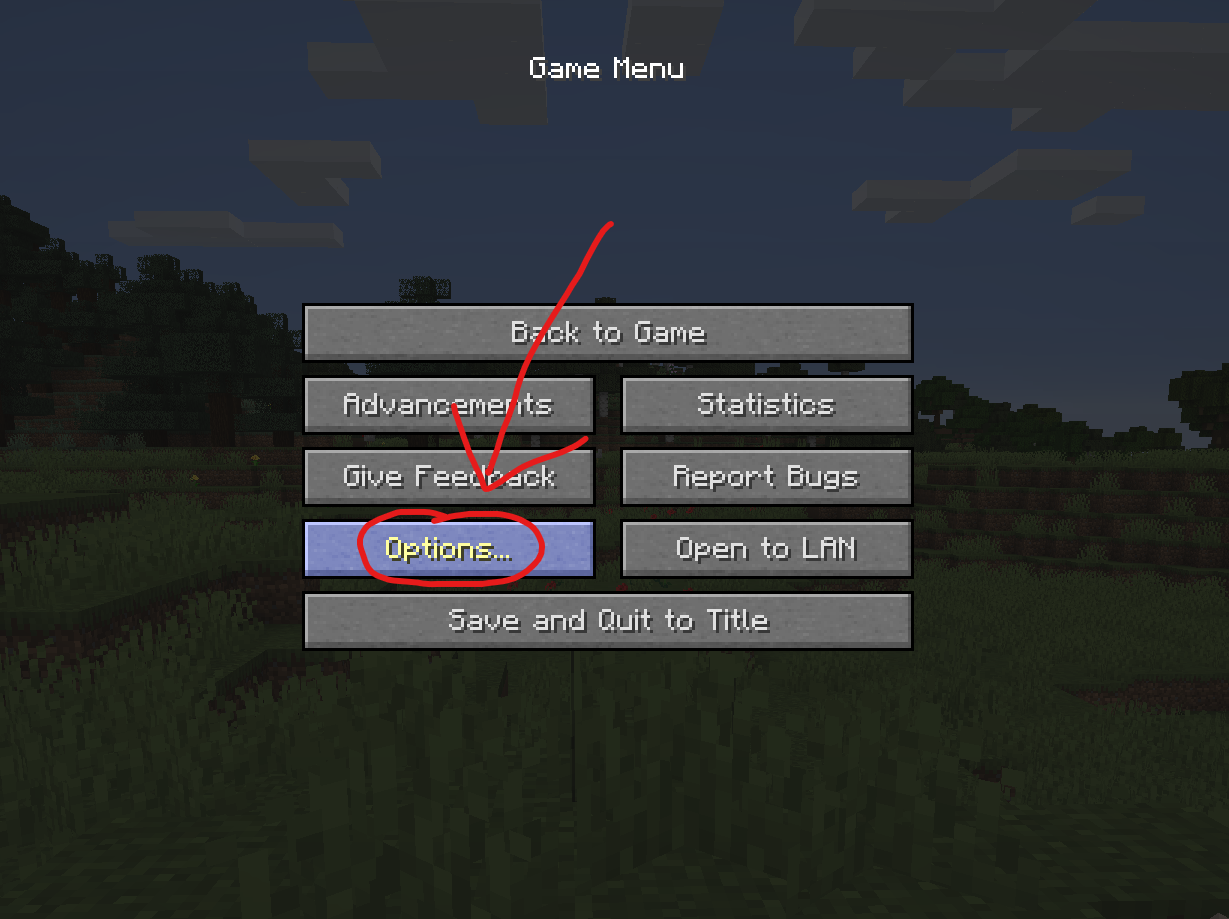
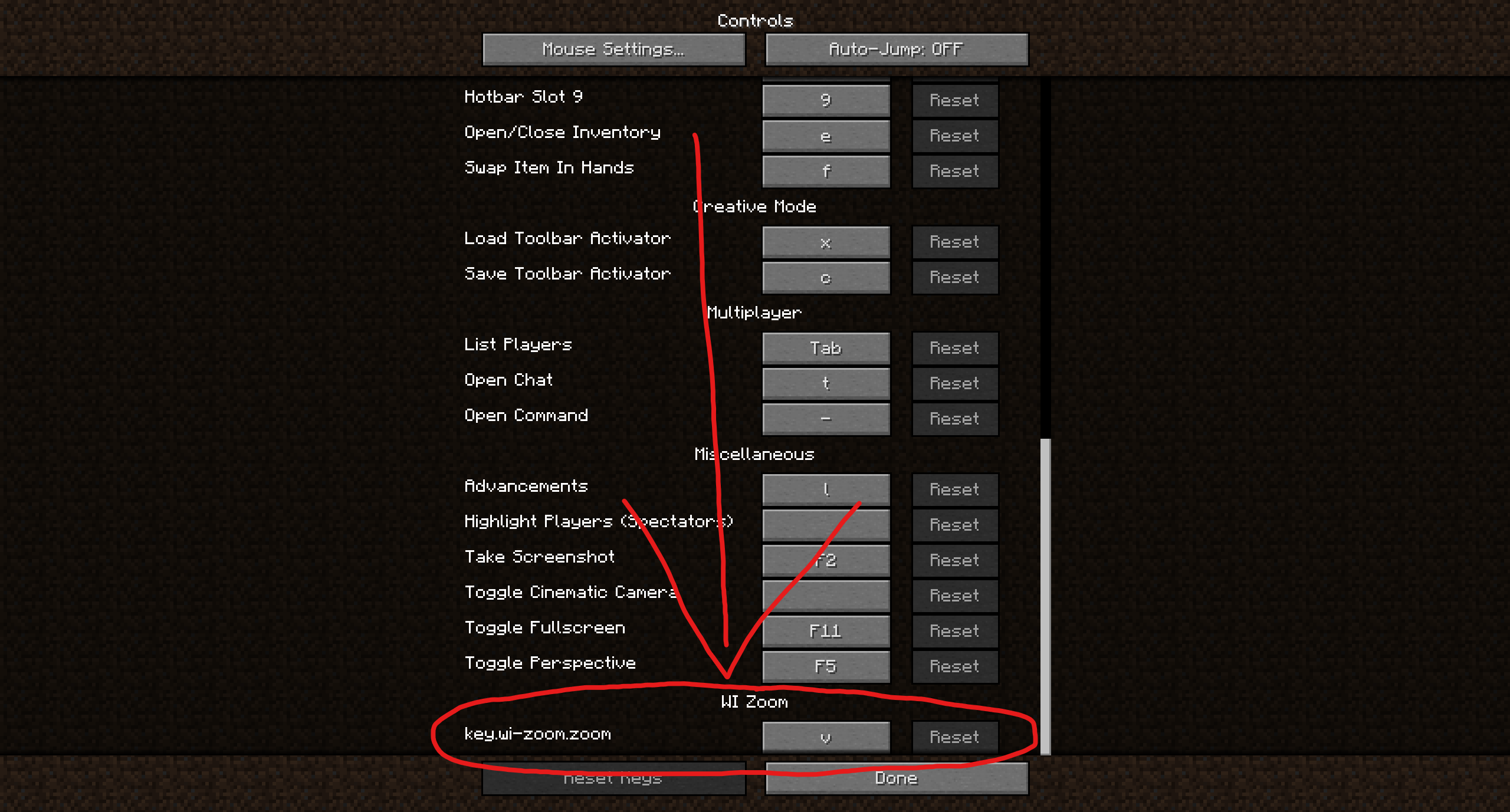
Hold down the V key to activate the zoom (this keybind can be changed).
While zooming, you can use the mouse wheel to zoom in further.

Project description from CurseForge.
Pick your setup
Choose the version and loader you play, then open the matching release.
Check the dependencies, then try the file in a copied instance before changing a world you care about.
Recent files
WI-Zoom-1.7-MC26.3.jar
15 Sept 2026
Looking for an older file? The official CurseForge project page is in Resources.
 mod
HUD:A lightweight Jade alternative ,effect timmer ,Target Info,Saturation and Coordinates Monitor ,Waila,HWYLA,show Horse speed and jump stats,death location,Death Finder
 mod
A new world option lets you customize the initial border size, and the border will expand as you earn achievements...
 mod
A fullscreen map with clickable places, built on Diorama, JourneyMap or Xaero's World Map: markers, legend with search, event feed, teams and sharing. The core of the Telemap mods