Construct's Armory Optional for Distinct Damage Descriptions 1.12.2 - v1.6.0
optionalNo matching file

CurseForge · Minecraft mod
Bringing D&D style combat to Minecraft!
Quick answer
Distinct Damage Descriptions 1.12.2 - v1.6.0 targets 1.12.2 with Fabric, Forge. The project page does not say whether this file belongs on the client, dedicated server, or both. No extra mods listed for this file.
Where it goes
The project page does not say whether this file belongs on the client, dedicated server, or both.
The source does not explicitly classify this release as client-only or server-only.
Distinct Damage Descriptions 1.12.2 - v1.6.0 on Fabric. Every mod below is checked against that same setup.
This file does not list any required mods. Do not add a library just because a different file uses it.
We only count dependency files that match this setup. A file for another loader does not fill the gap.
Before you install it
Built for Distinct Damage Descriptions 1.12.2 - v1.6.0 on Fabric. Pick another file and the loader, install side or required mods may change.
Use Distinct Damage Descriptions 1.12.2 - v1.6.0. It targets 1.12.2 with Fabric, Forge; another release may have different loader, side or dependency requirements.
This file does not list any required mods. Do not add a library just because a different file uses it.
The project page does not say whether this file belongs on the client, dedicated server, or both.
Use the “Get this file” button beside Distinct Damage Descriptions 1.12.2 - v1.6.0. It opens that exact file at the source.
About this project

Modrinth, CurseForge, and the mod's GitHub repository are the only official mod pages for Distinct Damage Descriptions. If you're not on either of those places, click here to go there.


(Supporting me on Ko-Fi or Patreon lets me continue to develop mods full-time!)


Distinct Damage Descriptions (shortened to DDD) is a combat overhaul mod aiming to bring table top RPG style combat, with damage types, to Minecraft. With it, it brings new damage calculation systems that factor in weapon damage types, shield and armor effectiveness to certain types, mob resistances/weaknesses and mob immunities. It also adds systems for mobs to adapt to damage to become more resistant to it.
By default, DDD introduces 13 damage types (Slashing, Piercing, Bludgeoning, Acid, Cold, Fire, Force, Lightning, Necrotic, Poison, Psychic, Radiant, Thunder) and certain items can inflict damage of certain types. Take the Nether Star for example:
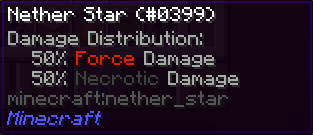
It inflicts 50% Force and 50% Necrotic. The base damage of the Nether Star (which is 1) gets distributed between the two weights. But this is configurable on a per-item basis.
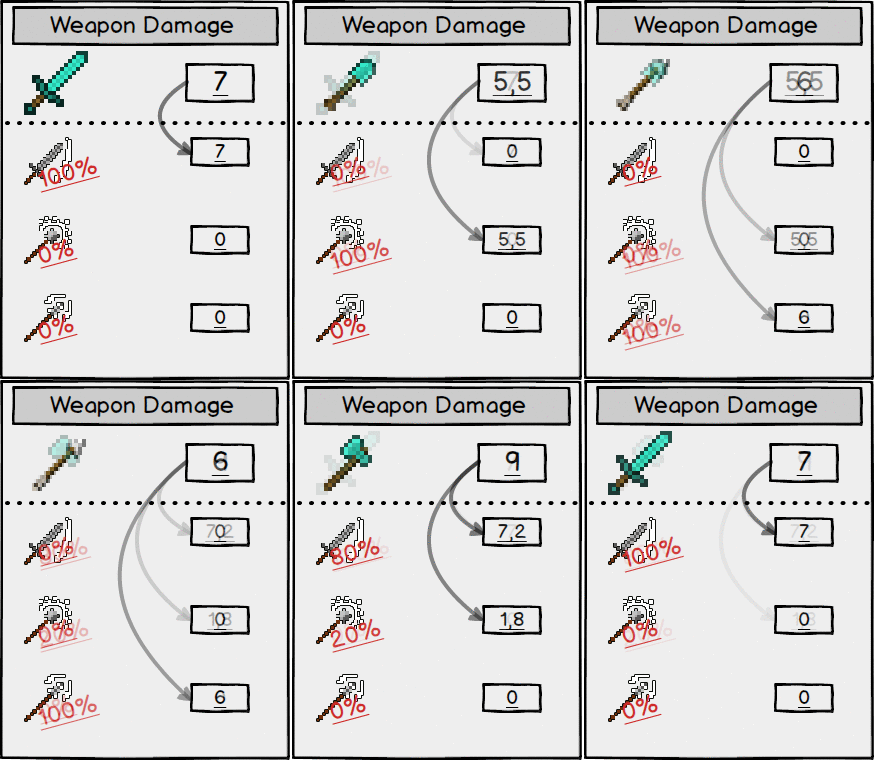
(Note the weights must always add to 100%!)
Armor and Shields have effectiveness ratings that determine how good they are at blocking damage of certain types. Some armor and shields may not block damage of certain types or do so poorly. This is also configurable on a per-item basis.
Modrinth, CurseForge, and the mod's GitHub repository are the only official mod pages for Distinct Damage Descriptions. If you're not on either of those places, click here to go there.
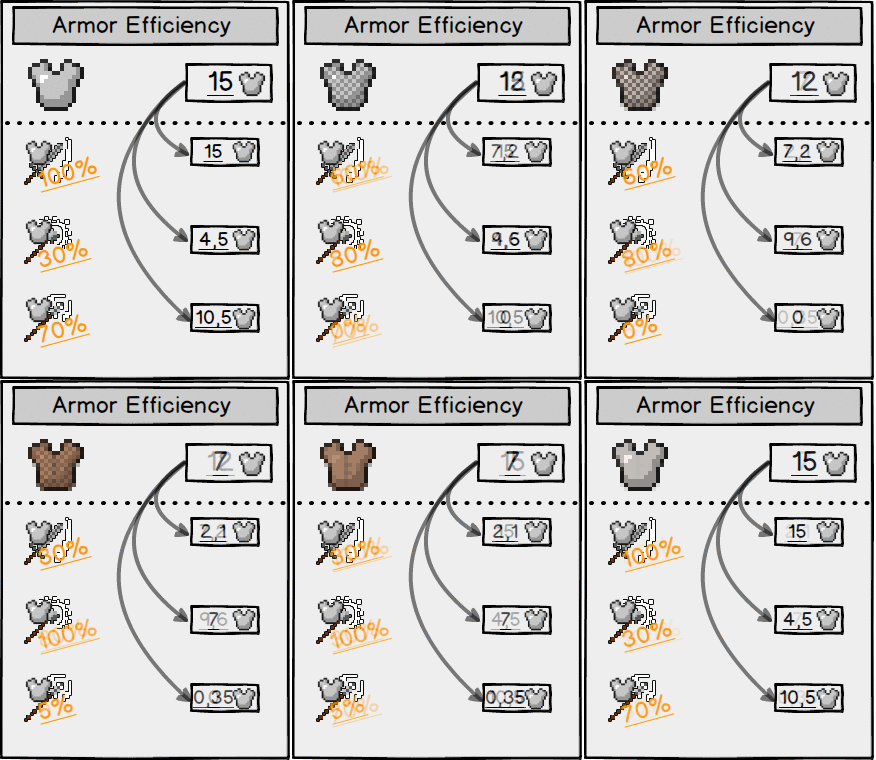
For armor, Armor Effectiveness determines how many armor points from that armor actually block damage of certain types.
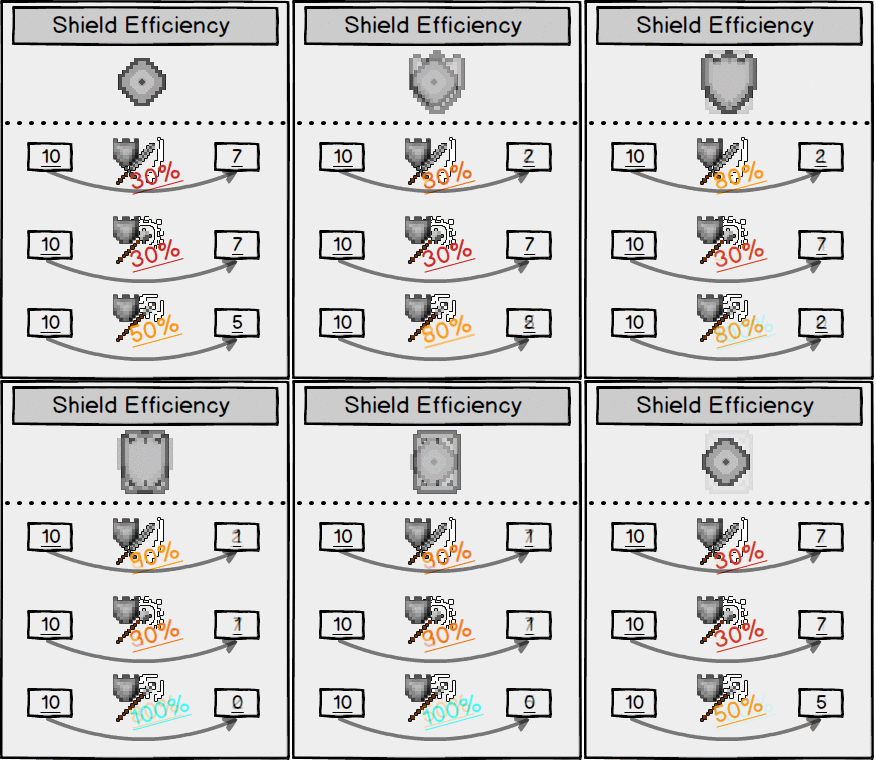
For shields, Shield Effectiveness determines how much damage of a certain type a shield can block. All unblocked/remaining damage bypasses the shield.
Mobs have their own base damage distributions and resistances (configurable on a per-mob basis). You can see some of this information on the mob's spawn egg.
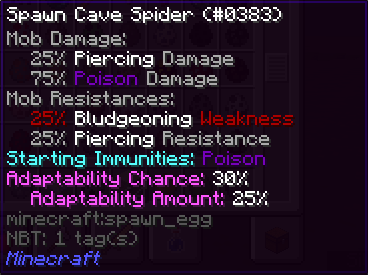
Here, Cave Spiders inflict 25% Piercing damage and 75% Poison damage. They have a Bludgeoning weakness, and are completely immune to Poison damage.
Here's another example:
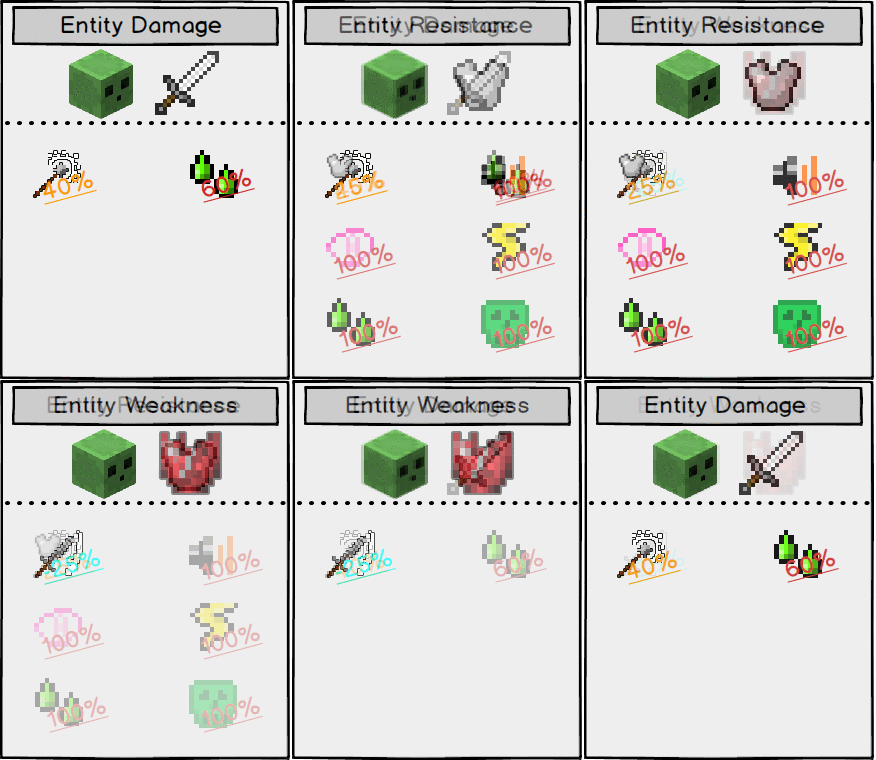
Mobs can also have adaptability. In the Cave Spider example, they have a 30% chance to be adaptive. This means on spawn, a Cave Spider has a 30% chance to have the adaptive ability. An adaptive mob will adjust its resistances when it takes damage to the damage types it was just hit by. In the Cave Spider case, it will boost its resistances by 25% (this is a flat additive boost) if it is adaptive and takes damage. A mob that is adaptive only adapts to the damage types it was most recently hit by. Hit it with something else, and the adaptive resistance will adjust to only those damage types.
Here's an extreme example with Silverfish before and after adaptability is triggered. It adjusts its resistances by 75%!
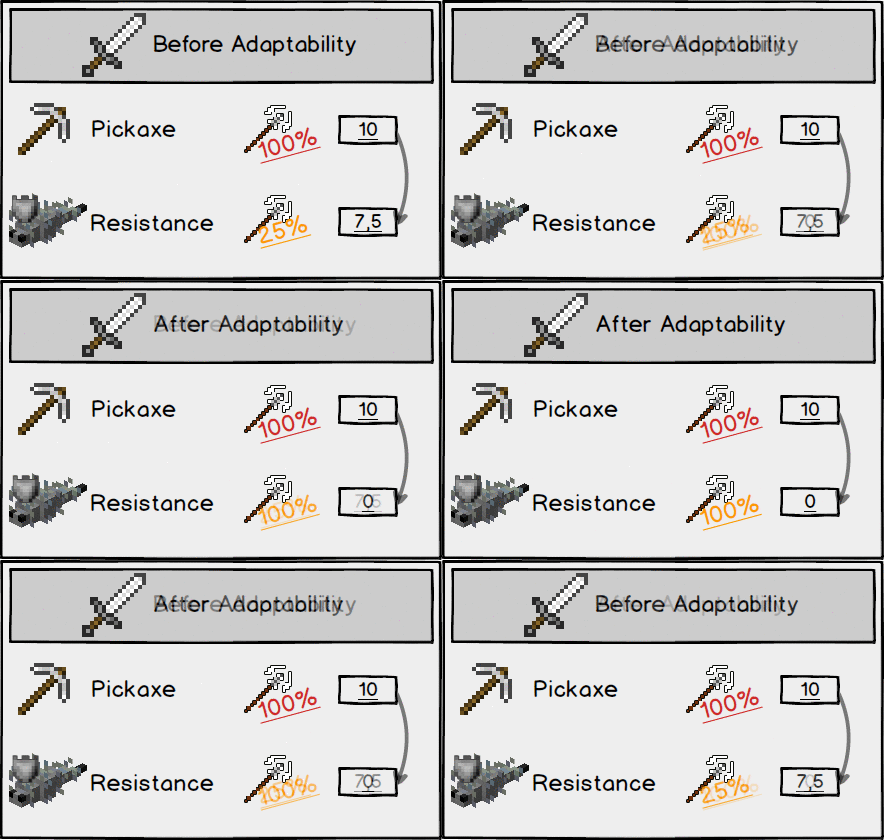
Some mods have compatibility or specific integration with DDD. You can check the list of Relations, but it will also be provided here (the Relations will always be up to date however).
Integration is defined as specific behaviour between DDD and the mod in question. There's a specific section in the config to tweak how the integration works. DDD currently has specific integration with the following mods:
Compat is defined as bridging the gap between the two mods such that they can work together. There is no config section for these mods within DDD, "they just work".
CraftTweaker integration is pretty important with DDD. You can make your own damage types and determine what damage should inflict what damage type, all using ZenScript! You should check the wiki to see how it works!
Modrinth, CurseForge, and the mod's GitHub repository are the only official mod pages for Distinct Damage Descriptions. If you're not on either of those places, click here to go there.
Project description from CurseForge.
Pick your setup
Choose the version and loader you play, then open the matching release.
Check the dependencies, then try the file in a copied instance before changing a world you care about.
Recent files
distinctdamagedescriptions-1.6.0.jar
10 May 2024
Looking for an older file? The official CurseForge project page is in Resources.
 mod
Gaussian variation on base stats of naturally-spawned items — every found sword and armor piece rolls a little different.
 mod
Adds new creatures and encounters to Minecraft.
 mod
Adds a quest system designed to make info conveyance in modpacks far more intuitive!
