Konkrete Needed by Panoramica [Forge] [NeoForge] v1.3.0 MC 1.20.4
requiredMatching file found Matched file: [NeoForge] v1.9.1 MC 1.20.4

CurseForge · Minecraft mod
Take cubic panorama screenshots like the one in the Title screen!
Quick answer
Panoramica [Forge] [NeoForge] v1.3.0 MC 1.20.4 targets 1.20.4 with NeoForge. The project page does not say whether this file belongs on the client, dedicated server, or both. All 1 required mods have matching files.
Where it goes
The project page does not say whether this file belongs on the client, dedicated server, or both.
The source does not explicitly classify this release as client-only or server-only.
[NeoForge] v1.3.0 MC 1.20.4. Change the file and its required mods may change too.
Install Konkrete first. We found matching files for this game-version and loader setup.
We only count dependency files that match this setup. A file for another loader does not fill the gap.
Before you install it
Built for Panoramica [Forge] [NeoForge] v1.3.0 MC 1.20.4. Pick another file and the loader, install side or required mods may change.
Use [NeoForge] v1.3.0 MC 1.20.4. It targets 1.20.4 with NeoForge; another release may have different loader, side or dependency requirements.
Install Konkrete first. We found matching files for this game-version and loader setup.
The project page does not say whether this file belongs on the client, dedicated server, or both.
Use the “Get this file” button beside [NeoForge] v1.3.0 MC 1.20.4. It opens that exact file at the source.
About this project




Dependencies
Fabric
The Fabric version of Panoramica can be downloaded here!
About
Panoramica is a client-side mod to take cubic panorama screenshots like the one you see in the background of Minecraft's title menu!
You can use these panoramas in resource packs to replace the default title menu panorama or in other mods that use this panorama format, like FancyMenu!
How To Take Panorama Screenshots
To take a panorama screenshot and save it to your system, just go to a cool spot in your world and press R (by default) to start the screenshot process.
The keybind can be changed in the controls settings.
Configuring Panoramica
Panoramicas' configuration file is located at .minecraft/config/panoramica/config.txt!
Screenshot Resolution
To change the resolution of your panorama screenshots, just change the panoramaresolution value in the mod config to a multiple of 512.
Screenshot Delay
The delay between each screenshot can be changed with the screenshotdelay value in the mod config.
**A too small delay can cause the screenshot process to fail!
Fixing Incompatibilities**
Some mods that change the behaviour or look of GUI screens (like Blur) may cause problems with Panoramica.
If the other mod has an option to exclude GUIs, please exclude "de.keksuccino.panoramica.DummyScreen" (without the " ").
Copyright
Panoramica Copyright © 2020-2022 Keksuccino.
Panoramica is licensed under DSMSL (DON'T SNATCH MA STUFF LICENSE).
See "Custom License" in the "About Project" section for more information about the license.
Server Needed?
You need a Minecraft server to play with your friends but it's just too much work to setup one on your own?
No problem, just rent an ready-to-use server and start playing in a snap!
Just click on the image below and use the code keksuccino to get 25% off your first month!

Project description from CurseForge.
Pick your setup
Choose the version and loader you play, then open the matching release.
Showing the newest 12 of 19 game versions. Older files are in the list below.
Check the dependencies, then try the file in a copied instance before changing a world you care about.
Recent files
panoramica_neoforge_1.3.0_MC_1.20.4.jar
6 Mar 2024
panoramica_forge_1.3.0_MC_1.20.4.jar
6 Mar 2024
panoramica__forge_1.2.1_MC_1.20.2.jar
24 Sept 2023
panoramica_forge_1.2.1_MC_1.19-1.19.2.jar
5 Oct 2022
panoramica_forge_1.2.1_MC_1.18-1.18.2.jar
5 Oct 2022
panoramica_forge_1.2.0_MC_1.19-1.19.2.jar
1 Oct 2022
panoramica_forge_1.2.0_MC_1.18-1.18.2.jar
1 Oct 2022
panoramica_forge_1.2.0_MC_1.16.2-1.16.5.jar
1 Oct 2022
panoramica_forge_1.2.0_MC_1.12-1.12.2.jar
1 Oct 2022
panoramica_forge_1.1.2-1_MC_1.19-1.19.1.jar
2 Aug 2022
panoramica_forge_1.1.2_MC_1.18-1.18.1.jar
29 Dec 2021
panoramica_forge_1.1.2_MC_1.16.5.jar
29 Dec 2021
Looking for an older file? The official CurseForge project page is in Resources.
 mod
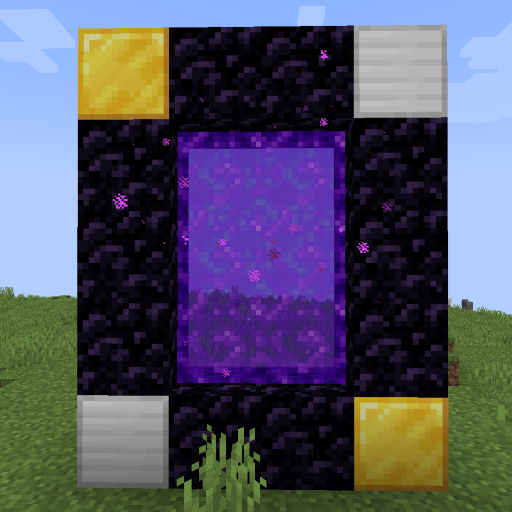
Create custom world portal to travel between dimensions.
 mod
In addition to a multitude of items, the mod adds structures, mobs, and various challenges to survival!
 mod
A high-progression tech mod inspired by Avaritia and Mekanism, featuring advanced machinery, dimensional exploration, reality manipulation, and increasingly powerful technology.