Minecraft version
Back to mods 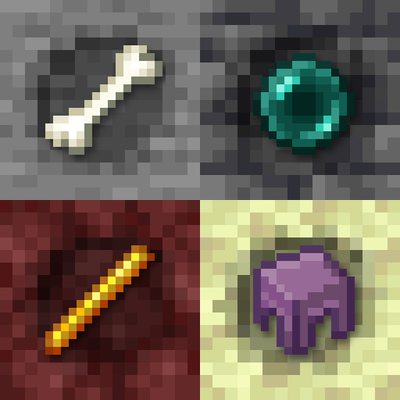
CurseForge · Minecraft mod
Ore Revolution
Ores that hold any item, vanilla or from other mods. Mine them for the item inside, or use Silk Touch to keep the ore. What you find depends on the layer and the biome, in the Overworld, the Nether and the End.
Choose a version Pick your version below, then grab the matching file.
Quick answer
Which Ore Revolution release should I use?
Latest stable file OreRevolution-neoforge-26.3-2.0.0.jar
Game version 26.3
Loader NeoForge
Ore Revolution OreRevolution-neoforge-26.3-2.0.0.jar targets 26.3 with NeoForge. The project page does not say whether this file belongs on the client, dedicated server, or both. No extra mods listed for this file.
Where it goes
Is Ore Revolution required on the client, server, or both?
The project page does not say whether this file belongs on the client, dedicated server, or both.
Client Source doesn’t say
Dedicated server Source doesn’t say
Loader for this release NeoForge
Required install it here Optional supported, not mandatory Not supported do not install here Source doesn’t say do not assume
The source does not explicitly classify this release as client-only or server-only.
What else does Ore Revolution OreRevolution-neoforge-26.3-2.0.0.jar need?
OreRevolution-neoforge-26.3-2.0.0.jar. Change the file and its required mods may change too.
This file does not list any required mods. Do not add a library just because a different file uses it.
This file does not list any required or optional mods.
Before you install it
Add Ore Revolution without breaking your instance.
Built for Ore Revolution OreRevolution-neoforge-26.3-2.0.0.jar. Pick another file and the loader, install side or required mods may change.
- 01
Stick to this file
Use OreRevolution-neoforge-26.3-2.0.0.jar. It targets 26.3 with NeoForge; another release may have different loader, side or dependency requirements.
- 02
Bring the mods it needs
This file does not list any required mods. Do not add a library just because a different file uses it.
- 03
Put it on the correct side
The project page does not say whether this file belongs on the client, dedicated server, or both.
- 04
Pick the file you checked
Use the “Get this file” button beside OreRevolution-neoforge-26.3-2.0.0.jar. It opens that exact file at the source.
About this project
What does Ore Revolution add?
Ore Revolution 2.0 is a full rework. Go caving and find ores that hold real items: bones, ender pearls, golden apples, totems, even a nether star. Any item or block can be found in an ore, vanilla or from other mods, and what you find depends on where you dig: deserts hide cactus, oceans prismarine, the Nether blaze rods, the End shulker shells. Rare items come in smaller veins, need a better pickaxe and give more experience. Available for Fabric, NeoForge and Forge.
How it works
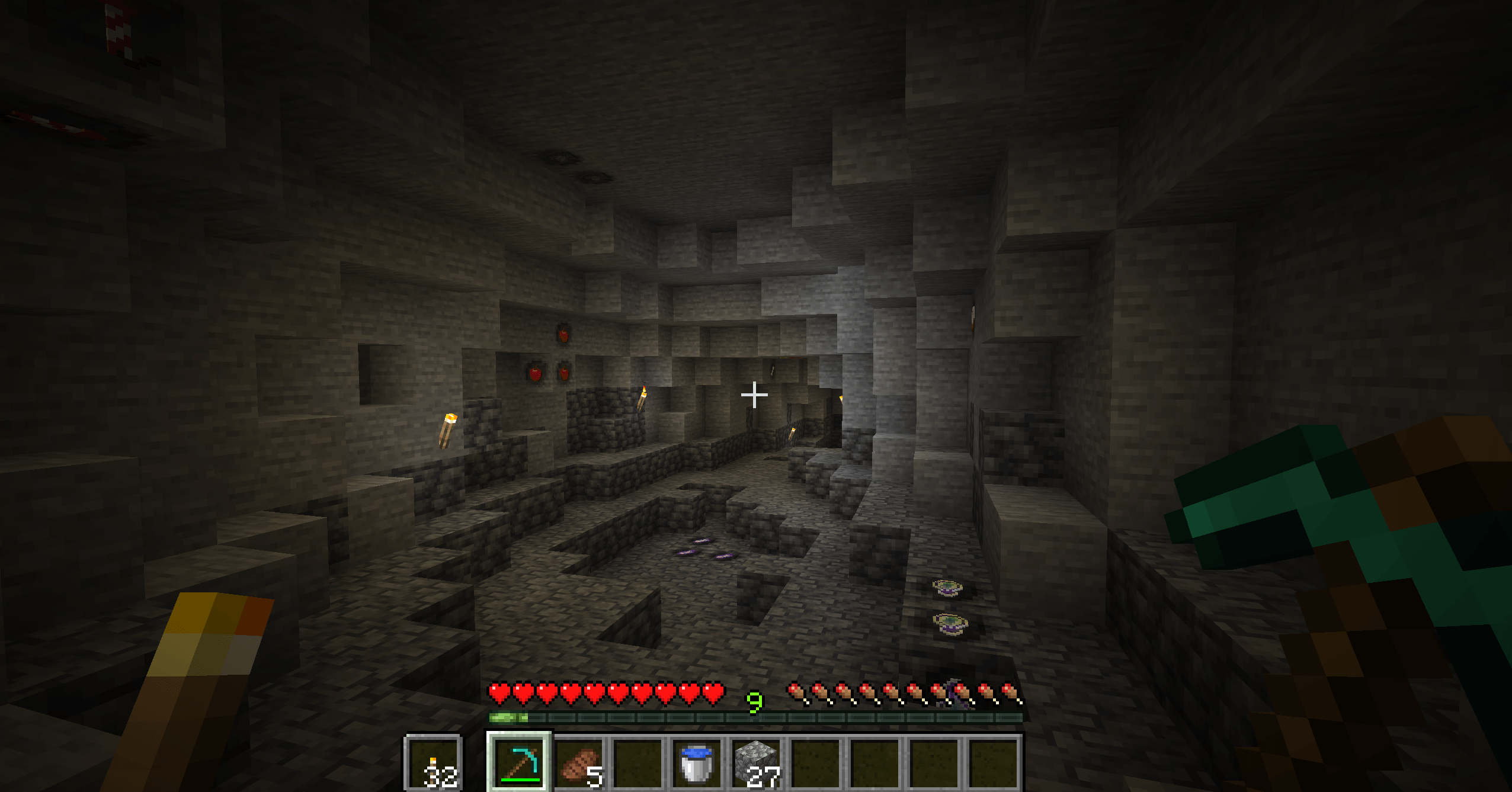
- Find an Item Ore while mining: you can see the real item set in the stone.
- Mine it to get that item, plus some experience.
- Use Silk Touch to get the ore itself and place it wherever you like: it keeps its item.
The ores generate in stone, deepslate, netherrack and end stone, so you will find them in caves, in the Nether and on the End islands. They are about as common as coal, so every cave has something to find. They only generate in new chunks.
Any item, any mod
The mod doesn't add one block per item: there are just four ores (stone, deepslate, Nether and End), and the item is saved inside the block. That's why it works with every item of every mod, with no setup.
By default every layer has a curated list of items that make sense there (about 150 between layers and biomes). Want more? Turn on all_items in the config and every item of every mod can show up in the Overworld, with its tier deciding how often. Pack makers can add items to any layer with the config or with the orerevolution:pools/<layer> item tags.
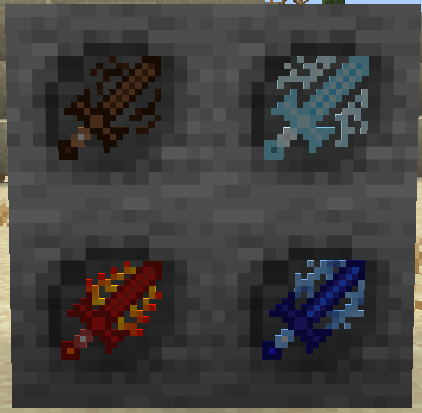
Swords from Elemental Swords, found in Item Ores with one line in the config.
Layers and biomes

- Stone: everyday items like bones, string, feathers, leather, apples, logs, gunpowder…
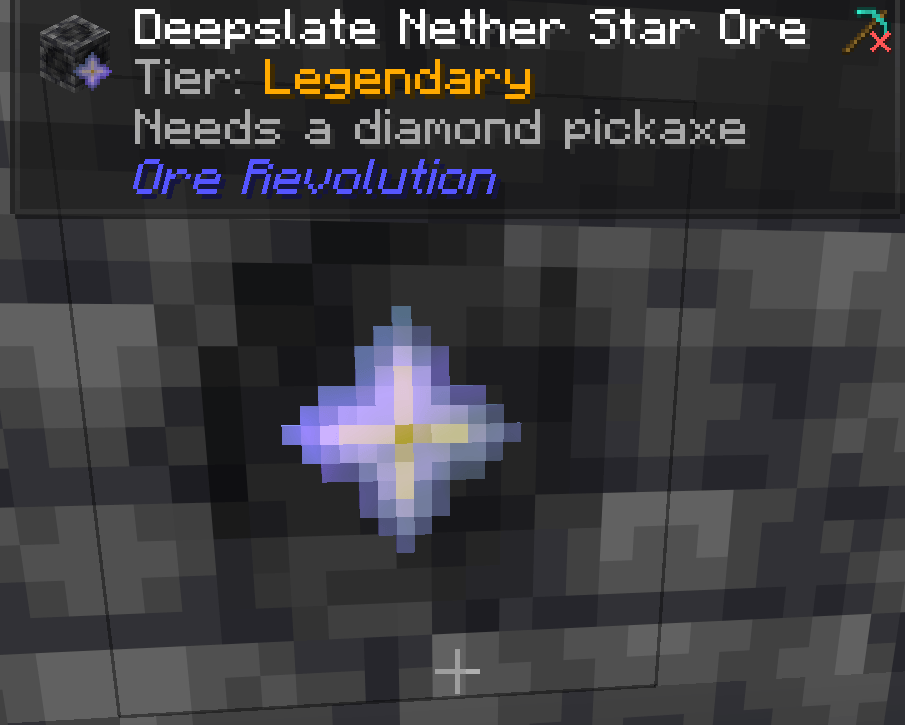
- Deepslate: better loot like ender pearls, golden apples, saddles, hearts of the sea, totems, nether stars…
- Nether: blaze rods, ghast tears, magma cream, nether wart, fungi…
- End: ender pearls, chorus fruit, shulker shells, dragon's breath, elytra…
Biomes matter too: their own items show up much more often. Cherry groves give pink petals, jungles cocoa beans, oceans prismarine, deserts cactus, the deep dark echo shards, dripstone caves pointed dripstone, lush caves glow berries, snowy biomes blue ice, and every Nether biome has its own loot. There are over 20 biome lists, and modded biomes work too.
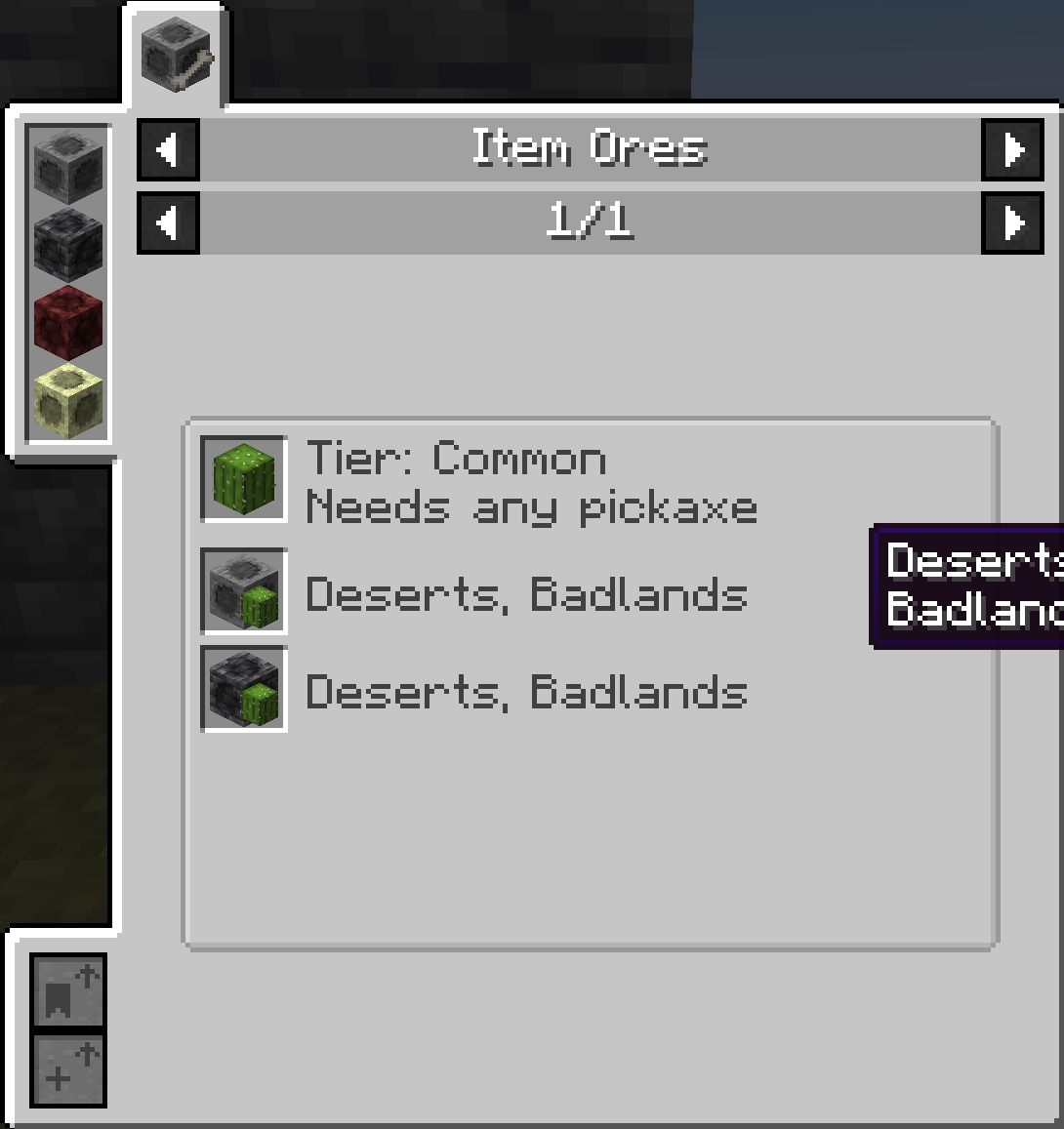
Use /orerevolution pool to see which items can be found where you stand, and how likely each one is.
Tiers
Valuable items are rarer. Every item has a tier:
- Common: big veins, up to 3 items
- Uncommon (ender pearls, slime balls…): smaller veins, up to 2 items
- Rare (golden apples, name tags, blaze rods…): half veins, needs a stone pickaxe
- Epic (totems, hearts of the sea, echo shards…): tiny veins, deepslate, Nether and End only, needs an iron pickaxe
- Legendary (nether stars, enchanted golden apples, elytra…): a single ore, deepslate, Nether and End only, needs a diamond pickaxe
With a pickaxe that's too weak the ore breaks slowly and drops nothing, just like vanilla ores. Higher tiers give more experience. Fortune works on common, uncommon and rare ores. Tiers come from the config, then from the orerevolution:tiers/<tier> item tags, then from the item's rarity, so items from other mods get a tier on their own.
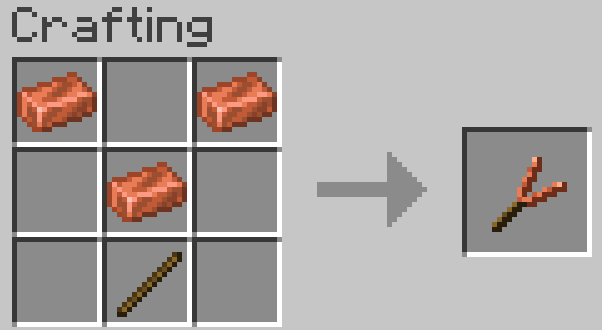
Dowsing Rod
Craft a Dowsing Rod with three copper ingots and a stick, then right click: it tells you how many Item Ores are within 16 blocks, how far the nearest one is and the best tier among them. The higher the tier, the higher the sound. It only finds Item Ores, not vanilla ores or ores from other mods. It has 64 uses.

Advancements
9 new advancements in their own tab.
Works with JEI and Jade
- JEI: press R on any item to see its tier, the pickaxe it needs and in which stones and biomes it can be found. It works with modded items and with the config too.
- Jade: look at an ore to see its item, its tier and the pickaxe it needs, with a check mark if yours is good enough.
Configuration
Everything can be configured in orerevolution-common.toml. Use /orerevolution reload to load the changes without restarting (generation changes only apply to new chunks).
See what you can change
- Generation: how many veins generate in each layer (stone, deepslate, Nether, End), and how much the biome's own items are favoured.
- Items: every item of every mod or only the curated lists, whether blocks can be found, a blacklist and extra items for each layer (item ids,
#tagsor@modidfor a whole mod). - Tiers: how often each tier is chosen, how many items it drops, which items belong to it, Fortune and whether rare ores need better pickaxes.
FAQ
- What about versions 1.x? Versions 1.x (Minecraft 1.16.5 to 1.19) are the original mod, with one ore block for each of 38 items. Version 2.0 (Minecraft 1.20.1 and newer) is a full rework with a different system, so they are not compatible: if you update an old world from 1.x, the old ore blocks disappear. The 1.x files are still available for older Minecraft versions, but they won't get updates.
- Does it work in multiplayer? Yes, the mod must be installed on both the server and the client.
BisectHosting offers quick, simple and high quality server hosting with over a dozen locations available across the world, ensuring low latency. After your purchase, the server is already configured and ready to use. With their 24/7 support and fast-response time, no issues shall stand in your way! Use the promo code BLACKWOLF to get a 25% discount off your first month when buying any of their gaming servers.
Feel free to use this mod in your modpack
Project description from CurseForge.
Pick your setup
Ore Revolution by Minecraft version and loader
Choose the version and loader you play, then open the matching release.
Minecraft version
1.19.2
1 loader buildMinecraft version
1.19.1
1 loader buildMinecraft version
1.19
1 loader buildMinecraft version
1.18.2
2 loader buildsMinecraft version
1.18.1
2 loader buildsMinecraft version
1.17.1
2 loader buildsMinecraft version
1.16.5
1 loader buildMinecraft version
1.16.4
1 loader buildCheck the dependencies, then try the file in a copied instance before changing a world you care about.
Recent files
Ore Revolution versions and loaders
OreRevolution-neoforge-26.3-2.0.0.jar
18 Nov 2026
Client Source doesn’t say Server Source doesn’t say Dependencies No extras listed Listed on Release listing
Check the 26.3 · NeoForge setup NeoForge26.3 release
OreRevolution-forge-26.3-2.0.0.jar
18 Nov 2026
Client Source doesn’t say Server Source doesn’t say Dependencies No extras listed Listed on Release listing
Check the 26.3 · Forge setup Forge26.3 release
OreRevolution-fabric-26.3-2.0.0.jar
18 Nov 2026
Client Source doesn’t say Server Source doesn’t say Dependencies No extras listed Listed on Release listing
Check the 26.3 · Fabric setup Fabric26.3 release
OreRevolution-1.19.2-1.2.3-[FABRIC]
OreRevolution-1.19.2-1.2.3-[FABRIC].jar
26 Aug 2022
Client Source doesn’t say Server Source doesn’t say Dependencies 1 required · 1 unchecked Listed on Release listing
Check the 1.19.2 · Fabric setup Fabric1.19.2 release
OreRevolution-1.19.1-1.2.2-[FABRIC]
OreRevolution-1.19.1-1.2.2-[FABRIC].jar
9 Aug 2022
Client Source doesn’t say Server Source doesn’t say Dependencies 1 required · 1 unchecked Listed on Release listing
Check the 1.19.1 · Fabric setup Fabric1.19.1 release
OreRevolution-1.19-1.2.0-[FABRIC]
OreRevolution-1.19-1.2.0-[FABRIC].jar
20 Jul 2022
Client Source doesn’t say Server Source doesn’t say Dependencies 1 required · 1 unchecked Listed on Release listing
Check the 1.19 · Fabric setup Fabric1.19 release
OreRevolution-1.18.2-1.1.2-[FABRIC]
OreRevolution-1.18.2-1.1.2-[FABRIC].jar
2 Apr 2022
Client Source doesn’t say Server Source doesn’t say Dependencies 1 required · 1 unchecked Listed on Release listing
Check the 1.18.2 · Fabric setup Fabric1.18.2 release
OreRevolution-1.18.2-3.1.8-[FORGE]
OreRevolution-1.18.2-3.1.8-[FORGE].jar
19 Mar 2022
Client Source doesn’t say Server Source doesn’t say Dependencies No extras listed Listed on Release listing
Check the 1.18.2 · Forge setup 1.18.2Forge release
OreRevolution-1.18.1-1.1.0-[FABRIC]
OreRevolution-1.18.1-1.1.0-[FABRIC].jar
8 Mar 2022
Client Source doesn’t say Server Source doesn’t say Dependencies No extras listed Listed on Release listing
Check the 1.18.1 · Fabric setup 1.18.1Fabric release
OreRevolution-1.18.1-3.1.5-[FORGE]
OreRevolution-1.18.1-3.1.5-[FORGE].jar
27 Jan 2022
Client Source doesn’t say Server Source doesn’t say Dependencies No extras listed Listed on Release listing
Check the 1.18.1 · Forge setup 1.18.1Forge release
"OreRevolution-1.16.5-1.2.6-[FORGE]
OreRevolution-1.16.5-1.2.6-[FORGE].jar
8 Jan 2022
Client Source doesn’t say Server Source doesn’t say Dependencies No extras listed Listed on Release listing
Check the 1.16.5 · Forge setup 1.16.5Forge beta
OreRevolution-1.18.1-3.1.0-[FORGE]
OreRevolution-1.18.1-3.1.0-[FORGE].jar
5 Jan 2022
Client Source doesn’t say Server Source doesn’t say Dependencies No extras listed Listed on Release listing
Check the 1.18.1 · Forge setup 1.18.1Forge release
Looking for an older file? The official CurseForge project page is in Resources.
 mod
CurseForge + Modrinth · Minecraft
Asgard Shield: Reloaded
A Minecraft mod that adds giant swords and shields to the game. A re-make of the original Asgard Shield, made popular by the 1.5 modpack Hexxit.
 mod
CurseForge · Minecraft
Absolute Frogs
Find, tame and ride six species of giant frogs: charged leaps, swimming, diving, breeding and a field guide.
 mod
CurseForge · Minecraft
Minebonk
Megabonk in Minecraft ? what for ?