Konkrete Needed by DetailedHP v1.1.0 MC 1.16.2-1.16.5
requiredMatching file found Matched file: [Forge] v1.6.1 MC 1.16.2-1.16.5
CurseForge · Minecraft mod
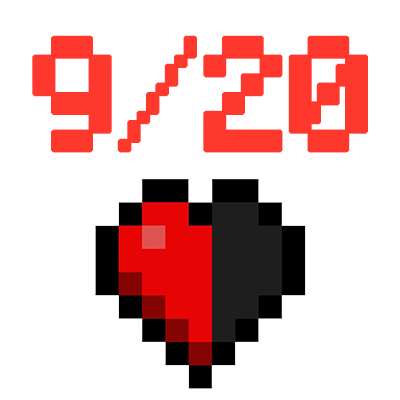
Show your current HP and food as number in the HUD.
Quick answer
DetailedHP v1.1.0 MC 1.16.2-1.16.5 targets 1.16.3, 1.16.5, 1.16.4 with Forge. The project page does not say whether this file belongs on the client, dedicated server, or both. All 1 required mods have matching files.
Where it goes
The project page does not say whether this file belongs on the client, dedicated server, or both.
The source does not explicitly classify this release as client-only or server-only.
DetailedHP v1.1.0 MC 1.16.2-1.16.5. Change the file and its required mods may change too.
Install Konkrete first. We found matching files for this game-version and loader setup.
We only count dependency files that match this setup. A file for another loader does not fill the gap.
Before you install it
Built for DetailedHP v1.1.0 MC 1.16.2-1.16.5. Pick another file and the loader, install side or required mods may change.
Use DetailedHP v1.1.0 MC 1.16.2-1.16.5. It targets 1.16.3, 1.16.5, 1.16.4 with Forge; another release may have different loader, side or dependency requirements.
Install Konkrete first. We found matching files for this game-version and loader setup.
The project page does not say whether this file belongs on the client, dedicated server, or both.
Use the “Get this file” button beside DetailedHP v1.1.0 MC 1.16.2-1.16.5. It opens that exact file at the source.
About this project


Dependencies
About
DetailedHP is a client-side Forge mod that shows your current HP and food as number instead of just the normal bars.
It is compatible with mods that change the max health of the player and it can be fully customized by changing it's position, size, color, prefix and suffix!
NOTE:
DetailedHP is a mod request by Discord user SenZ0!


How to Customize DetailedHP
The config file to customize the mod is located at .minecraft/config/detailedhp/config.txt.
To apply changes made to the config, just pause the game (press ESC) and the config will be reloaded! NOTE:
All values without "food" or "_food" at the end of its name are for the health overlay.
PositionYou can change the position of the number by adjusting the posx, posy, orientation, posx_food, posy_food and orientation_food values.
The orientation sets the origin point from where its position is calculated.
Supported orientation values are: top-left, mid-left, bottom-left, top-centered, mid-centered, bottom-centered, top-right, mid-right, bottom-right
ColorThe basecolor and basecolor_food values can be used to set the base color of the text to whatever HEX color value you like.
If you want to use default Minecraft formatting codes, you can use the prefix / prefix_food and suffix / suffix_food values.
ScaleThe number is too big or too small? Just use the scale and scale_food values and set them to the text scale you like the most!
These values are multipliers. A scale of 0.5 will be half of the normal text size and 2.0 will double the size.
Prefix and SuffixThese things aren't only to format your number! You can use the prefix / prefix_food and suffix / suffix_food values to add any text to the start and end of the normal number.
Disable Max Health or FoodIf you don't want to see the max health or food (the number after the slash), just disable it by setting showmaxhealth and/or showmaxfood to false.
Hide Health or FoodYou want to completely hide one or both (?) of the overlays? Just set enablehealth and/or enablefood to false and you will never see them again!..until you set it to true again, of curse!
Copyright
DetailedHP
Copyright © 2021 Keksuccino. All rights reserved.
Server Needed?
You need a Minecraft server to play with your friends but it's just too much work to setup one on your own?
No problem, just rent an ready-to-use server and start playing in a snap!
Just click on the image below and use the code keksuccino to get 25% off your first month!

Project description from CurseForge.
Pick your setup
Choose the version and loader you play, then open the matching release.
Check the dependencies, then try the file in a copied instance before changing a world you care about.
Recent files
detailedhp_1.1.0_MC_1.16.2-1.16.5.jar
27 Apr 2021
detailedhp_1.1.0_MC_1.12-1.12.2.jar
26 Apr 2021
detailedhp_1.0.2_MC_1.12-1.12.2.jar
28 Mar 2021
Looking for an older file? The official CurseForge project page is in Resources.
 mod
Discover the weird, wonderful, and critically endangered parrots of the world! Parrots O’ Plenty introduces real-life species, and a whole new reason to explore the skies.
 mod
Uncompromising player interaction with the world and improved movement physics.
 mod
Replaces Minecraft's standard survival HUD with compact player bars, status effects, a character portrait, and responsive damage feedback.