BlockUI Needed by Storage Racks 1.19 1.1.3
requiredMatching file found Matched file: blockui-1.19-0.0.69-ALPHA.jar
CurseForge · Minecraft mod
Simple but Powerful Storage Mod
Quick answer
Storage Racks 1.19 1.1.3 targets 1.19.2, 1.19.1, 1.19 with Forge. The project page does not say whether this file belongs on the client, dedicated server, or both. All 1 required mods have matching files.
Where it goes
The project page does not say whether this file belongs on the client, dedicated server, or both.
The source does not explicitly classify this release as client-only or server-only.
Storage Racks 1.19 1.1.3 on 1.19. Every mod below is checked against that same setup.
Install BlockUI first. We found matching files for this game-version and loader setup.
We only count dependency files that match this setup. A file for another loader does not fill the gap.
Before you install it
Built for Storage Racks 1.19 1.1.3 on 1.19. Pick another file and the loader, install side or required mods may change.
Use Storage Racks 1.19 1.1.3. It targets 1.19.2, 1.19.1, 1.19 with Forge; another release may have different loader, side or dependency requirements.
Install BlockUI first. We found matching files for this game-version and loader setup.
The project page does not say whether this file belongs on the client, dedicated server, or both.
Use the “Get this file” button beside Storage Racks 1.19 1.1.3. It opens that exact file at the source.
About this project

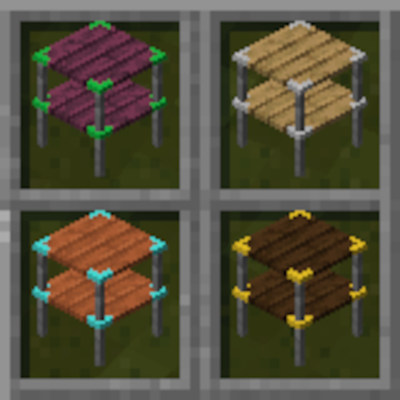
Storage Racks is the ultimate solution for organizing your Minecraft storage needs! With this powerful and easy-to-use mod, you'll be able to craft a series of racks with variable inventory sizes, allowing you to keep all of your items neatly organized and easily accessible.
But that's not all! Storage Racks also comes with a controller that lets you quickly locate and manage items in your racks. No more searching through cluttered chests or struggling to remember where you put your items – Storage Racks makes it easy to find everything you need, exactly when you need it.
And the best part? Storage Racks has minimal performance impact, so you can enjoy all of these amazing features without any lag or slowdowns on your client or server. Plus, each rack can be upgraded simply by left-clicking with the next material – from stone to diamond, the possibilities are endless.
But don't just take our word for it – try Storage Racks today and experience the ultimate in Minecraft storage organization! Just make sure to place your racks next to storage controllers to take advantage of all the amazing features this mod has to offer.

1.16.5 Racks Requires Structurize for the UI handling
https://www.curseforge.com/minecraft/mc-mods/structurize
1.17.1 Racks requires BlockUI
https://www.curseforge.com/minecraft/mc-mods/blockui
Project description from CurseForge.
Pick your setup
Choose the version and loader you play, then open the matching release.
Showing the newest 12 of 14 game versions. Older files are in the list below.
Check the dependencies, then try the file in a copied instance before changing a world you care about.
Recent files
storageracks-1.19-1.1.3.jar
24 Jul 2022
storageracks-1.19-1.1.2.jar
22 Jun 2022
storageracks-1.19-1.1.1.jar
21 Jun 2022
21 Jun 2022
storageracks-1.19-1.0.2.jar
14 Jun 2022
Looking for an older file? The official CurseForge project page is in Resources.