Minecraft version
Back to mods 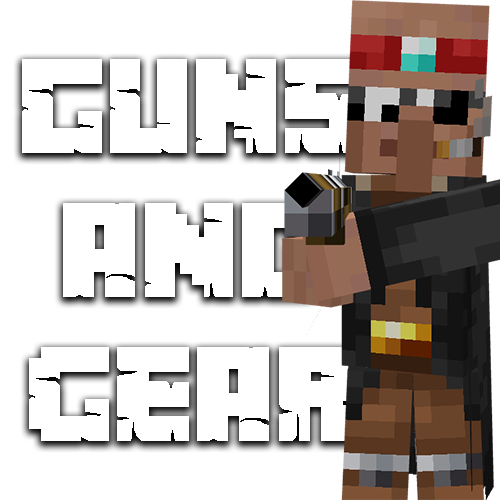
CurseForge · Minecraft mod
Guns and Gear
Adds guns, explosives and gear to your Minecraft experience!
Choose a version Pick your version below, then grab the matching file.
Quick answer
Which Guns and Gear release should I use?
Latest stable file Guns and Gear Combat Update (1.2.5)
Game version 1.18.2
Loader Forge
Guns and Gear Combat Update (1.2.5) targets 1.18.2 with Forge. The project page does not say whether this file belongs on the client, dedicated server, or both. No extra mods listed for this file.
Where it goes
Is Guns and Gear required on the client, server, or both?
The project page does not say whether this file belongs on the client, dedicated server, or both.
Client Source doesn’t say
Dedicated server Source doesn’t say
Loader for this release Forge
Required install it here Optional supported, not mandatory Not supported do not install here Source doesn’t say do not assume
The source does not explicitly classify this release as client-only or server-only.
What else does Guns and Gear Combat Update (1.2.5) need?
Guns and Gear Combat Update (1.2.5). Change the file and its required mods may change too.
This file does not list any required mods. Do not add a library just because a different file uses it.
This file does not list any required or optional mods.
Before you install it
Add Guns and Gear without breaking your instance.
Built for Guns and Gear Combat Update (1.2.5). Pick another file and the loader, install side or required mods may change.
- 01
Stick to this file
Use Guns and Gear Combat Update (1.2.5). It targets 1.18.2 with Forge; another release may have different loader, side or dependency requirements.
- 02
Bring the mods it needs
This file does not list any required mods. Do not add a library just because a different file uses it.
- 03
Put it on the correct side
The project page does not say whether this file belongs on the client, dedicated server, or both.
- 04
Pick the file you checked
Use the “Get this file” button beside Guns and Gear Combat Update (1.2.5). It opens that exact file at the source.
About this project
What does Guns and Gear add?
Guns and Gear Mod
What is this mod?
This mod adds guns, explosives, gear and more to your Minecraft experience!
What does it add?
The guns it adds are:
Rifle, Scoped Rifle, Suppressed Assault Rifle, Assault Rifle, Flintlock Shotgun, Shotgun, Flintlock Pistol, Pistol, Minigun, Combat Pistol, Suppressed Pistol, Combat Shotgun, Combat Assault Rifle, Scoped Combat Assault Rifle, Suppressed Combat Assault Rifle, Supprsssed Scoped Combat Assault Rifle, Combat Sniper Rifle, Tommy Gun.
The explosives it adds are:
Titanium Bomb, Sticky Bomb (WIP), Sand Land Mine, Red Sand Land Mine, Grenade, and Flashbang Grenade.
Vehicles it adds are:
Tank, Military Tank, Car.
And the other things the mod adds are:
Ammo such as: Large Bullet, Medium Bullet, Large Bullet, Shell, Rocket.
Gun Frames such as: Titanium Gun Frame, Iron Gun Frame, Golden Gun Frame, Wooden Gun Frame
Blocks such as: Titanium Block, Titanium Plate, Titanium Door, Titanium Trapdoor, Titanium Ore, Wooden Crate, Energy Generator.
Items such as: Energy Cell, Arc Reactor, Titanium Ingot, Titanium Dust, Rubber Bucket, Wrench, Tank Remote, Suppressor and Scope.
Armour such as: Jetpack and Combat Helmet
And finally, weapons such as: Cutlass, Katana and Knife.
If you would like to talk about anything related to the mod, or would like to talk to me, please join my discord server!
Project description from CurseForge.
Pick your setup
Guns and Gear by Minecraft version and loader
Choose the version and loader you play, then open the matching release.
Check the dependencies, then try the file in a copied instance before changing a world you care about.
Recent files
Guns and Gear versions and loaders
Guns and Gear Combat Update (1.2.5)
Guns and Gear Combat Update (1.2.5).jar
13 May 2022
Client Source doesn’t say Server Source doesn’t say Dependencies No extras listed Listed on Release listing
Check the 1.18.2 · Forge setup 1.18.2Forge release
Guns and Gear Combat Update (1.2.4)
Guns and Gear Combat Update (1.2.4).jar
23 Apr 2022
Client Source doesn’t say Server Source doesn’t say Dependencies No extras listed Listed on Release listing
Check the 1.18.2 · Forge setup 1.18.2Forge release
Guns and Gear Combat Update Bug Fix (1.2.3)
Guns and Gear Combat Update Bug Fix (1.2.3).jar
20 Apr 2022
Client Source doesn’t say Server Source doesn’t say Dependencies No extras listed Listed on Release listing
Check the 1.18.2 · Forge setup 1.18.2Forge release
Guns and Gear Combat Update (1.2.2)
Guns and Gear Combat Update Release (1.2.2).jar
20 Apr 2022
Client Source doesn’t say Server Source doesn’t say Dependencies No extras listed Listed on Release listing
Check the 1.18.2 · Forge setup 1.18.2Forge release
Guns and Gear Combat Update (1.2.1)
Guns and Gear Combat Update Beta (1.2.1).jar
17 Apr 2022
Client Source doesn’t say Server Source doesn’t say Dependencies No extras listed Listed on Release listing
Check the 1.18.2 · Forge setup 1.18.2Forge beta
Guns and Gear Combat Update (1.2.0)
Guns and Gear Combat Update Beta (1.2.0).jar
17 Apr 2022
Client Source doesn’t say Server Source doesn’t say Dependencies No extras listed Listed on Release listing
Check the 1.18.2 · Forge setup 1.18.2Forge beta
Guns and Gear (1.0.1)
GunsGear1.18.jar
10 Apr 2022
Client Source doesn’t say Server Source doesn’t say Dependencies No extras listed Listed on Release listing
Check the 1.18.2 · Forge setup 1.18.2Forge release
Looking for an older file? The official CurseForge project page is in Resources.
 mod
mod CurseForge + Modrinth · Minecraft
Tinkers' Gadgets
A lightweight Tinkers' Construct addon featuring tools, new materials, and exclusive projectile traits.
 mod
mod CurseForge + Modrinth · Minecraft
Konfig
Ergonomic multiloader configuration library with sync support.
 mod
mod CurseForge · Minecraft
Deadly Dangers X
Adds multiple hostile mobs, all with different drops, spawns, behaviour and difficulty.