Fragmentum 🧩 Forge Needed by Loot Journal: Pickup Notifier 🧩 Forge Loot Journal 6.2.2
requiredMatching file found Matched file: Fragmentum 5.4.0
CurseForge · Minecraft mod
Ultimate item pick-up notifier featuring rich animations, full theming support, customizable layouts, and powerful filtering options!
Quick answer
Loot Journal: Pickup Notifier 🧩 Forge Loot Journal 6.2.2 targets 1.20.1 with Forge. The project page does not say whether this file belongs on the client, dedicated server, or both. All 1 required mods have matching files.
Where it goes
The project page does not say whether this file belongs on the client, dedicated server, or both.
The source does not explicitly classify this release as client-only or server-only.
Loot Journal 6.2.2. Change the file and its required mods may change too.
Install Fragmentum 🧩 Forge first. We found matching files for this game-version and loader setup.
We only count dependency files that match this setup. A file for another loader does not fill the gap.
Before you install it
Built for Loot Journal: Pickup Notifier 🧩 Forge Loot Journal 6.2.2. Pick another file and the loader, install side or required mods may change.
Use Loot Journal 6.2.2. It targets 1.20.1 with Forge; another release may have different loader, side or dependency requirements.
Install Fragmentum 🧩 Forge first. We found matching files for this game-version and loader setup.
The project page does not say whether this file belongs on the client, dedicated server, or both.
Use the “Get this file” button beside Loot Journal 6.2.2. It opens that exact file at the source.
About this project




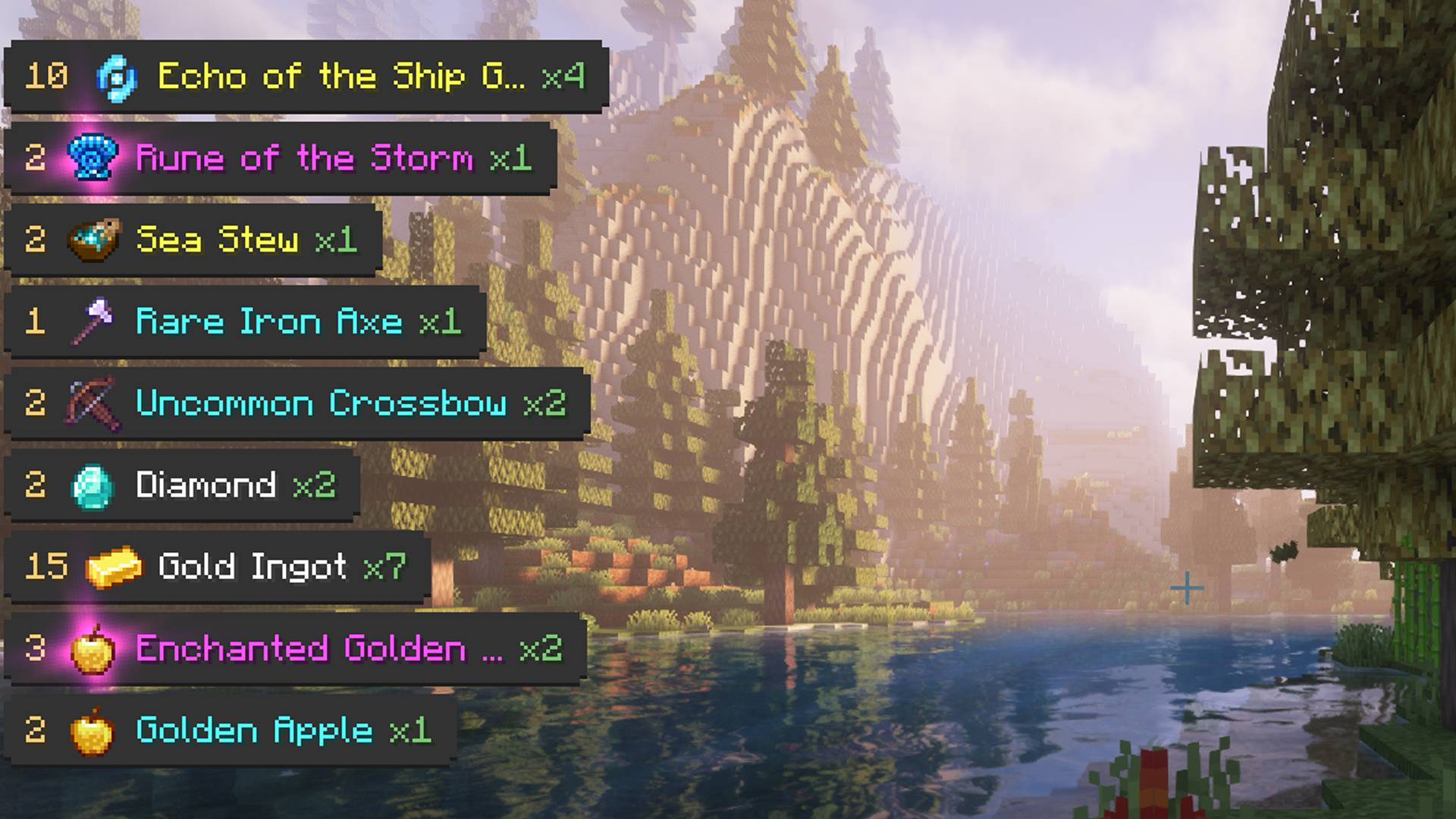
Clean, animated pickup notifications slide naturally from the edge of the screen, blending seamlessly into gameplay. Smart stacking, merging, and positioning logic keeps everything readable, while special effects highlight rare finds. Fully supports both items and experience.
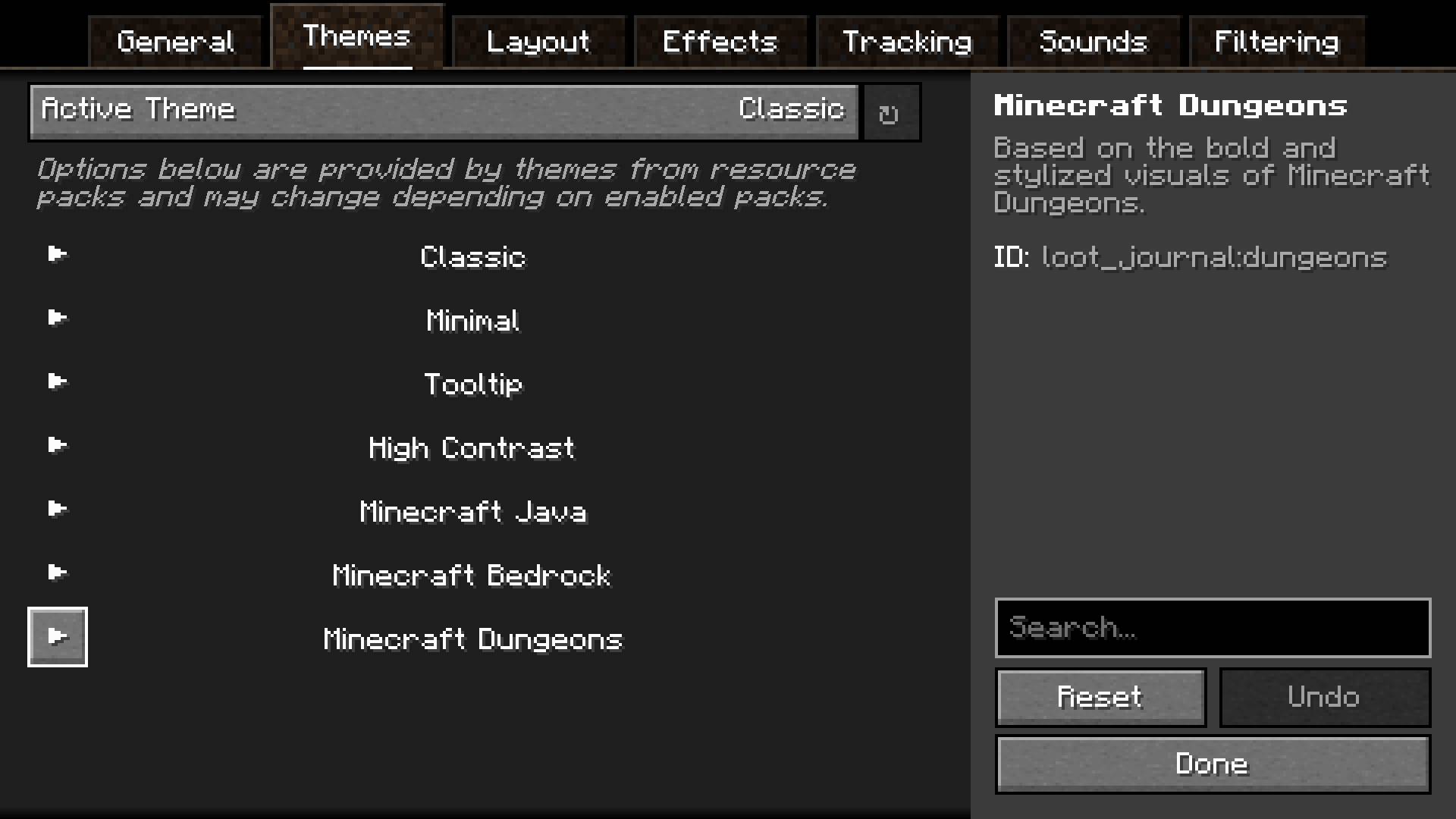
Choose from multiple built-in visual themes, each with its own style and layout. Every theme can be tweaked individually, and entirely new ones can be added through resource packs, allowing complete visual freedom.
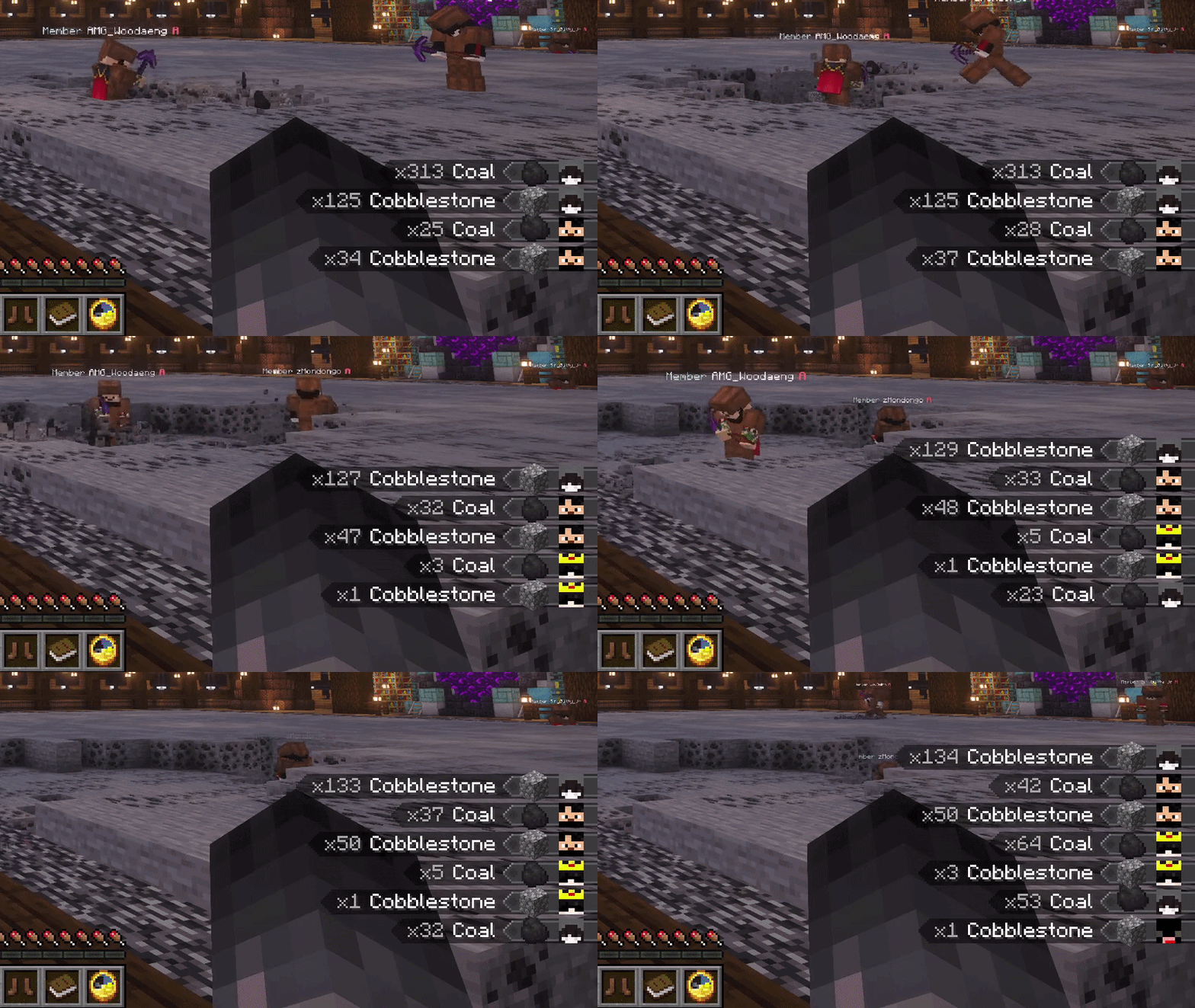
See what nearby players are picking up in real time. Track friends, discover rare finds, or monitor activity around you. Fully configurable with player filters — and players can stay hidden using invisibility or a carved pumpkin. Works on vanilla servers!
A fully accessible and user-friendly configuration system lets you fine-tune every aspect of the mod. Adjust layout, positioning, animations, sounds, and filtering directly in-game with immediate feedback.
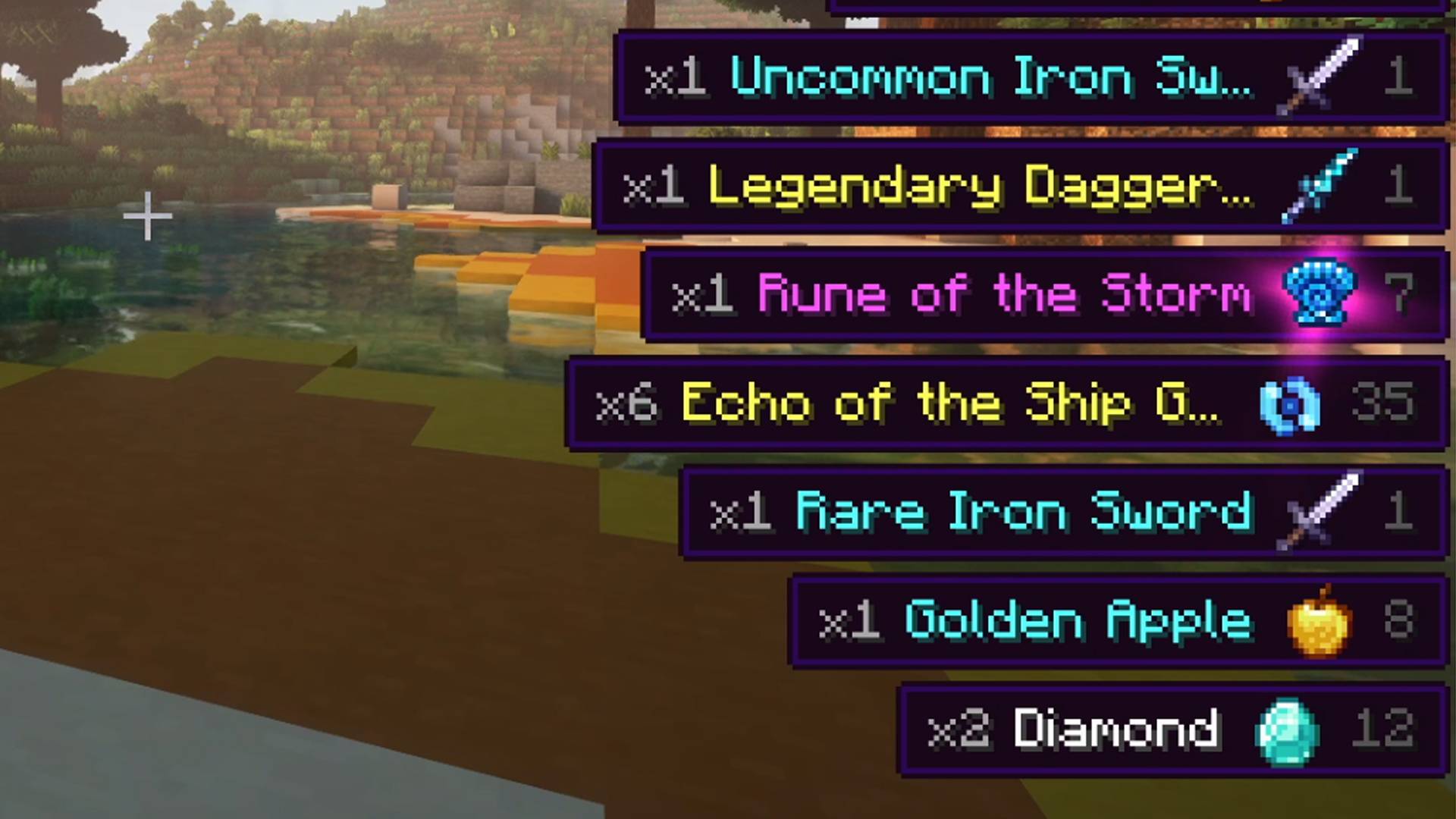
Designed for clarity and comfort. Entries pulse when updated, large pickup bursts are neatly aggregated, and total item counts are tracked — including items inside shulkers, sacks, and other containers. Everything works together to keep your screen informative without clutter.



Aquamirae expands your world with a frozen ocean biome – the Ice Maze above and a haunting Ship Graveyard beneath. Discover its unique ecosystem, progression, ambience, and lore as you uncover the fate of Captain Cornelia and survive the horrors lurking below the ice.


Obscure Tooltips is a client-side visual enhancement mod that transforms ordinary item tooltips into expressive, animated showcases. It adds immersive visual flair to your inventory by introducing smooth animations, dynamic particle effects, and ornamental accent frames that adapt to item rarity and context.

Pillager Caravans adds roaming, cargo-filled convoys guarded by pillagers, vindicators, and even ravagers. Instead of static treasure chests, caravans travel across biomes – sometimes near your base – with cargo that changes depending on the environment.

Accents adds stylish cosmetic accessories that subtly enhance gameplay. A variety of visual accents let you personalize your character without turning cosmetics into mandatory gear.

Scattered across the world are the monuments of a civilization nobody remembers – ancient ruins whose cores still hum with a power no one has ever figured out.


Project description from CurseForge.
Pick your setup
Choose the version and loader you play, then open the matching release.
Check the dependencies, then try the file in a copied instance before changing a world you care about.
Recent files
loot_journal-forge-1.20.1-6.2.2.jar
19 Sept 2026
loot_journal-forge-1.20.1-6.2.1.jar
25 May 2026
loot_journal-forge-1.20.1-6.1.2.jar
3 Apr 2026
loot_journal-forge-1.20.1-6.1.0.jar
3 Apr 2026
loot_journal-forge-1.20.1-6.0.3.jar
2 Apr 2026
loot_journal-forge-1.20.1-6.0.1.jar
2 Apr 2026
loot_journal-forge-1.20.1-6.0.0.jar
31 Mar 2026
Loot Journal-forge-1.20.1-5.0.1.jar
15 Sept 2025
Loot Journal-forge-1.20.1-5.0.0.jar
14 Sept 2025
loot_journal-forge-1.20.1-4.0.2.jar
15 Oct 2024
loot_journal-forge-1.20.1-4.0.1.jar
14 Oct 2024
loot_journal-3.1.1.jar
6 May 2024
Looking for an older file? The official CurseForge project page is in Resources.
 mod
modAdds some cooperative elements to several add-on mods for Irons Spells
 mod
modSimple mod that adds the unused bubble popping particle and sound.
 mod
modThis mod adds the abbiltity to have player voicelines directly ingame!