Fabric API Needed by Adaptive Tooltips 1.4.1+26.2
requiredMatching file found Matched file: [26.2] Fabric API 0.156.0+26.2

CurseForge · Minecraft mod
Highly configurable tooltip rendering, so you can always read them!
Quick answer
Adaptive Tooltips 1.4.1+26.2 targets 26.2 with Fabric, NeoForge. The project page does not say whether this file belongs on the client, dedicated server, or both. All 3 required mods have matching files.
Where it goes
The project page does not say whether this file belongs on the client, dedicated server, or both.
The source does not explicitly classify this release as client-only or server-only.
Adaptive Tooltips 1.4.1+26.2. Change the file and its required mods may change too.
Install Fabric API, YetAnotherConfigLib, YetAnotherConfigLib (YACL) first. We found matching files for this game-version and loader setup. 2 come through another mod in the chain.
2 extra mods were pulled in by other dependencies. Indented rows show who needs each one. We only count dependency files that match this setup. A file for another loader does not fill the gap.
Before you install it
Built for Adaptive Tooltips 1.4.1+26.2. Pick another file and the loader, install side or required mods may change.
Use Adaptive Tooltips 1.4.1+26.2. It targets 26.2 with Fabric, NeoForge; another release may have different loader, side or dependency requirements.
Install Fabric API, YetAnotherConfigLib, YetAnotherConfigLib (YACL) first. We found matching files for this game-version and loader setup. 2 come through another mod in the chain.
The project page does not say whether this file belongs on the client, dedicated server, or both.
Use the “Get this file” button beside Adaptive Tooltips 1.4.1+26.2. It opens that exact file at the source.
About this project


Highly configurable tooltip rendering, so you can always read them!
Vanilla tooltips are not very smart: this mod aims to fix that. In vanilla, there are a lot of situations (especially when modded) where you just cannot read a tooltip due to it being just too long to fit on the screen. There are many solutions!
AdaptiveTooltips aims to dream up and implement these solutions into Minecraft for a vanilla-like tooltip experience without the frustrations.
There are many methods in which AdaptiveTooltips can save your tooltips from the clutches of the bezels; below are a list of all the (toggleable) options to fix this.
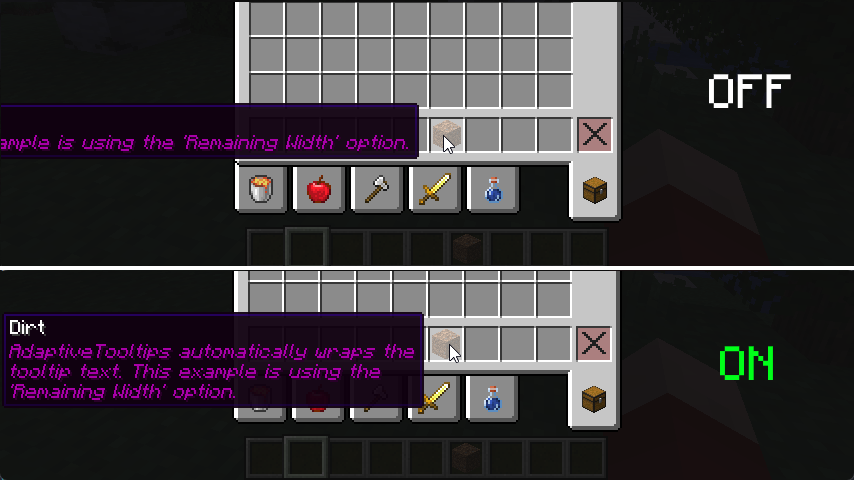
There is one very obvious fix to tooltips going off-screen horizontally: text wrapping! If a line is too long to fit on your screen, AdaptiveTooltips intelligently splits it into however many necessary, using words as cut-offs to not interrupt your reading.
There are two modes for this option: Screen Width, where the mod wraps allowing lines to fill a maximum of your screen width (intended to be paired with Bedrock Centering), and Remaining Width, which allows tooltip lines to fill a maximum of what's left until the tooltip reaches the end of the screen, picking either the left or the right depending on which would require less wrapping.
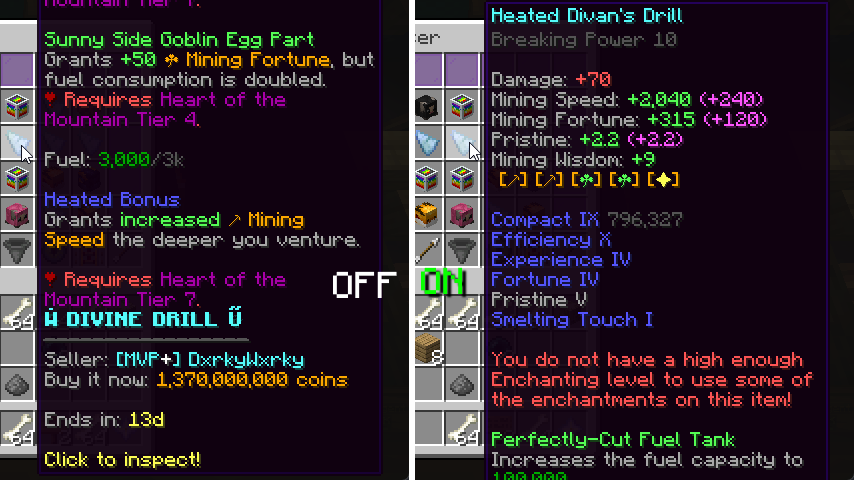
I'm actually surprised even Mojang didn't think of adding this one, by default, tooltips that are taller than your screen limit their bottom to the edge of the screen, not the top. This results in you being able to read the (often less important) bottom of the tooltip instead of the top. This fix addresses that.
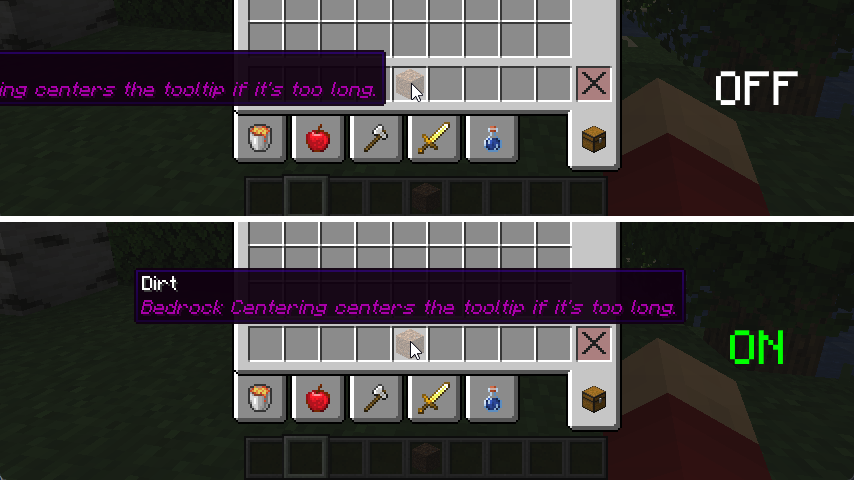
This feature grants parity between Java and Bedrock Edition. By default, Bedrock automatically centers the tooltip if it is too long to fit on either the left or the right, this adds that. For the best experience, it is best to pair this with Screen Width Text Wrapping.
When all else fails, this feature is a good fallback. If after all the above features fail to keep the tooltip on the screen, AdaptiveTooltips just places the tooltip in any of the 4 corners of the window, determining that based on the least obstruction of the mouse cursor.
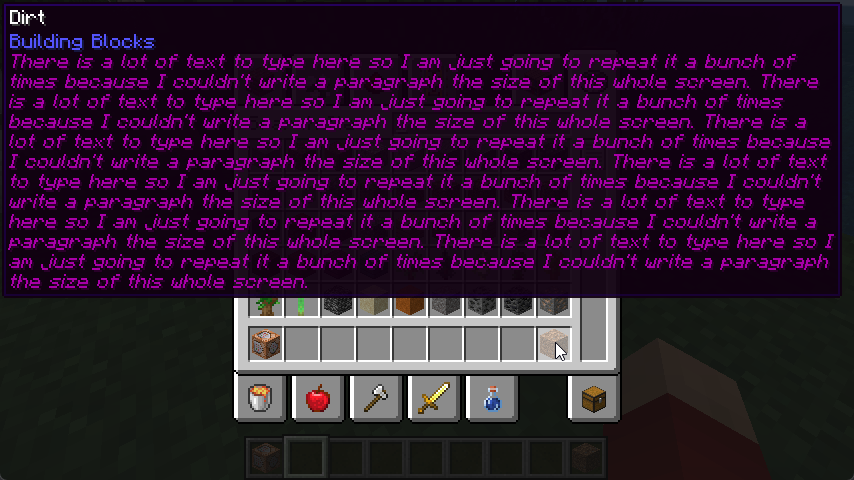
Yes, that's right, scrolling. It's been tried on Fabric many a times with little success with annoying edge-cases and bugs that make using scrolling annoying, but I've fixed all grievances! You can scroll vertically and horizontally with smooth animations and fine-tuning from the scroll direction to the sensitivity of the scrolling. AdaptiveTooltips is also smart and knows the difference between two different tooltips and discards scrolling data when necessary.
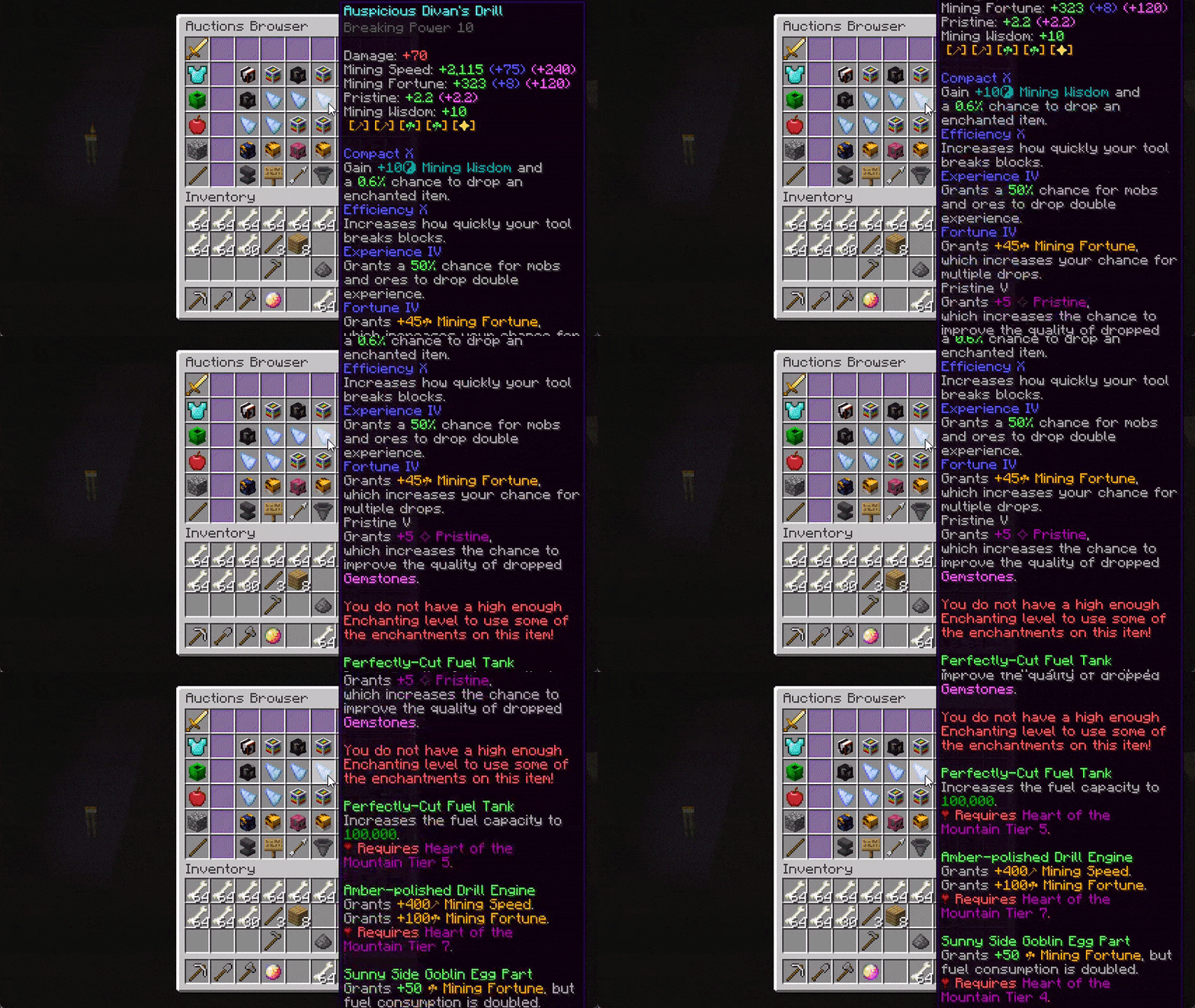
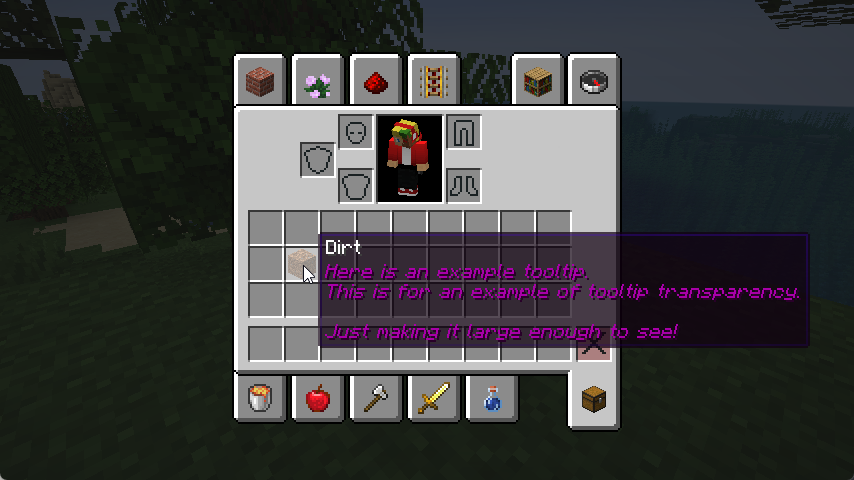
You may be bothered that tooltips may obstruct the view of the next few items in your inventory, this fix aims to mitigate that by allowing you to adjust the transparency of the tooltip, allowing you to decide what's best for in terms of visibility and transparency.
This mod is under the GNU Lesser General Public License, v3.0.
Project description from CurseForge.
Pick your setup
Choose the version and loader you play, then open the matching release.
Check the dependencies, then try the file in a copied instance before changing a world you care about.
Recent files
AdaptiveTooltips-1.4.1+26.2-universal.jar
22 Jun 2026
AdaptiveTooltips-1.4.0+26.1.2-universal.jar
30 May 2026
AdaptiveTooltips-1.3.0-fabric-1.20.2.jar
28 Sept 2023
AdaptiveTooltips-1.2.1-fabric-1.19.4.jar
22 Apr 2023
AdaptiveTooltips-1.2.0-fabric-1.19.4.jar
15 Mar 2023
AdaptiveTooltips-1.1.1-fabric-1.19.3.jar
15 Dec 2022
AdaptiveTooltips-1.1.0-fabric-1.19.3.jar
7 Dec 2022
AdaptiveTooltips-1.0.1-fabric-1.19.2.jar
26 Nov 2022
AdaptiveTooltips-1.0.0-fabric-1.19.2.jar
16 Nov 2022
Looking for an older file? The official CurseForge project page is in Resources.
 mod
modA Minecraft mod that digs up long-lost ores from early Biomes O' Plenty updates, and now you can grow them.
 mod
modAn unofficially maintained continuation of BCLib for Fabric and NeoForge, providing core utilities and shared functionality for BetterX mods
 mod
modA GTA-trainer-style menu for Minecraft. Press M to toggle potion effects, enchant your held item, control time & weather, and enable extras like god mode, multi-jump and one-hit punch.


