Fragmentum 🧩 Fabric Needed by Obscure Tooltips 4.2.5
requiredMatching file found Matched file: Fragmentum 5.4.0
CurseForge · Minecraft mod
Stylized tooltips with beautiful effects and smooth animations!
Quick answer
Obscure Tooltips 4.2.5 targets 1.21.1 with Fabric, Quilt. The project page does not say whether this file belongs on the client, dedicated server, or both. All 4 required mods have matching files.
Where it goes
The project page does not say whether this file belongs on the client, dedicated server, or both.
The source does not explicitly classify this release as client-only or server-only.
Obscure Tooltips 4.2.5 on Fabric. Every mod below is checked against that same setup.
Install Fragmentum 🧩 Fabric, Fragmentum, Fabric API, Fabric API first. We found matching files for this game-version and loader setup. 2 come through another mod in the chain.
2 extra mods were pulled in by other dependencies. Indented rows show who needs each one. We only count dependency files that match this setup. A file for another loader does not fill the gap.
Before you install it
Built for Obscure Tooltips 4.2.5 on Fabric. Pick another file and the loader, install side or required mods may change.
Use Obscure Tooltips 4.2.5. It targets 1.21.1 with Fabric, Quilt; another release may have different loader, side or dependency requirements.
Install Fragmentum 🧩 Fabric, Fragmentum, Fabric API, Fabric API first. We found matching files for this game-version and loader setup. 2 come through another mod in the chain.
The project page does not say whether this file belongs on the client, dedicated server, or both.
Use the “Get this file” button beside Obscure Tooltips 4.2.5. It opens that exact file at the source.
About this project



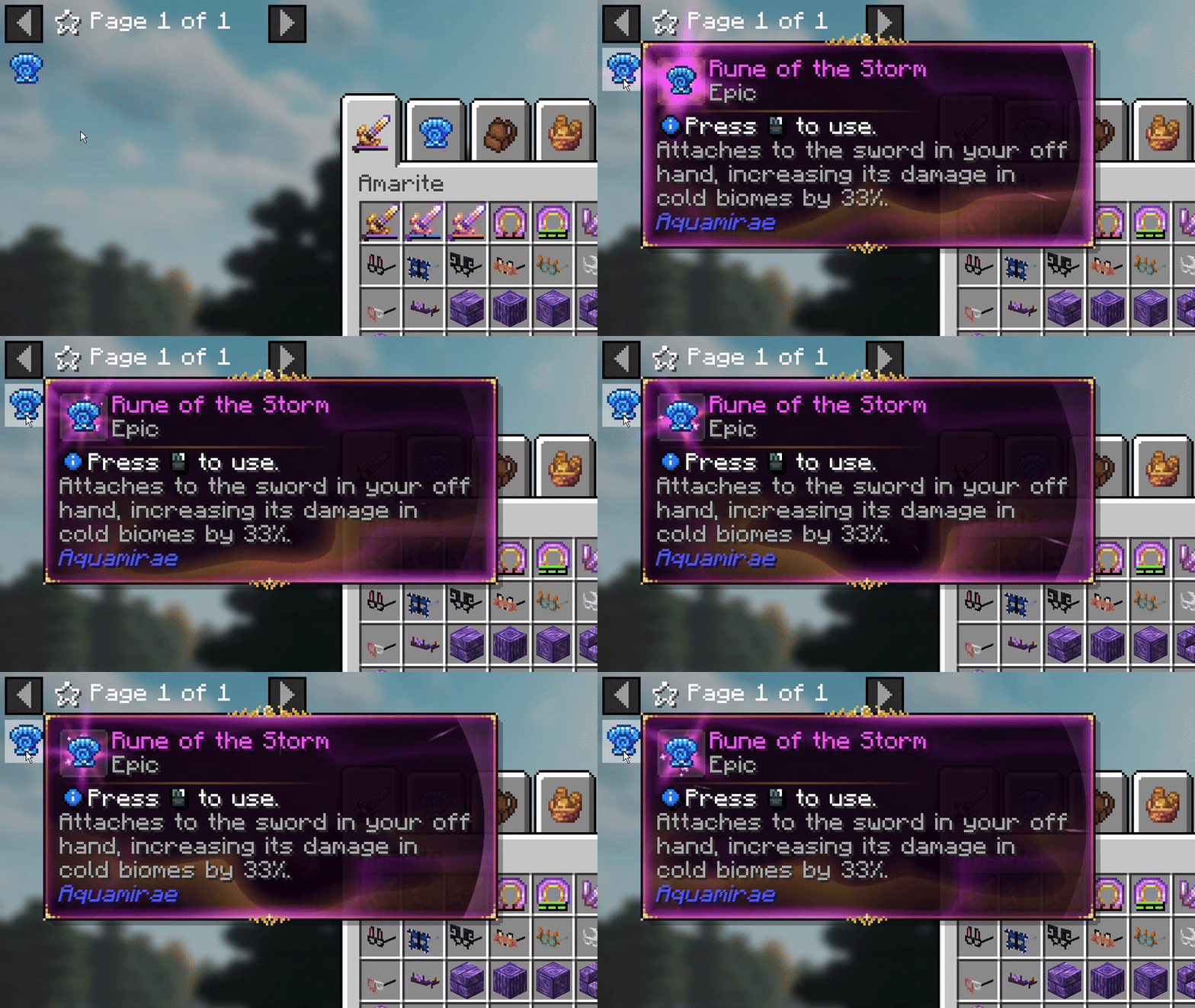
Smooth animations, glowing borders, and subtle particle effects bring every tooltip to life. Styles support a wide range of visual flourishes – from animated ornaments to layered effects – letting every item feel distinct and expressive.
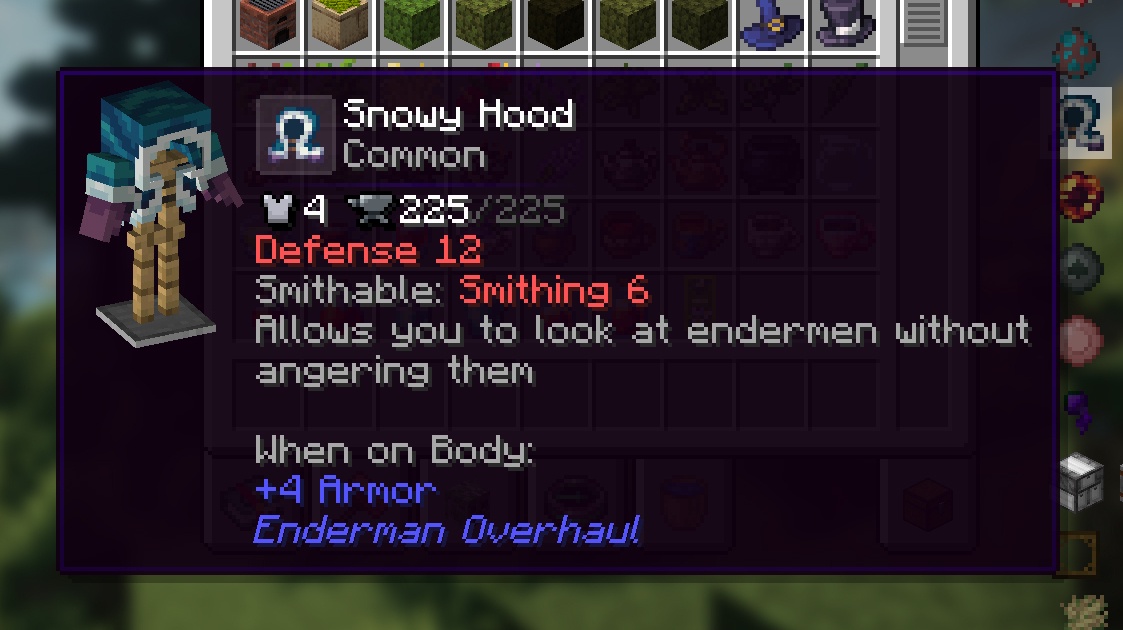
See any armor piece, tool, or weapon in fully integrated 3D directly inside the tooltip. Preview gear instantly without equipping it or opening extra menus.
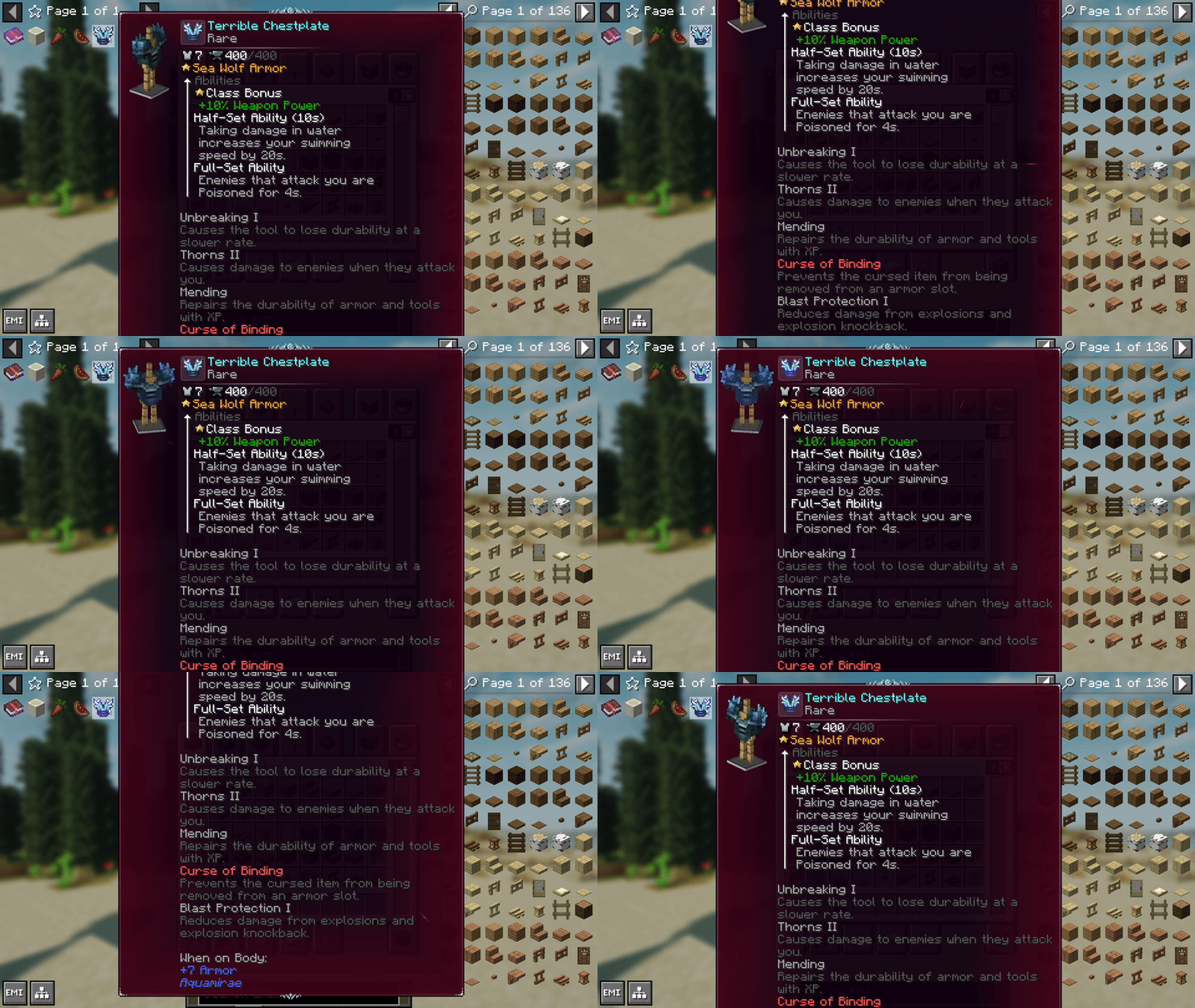
Automatic smooth scrolling activates when a tooltip exceeds screen height, keeping text readable without clutter. It lets you read long descriptions naturally, without resizing your UI.
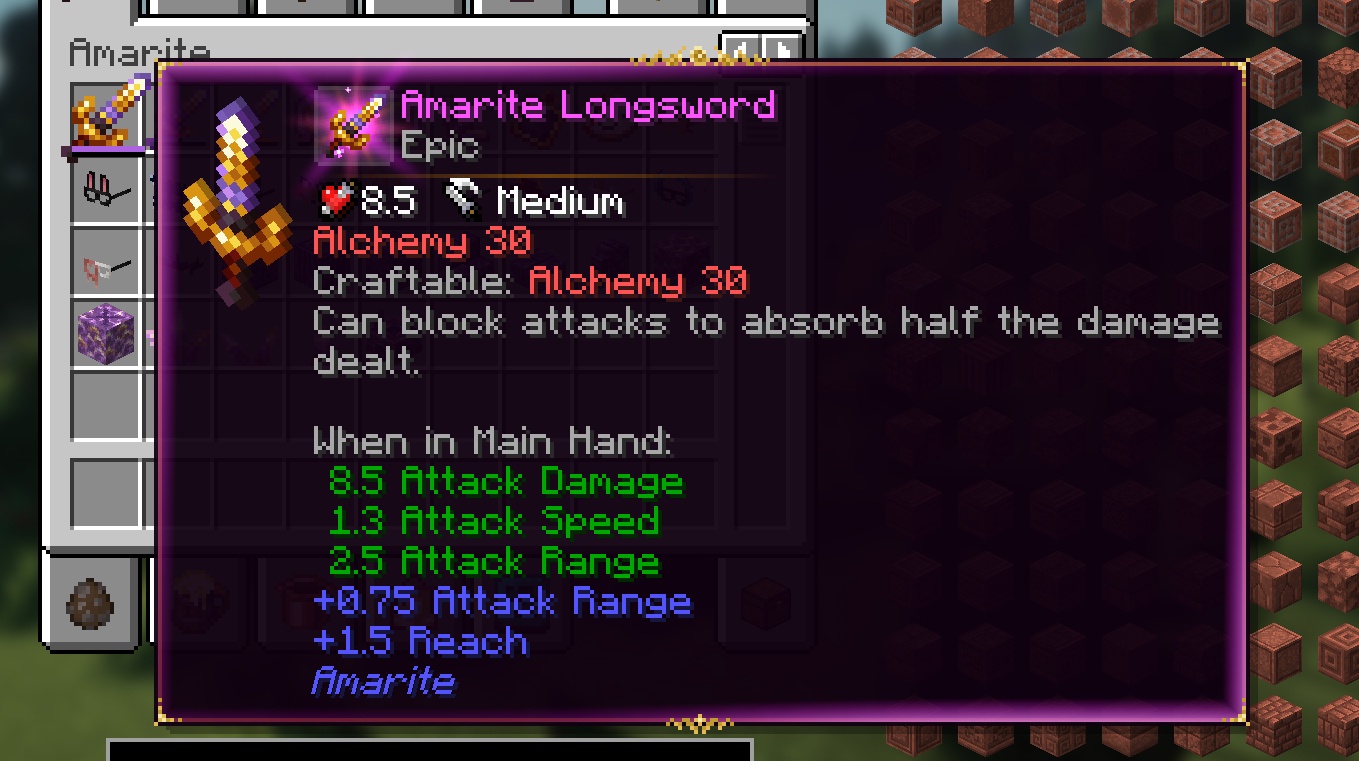
Smart line wrapping keeps wide tooltips clean, readable, and perfectly formatted. Long names, lore, and stats stay aligned and won't spill out of the layout.
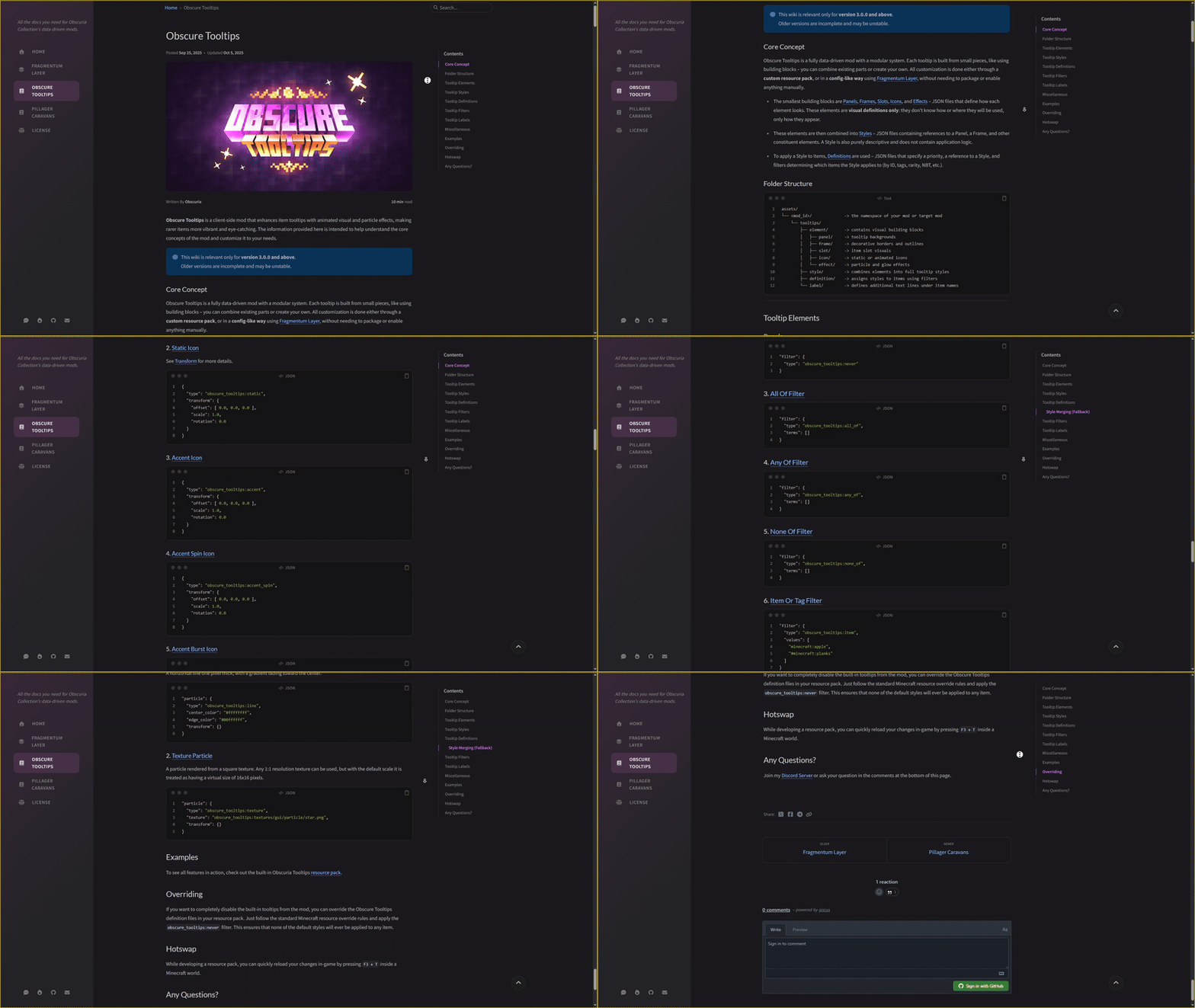
Obscure Tooltips was the first mod to introduce fully animated, visually rich tooltips, and while similar mods have appeared since, its modular, data-driven design still offers a uniquely flexible way to build and merge styles, create conditions, and customize every element to fit your vision.

On Minecraft 1.20.1, in-game configuration menus are available when using Forge Config Screens or Configured. Without these mods, all settings can still be adjusted through config files (config/obscuria/obscure_tooltips-client.toml). Starting with Minecraft 1.21.1, in-game config screens are available out of the box, with no additional dependencies required.


Aquamirae expands your world with a frozen ocean biome – the Ice Maze above and a haunting Ship Graveyard beneath. Discover its unique ecosystem, progression, ambience, and lore as you uncover the fate of Captain Cornelia and survive the horrors lurking below the ice.

Loot Journal is a client-side mod that enhances item pickups with smooth, animated notifications, smart stacking, and full visual customization. Track your own and nearby players' pickups in real time, tweak every detail in-game, and enjoy a clean, immersive UI.
Pillager Caravans adds roaming, cargo-filled convoys guarded by pillagers, vindicators, and even ravagers. Instead of static treasure chests, caravans travel across biomes – sometimes near your base – with cargo that changes depending on the environment.
Accents adds stylish cosmetic accessories that subtly enhance gameplay. A variety of visual accents let you personalize your character without turning cosmetics into mandatory gear.
Scattered across the world are the monuments of a civilization nobody remembers – ancient ruins whose cores still hum with a power no one has ever figured out.


Project description from CurseForge.
Pick your setup
Choose the version and loader you play, then open the matching release.
Check the dependencies, then try the file in a copied instance before changing a world you care about.
Recent files
obscure_tooltips-fabric-1.21.1-4.2.5.jar
19 Sept 2026
obscure_tooltips-fabric-1.20.1-3.10.1.jar
19 Sept 2026
obscure_tooltips-fabric-1.21.1-4.2.4.jar
19 Aug 2026
obscure_tooltips-fabric-1.21.1-4.2.3.jar
19 Aug 2026
obscure_tooltips-fabric-1.21.11-5.0.0.jar
17 Feb 2026
obscure_tooltips-fabric-1.20.1-3.10.0.jar
2 Feb 2026
obscure_tooltips-fabric-1.20.1-3.9.0.jar
14 Dec 2025
obscure_tooltips-fabric-1.21.1-4.2.2.jar
10 Dec 2025
obscure_tooltips-fabric-1.20.1-3.8.0.jar
5 Dec 2025
obscure_tooltips-fabric-1.20.1-3.7.1.jar
4 Dec 2025
obscure_tooltips-fabric-1.21.1-4.2.1.jar
4 Dec 2025
obscure_tooltips-fabric-1.20.1-3.7.0.jar
3 Dec 2025
Looking for an older file? The official CurseForge project page is in Resources.
 mod
Extra bows datapack in mod form! (A datapack that adds tiered bows and crossbows)
 mod
Become a Dragonewt without any origins mod: flight, fire breath, a roar, dragon scales, a dragon tail and three evolution stages.
 mod
Restores Squall weather effects with Oculus shaders and improves wet surfaces, glass effects, and chest reflections.