Accessories Optional for Inventory Backups 3.1.0
optionalMatching file found Matched file: [1.21.1] Accessories [Neoforge] - 1.1.0-beta.54

CurseForge · Minecraft mod
Records every inventory change. Roll back any moment, find any item and see who took it, even for offline players.
Quick answer
Inventory Backups 3.1.0 targets 1.21.1 with NeoForge. The project page does not say whether this file belongs on the client, dedicated server, or both. No extra mods listed for this file.
Where it goes
The project page does not say whether this file belongs on the client, dedicated server, or both.
The source does not explicitly classify this release as client-only or server-only.
Inventory Backups 3.1.0. Change the file and its required mods may change too.
This file does not list any required mods. Do not add a library just because a different file uses it.
18 extra mods were pulled in by other dependencies. Indented rows show who needs each one. We only count dependency files that match this setup. A file for another loader does not fill the gap.
Before you install it
Built for Inventory Backups 3.1.0. Pick another file and the loader, install side or required mods may change.
Use Inventory Backups 3.1.0. It targets 1.21.1 with NeoForge; another release may have different loader, side or dependency requirements.
This file does not list any required mods. Do not add a library just because a different file uses it.
The project page does not say whether this file belongs on the client, dedicated server, or both.
Use the “Get this file” button beside Inventory Backups 3.1.0. It opens that exact file at the source.
About this project
Every inventory change of every player, recorded - roll back any moment with one click, find any item and see who took it, online or offline.
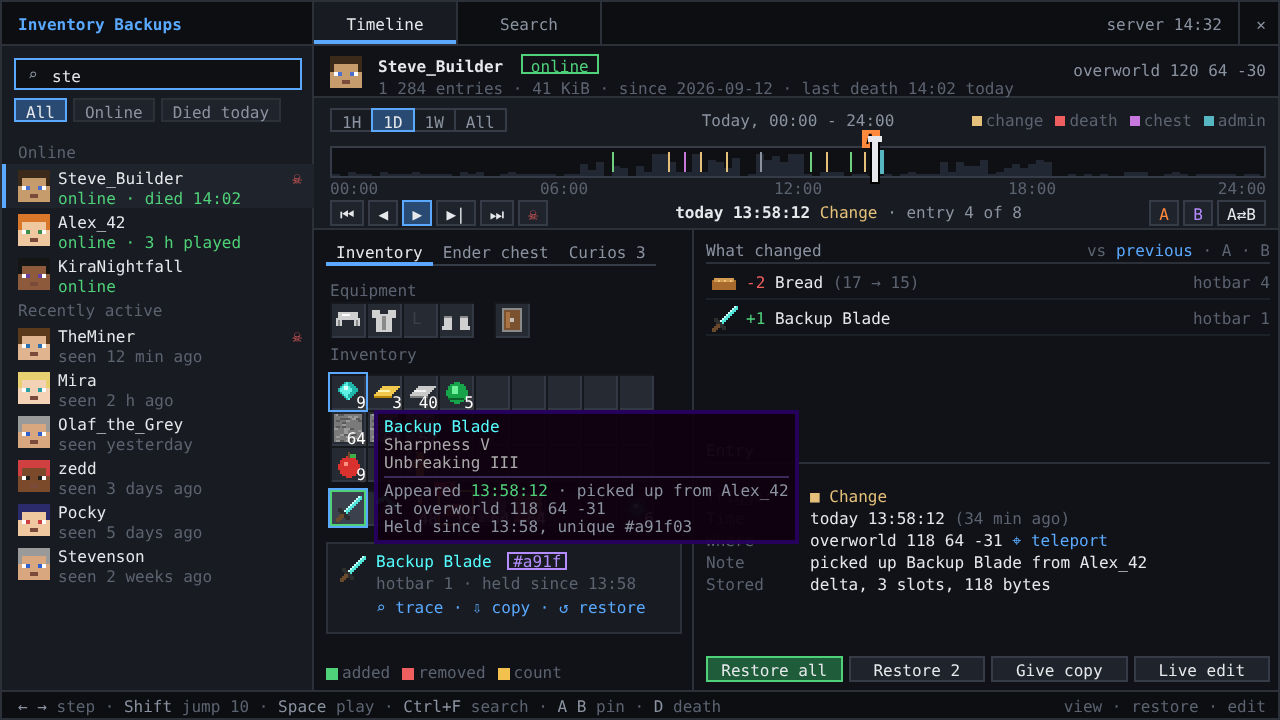
📦 Requires NeoForge 1.21.1 · on the server; admins who want the timeline screen also put it on their client
/invsearch container shows who emptied a chest.Ctrl+I, needs the mod on the admin's client).Ctrl+I opens the admin screen. Without the client mod: /inventory list <player> for a clickable timeline, /inventory set|undo|copy|player, /enderchest ... the same for the ender chest, /invsearch <item> for the item search. All commands are listed in the README.
config/inventory/InventoryBackups.toml or Mods > Inventory Backups > Config: what is recorded, how long it is kept, disk budgets, permission level. 2.x configs and backups are taken over on the first start.
 ✅ Curios API (optional) - every curio slot, cosmetic slots included, is recorded, shown on the Mod slots tab, restored with the inventory and editable live.
 ✅ Accessories (optional) - accessory and cosmetic slots are recorded and restored the same way; with the Curios compatibility layer each slot is recorded once.
 ✅ Cosmetic Armor Reworked (optional) - the cosmetic armor slots are recorded and restored.
 ✅ Traveler's Backpack (optional) - the worn backpack and everything in it is recorded and restored, also when it is placed on the ground at death.
 ✅ Tool Belt (optional) - the belt slot and the tools on the belt are recorded and restored.
 ✅ Backpacked (optional) - the equipped backpacks and their contents are recorded and restored.
 ✅ LuckPerms (optional) - grant
 inventorybackups.view, .restore, .edit, .search and .ui per group instead of operator status.
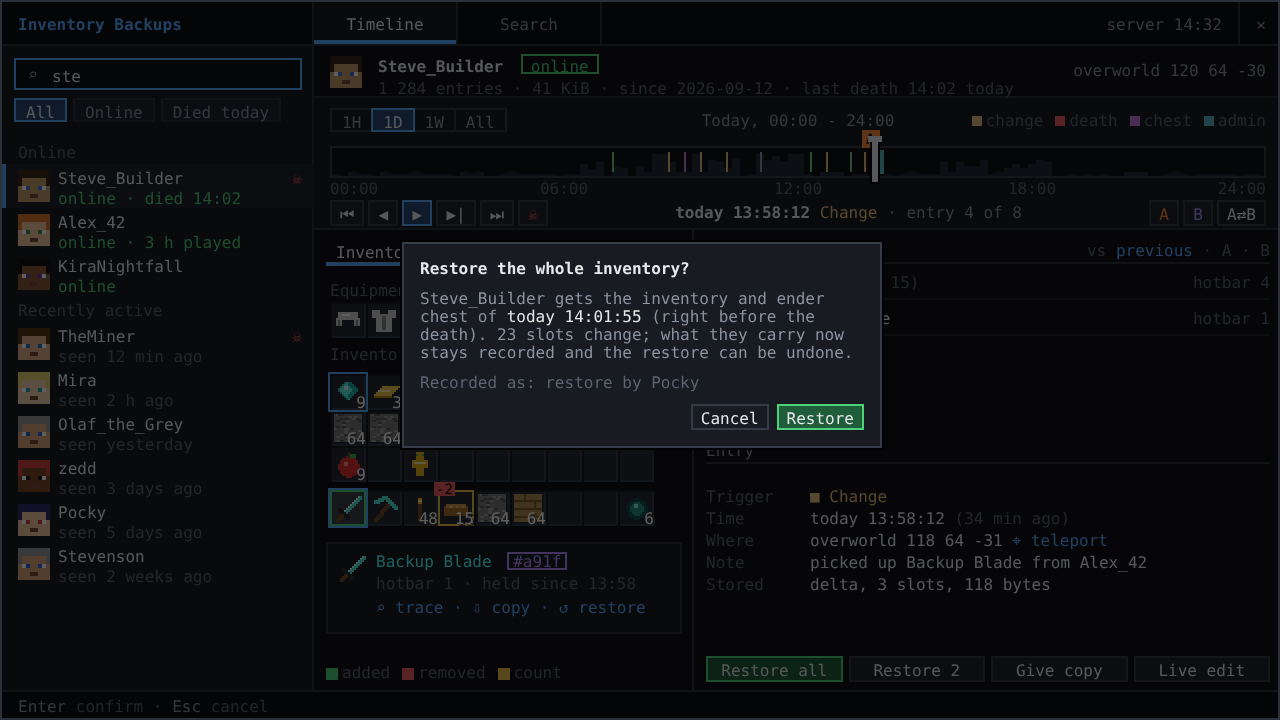
Restoring selected slots
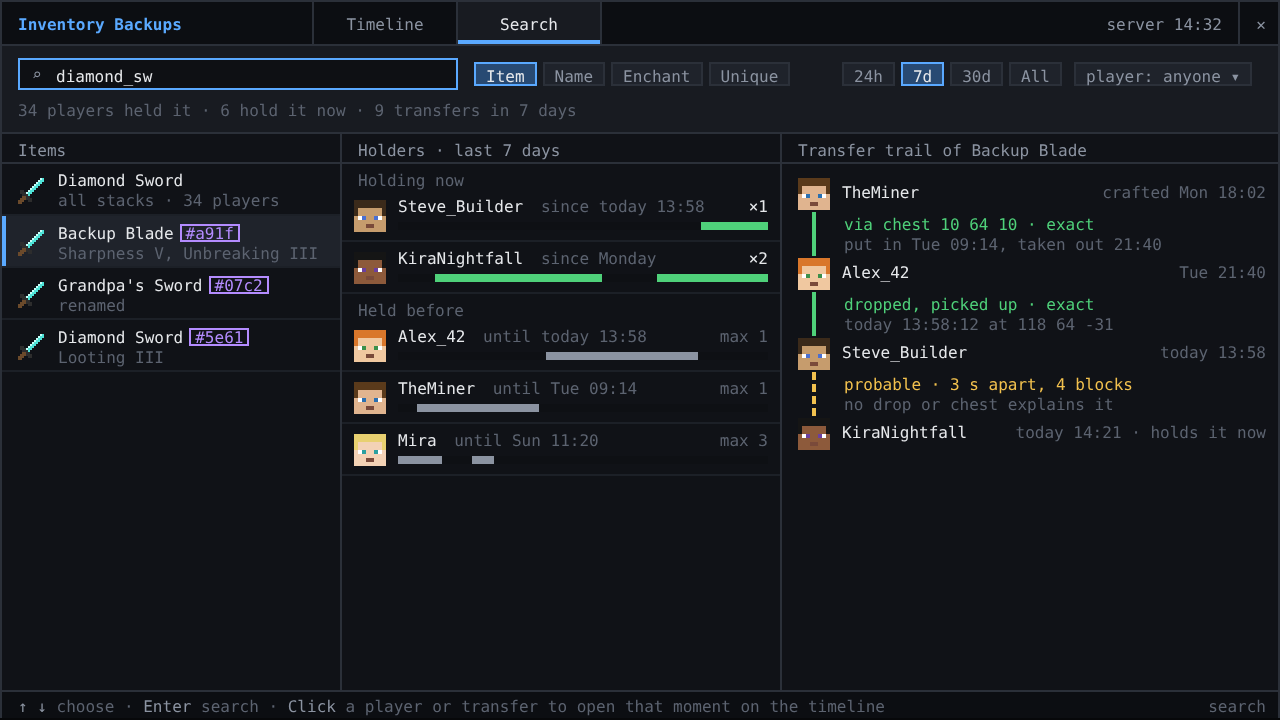
Item search with holders and the transfer trail
Made by Pocky · source code · Minecraft 1.20.1 Forge and Fabric versions by DjJewl · special thanks to PiglinMine.com.
🌦️ Weather & nature
 Hoarfrost: Snow & Blizzards - seven kinds of snowfall, a living wind and soft snow on the land
 Petrichor: Rain & Storms - realistic rain, puddles, drips and branching lightning
 Rustling Leaves - falling leaves and leaf piles you can wade through, rake and blow away
💡 Light
 Lumen Rigs - aimable spotlights and floodlights with colored light and visible beams
 Neon Glowsticks - throwable glowsticks that bounce, roll and light up the dark
🎨 Graphics & performance
 Turbo for Distant Horizons - Distant Horizons terrain generated many times faster
 Pocky Shaders - a cosy, natural shader pack that sets itself up
⚔️ Gear & gameplay
 Holy Staff - a healing staff with three skills and flying heal numbers
 Rancher's Vacpack - a Slime Rancher vacuum gun for items and small mobs
Project description from CurseForge.
Pick your setup
Choose the version and loader you play, then open the matching release.
Showing the newest 12 of 15 game versions. Older files are in the list below.
Check the dependencies, then try the file in a copied instance before changing a world you care about.
Recent files
inventorybackups-neoforge-1.21.1-3.1.0.jar
13 Oct 2026
inventorybackups-neoforge-1.21.1-3.0.0.jar
12 Oct 2026
inventorybackups-2.0.2.jar
8 Nov 2025
inventorybackups-2.0.1.jar
8 Nov 2025
inventorybackups-2.0.0.jar
31 Oct 2025
invbackup-forge-2.0.1.jar
7 Jun 2025
invbackup-fabric-2.0.1.jar
7 Jun 2025
invbackup-forge-2.0.0.jar
7 Jun 2025
InventoryLogger-1.20.1-1.2.1.jar
13 Oct 2024
InventoryLogger-1.20.1-1.2.0.jar
13 Oct 2024
InventoryLogger-1.19.2-1.1.2.jar
30 Mar 2023
InventoryLogger-1.18.2-1.1.2.jar
30 Mar 2023
Looking for an older file? The official CurseForge project page is in Resources.
 mod
modAn immersive and fully functioning computer that provides an anternative to the stale and overused quest book and guide book
 mod
modAll-in-one mod that improves performance, reduces memory usage, and fixes many bugs. Compatible with all your favorite performance mods!
 mod
modInspired by the popular Cobbreeding mod, Brecher's Breeding adds Pokemon breeding mechanics to the Cobblemon mod.