Minecraft version
Back to mods 
CurseForge · Minecraft mod
Server Country Flags
Adds a flag to servers in the server list which tells where the server is located.
Choose a version Pick your version below, then grab the matching file.
Quick answer
Which Server Country Flags release matches 1.18 Forge?
Best match for your filters 1.8.1
Game version 1.18, 1.18.1, 1.18.2
Loader Forge, NeoForge
Server Country Flags 1.8.1 targets 1.18, 1.18.1, 1.18.2 with Forge, NeoForge. It must be installed on the client. Do not install it on the dedicated server. No extra mods listed for this file.
Where it goes
Is Server Country Flags required on the client, server, or both?
It must be installed on the client. Do not install it on the dedicated server.
Client Required
Dedicated server Not supported
Loader for this release Forge, NeoForge
Required install it here Optional supported, not mandatory Not supported do not install here Source doesn’t say do not assume
This file is marked client-only.
What else does Server Country Flags 1.8.1 need?
1.8.1 on 1.18 Forge. Every mod below is checked against that same setup.
This file does not list any required mods. Do not add a library just because a different file uses it.
This file does not list any required or optional mods.
Before you install it
Add Server Country Flags without breaking your instance.
Built for Server Country Flags 1.8.1 on 1.18 Forge. Pick another file and the loader, install side or required mods may change.
- 01
Stick to this file
Use 1.8.1. It targets 1.18, 1.18.1, 1.18.2 with Forge, NeoForge; another release may have different loader, side or dependency requirements.
- 02
Bring the mods it needs
This file does not list any required mods. Do not add a library just because a different file uses it.
- 03
Put it on the correct side
It must be installed on the client. Do not install it on the dedicated server.
- 04
Pick the file you checked
Use the “Get this file” button beside 1.8.1. It opens that exact file at the source.
About this project
What does Server Country Flags add?


Server Country Flags is a fantastic addition to your server list experience. It shows in what country a given Minecraft server is located in the server list, your approximate distance to it, and some details.
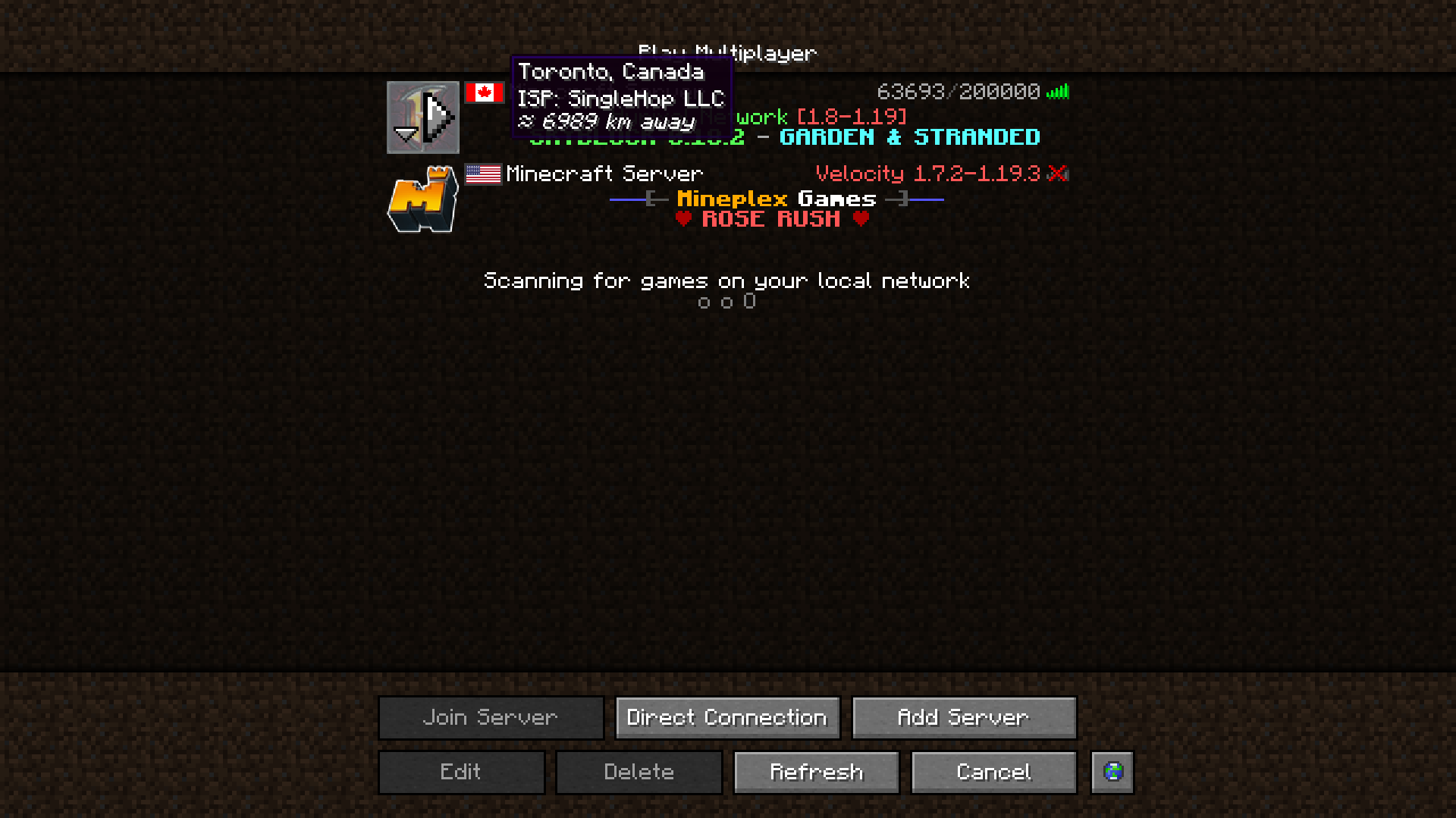

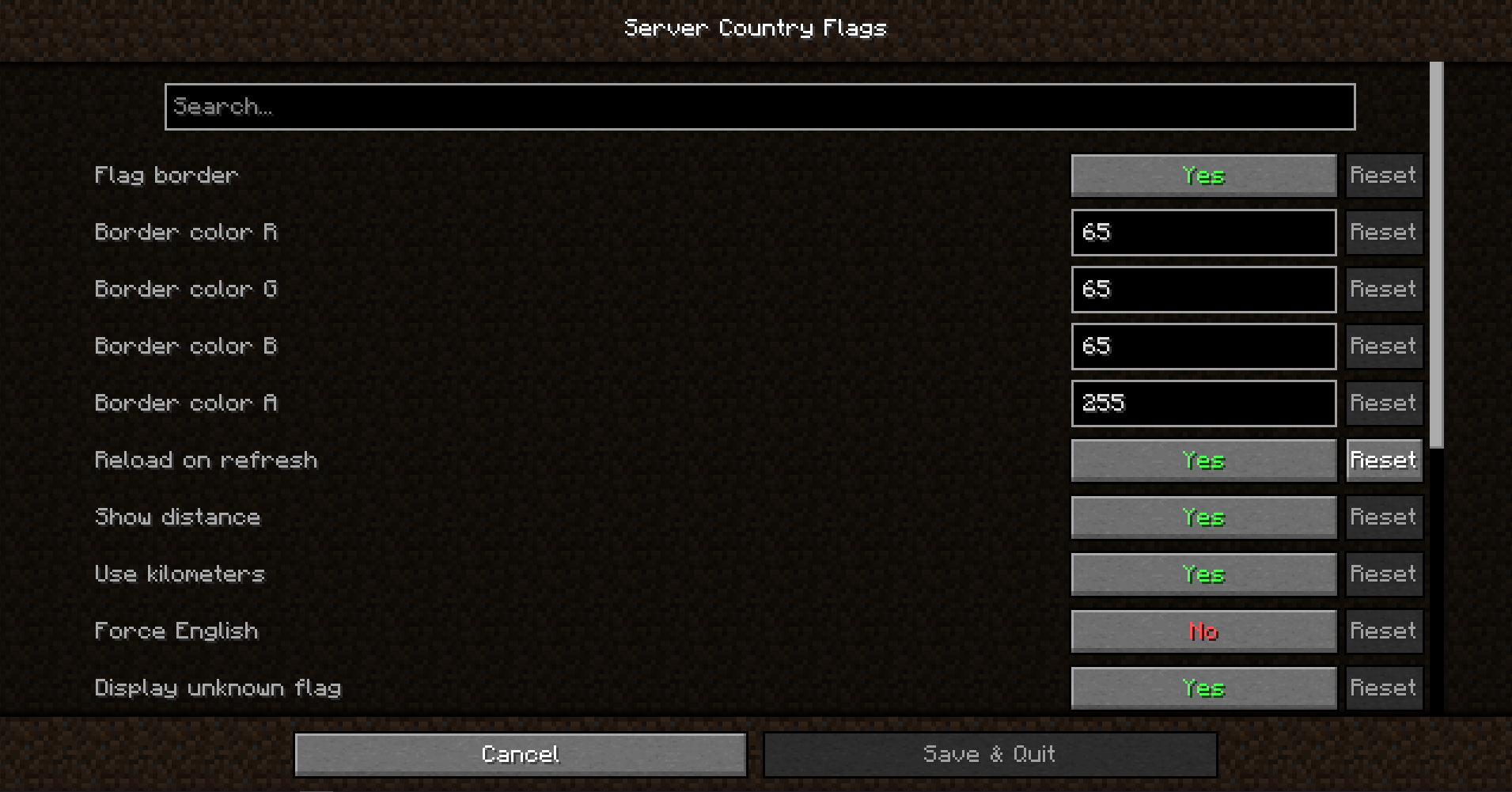
If you have the Cloth Config API installed, you can tweak the mod's settings in a user-friendly GUI. To access it on Forge, you press the Config button in the mod-list. On Fabric, you need to access it using Mod Menu's config button.

This mod uses data from a publicly available, free IP Geolocation IP - IP-API.com.
It limits the amount of requests the mod can make to 45 per minute, but that's totally enough.

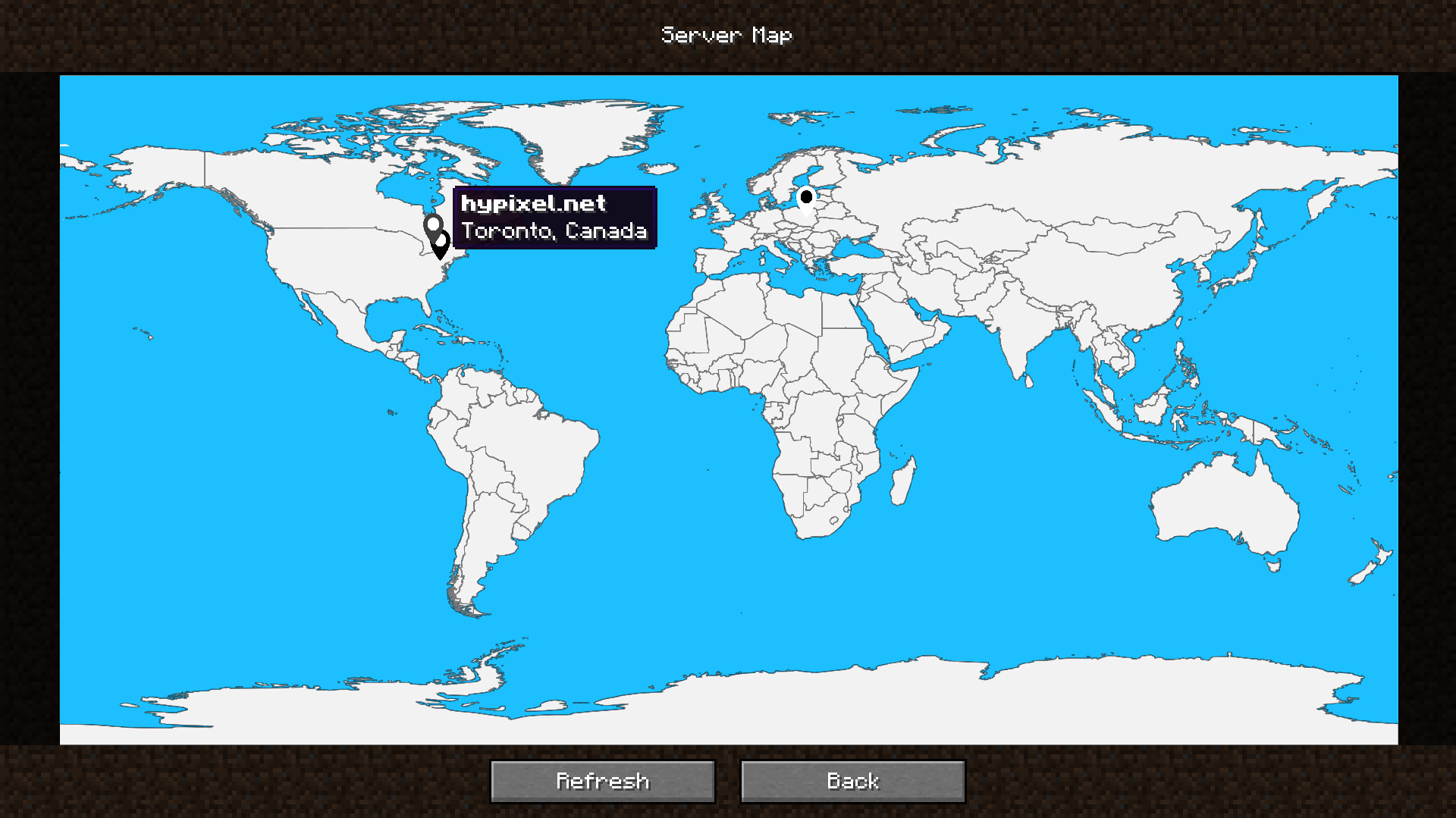
The mod also includes a built-in server map that provides a visual overview of your server locations, so that you can easily identify where your favorite servers are situated at a glance.
It can be accessed by the Server Map button in the server list, next to all of the buttons. You can remove or move it in the config!

Would you like to support me, or the mod?
Here is how you can do that:
- Donate on Ko-Fi!
- Use my promo code khajiitos on BisectHosting for 25% off!
- Contribute code, let me know of issues or add a star on the mod's GitHub page!
Thanks a lot!

Here are dependencies that enhance the mod's functionality, or this mod enhances!
- Fabric API (required on Fabric)
- Cloth Config API (provides the in-game Config page)
- Mod Menu (required to access the Config page on Fabric)
- Server Browser (we add flags to the Server Browser to help you find the server closest to you!)

Whether you're looking for a server for your modpack, or just to mess around with your friends - BisectHosting is one of the most reliable and affordable options you can get! It makes installing modpacks just a couple of clicks. 25% off with code khajiitos!
Project description from CurseForge.
Pick your setup
Server Country Flags by Minecraft version and loader
Choose the version and loader you play, then open the matching release.
Minecraft version
26.1
2 loader buildsMinecraft version
1.21.10
2 loader buildsMinecraft version
1.21.8
2 loader buildsMinecraft version
1.21.7
2 loader buildsMinecraft version
1.21.6
2 loader buildsMinecraft version
1.21.5
2 loader buildsMinecraft version
1.21.4
2 loader buildsMinecraft version
1.21.3
2 loader buildsMinecraft version
1.21.2
1 loader buildMinecraft version
1.21.1
2 loader buildsMinecraft version
1.21
2 loader buildsShowing the newest 12 of 25 game versions. Older files are in the list below.
Check the dependencies, then try the file in a copied instance before changing a world you care about.
Recent files
Server Country Flags versions and loaders
1.8.1
servercountryflags-1.8.1-1.18.2-FORGE.jar
13 Aug 2023
Client Required Server Not supported Dependencies No extras listed Listed on Release listing
Check the 1.18 · Forge setup 1.181.18.11.18.2Forge release
Looking for an older file? The official CurseForge project page is in Resources.
 mod
Modrinth · Minecraft
WTHIT
What the hell is that? A Waila/Hwyla fork.
 mod
CurseForge · Minecraft
No Trade Cycling, Just Pick
Stop rerolling villagers. Press Pick trade and select any 2 trades its profession can offer (max-level enchanted books included). Fast trade and saves time.
 mod
CurseForge · Minecraft
Cohomi: All In One Utility Menu
An advanced and simple to use Utility And Assistant Menu. For all purposes!