Mod Menu Optional for Server Country Flags [NeoForge] Server Country Flags 1.10.4 - 26.1
optionalNo matching file
CurseForge · Minecraft mod
Adds a flag to servers in the server list which tells where the server is located.
Quick answer
Server Country Flags [NeoForge] Server Country Flags 1.10.4 - 26.1 targets 26.1, 26.1.1 with NeoForge. The project page does not say whether this file belongs on the client, dedicated server, or both. No extra mods listed for this file.
Where it goes
The project page does not say whether this file belongs on the client, dedicated server, or both.
The source does not explicitly classify this release as client-only or server-only.
[NeoForge] Server Country Flags 1.10.4 - 26.1. Change the file and its required mods may change too.
This file does not list any required mods. Do not add a library just because a different file uses it.
We only count dependency files that match this setup. A file for another loader does not fill the gap.
Before you install it
Built for Server Country Flags [NeoForge] Server Country Flags 1.10.4 - 26.1. Pick another file and the loader, install side or required mods may change.
Use [NeoForge] Server Country Flags 1.10.4 - 26.1. It targets 26.1, 26.1.1 with NeoForge; another release may have different loader, side or dependency requirements.
This file does not list any required mods. Do not add a library just because a different file uses it.
The project page does not say whether this file belongs on the client, dedicated server, or both.
Use the “Get this file” button beside [NeoForge] Server Country Flags 1.10.4 - 26.1. It opens that exact file at the source.
About this project


Server Country Flags is a fantastic addition to your server list experience. It shows in what country a given Minecraft server is located in the server list, your approximate distance to it, and some details.
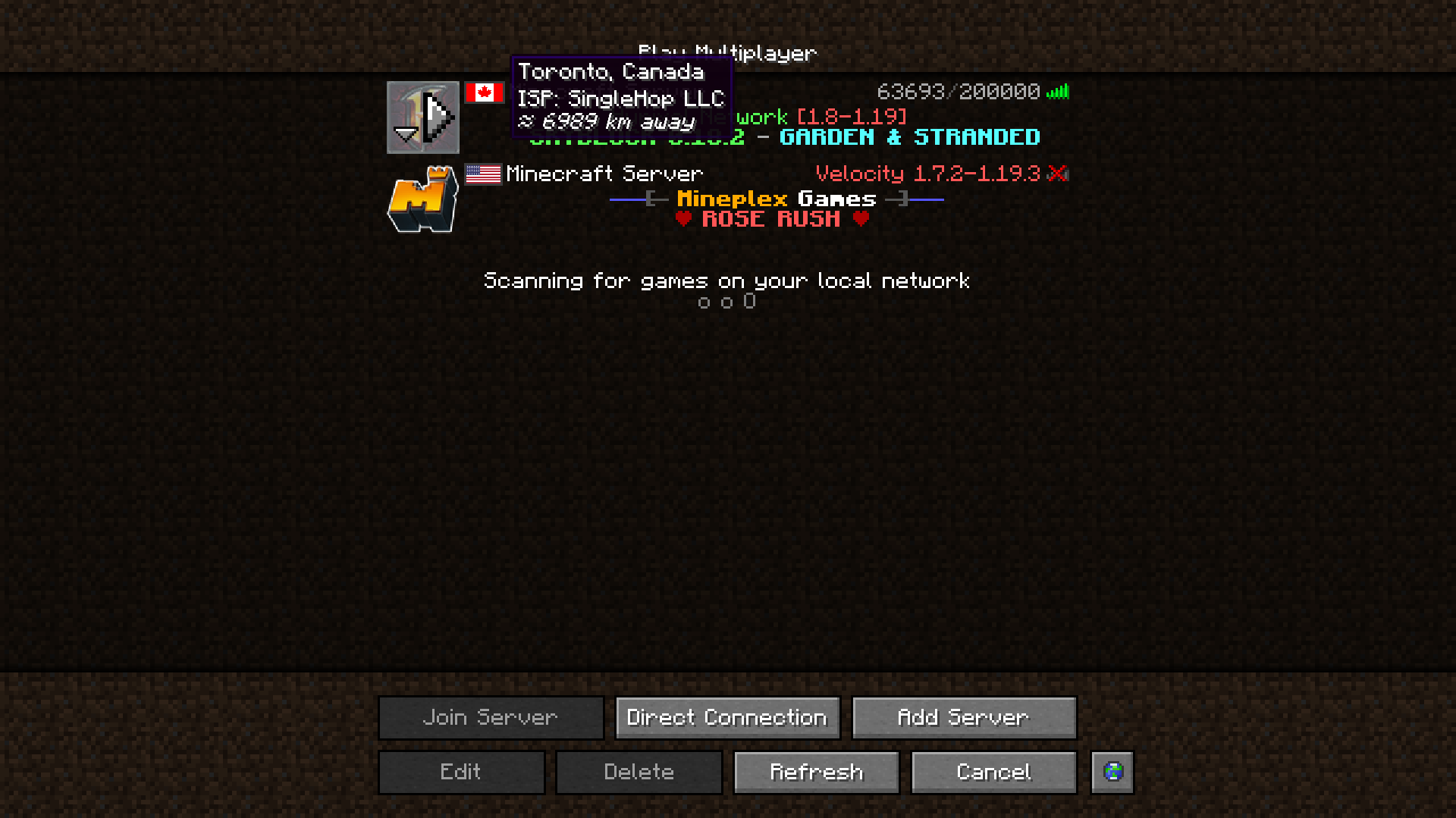

If you have the Cloth Config API installed, you can tweak the mod's settings in a user-friendly GUI. To access it on Forge, you press the Config button in the mod-list. On Fabric, you need to access it using Mod Menu's config button.
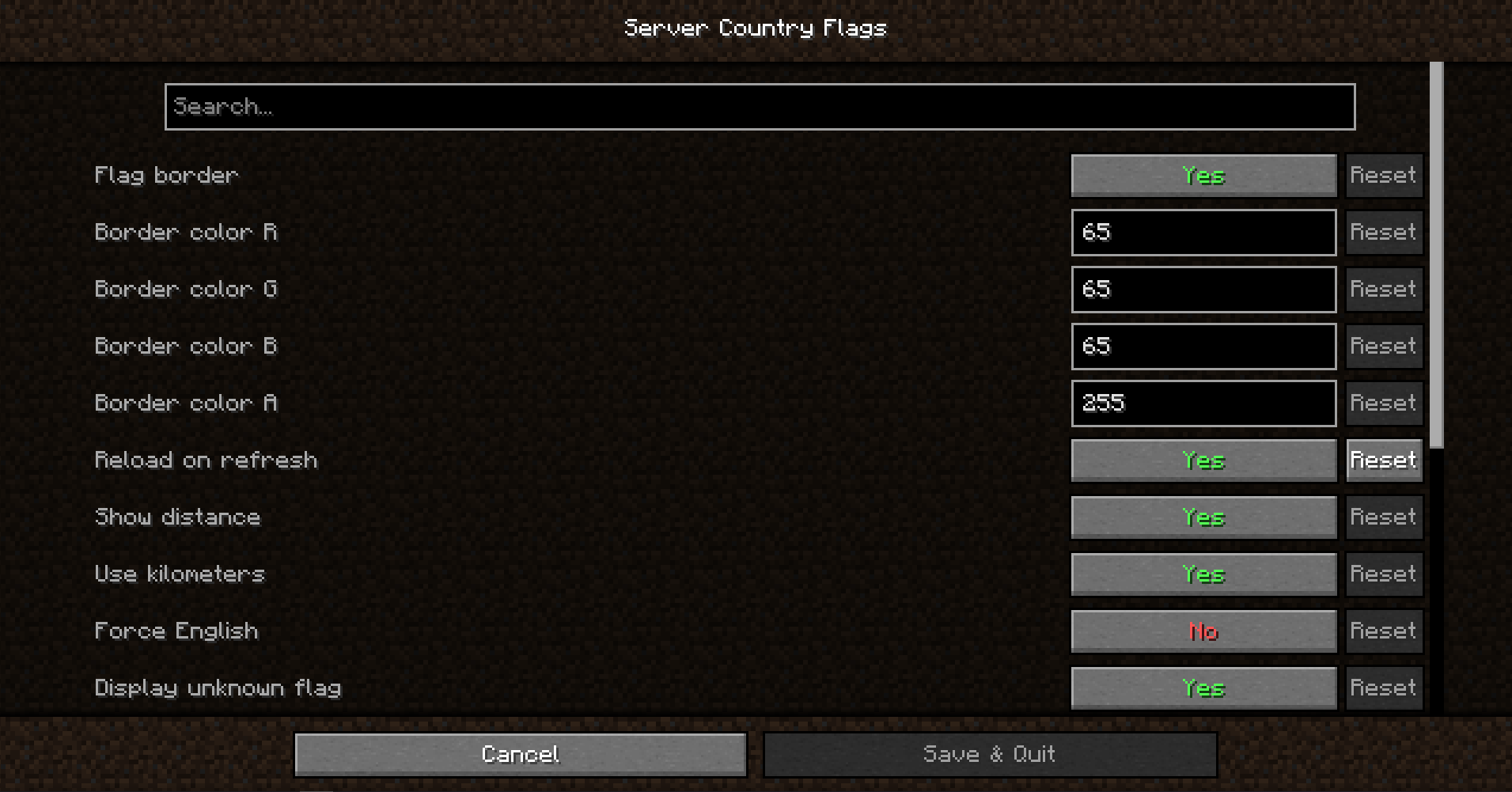

This mod uses data from a publicly available, free IP Geolocation IP - IP-API.com.
It limits the amount of requests the mod can make to 45 per minute, but that's totally enough.

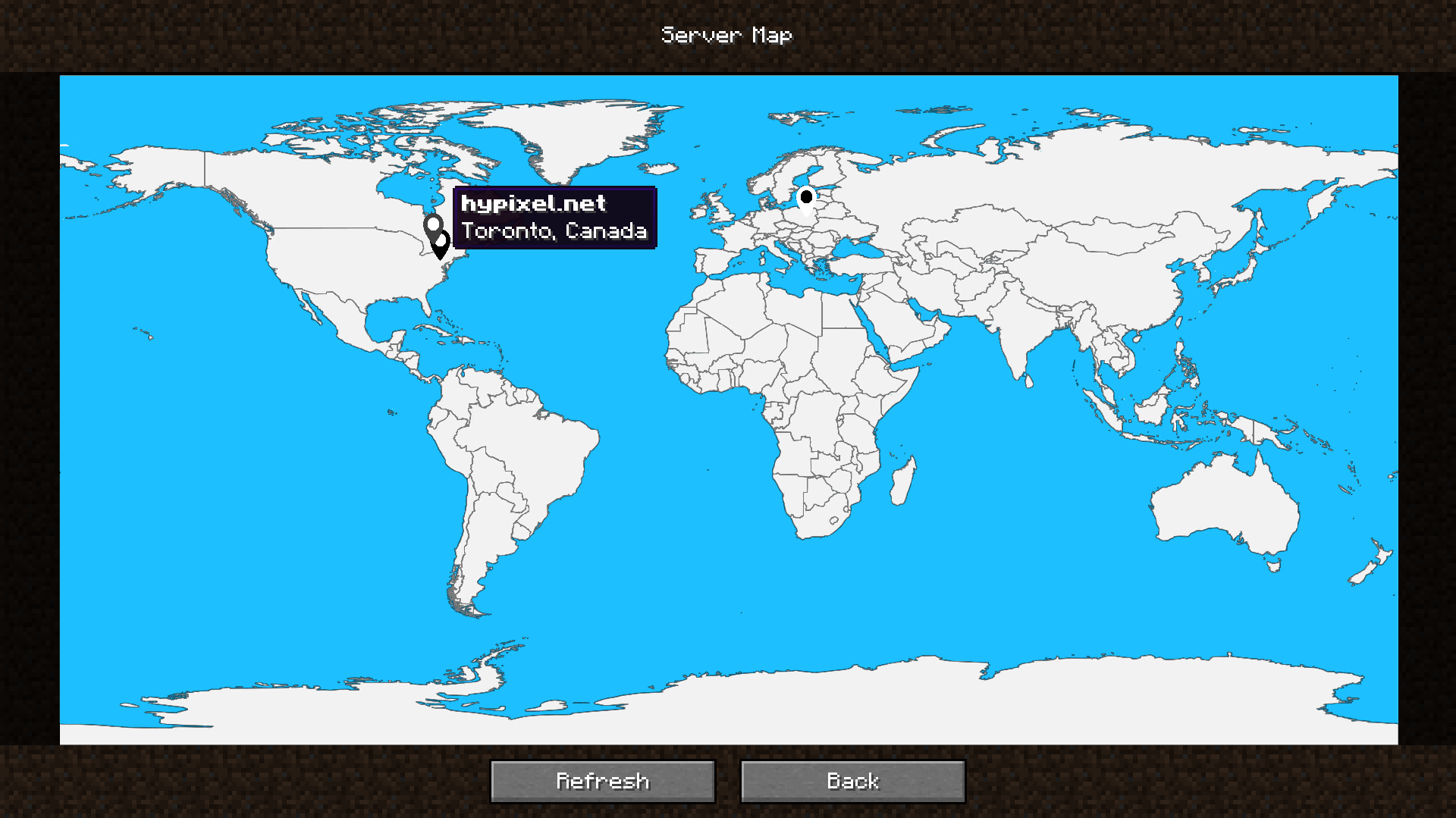
The mod also includes a built-in server map that provides a visual overview of your server locations, so that you can easily identify where your favorite servers are situated at a glance.
It can be accessed by the Server Map button in the server list, next to all of the buttons. You can remove or move it in the config!

Would you like to support me, or the mod?
Here is how you can do that:
Thanks a lot!

Here are dependencies that enhance the mod's functionality, or this mod enhances!

Whether you're looking for a server for your modpack, or just to mess around with your friends - BisectHosting is one of the most reliable and affordable options you can get! It makes installing modpacks just a couple of clicks. 25% off with code khajiitos!
Project description from CurseForge.
Pick your setup
Choose the version and loader you play, then open the matching release.
Showing the newest 12 of 25 game versions. Older files are in the list below.
Check the dependencies, then try the file in a copied instance before changing a world you care about.
Recent files
servercountryflags-1.10.4-26.1-NEOFORGE.jar
3 Apr 2026
servercountryflags-1.10.4-26.1-FABRIC.jar
3 Apr 2026
servercountryflags-1.10.4-1.21.10-NEOFORGE.jar
24 Oct 2025
servercountryflags-1.10.4-1.21.10-FABRIC.jar
24 Oct 2025
servercountryflags-1.10.4-1.21.8-FABRIC.jar
23 Jul 2025
servercountryflags-1.10.4-1.21.8-NEOFORGE.jar
23 Jul 2025
servercountryflags-1.10.4-1.21.5-FABRIC.jar
27 Apr 2025
servercountryflags-1.10.4-1.21.5-NEOFORGE.jar
27 Apr 2025
servercountryflags-1.10.4-1.21.4-FABRIC.jar
2 Jan 2025
servercountryflags-1.10.4-1.21.4-NEOFORGE.jar
2 Jan 2025
servercountryflags-1.10.4-1.21.3-FABRIC.jar
31 Oct 2024
servercountryflags-1.10.4-1.21.3-NEOFORGE.jar
31 Oct 2024
Looking for an older file? The official CurseForge project page is in Resources.
 mod
modEarn experience by building, mining, farming, crafting, exploring, and more with a fully data-driven system.
 mod
modThis mod modifies and improves certain aspects of FSang's Heroes mod. I created this mod Because there wasnt one that had what i needed, so i made my own :)
 mod
modaddon for scorched guns 2 mod, adding factions of mobs