Roughly Enough Items (REI) Optional for DayZ Inventory 1.8.2+26.3
optionalNo matching file

Modrinth · Minecraft mod
Mod that replaces automatic item pickup with a DayZ-style Vicinity UI and unified container looting.
Quick answer
DayZ Inventory 1.8.2+26.3 targets 26.3 with NeoForge. Installation on the client is optional. Installation on the dedicated server is optional. No extra mods listed for this file.
Where it goes
Installation on the client is optional. Installation on the dedicated server is optional.
The source marks this as usable on both the client and server.
1.8.2+26.3. Change the file and its required mods may change too.
This file does not list any required mods. Do not add a library just because a different file uses it.
2 extra mods were pulled in by other dependencies. Indented rows show who needs each one. We only count dependency files that match this setup. A file for another loader does not fill the gap.
Before you install it
Built for DayZ Inventory 1.8.2+26.3. Pick another file and the loader, install side or required mods may change.
Use 1.8.2+26.3. It targets 26.3 with NeoForge; another release may have different loader, side or dependency requirements.
This file does not list any required mods. Do not add a library just because a different file uses it.
Installation on the client is optional. Installation on the dedicated server is optional.
Use the “Get this file” button beside 1.8.2+26.3. It opens that exact file at the source.
About this project
A complete overhaul of the Minecraft inventory UI, bringing the look, feel, and mechanics of the DayZ inventory system into Minecraft.
Really recommended with DayZ Hotbar — seamless integration. The two are built as a pair, so the HUD and the inventory screen share one look.
23 Minecraft versions — 1.20.1 through 26.3 — on Fabric, NeoForge and Forge, all from one source tree.
| Loader | Minecraft |
|---|---|
| Fabric | 1.20.1 – 26.3 |
| NeoForge | 1.20.6 – 26.3 |
| Forge | 1.20.6 – 1.21.11 |
53 downloads in total. Each file is labelled with its Minecraft version and its loader.
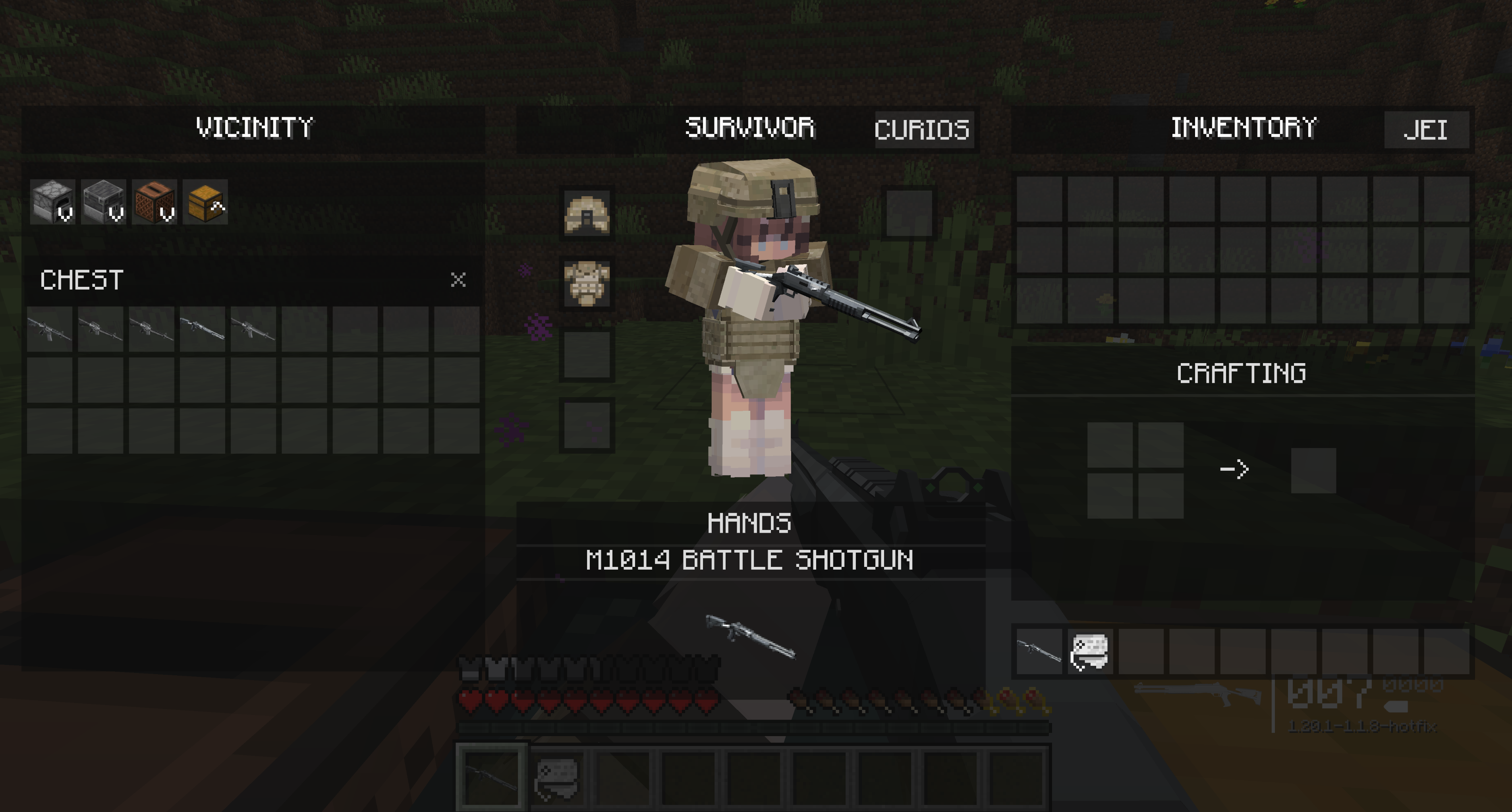
Items are no longer picked up by walking over them. Loot is collected deliberately from the Vicinity grid.
Every optional integration is probed at runtime. The mod never requires them and will not crash on launch or when opening the inventory if they are absent.
mods/ folder.Pick carefully. A Fabric build will not load on NeoForge or Forge, and a build for one Minecraft version will not load on another. Each download is labelled with its version and loader.
| Loader | Required |
|---|---|
| Fabric | Fabric Loader 0.16.14+ (0.19.5+ from 1.21.5) and the Fabric API build for your Minecraft version |
| NeoForge | NeoForge for your Minecraft version |
| Forge | Forge for your Minecraft version |
Java 17 on 1.20.1 – 1.20.4, Java 21 on 1.20.5 – 1.21.11, Java 25 on 26.x.
Optional: JEI, REI or EMI adds a recipe-viewer button, and Curios (NeoForge/Forge) or
Trinkets (Fabric) adds an accessories button. All of them are probed at runtime — the mod runs
fine without any of them.
1.20.1 – 1.20.5 are Fabric-only, and Forge ends at 1.21.11: those combinations either never had a
usable loader release or predate the networking API this mod uses.
Licensed under the Apache License 2.0. You are free to use, modify, redistribute and include this mod in modpacks.
Copyright 2026 suoim.
Project description from Modrinth.
Pick your setup
Choose the version and loader you play, then open the matching release.
Showing the newest 12 of 23 game versions. Older files are in the list below.
Check the dependencies, then try the file in a copied instance before changing a world you care about.
Recent files
dayz-inventory-neoforge-26.3-1.8.2+mc26.3.jar
17 Sept 2026
dayz-inventory-neoforge-26.2-1.8.2+mc26.2.jar
17 Sept 2026
dayz-inventory-neoforge-26.1.2-1.8.2+mc26.1.2.jar
17 Sept 2026
dayz-inventory-neoforge-26.1-1.8.2+mc26.1.jar
17 Sept 2026
dayz-inventory-neoforge-26.1.1-1.8.2+mc26.1.1.jar
17 Sept 2026
dayz-inventory-neoforge-1.21.9-1.8.2+mc1.21.9.jar
17 Sept 2026
dayz-inventory-neoforge-1.21.8-1.8.2+mc1.21.8.jar
17 Sept 2026
dayz-inventory-neoforge-1.21.7-1.8.2+mc1.21.7.jar
17 Sept 2026
dayz-inventory-neoforge-1.21.6-1.8.2+mc1.21.6.jar
17 Sept 2026
dayz-inventory-neoforge-1.21.5-1.8.2+mc1.21.5.jar
17 Sept 2026
dayz-inventory-neoforge-1.21.4-1.8.2+mc1.21.4.jar
17 Sept 2026
dayz-inventory-neoforge-1.21.3-1.8.2+mc1.21.3.jar
17 Sept 2026
Looking for an older file? The official Modrinth project page is in Resources.
 mod
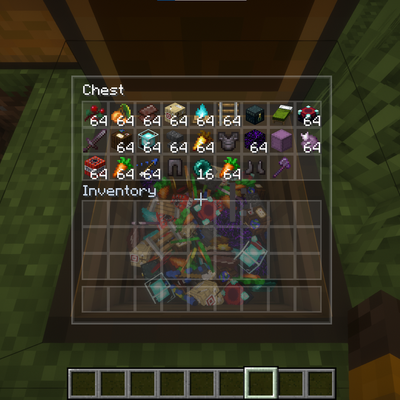
modA client-side mod providing smooth camera transitions, semi-transparent menus, and physical 3D item rendering inside chests.
 mod
modCurious Chests adds ten unique magical chests, each with its own special storage ability, from sorting and transport to protection, brewing, and mob capture.
 mod
modA bunch of useful vanilla+ kind of blocks and items.