Catalogue Optional for Dynamic Lights [Server] [Fabric/NeoForge] Release v1.9.3
optionalMatching file found Matched file: Catalogue 1.12.3
![Dynamic Lights [Server] [Fabric/NeoForge] project artwork](https://media.forgecdn.net/avatars/874/27/638294576361309208.png)
CurseForge · Minecraft mod
Supported entities and items such as torches or lanterns emit light!
Quick answer
Dynamic Lights [Server] [Fabric/NeoForge] Release v1.9.3 targets 1.17.1, 1.21.2-Snapshot, 1.21 with Fabric, NeoForge, Quilt. The project page does not say whether this file belongs on the client, dedicated server, or both. No extra mods listed for this file.
Where it goes
The project page does not say whether this file belongs on the client, dedicated server, or both.
The source does not explicitly classify this release as client-only or server-only.
Release v1.9.3. Change the file and its required mods may change too.
This file does not list any required mods. Do not add a library just because a different file uses it.
6 extra mods were pulled in by other dependencies. Indented rows show who needs each one. We only count dependency files that match this setup. A file for another loader does not fill the gap.
Before you install it
Built for Dynamic Lights [Server] [Fabric/NeoForge] Release v1.9.3. Pick another file and the loader, install side or required mods may change.
Use Release v1.9.3. It targets 1.17.1, 1.21.2-Snapshot, 1.21 with Fabric, NeoForge, Quilt; another release may have different loader, side or dependency requirements.
This file does not list any required mods. Do not add a library just because a different file uses it.
The project page does not say whether this file belongs on the client, dedicated server, or both.
Use the “Get this file” button beside Release v1.9.3. It opens that exact file at the source.
About this project
Server-side dynamic lighting for Minecraft 1.17.x-26.2.x
➜ The data pack version of this mod can be found here

For heavily modded setups, modpacks, as well as for playing on external servers, I recommend LambDynamicLights or similar client-side mods instead.
There is a dedicated page about this in the wiki with more info.
This mod brings dynamic lighting to Minecraft without any client-side requirements. Supported entities and items (like torches, glowstone, or enchanted gear), held or worn by players, mobs, or placed in item frames, will emit light using the light block added in Snapshot 21w13a.
Since this project is completely server-side, players joining a server with Dynamic Lights installed will not need to install anything on their end for it to work! However, you can still use the mod version on the client for single-player worlds only. Joining a server that does not have Dynamic Lights installed will have no effect.
➜ For a complete list of supported items & entities, and available settings, take a look at the wiki
Since this is a data pack at its core, there are some limitations compared to other purely modded solutions.
Download the mod and put the mod .jar file into your .minecraft/mods folder.
Install MidnightLib alongside Dynamic Lights for a global settings menu across all worlds.
To manage settings, reset, or uninstall the pack, use /trigger tschipcraft.menu or /function #tschipcraft:menu.
Forge is only natively supported until Minecraft 1.21.5.
This project implements the Smithed and essential MC Datapacks Discord Server Conventions to ensure data pack compatibility.



Want to buy Hytale or upgrade your edition? Use creator code Tschipcraft upon checkout for me to receive a commission! (The price for you stays the same)
Project description from CurseForge.
Pick your setup
Choose the version and loader you play, then open the matching release.
Showing the newest 12 of 51 game versions. Older files are in the list below.
Check the dependencies, then try the file in a copied instance before changing a world you care about.
Recent files
dynamiclights-v1.9.3-mc1.17-26.2.9-mod.jar
24 Jun 2026
dynamiclights-v1.9.2+bump-mc1.17-26.1.x-mod.jar
10 Apr 2026
dynamiclights-v1.9.2-mc1.17-26.1.1-mod.jar
4 Apr 2026
dynamiclights-v1.9.1-mc1.17-1.21.11-mod.jar
9 Dec 2025
dynamiclights-v1.9+bump-mc1.17-1.21.10-mod.jar
9 Oct 2025
dynamiclights-v1.9-mc1.17-1.21.9-mod.jar
1 Oct 2025
dynamiclights-v1.9-mc1.17-1.21.5-mod.jar
1 Oct 2025
dynamiclights-v1.8.9-mc1.17-1.21.8-mod.jar
9 Aug 2025
dynamiclights-v1.8.8+bump-mc1.17-1.21.8-mod.jar
20 Jul 2025
dynamiclights-v1.8.8-mc1.17-1.21.7-mod.jar
3 Jul 2025
dynamiclights-v1.8.7-mc1.17-1.21.6-mod.jar
17 Jun 2025
dynamiclights-v1.8.6-mc1.17-1.21.5-mod.jar
12 May 2025
Looking for an older file? The official CurseForge project page is in Resources.
 mod
modAllow list for mob / entities for mobGriefing gamerule
 mod
modArmor blocks for Create: Aeronautics and Create: Big Cannons
 mod
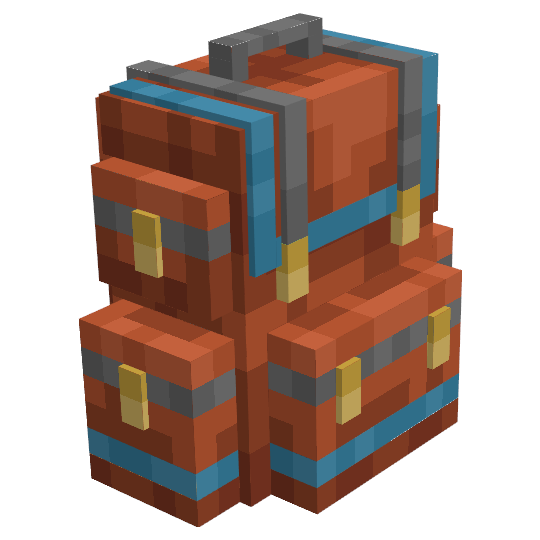
modYet another backpack mod this time with backpack you can place in world, color in different color combinations, upgrade with more inventory and enhance with many functional upgrades