Minecraft version
Back to mods 
CurseForge · Minecraft mod
AxiomTool
Axiom
Choose a version Pick your version below, then grab the matching file.
Quick answer
Which AxiomTool release should I use?
Latest stable file Axiom-5.1.1-for-MC1.21.10.jar
Game version 1.21.9, 1.21.10
Loader Fabric
AxiomTool Axiom-5.1.1-for-MC1.21.10.jar targets 1.21.9, 1.21.10 with Fabric. The project page does not say whether this file belongs on the client, dedicated server, or both. No extra mods listed for this file.
Where it goes
Is AxiomTool required on the client, server, or both?
The project page does not say whether this file belongs on the client, dedicated server, or both.
Client Source doesn’t say
Dedicated server Source doesn’t say
Loader for this release Fabric
Required install it here Optional supported, not mandatory Not supported do not install here Source doesn’t say do not assume
The source does not explicitly classify this release as client-only or server-only.
What else does AxiomTool Axiom-5.1.1-for-MC1.21.10.jar need?
Axiom-5.1.1-for-MC1.21.10.jar. Change the file and its required mods may change too.
This file does not list any required mods. Do not add a library just because a different file uses it.
This file does not list any required or optional mods.
Before you install it
Add AxiomTool without breaking your instance.
Built for AxiomTool Axiom-5.1.1-for-MC1.21.10.jar. Pick another file and the loader, install side or required mods may change.
- 01
Stick to this file
Use Axiom-5.1.1-for-MC1.21.10.jar. It targets 1.21.9, 1.21.10 with Fabric; another release may have different loader, side or dependency requirements.
- 02
Bring the mods it needs
This file does not list any required mods. Do not add a library just because a different file uses it.
- 03
Put it on the correct side
The project page does not say whether this file belongs on the client, dedicated server, or both.
- 04
Pick the file you checked
Use the “Get this file” button beside Axiom-5.1.1-for-MC1.21.10.jar. It opens that exact file at the source.
About this project
What does AxiomTool add?

By installing Axiom, you agree to the EULA available at https://axiom.moulberry.com/eula
Axiom is an all-in-one tool for Minecraft editing. It merges the capabilities of 3D software with a sleek interface and an innovative toolset. Axiom simplifies Minecraft building while elevating its potential. Real-time previews and client-side rendering, powered by specialized algorithms, enhance both visual feedback and performance while building.
Support the Project
By backing the project or acquiring a commercial license, you play a direct role in supporting Axiom's development, ensuring that we can keep delivering new features and updates.
Patrons get early access to future releases of Axiom.
https://www.patreon.com/moulberry
Features
Axiom provides a comprehensive toolset for real-time and detailed Minecraft world adjustments. Each tool is equipped with unique settings tailored for precision.
Builder Mode
Enhances vanilla Creative mode with Builder Mode's suite of enhancements:
- Builder Context Menu: Hold 'Left Alt' to access a range of features such as Capabilities and Builder Tools.
- Hotbar Swapper: Switch between hotbars for easier building material management.
- Capabilities: Toggle various building functionalities that will enhance building in various ways so you build whatever, whenever.
- Flight Speed: A convenient slider to adjust your flight speed, with speeds up to 10x.
Editor Mode
Press Right-Shift to enter the Editor Mode. Explore a range of tools ideal for world manipulation, painting, terraforming, and sculpting. The Editor Mode integrates familiar camera controls from 3D software with tailored tools for Minecraft building. Customize the UI layout by rearranging windows to suit your needs.
- Selection Tools: Innovative selection methods, including magic and cuboid options. Use boolean logic for enhanced selection capabilities.
- Painting Tools: Replace blocks seamlessly without just adding new ones. Choose from a variety of tools for specific block editing needs.
- Drawing Tools: Sculpt and mold your world with an array of tools. Benefit from distinct placement algorithms for different effects.
- Heightmap Tools: Modify terrains using a layered approach, inspired by tools like World Machine.
- Manipulation Tools: Fine-tune terrains for your desired outcome. Smooth, distort, and refine using a series of specialized tools.
Commercial Use
We ask that 'Professional Builders' (i.e. people who make money through building in Minecraft) purchase a Commercial License. The commercial license unlocks the full potential of Axiom to power your commercial endeavours and provides several extra features such as:
- Multiplayer Support: Collaborate with others on private build servers using Multiplayer Support
- Custom Server APIs: Leverage powerful server APIs like serverside custom blocks to accelerate development
- Automatic History Persistence: Automatically back up any changes to the world made by Axiom
In order to enable the above functionality, Axiom sends a request with your UUID to https://axiom.moulberry.com/.
Project description from CurseForge.
Pick your setup
AxiomTool by Minecraft version and loader
Choose the version and loader you play, then open the matching release.
Minecraft version
1.21.9
1 loader buildMinecraft version
1.21.8
1 loader buildMinecraft version
1.21.7
1 loader buildMinecraft version
1.21.6
1 loader buildMinecraft version
1.21.5
1 loader buildMinecraft version
1.21.4
1 loader buildMinecraft version
1.21.3
1 loader buildMinecraft version
1.21.2
1 loader buildMinecraft version
1.21.1
1 loader buildMinecraft version
1.21
1 loader buildMinecraft version
1.20.6
1 loader buildShowing the newest 12 of 18 game versions. Older files are in the list below.
Check the dependencies, then try the file in a copied instance before changing a world you care about.
Recent files
AxiomTool versions and loaders
Axiom-5.1.1-for-MC1.21.10.jar
8 Oct 2025
Client Source doesn’t say Server Source doesn’t say Dependencies No extras listed Listed on Release listing
Check the 1.21.10 · Fabric setup Fabric1.21.91.21.10 release
Axiom-5.1.1-for-MC1.21.8.jar
8 Oct 2025
Client Source doesn’t say Server Source doesn’t say Dependencies No extras listed Listed on Release listing
Check the 1.21.8 · Fabric setup Fabric1.21.81.21.71.21.6 release
Axiom-5.1.1-for-MC1.21.5.jar
8 Oct 2025
Client Source doesn’t say Server Source doesn’t say Dependencies No extras listed Listed on Release listing
Check the 1.21.5 · Fabric setup 1.21.5Fabric release
Axiom-5.1.1-for-MC1.21.4.jar
8 Oct 2025
Client Source doesn’t say Server Source doesn’t say Dependencies No extras listed Listed on Release listing
Check the 1.21.4 · Fabric setup Fabric1.21.4 release
Axiom-5.1.1-for-MC1.21.3.jar
8 Oct 2025
Client Source doesn’t say Server Source doesn’t say Dependencies No extras listed Listed on Release listing
Check the 1.21.3 · Fabric setup Fabric1.21.31.21.2 release
Axiom-5.1.1-for-MC1.21.1.jar
8 Oct 2025
Client Source doesn’t say Server Source doesn’t say Dependencies No extras listed Listed on Release listing
Check the 1.21.1 · Fabric setup 1.21Fabric1.21.1 release
Axiom-5.1.1-for-MC1.20.6.jar
8 Oct 2025
Client Source doesn’t say Server Source doesn’t say Dependencies No extras listed Listed on Release listing
Check the 1.20.6 · Fabric setup 1.20.5Fabric1.20.6 release
Axiom-5.1.1-for-MC1.20.4.jar
8 Oct 2025
Client Source doesn’t say Server Source doesn’t say Dependencies No extras listed Listed on Release listing
Check the 1.20.4 · Fabric setup Fabric1.20.31.20.4 release
Axiom-5.1.1-for-MC1.20.2.jar
8 Oct 2025
Client Source doesn’t say Server Source doesn’t say Dependencies No extras listed Listed on Release listing
Check the 1.20.2 · Fabric setup 1.20.2Fabric release
Axiom-5.1.1-for-MC1.20.1.jar
8 Oct 2025
Client Source doesn’t say Server Source doesn’t say Dependencies No extras listed Listed on Release listing
Check the 1.20.1 · Fabric setup Fabric1.20.11.20 release
Axiom-5.1.0-for-MC1.21.9.jar
7 Oct 2025
Client Source doesn’t say Server Source doesn’t say Dependencies No extras listed Listed on Release listing
Check the 1.21.9 · Fabric setup Fabric1.21.9 release
Axiom-5.1.0-for-MC1.21.8.jar
7 Oct 2025
Client Source doesn’t say Server Source doesn’t say Dependencies No extras listed Listed on Release listing
Check the 1.21.8 · Fabric setup Fabric1.21.81.21.71.21.6 release
Looking for an older file? The official CurseForge project page is in Resources.
 mod
mod CurseForge · Minecraft
FC Performance Core
This is the essential optimization foundation designed specifically for the Foxy Cozy modpack. It works silently in the background to eliminate lag and maximize performance, ensuring your gameplay experience is as relaxing as the world you are building.
 mod
mod CurseForge · Minecraft
Dungeons & Dominion: The Dark Age
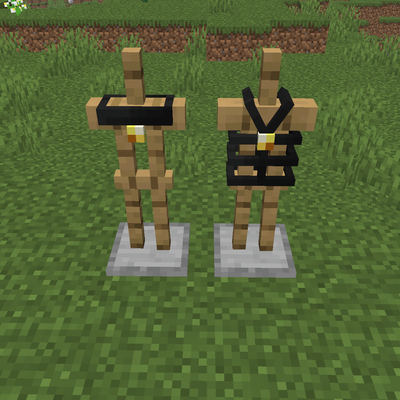
Dungeons & Dominion: The Dark Age adds The Plains Dungeon, a new underground dungeon with Trial Chambers-style progression, custom challenges, and unique equipment including the Collar and Harness, featuring special player interaction mechanics.
 mod
mod CurseForge · Minecraft
Misanthropy's Linggango Tweaks
Massive collection of tweaks & fixes for Linggango modpack