Minecraft version
Back to mods 
CurseForge · Minecraft mod
MiniChad
Mini Chads Twitch Integration!
Choose a version Pick your version below, then grab the matching file.
Quick answer
Which MiniChad release should I use?
beta file minichad-1.19.2-0.11.10.jar
Game version 1.19.2
Loader Forge
minichad-1.19.2-0.11.10.jar targets 1.19.2 with Forge. The project page does not say whether this file belongs on the client, dedicated server, or both. No extra mods listed for this file.
Where it goes
Is MiniChad required on the client, server, or both?
The project page does not say whether this file belongs on the client, dedicated server, or both.
Client Source doesn’t say
Dedicated server Source doesn’t say
Loader for this release Forge
Required install it here Optional supported, not mandatory Not supported do not install here Source doesn’t say do not assume
The source does not explicitly classify this release as client-only or server-only.
What else does minichad-1.19.2-0.11.10.jar need?
minichad-1.19.2-0.11.10.jar. Change the file and its required mods may change too.
This file does not list any required mods. Do not add a library just because a different file uses it.
This file does not list any required or optional mods.
Before you install it
Add MiniChad without breaking your instance.
Built for minichad-1.19.2-0.11.10.jar. Pick another file and the loader, install side or required mods may change.
- 01
Stick to this file
Use minichad-1.19.2-0.11.10.jar. It targets 1.19.2 with Forge; another release may have different loader, side or dependency requirements.
- 02
Bring the mods it needs
This file does not list any required mods. Do not add a library just because a different file uses it.
- 03
Put it on the correct side
The project page does not say whether this file belongs on the client, dedicated server, or both.
- 04
Pick the file you checked
Use the “Get this file” button beside minichad-1.19.2-0.11.10.jar. It opens that exact file at the source.
About this project
What does MiniChad add?
MiniChads is a Twitch integration mod that allows your subscribers to join your adventures as miniature versions of their own Minecraft skins. Will they stand by your side as loyal allies or throw your world into chaos? Only time will tell…
For those craving even more madness, MiniChad Blocks offer an alternative mode. Subscribers can send these mysterious blocks into your world as "gifts" for you to open. But beware—whether they bring fortune or catastrophe, that’s where the true madness begins.
Features
When subscribing, both new and returning subs will impact your world depending on the selected mode:
MiniChad Mode:
- Appear in your world as a MiniChad, a tiny player version of themselves with their actual Minecraft skin!
- Spawn with items, interact with the world, and even trigger events or special actions—bringing unexpected surprises, chaos, and adventure to your gameplay.
- Large sub-gifts of 20 or more can place a MiniChad Block into the world, regardless of the mode chosen.
MiniChad Blocks Mode:
- Subscribers appear in your world with a MiniChad Jail Block instead of a character.
- You manually open the block, unleashing one of many chaotic outcomes.
- Possible effects range from overpowered weapons and random teleportation to ultimate disaster—Llamageddon!
Are you ready to embrace the chaos? MiniChads will make sure your world is never the same again!
Project description from CurseForge.
Pick your setup
MiniChad by Minecraft version and loader
Choose the version and loader you play, then open the matching release.
Check the dependencies, then try the file in a copied instance before changing a world you care about.
Recent files
MiniChad versions and loaders
minichad-1.19.2-0.11.10.jar
6 May 2025
Client Source doesn’t say Server Source doesn’t say Dependencies No extras listed Listed on Release listing
Check the 1.19.2 · Forge setup 1.19.2Forge beta
minichad-1.19.2-0.11.9.jar
23 Apr 2025
Client Source doesn’t say Server Source doesn’t say Dependencies No extras listed Listed on Release listing
Check the 1.19.2 · Forge setup 1.19.2Forge beta
minichad-1.19.2-0.11.8.jar
22 Apr 2025
Client Source doesn’t say Server Source doesn’t say Dependencies No extras listed Listed on Release listing
Check the 1.19.2 · Forge setup 1.19.2Forge beta
minichad-1.19.2-0.11.7.jar
19 Apr 2025
Client Source doesn’t say Server Source doesn’t say Dependencies No extras listed Listed on Release listing
Check the 1.19.2 · Forge setup 1.19.2Forge beta
minichad-1.19.2-0.11.6.jar
16 Apr 2025
Client Source doesn’t say Server Source doesn’t say Dependencies No extras listed Listed on Release listing
Check the 1.19.2 · Forge setup 1.19.2Forge beta
minichad-1.19.2-0.11.5.jar
14 Apr 2025
Client Source doesn’t say Server Source doesn’t say Dependencies No extras listed Listed on Release listing
Check the 1.19.2 · Forge setup 1.19.2Forge beta
minichad-1.19.2-0.11.4.jar
30 Mar 2025
Client Source doesn’t say Server Source doesn’t say Dependencies No extras listed Listed on Release listing
Check the 1.19.2 · Forge setup 1.19.2Forge beta
minichad-1.19.2-0.11.3.jar
28 Mar 2025
Client Source doesn’t say Server Source doesn’t say Dependencies No extras listed Listed on Release listing
Check the 1.19.2 · Forge setup 1.19.2Forge beta
minichad-1.19.2-0.11.2.jar
22 Mar 2025
Client Source doesn’t say Server Source doesn’t say Dependencies No extras listed Listed on Release listing
Check the 1.19.2 · Forge setup 1.19.2Forge beta
minichad-1.19.2-0.11.0.jar
16 Mar 2025
Client Source doesn’t say Server Source doesn’t say Dependencies No extras listed Listed on Release listing
Check the 1.19.2 · Forge setup 1.19.2Forge beta
Looking for an older file? The official CurseForge project page is in Resources.
 mod
mod CurseForge + Modrinth · Minecraft
Antarchy
Adding 45+ mobs, 8+ bosses, 3 fleshed out dimensions, and more
 mod
mod CurseForge + Modrinth · Minecraft
Anthology: Time & Space API
Library/API for messing with time and space
 mod
mod CurseForge + Modrinth · Minecraft
Gouge
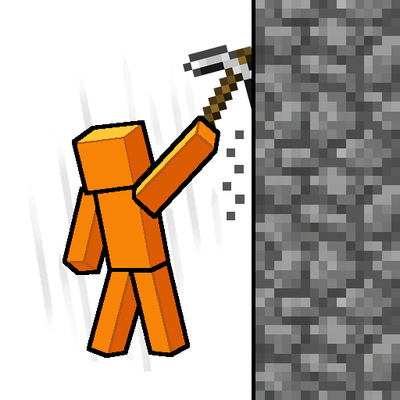
Slam your pickaxe into a wall mid-fall to slow your descent or lock yourself in place before you hit the ground.