LuckPerms Optional for Datapack Commands Forge 1.20.1-1.2
optionalMatching file found Matched file: v5.4.102 (Forge 1.20.1)

CurseForge · Minecraft mod
A mod massively expanding on Minecraft's commands (including textboards!)
Quick answer
Datapack Commands Forge 1.20.1-1.2 targets 1.20.1 with Forge. The project page does not say whether this file belongs on the client, dedicated server, or both. No extra mods listed for this file.
Where it goes
The project page does not say whether this file belongs on the client, dedicated server, or both.
The source does not explicitly classify this release as client-only or server-only.
Datapack Commands Forge 1.20.1-1.2. Change the file and its required mods may change too.
This file does not list any required mods. Do not add a library just because a different file uses it.
We only count dependency files that match this setup. A file for another loader does not fill the gap.
Before you install it
Built for Datapack Commands Forge 1.20.1-1.2. Pick another file and the loader, install side or required mods may change.
Use Datapack Commands Forge 1.20.1-1.2. It targets 1.20.1 with Forge; another release may have different loader, side or dependency requirements.
This file does not list any required mods. Do not add a library just because a different file uses it.
The project page does not say whether this file belongs on the client, dedicated server, or both.
Use the “Get this file” button beside Datapack Commands Forge 1.20.1-1.2. It opens that exact file at the source.
About this project
Datapack Commands: Expanding upon commands and datapack capabilities.
The premise is simple, Mojand did a great job adding all kinds of features to commands and datapacks but some things are just missing for seemingly no reason (Full command list is further down):
This mod tries to fix many of Mojangs limits and more by adding 106 commands with new functionality as well as scoreboard compatibility to old vanilla commands.
Q and A:
Q: Where can I find the documentation, assistance, suggest something, see what's planned, or report bugs?
A: Click the 'Wiki' section between 'Images' and 'Relation', it'll redirect to a Discord server where you can do any and every of those things.
Q: Is this Mod Server or Client side?
A: This mod is theoretically server-side only but will still ask for the client to install the mod on all forge versions. This will be fixed as soon as possible and isn't a problem in the Fabric/Quilt version.
Q: Is this a Forge or Fabric mod?
A: The Mod supports Forge, Fabric, Neoforge, and Quilt as Quilt supports all Fabric mods. The names of the Files should be plenty to tell you exactly what version the File is yet problems with both Fabric and Neoforge have delayed their development.
Q: Will you backport the mod to version X?
A: I will not backport this mod to earlier Minecraft versions but update it anytime Minecraft releases a new one. If for some reason you want to backport the Mod, do as you please.
Q: Why does the /home or /spawn command not work for non-OP players?
A: Any command with permission level 0 has a corresponding gamerule to not unwantedly alter the game in any way for server owners who wish to not use these features.
Complete command list (Mod version 1.1.1):
/explode
/passenger
/update (Tick update a block e.g.: an extended piston without power to retract it)
/replace
/breakeffect
/rotation
/rightclick
/item
/spawn
/closegui
/despawn
/dismount
/extinguish
/tame
/damage
/drop (Players only)
/motion
/fly
/swing
/build
/love
/health
/heal
/hunger
/feed
/bonemeal
/easy
/normal
/hard
/peaceful
/gamemode {number}
/repair
/rain
/wclear
/jump (teleport to where you're looking)
/exp (advanced /xp)
/at (advanced /execute at)
/gametime (advanced /time)
/noon
/midnight
/day
/night
/raytrace
/home (Permission level 0 + More)
/delhome (Permission level 0)
/sethome (Permission level 0)
/tphome (Permission level 0)
/random
/daylock
/evaluate
/repeat
/warp (upcoming)
/commandblock (/cb or /cmdblock)
/barrier (/br)
/chainedcommandblock (/ccb)
/structureblock (/st)
/structurevoid (/sv)
/debugstick (/ds)
/jigsaw (/js)
/repeatingcommandblock (/rcb)
/nightvision
/keepinventory
/daylock
/waterlock
/delay
/textboards
/freeze
/summon (additions to /summon)
/scoreboard players math (advanced /scoreboard players operations)
/log (Log values to the sever terminal)
/return (only for 1.18, doesn’t work and only exists to allow datapacks using that command to load)
/place structure (for 1.18)
/tellraw (additions to /tellraw)
/switch ('if else' command)
/chain ('and' command)
/burn
/oxygen
/shoot (upcoming)
/checkmod
/as (advanced /execute as)
/breakndrop
/box (Allows detection of specific blocks & more)
/tag (textboard addition)
/title (additions to /title)
/function (textboard addition)
/schedule (textboard addition)
/give (additions to /give)
/setblock (textboard addition)
/advancement (textboard addition)
/recipe (textboard addition)
/cooldown
/navigation (Set mob attack or location target)
/sneak
/sprint
/distance
/falldistance
/suicide (Permission level 0)
/fix
/tpa (Permission level 0)
/tpaaccept (Permission level 0)
/tpaignore (Permission level 0)
/tpadecline (Permission level 0)
/unbreakable
/cmd (Permission level 0 + More)
/permission
Gamerules:
allowHomes (Boolean, Default: False)
maxHomes (Integer, Default: 8, Set to -1 to disable limit)
customSpawnPosition (Boolean, Default: False)
allowTeleportationToSpawn (Boolean, Default: False)
allowSuicide (Boolean, Default: False)
allowTpa (Boolean, Default: False)
Project description from CurseForge.
Pick your setup
Choose the version and loader you play, then open the matching release.
Showing the newest 12 of 13 game versions. Older files are in the list below.
Check the dependencies, then try the file in a copied instance before changing a world you care about.
Recent files
miner3ds_datapack_commands_forge_1.1.2_1.20.1.jar
8 Mar 2025
miner3ds_datapack_commands_forge_1.1.2_1.19.4.jar
8 Mar 2025
miner3ds_datapack_commands_forge_1.1.2_1.19.2.jar
8 Mar 2025
miner3ds_datapack_commands_forge_1.1.2_1.18.2.jar
8 Mar 2025
miner3ds_datapack_commands_forge_1.1.1_1.20.1.jar
11 Jul 2024
miner3ds_datapack_commands_forge_1.1.1_1.18.2.jar
9 Jul 2024
miner3ds_datapack_commands_forge_1.1_1.20.1.jar
28 Apr 2024
miner3ds_datapack_commands_forge_1.1_1.18.2.jar
28 Apr 2024
miner3ds_datapack_commands_forge_1.0.8_1.20.1.jar
5 Apr 2024
miner3ds_datapack_commands_forge_1.0.8_1.18.2.jar
1 Apr 2024
miner3ds_datapack_commands_forge_1.0.6_1.20.1.jar
28 Feb 2024
miner3ds_datapack_commands_forge_1.0.6_1.18.2.jar
28 Feb 2024
Looking for an older file? The official CurseForge project page is in Resources.
 mod
A backup mod with GUI, three different types of backups and a trash system, all customizable. V3 available with Whopper System, Detailed Screen and Settings Menu.
 mod
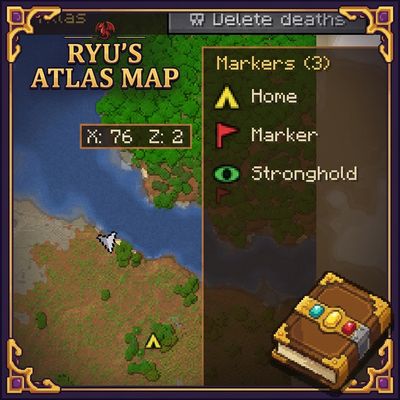
An RPG atlas book with minimap, full map, markers, upgrades, radar and Explorer's Table to copy and share exploration. Requires Curios.
 mod
A smarter Mending system with configurable repair priorities, inventory repair modes, and visual repair notifications.