Fabric API Needed by Unsay-1.19.2-Fabric-0.1.6b.jar
requiredMatching file found Matched file: [1.19.2] Fabric API 0.77.0+1.19.2

CurseForge · Minecraft mod
Delete, edit, reply to, and moderate Minecraft chat messages with synchronized in-game controls.
Quick answer
Unsay-1.19.2-Fabric-0.1.6b.jar targets 1.19.2 with Fabric. The project page does not say whether this file belongs on the client, dedicated server, or both. All 1 required mods have matching files.
Where it goes
The project page does not say whether this file belongs on the client, dedicated server, or both.
The source does not explicitly classify this release as client-only or server-only.
Unsay-1.19.2-Fabric-0.1.6b.jar. Change the file and its required mods may change too.
Install Fabric API first. We found matching files for this game-version and loader setup.
We only count dependency files that match this setup. A file for another loader does not fill the gap.
Before you install it
Built for Unsay-1.19.2-Fabric-0.1.6b.jar. Pick another file and the loader, install side or required mods may change.
Use Unsay-1.19.2-Fabric-0.1.6b.jar. It targets 1.19.2 with Fabric; another release may have different loader, side or dependency requirements.
Install Fabric API first. We found matching files for this game-version and loader setup.
The project page does not say whether this file belongs on the client, dedicated server, or both.
Use the “Get this file” button beside Unsay-1.19.2-Fabric-0.1.6b.jar. It opens that exact file at the source.
About this project

Take back what you said.
Delete, edit, and reply to messages directly from Minecraft chat.





Sent something too soon? Made a typo? Lost the message you wanted to answer in a busy chat?
Unsay brings familiar message controls into Minecraft without commands or separate menus. Open chat, hold Shift over a tracked message, and choose the action you need.
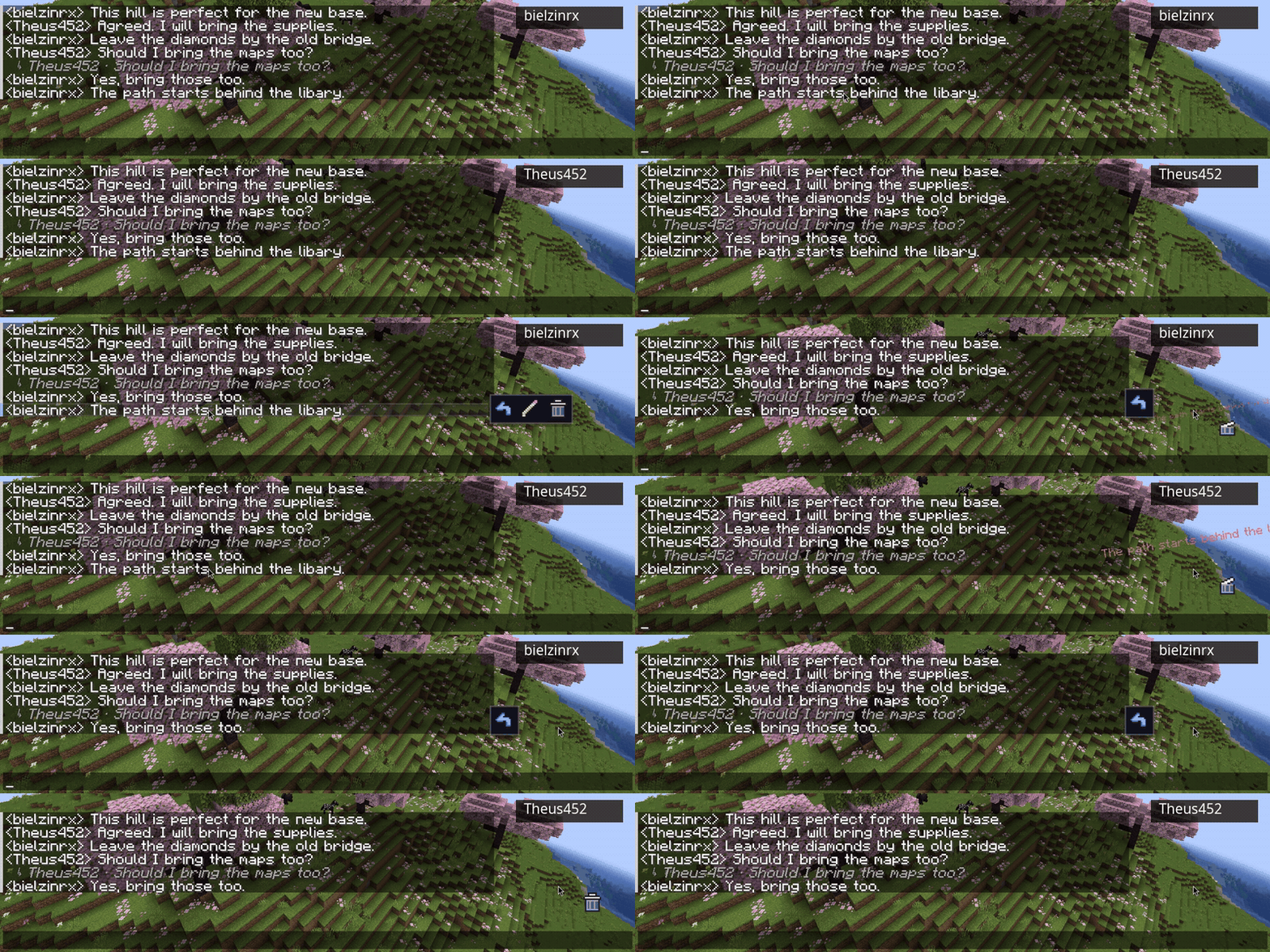
Actions stay inside the regular chat screen, so the experience feels immediate and familiar.
Unsay also includes tools for quickly managing recent or multiple messages.
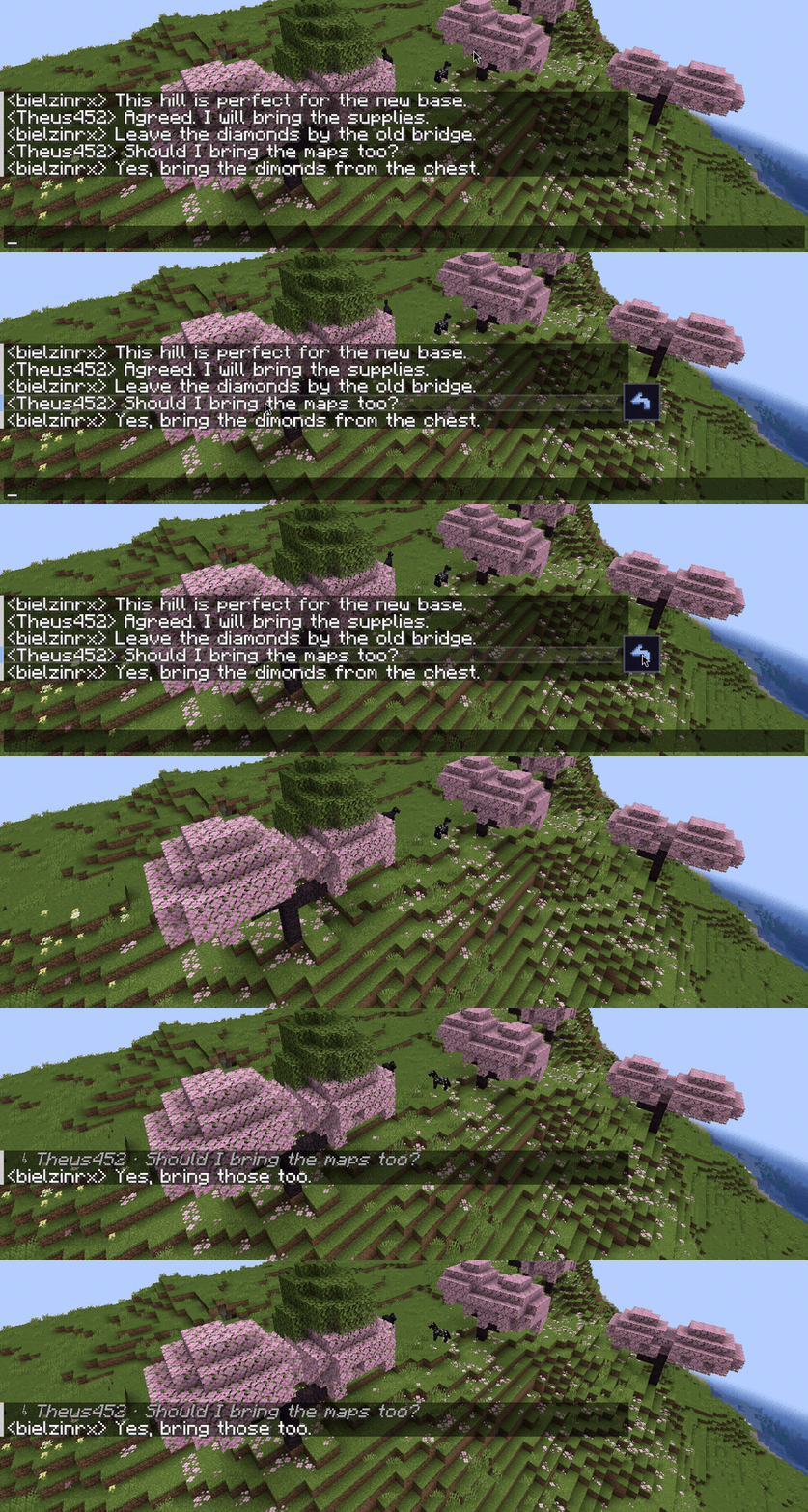
Edits and deletions are validated by the server and synchronized with connected players, keeping everyone on the same conversation.
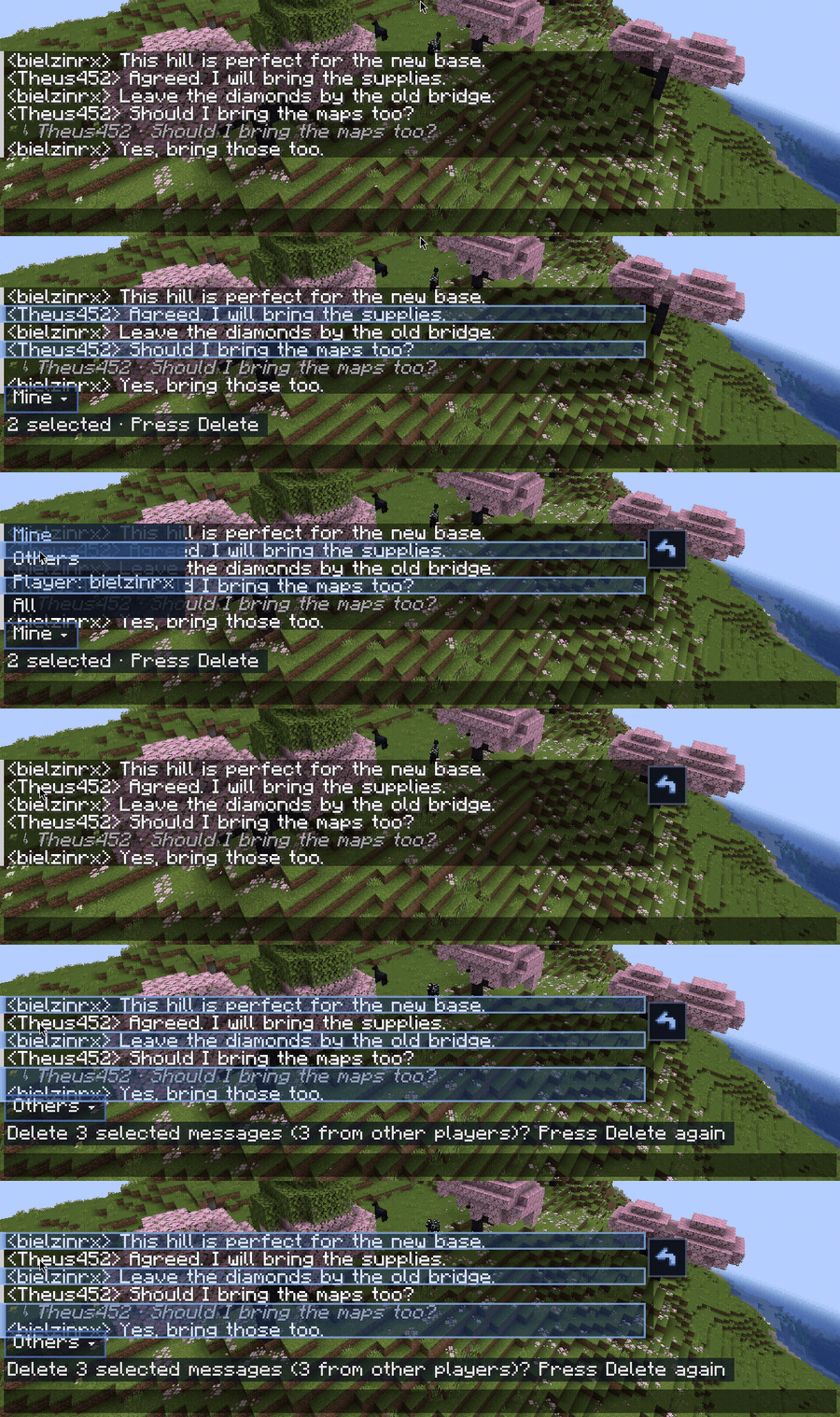
Server operators receive permission-aware moderation controls with four filters:
Operators always begin in Mine. Deleting another player's message requires an additional confirmation.
| Action | Default control |
|---|---|
| Show message actions | Shift |
| Select or deselect a message | Ctrl + Click |
| Select loaded messages | Ctrl + Shift + A |
| Delete selected messages | Delete |
| Cancel a selection | Esc |
| Delete your newest message | Shift + Delete or Shift + Backspace |
| Delete your oldest message | Ctrl + Shift + Delete or Ctrl + Shift + Backspace |
| Browse recent messages for editing | Shift + Up Arrow |
See the complete controls guide for every shortcut and configuration option.
Unsay must be installed on the server and every participating client.
| Minecraft | Fabric | Forge |
|---|---|---|
| 1.20.1 | Unsay + matching Fabric API | Unsay |
| 1.19.2 | Unsay + matching Fabric API | Unsay |
mods folder on the server and clients.Use the same Minecraft version, loader, and Unsay release on both sides. Do not mix Fabric and Forge files. Java 17 or newer is required.
Unsay also works in singleplayer through Minecraft's integrated server.


Unsay is currently in beta. Bug reports and suggestions are always welcome.
Project description from CurseForge.
Pick your setup
Choose the version and loader you play, then open the matching release.
Check the dependencies, then try the file in a copied instance before changing a world you care about.
Recent files
21 Aug 2026
21 Aug 2026
15 Aug 2026
15 Aug 2026
2 Aug 2026
2 Aug 2026
2 Aug 2026
2 Aug 2026
26 Jul 2026
26 Jul 2026
26 Jul 2026
26 Jul 2026
Looking for an older file? The official CurseForge project page is in Resources.
 mod
modBuild a functional Minecraft kitchen to cook, fry, bake, steam, and boil food with specialized cooking stations.
 mod
modCobblemon Info for REI turns REI, JEI, or EMI into a full in-game Cobblemon reference. Click a Pokemon and inspect its spawns, evolutions, drops, moves, stats, forms, fossils, obtainment methods, riding data, and more without leaving the game.
 mod
modEnchantStats is the combat & magic sequel to AppleStats — enchanting your HUD with exact enchantment values, advanced tooltips, and monster combat stats.