

Minecraft version
Back to mods 
Modrinth · Minecraft mod
fStats
Fabric metric system for developers
Choose a version Pick your version below, then grab the matching file.
Quick answer
Which fStats release should I use?
Latest stable file 2026.3.1
Game version 26.1, 26.1.1, 26.1.2
Loader Fabric
fStats 2026.3.1 targets 26.1, 26.1.1, 26.1.2 with Fabric. Installation on the client is optional. Installation on the dedicated server is optional. No extra mods listed for this file.
Where it goes
Is fStats required on the client, server, or both?
Installation on the client is optional. Installation on the dedicated server is optional.
Client Optional
Dedicated server Optional
Loader for this release Fabric
Required install it here Optional supported, not mandatory Not supported do not install here Source doesn’t say do not assume
The source marks this as usable on both the client and server.
What else does fStats 2026.3.1 need?
2026.3.1. Change the file and its required mods may change too.
This file does not list any required mods. Do not add a library just because a different file uses it.
This file does not list any required or optional mods.
Before you install it
Add fStats without breaking your instance.
Built for fStats 2026.3.1. Pick another file and the loader, install side or required mods may change.
- 01
Stick to this file
Use 2026.3.1. It targets 26.1, 26.1.1, 26.1.2 with Fabric; another release may have different loader, side or dependency requirements.
- 02
Bring the mods it needs
This file does not list any required mods. Do not add a library just because a different file uses it.
- 03
Put it on the correct side
Installation on the client is optional. Installation on the dedicated server is optional.
- 04
Pick the file you checked
Use the “Get this file” button beside 2026.3.1. It opens that exact file at the source.
About this project
What does fStats add?






Table of Contents
About The Project
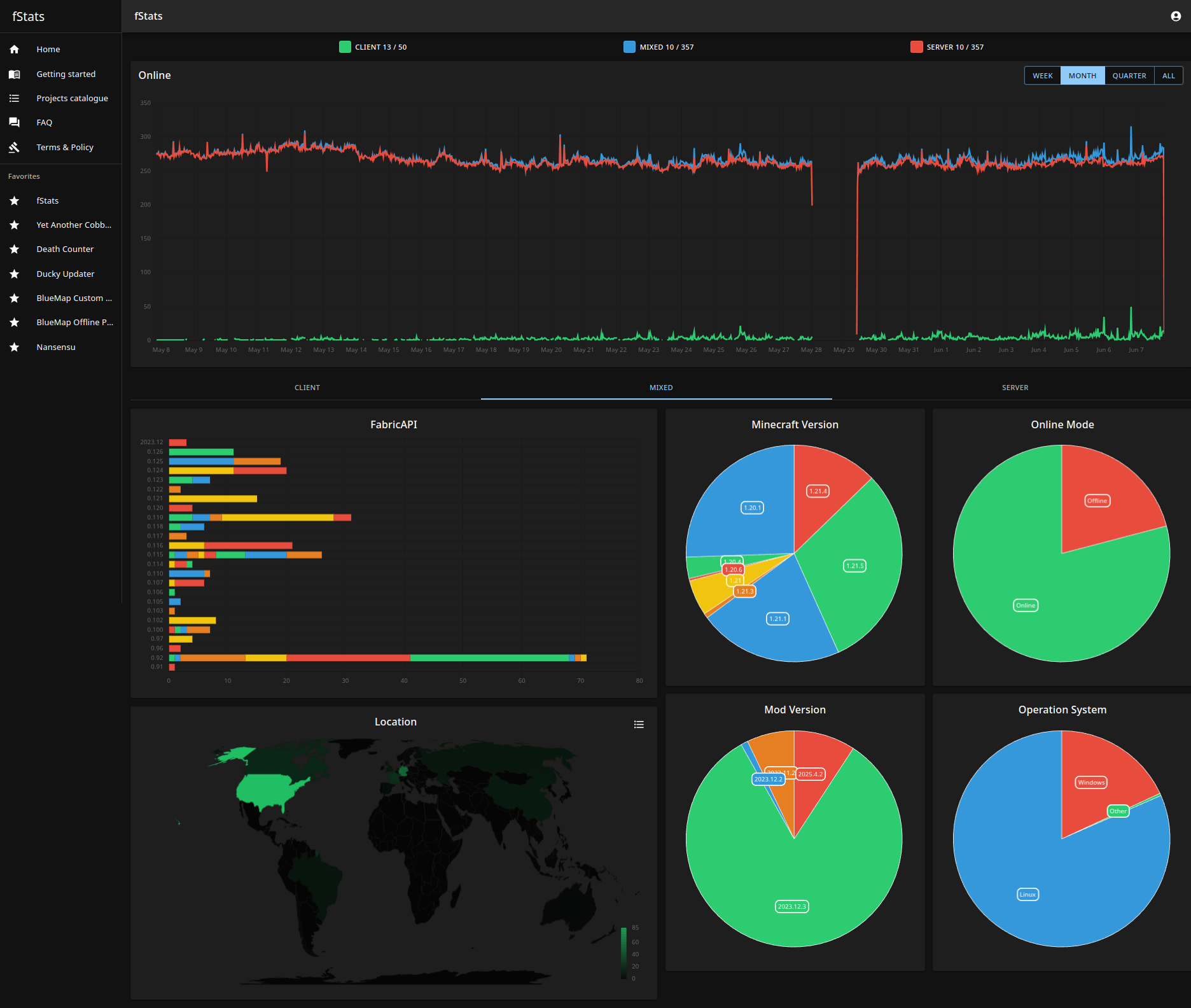
fStats is a 3rd-party metric collection library. The Main idea is help developers to recognize their actual community based on charts
Usage
For user
The mod has a config that allows to turn off a metric collection from the server/client and hiding location
../config/fstats-api/config.json
{
    "enabled": true,      // Enable/Disable collection from our server
    "hideLocation": false // Mod does not collect your IP, only the country name
}
For developers
The first thing that you need to do is register and create a project to get projectId
After that, you are ready to add a library as/to dependency
Java - build.gradle
repositories {
    maven {
        url "https://api.modrinth.com/maven"
    }
}

dependencies {
    // Option 1: Include fStats API to project for it to be available within your own jar (IT'S ONLY ~9KB!)
    include(modImplementation("maven.modrinth:fstats:<version>")

    // Option 2: Depend on fStats API, but require that users install it manually
    modImplementation "maven.modrinth:fstats:<version>"
}
Kotlin - build.gradle.kts
repositories {
    maven("https://api.modrinth.com/maven")
}

dependencies {
    // Option 1: Include fStats API to project for it available within your own jar IT'S ONLY ~9KB!
    include(modImplementation("maven.modrinth", "fstats", "<version>"))

    // Option 2: Depend on fStats API, but require that users install it manually
    modImplementation("maven.modrinth", "fstats", "<version>")
}
fabric.mod.json
"suggests": {
    "fstats-api": "*"
}
Setup project
fabric.mod.json
"custom": {
    "fstats": <projectId>
}
Done, now when any server uses your mod, and if they don't disable fStats, you are going to get data about that on website
Also, recommend adding the badge to your project description to notify users that you collect information.
Resize badge to any size that you want
Roadmap
See the open issues for a full list of proposed features (and known
issues).
Contributing
Contributions are what make the open source community such an amazing place to learn, inspire, and create. Any
contributions you make are greatly appreciated.
If you have a suggestion that would make this better, please fork the repo and create a pull request. You can also
simply open an issue with the tag "enhancement".
Don't forget to give the project a star! Thanks again!
- Fork the Project
- Create your Feature Branch (
git checkout -b feature/AmazingFeature) - Commit your Changes (
git commit -m 'Add some AmazingFeature') - Push to the Branch (
git push origin feature/AmazingFeature) - Open a Pull Request
- Create your Feature Branch (
License
Distributed under the MIT License. See LICENSE.txt for more information.
Project description from Modrinth.
Pick your setup
fStats by Minecraft version and loader
Choose the version and loader you play, then open the matching release.
Minecraft version
26.1.1
1 loader buildMinecraft version
26.1
1 loader buildMinecraft version
1.21.11
1 loader buildMinecraft version
1.21.10
1 loader buildMinecraft version
1.21.9
1 loader buildMinecraft version
1.21.8
1 loader buildMinecraft version
1.21.7
1 loader buildMinecraft version
1.21.6
1 loader buildMinecraft version
1.21.5
1 loader buildMinecraft version
1.21.4
1 loader buildMinecraft version
1.21.3
1 loader buildShowing the newest 12 of 49 game versions. Older files are in the list below.
Check the dependencies, then try the file in a copied instance before changing a world you care about.
Recent files
fStats versions and loaders
2026.3.1
fstats-api-2026.3.1.jar
1 Apr 2026
Client Optional Server Optional Dependencies No extras listed Listed on Release listing
Check the 26.1.2 · Fabric setup 26.126.1.126.1.2Fabric release
2026.3.1
fstats-api-2026.3.1.jar
31 Mar 2026
Client Optional Server Optional Dependencies No extras listed Listed on Release listing
Check the 26.1 · Fabric setup 26.1Fabric release
2026.1.1
fstats-api-2026.1.1.jar
26 Jan 2026
Client Optional Server Optional Dependencies No extras listed Listed on Release listing
Check the 1.21.11 · Fabric setup 1.21.11Fabric release
2026.1.1
fstats-api-2026.1.1.jar
25 Jan 2026
Client Optional Server Optional Dependencies No extras listed Listed on Release listing
Check the 1.21.10 · Fabric setup 1.21.61.21.71.21.81.21.9 release
2025.6.1
fstats-api-2025.6.1.jar
18 Jun 2025
Client Optional Server Optional Dependencies No extras listed Listed on Release listing
Check the 1.21.11 · Fabric setup 1.21.61.21.71.21.81.21.9 release
2025.6.1
fstats-api-2025.6.1.jar
18 Jun 2025
Client Optional Server Optional Dependencies No extras listed Listed on Release listing
Check the 1.21.10 · Fabric setup 1.21.61.21.71.21.81.21.9 release
2025.4.2
fstats-api-2025.4.2.jar
30 Apr 2025
Client Optional Server Optional Dependencies No extras listed Listed on Release listing
Check the 1.21.5 · Fabric setup 1.21.5Fabric release
2025.4.2
fstats-api-2025.4.2.jar
30 Apr 2025
Client Optional Server Optional Dependencies No extras listed Listed on Release listing
Check the 1.21.4 · Fabric setup 1.21.4Fabric release
2025.4.2
fstats-api-2025.4.2.jar
30 Apr 2025
Client Optional Server Optional Dependencies No extras listed Listed on Release listing
Check the 1.21.3 · Fabric setup 1.21.21.21.3Fabric release
2025.4.2
fstats-api-2025.4.2.jar
30 Apr 2025
Client Optional Server Optional Dependencies No extras listed Listed on Release listing
Check the 1.21.1 · Fabric setup 1.211.21.1Fabric release
2025.4.2
fstats-api-2025.4.2.jar
30 Apr 2025
Client Optional Server Optional Dependencies No extras listed Listed on Release listing
Check the 1.20.6 · Fabric setup 1.20.51.20.6Fabric release
2025.4.2
fstats-api-2025.4.2.jar
30 Apr 2025
Client Optional Server Optional Dependencies No extras listed Listed on Release listing
Check the 1.20.4 · Fabric setup 1.20.31.20.4Fabric release
Looking for an older file? The official Modrinth project page is in Resources.
 mod
mod CurseForge + Modrinth · Minecraft
Transmog
Change the appearance of your items without modifying their behavior/stats!
 mod
mod CurseForge + Modrinth · Minecraft
Caelum
More realistic (and configurable) celestial bodies movement
 mod
mod Modrinth · Minecraft
Retromod
Retromod Is a Minecraft mod that allows you to play older mods on newer versions.