Geyser Optional for Server Backpacks! 1.6+26.3
optionalMatching file found Matched file: 2.12.1-b1295

Modrinth · Minecraft mod
A server-side backpacks mod that uses Polymer, with added GeyserMC support.
Quick answer
Server Backpacks! 1.6+26.3 targets 26.3 with Fabric. Do not install it on the client. It must be installed on the dedicated server. All 2 required mods have matching files.
Where it goes
Do not install it on the client. It must be installed on the dedicated server.
This file is marked server-only.
1.6+26.3. Change the file and its required mods may change too.
Install Fabric API, Polymer first. We found matching files for this game-version and loader setup. 1 comes through another mod in the chain.
1 extra mod was pulled in by another dependency. Indented rows show who needs each one. We only count dependency files that match this setup. A file for another loader does not fill the gap.
Before you install it
Built for Server Backpacks! 1.6+26.3. Pick another file and the loader, install side or required mods may change.
Use 1.6+26.3. It targets 26.3 with Fabric; another release may have different loader, side or dependency requirements.
Install Fabric API, Polymer first. We found matching files for this game-version and loader setup. 1 comes through another mod in the chain.
Do not install it on the client. It must be installed on the dedicated server.
Use the “Get this file” button beside 1.6+26.3. It opens that exact file at the source.
About this project
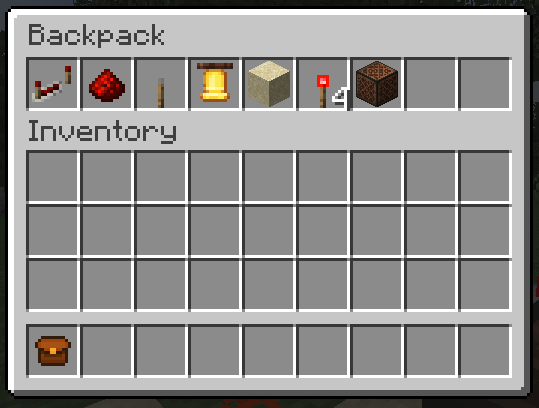
To apply them to the backpack:
To use them:
Also, Regular backpacks are dyeable like bundles!
Note: This below requires you have the Trinkets (Polymer Port) mod!


/backpack backup Makes a backup./backpacks list: Lists created backpack instances./backpacks open <UUID>: Specify an UUID to open a backpack instance./backpacks open config reset: Resets the backpack's config./backpacks open config reload: Saves the backpack's config./backpacks open config save: Reloads the backpack's config.back_positions: Adjusts the backpack’s position on the player’s back.back_yaw: Controls horizontal rotation (left/right) of the backpack.back_pitch_when_sneaking: Alters the tilt angle of the backpack when the player is sneaking.display_back: <default: true> Determines whether or not the backpack should be displayed on the back when equipped. breaks_with_flow <default: true> Determines whether or not the backpack should break when water flows to it.types_of_backpacks : Add or remove an entry to remove or create a backpack.Write /polymer generate command.
Resource pack will be located in your server folder as polymer-resourcepack.zip or you can enable auto-host in polymer's config.
Please report
any bugs that might occur while using this mod.
Project description from Modrinth.
Pick your setup
Choose the version and loader you play, then open the matching release.
Showing the newest 12 of 14 game versions. Older files are in the list below.
Check the dependencies, then try the file in a copied instance before changing a world you care about.
Recent files
serverbackpacks-1.6+26.3.jar
15 Sept 2026
serverbackpacks-1.6+26.2.jar
19 Jun 2026
serverbackpacks-1.5.9+26.1.jar
12 Jun 2026
serverbackpacks-1.4.2+1.21.1.jar
10 Jun 2026
serverbackpacks-1.5.8+26.1.jar
10 Jun 2026
serverbackpacks-1.5.7+26.1.jar
4 Jun 2026
serverbackpacks-1.5.6+26.1.jar
27 May 2026
serverbackpacks-1.4.1+1.21.1.jar
18 May 2026
serverbackpacks-1.5.5+1.21.11.jar
15 May 2026
serverbackpacks-1.5.5+26.1.jar
15 May 2026
serverbackpacks-1.5.4+1.21.11.jar
10 May 2026
serverbackpacks-1.5.4+26.1.jar
10 May 2026
Looking for an older file? The official Modrinth project page is in Resources.
 mod
Adventure time inspired dungeon crawler on a train. Procedurally generated carriages on a infinite sable physics train. Rich narrative, with custom made mods for a completely unique experience.
 mod
Neon Frontier is a futuristic mod for Minecraft Java 1.21.1 with Fabric, combining exploration, industry, and combat.
 mod
All Rail Blocks for every kind of wood - A 'More Stick Variants' Add-On