Fabric API Needed by Smart FPS Booster smart-fps-booster-2.0.0.jar
requiredMatching file found Matched file: [26.2] Fabric API 0.161.0+26.2
CurseForge · Minecraft mod
Smart FPS Booster is a client-side Minecraft utility mod that helps manage performance by applying configurable optimization profiles and dynamically adjusting selected settings.
Quick answer
Smart FPS Booster smart-fps-booster-2.0.0.jar targets 26.1, 26.1.1, 26.1.2 with Fabric. The project page does not say whether this file belongs on the client, dedicated server, or both. All 1 required mods have matching files.
Where it goes
The project page does not say whether this file belongs on the client, dedicated server, or both.
The source does not explicitly classify this release as client-only or server-only.
smart-fps-booster-2.0.0.jar. Change the file and its required mods may change too.
Install Fabric API first. We found matching files for this game-version and loader setup.
We only count dependency files that match this setup. A file for another loader does not fill the gap.
Before you install it
Built for Smart FPS Booster smart-fps-booster-2.0.0.jar. Pick another file and the loader, install side or required mods may change.
Use smart-fps-booster-2.0.0.jar. It targets 26.1, 26.1.1, 26.1.2 with Fabric; another release may have different loader, side or dependency requirements.
Install Fabric API first. We found matching files for this game-version and loader setup.
The project page does not say whether this file belongs on the client, dedicated server, or both.
Use the “Get this file” button beside smart-fps-booster-2.0.0.jar. It opens that exact file at the source.
About this project
The ultimate Minecraft FPS optimization mod - boost your FPS, reduce lag, and improve performance automatically!
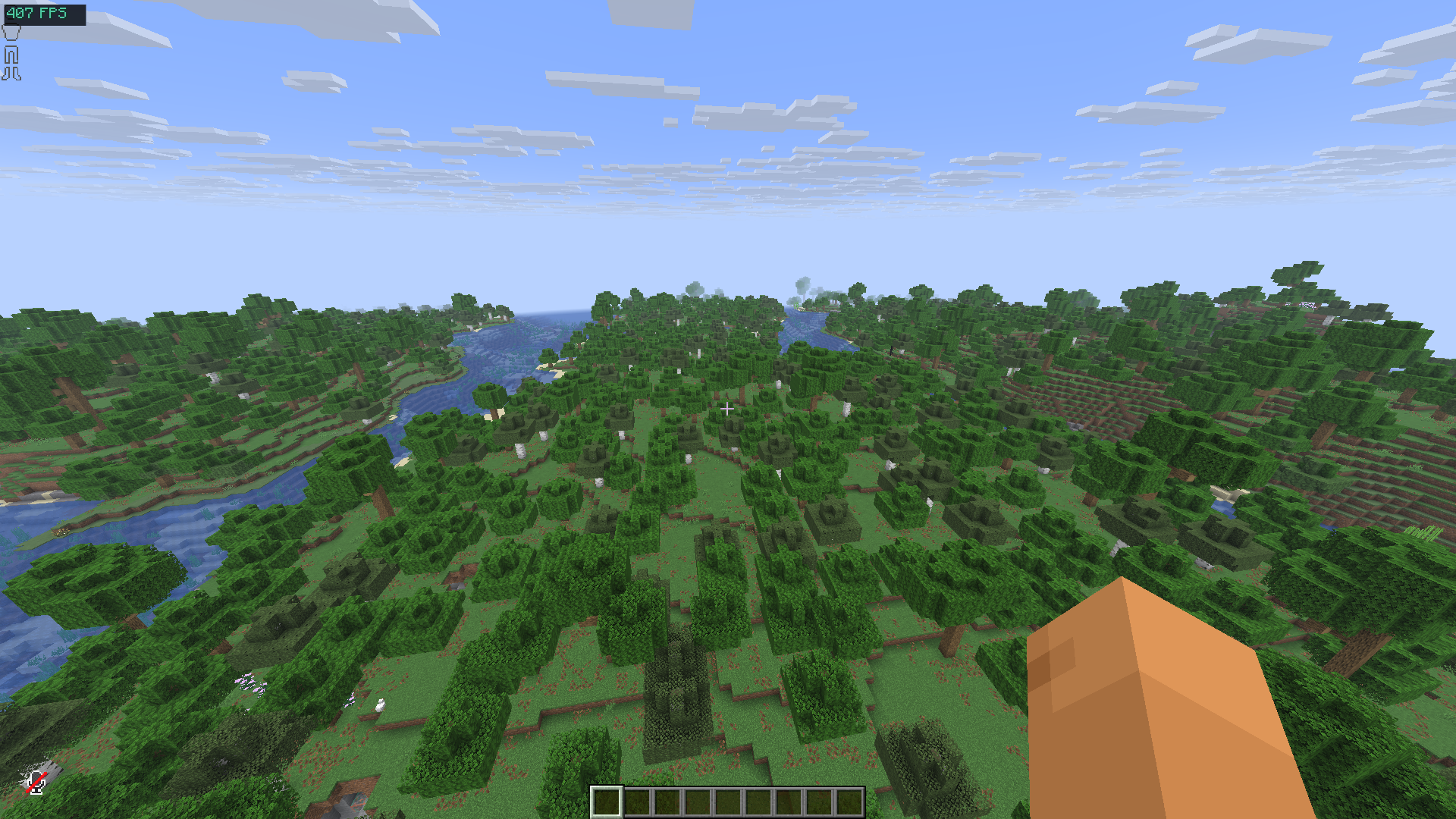
Tired of low FPS? Lag spikes ruining your gameplay? Smart FPS Booster automatically optimizes your Minecraft settings based on your hardware and gameplay style. No more manual tweaking - just install and play!
Perfect for:

Choose from 4 optimization profiles:
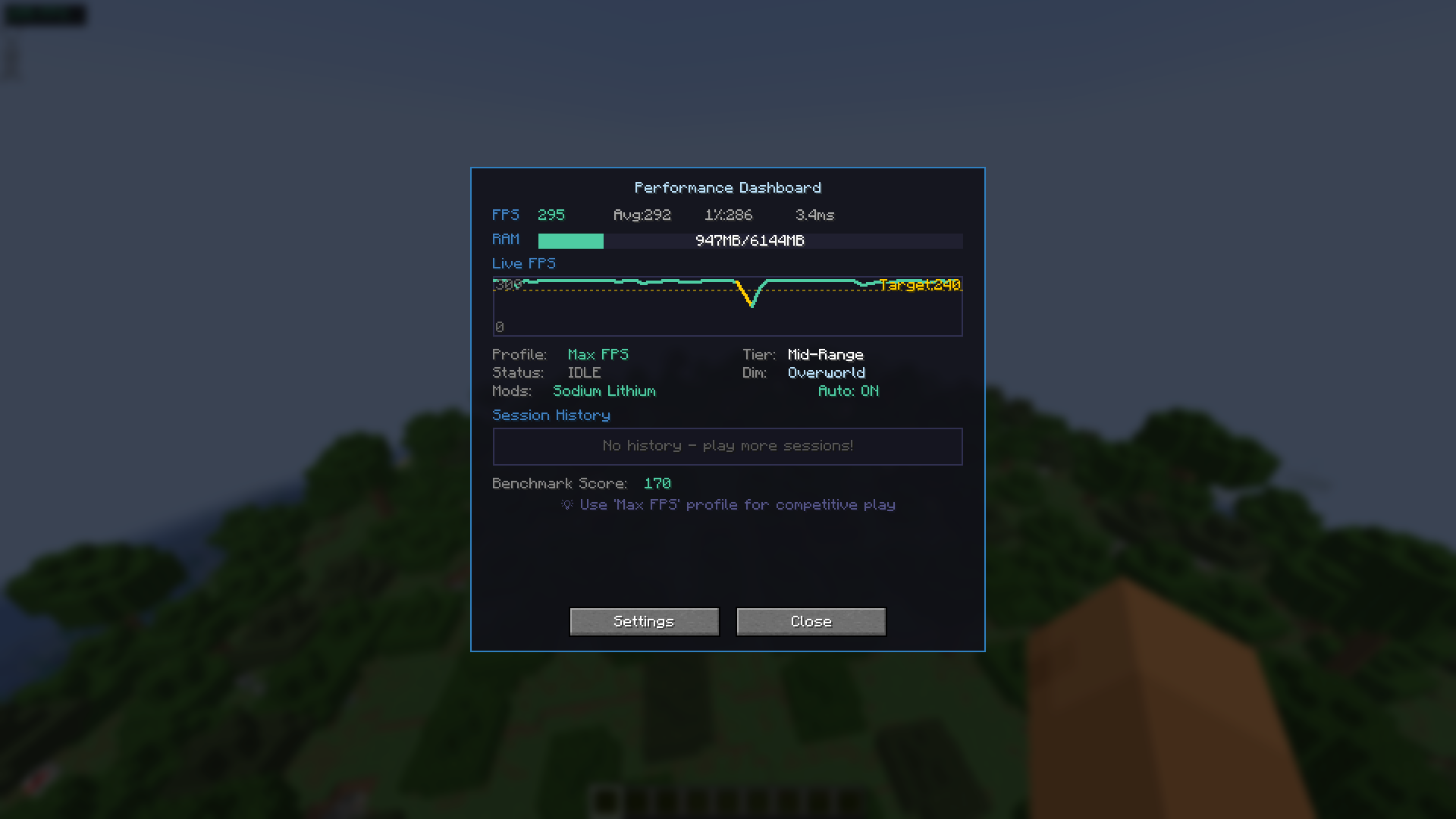
Monitor your performance in real-time:
Smart auto-tuning that adapts to your gameplay:
Protect your favorite settings from auto-optimization:
Visual feedback when FPS drops suddenly - red screen flash alerts you to performance issues instantly!
| Key | Action |
|---|---|
| F8 | Open Performance Dashboard |
| F9 | Toggle Auto-Optimize ON/OFF |
| F10 | Cycle Through Profiles |
Works perfectly alongside popular optimization mods:
| Mod | Status |
|---|---|
| Sodium | ✅ Detected & Compatible |
| Lithium | ✅ Detected & Compatible |
| Iris Shaders | ✅ Detected & Compatible |
| Mod Menu | ✅ Config Screen + Donate Button |
Note: Smart FPS Booster detects these mods and adjusts its optimization strategy accordingly!
.jar file in your mods folderRecommended mods (optional):
If Smart FPS Booster helps improve your Minecraft experience, consider supporting development!
MIT License - Free to use, modify, and distribute.
fps boost performance optimization fps mod lag fix fps increase minecraft optimization low end pc fps booster reduce lag better fps fps optimizer performance mod fps improvement lag reducer smooth gameplay fps counter fps overlay auto optimize dynamic fps
Made with ❤️ by devxkamlesh
Project description from CurseForge.
Pick your setup
Choose the version and loader you play, then open the matching release.
Showing the newest 12 of 21 game versions. Older files are in the list below.
Check the dependencies, then try the file in a copied instance before changing a world you care about.
Recent files
30 Jun 2026
13 Jan 2026
13 Jan 2026
13 Jan 2026
13 Jan 2026
Looking for an older file? The official CurseForge project page is in Resources.
 mod
Create custom world portal to travel between dimensions.
 mod
Data-driven multiblock machines for NeoForge.
 mod
Call down cinematic orbital strikes with a remote: erase the world with a sun lance, drop a spike from Saturn, make Orion fall or tear the land into the sky!
