FakerLib Needed by Zenith 1.2.5-1.20.1
requiredMatching file found Matched file: 0.1.5

Modrinth · Minecraft mod
Fabric apotheosis port, changes and expands upon many systems
Quick answer
Zenith 1.2.5-1.20.1 targets 1.20.1 with Fabric. Installation on the client is optional. Installation on the dedicated server is optional. All 3 required mods have matching files.
Where it goes
Installation on the client is optional. Installation on the dedicated server is optional.
The source marks this as usable on both the client and server.
1.2.5-1.20.1. Change the file and its required mods may change too.
Install FakerLib, Zenith Attributes, Fabric API first. We found matching files for this game-version and loader setup.
We only count dependency files that match this setup. A file for another loader does not fill the gap.
Before you install it
Built for Zenith 1.2.5-1.20.1. Pick another file and the loader, install side or required mods may change.
Use 1.2.5-1.20.1. It targets 1.20.1 with Fabric; another release may have different loader, side or dependency requirements.
Install FakerLib, Zenith Attributes, Fabric API first. We found matching files for this game-version and loader setup.
Installation on the client is optional. Installation on the dedicated server is optional.
Use the “Get this file” button beside 1.2.5-1.20.1. It opens that exact file at the source.
About this project
A fabric port of Apotheosis by Shadows_of_Fire (Code) and Faellynna (Art). Do not report issues with Zenith to them!
Zenith is split into 6 modules, which all change different aspects of Minecraft's systems.
Read the Chronicle of Shadows (Crafted with a book and a gold ingot) for more in depth information.
The Adventure Module adds more interesting loot, bosses, gems and sockets
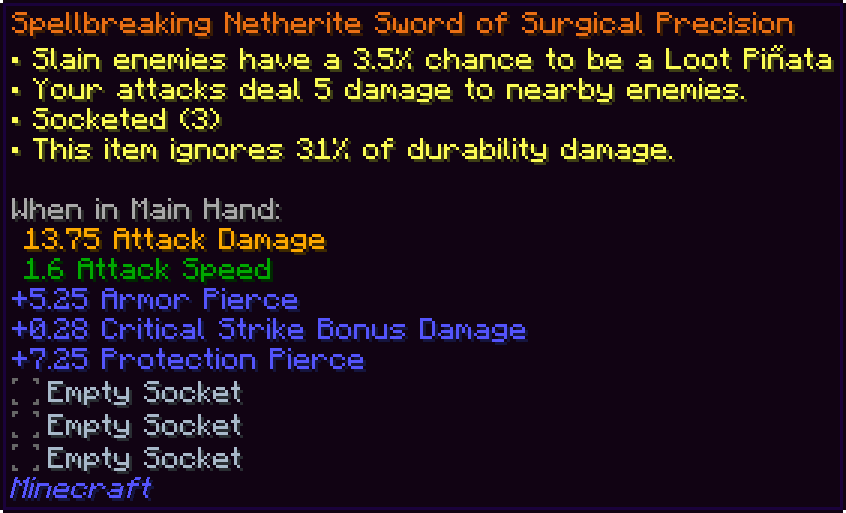
Salvaging
The Enchantment module overhauls the enchanting system by changing the vanilla enchanting table
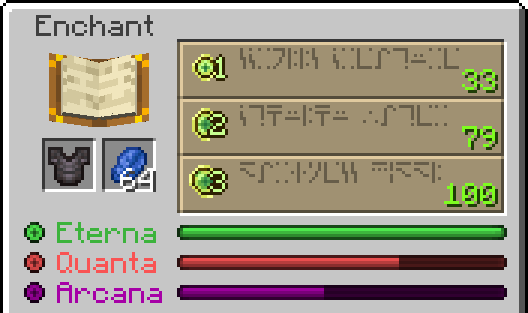
It adds many enchantments, as well as a configurable max level for all enchantments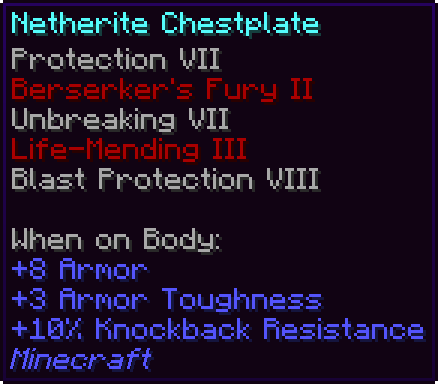
The Potion module adds potions that are missing from the base game such as potions of resistance and luck, in addition to some new effects.
picturesgohere
It also adds a potion charm, an item that
morepicturesgohere
The Garden module allows for custom heights for cactus, sugarcane, and bamboo
picturesgohere
The Spawner module allows for upgrading a spawner as well as moving it with silk touch
picturesgohere
The Village module adds a use to the fletching table, as well as new arrow types to craft with it.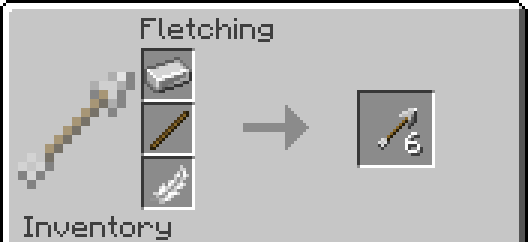
It also makes the wandering trader less useless.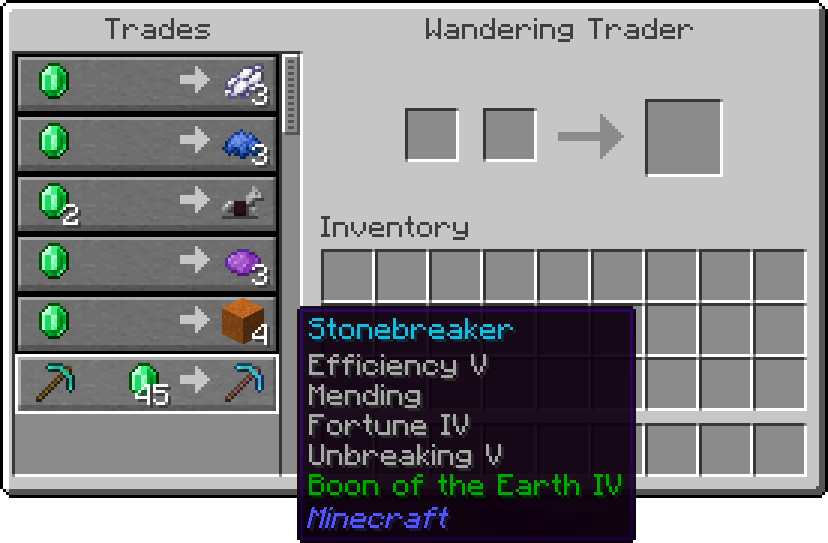
Project description from Modrinth.
Pick your setup
Choose the version and loader you play, then open the matching release.
Check the dependencies, then try the file in a copied instance before changing a world you care about.
Recent files
zenith-1.2.5-1.20.1.jar
11 Jun 2025
zenith-1.2.4-1.20.1.jar
15 Nov 2024
zenith-1.2.3-1.20.1.jar
29 Jul 2024
zenith-1.2.2-1.20.1.jar
11 Jul 2024
zenith-1.2.1-1.20.1.jar
7 Jul 2024
zenith-1.2.0-1.20.1.jar
5 Jul 2024
zenith-1.1.10-1.20.1.jar
3 Jul 2024
zenith-1.1.9-1.20.1.jar
4 May 2024
zenith-1.1.8-1.20.1.jar
3 May 2024
zenith-1.1.7-1.20.1.jar
26 Mar 2024
zenith-1.1.6-1.20.1.jar
20 Mar 2024
zenith-1.1.5-1.20.1.jar
18 Mar 2024
Looking for an older file? The official Modrinth project page is in Resources.
 mod
modAll new land markers without a whole map mod!
 mod
modA mod adds all of the fish from Sea of Thieves, fish fer ye pirate!
 mod
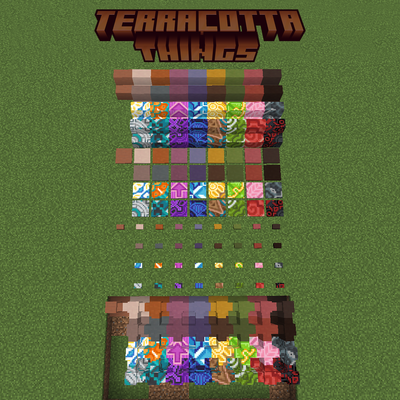
modAdd stairs, slabs, walls, pressure plates, and buttons for every terracotta and glazed terracotta.