Create Needed by Create: Sulfuric Resonance-0.3.1 -- Industrial Pulse
requiredMatching file found Matched file: Create 6.0.10 for mc1.21.1
CurseForge · Minecraft mod
Build an entire thermochemical industry with Create — generate and transmit heat, harness sulfur chemistry and sulfuric acid, process advanced resonant materials, and automate increasingly complex industrial systems.
Quick answer
Create: Sulfuric Resonance-0.3.1 -- Industrial Pulse targets 1.21.1 with NeoForge. The project page does not say whether this file belongs on the client, dedicated server, or both. All 2 required mods have matching files.
Where it goes
The project page does not say whether this file belongs on the client, dedicated server, or both.
The source does not explicitly classify this release as client-only or server-only.
Create: Sulfuric Resonance-0.3.1 -- Industrial Pulse. Change the file and its required mods may change too.
Install Create, Create first. We found matching files for this game-version and loader setup.
We only count dependency files that match this setup. A file for another loader does not fill the gap.
Before you install it
Built for Create: Sulfuric Resonance-0.3.1 -- Industrial Pulse. Pick another file and the loader, install side or required mods may change.
Use Create: Sulfuric Resonance-0.3.1 -- Industrial Pulse. It targets 1.21.1 with NeoForge; another release may have different loader, side or dependency requirements.
Install Create, Create first. We found matching files for this game-version and loader setup.
The project page does not say whether this file belongs on the client, dedicated server, or both.
Use the “Get this file” button beside Create: Sulfuric Resonance-0.3.1 -- Industrial Pulse. It opens that exact file at the source.
About this project
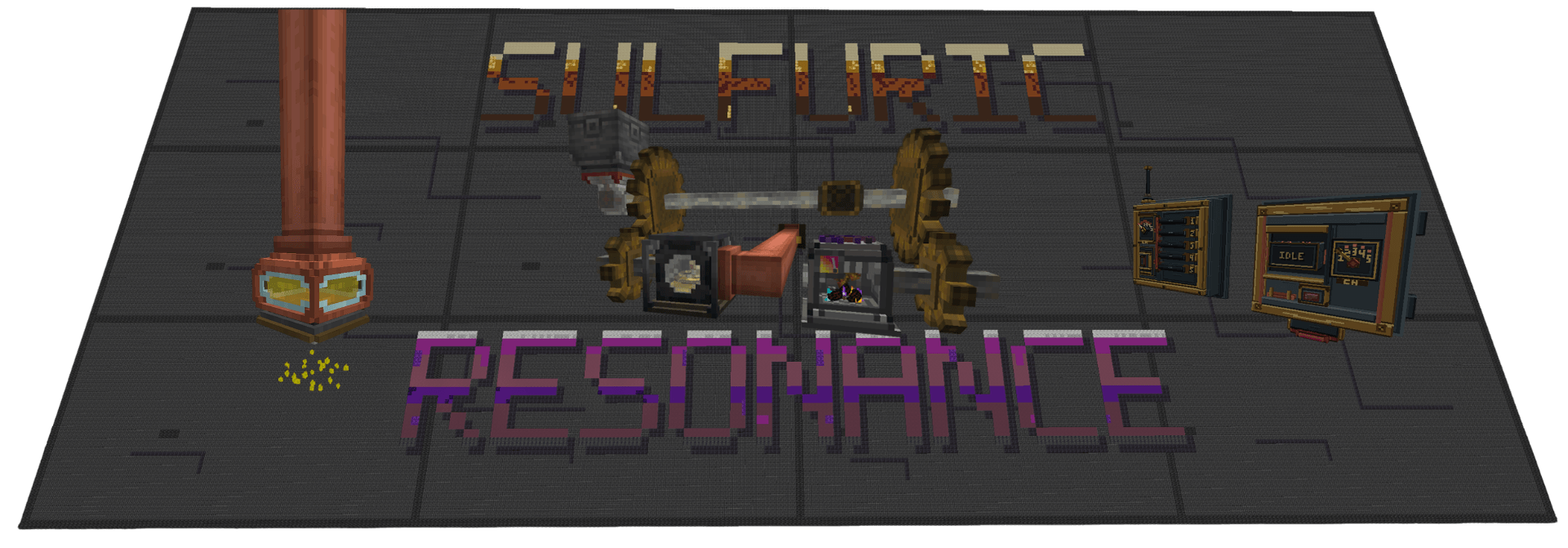
Banner built and composited from in-game CSR builds, title card.
Create: Sulfuric Resonance, or CSR, is a NeoForge addon for Create built around thermochemical heat, sulfur chemistry, advanced materials, resonance processing, and factory automation.
The original idea was pretty simple: Create has heat, but outside of heating recipes there isn't a whole lot you can actually do with it.
CSR takes that heat and turns it into something you can build a factory around.
Generate it, move it through dedicated infrastructure, combine it with rotation and chemistry, monitor it, interrupt it, and eventually feed it into more advanced machinery.
I try to keep CSR feeling like part of Create rather than a separate tech mod sitting next to it. Shafts, Funnels, Mechanical Arms, pipes, redstone, Wrenches, Engineer's Goggles, Ponder, and physical factory layouts are used wherever they make sense.
Not every recipe or interaction is listed here on purpose.
Ponder, advancements, JEI/EMI, and experimenting with the machines are part of learning the mod.
0.3.1 — Industrial Pulse is mostly about giving CSR's machinery more physical feedback, with one major new piece of Create integration.
The Thermochemical Boiler Interface can now use heat from a CSR network to heat Create steam boilers.
Interfaces can be used individually or built into connected arrays underneath a boiler. One thermochemical connection can supply an entire array, and the Interface itself does not consume kinetic Stress Units just to produce them again through a Steam Engine.
0.3.1 also gives several existing machines a much larger animation, sound, lighting, and particle pass.
Highlights include:
JEI and EMI can be installed separately or together.
Heat in CSR is part of the factory, not just a recipe condition.
The Molten Rotor Furnace can turn fuel into both rotation and thermochemical heat. From there, dedicated CSR machinery can carry that heat across a factory.
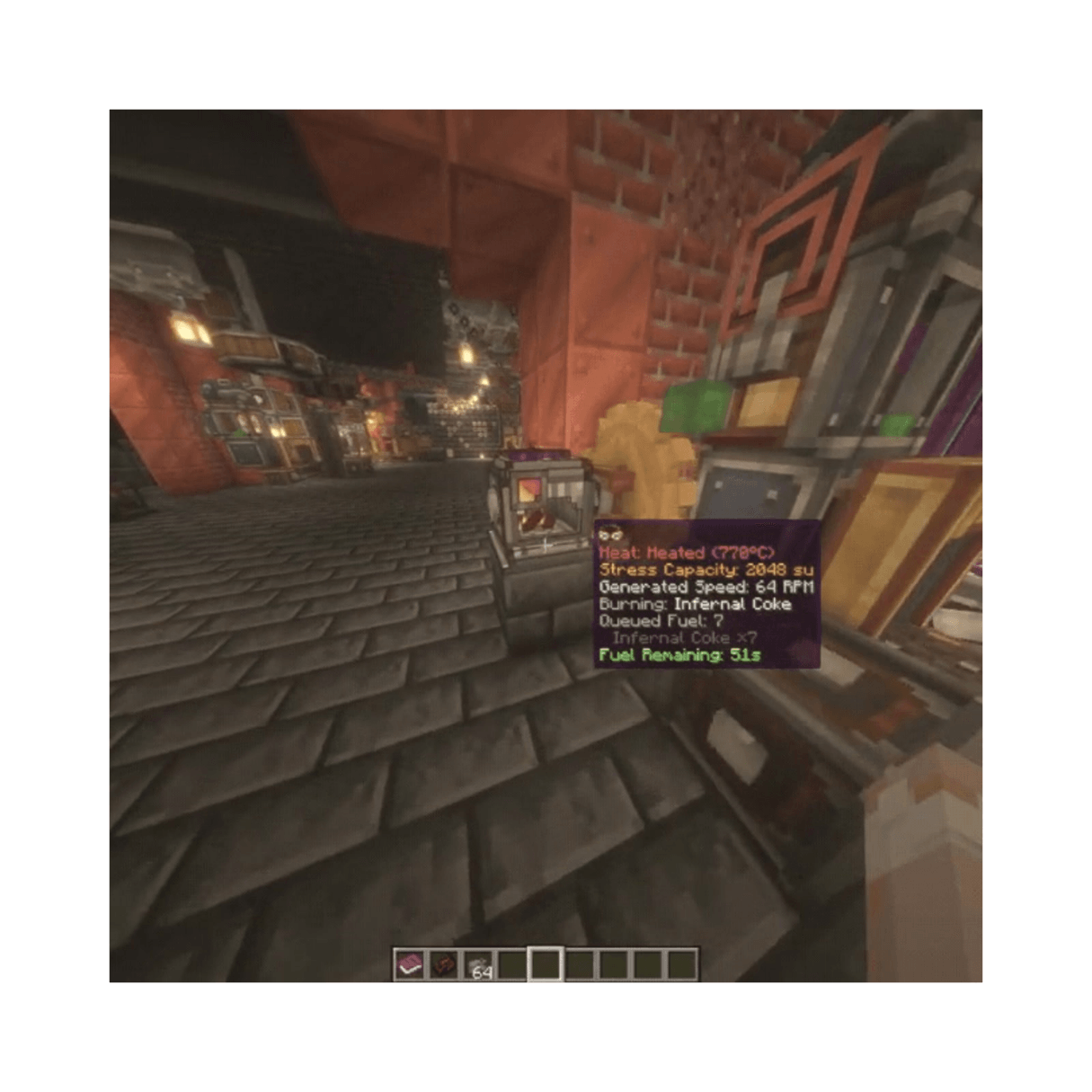
The network includes:
Carry both rotation and thermochemical heat.
Extend the distance heat can travel through a network.
Split and route thermochemical connections while still behaving as kinetic machinery.
Dedicated cogwheels that transmit thermochemical heat alongside rotation.
Regular Create cogwheels do not transmit CSR heat.
This was intentional. Heat shouldn't accidentally spread through every cogwheel in an existing factory just because two kinetic networks happen to touch.
Interrupts both rotation and thermochemical heat through redstone control.
0.3.1 also gives it a proper physical locking mechanism instead of the state change existing almost entirely behind the scenes.
Processes compatible items while they travel through a heated production line.
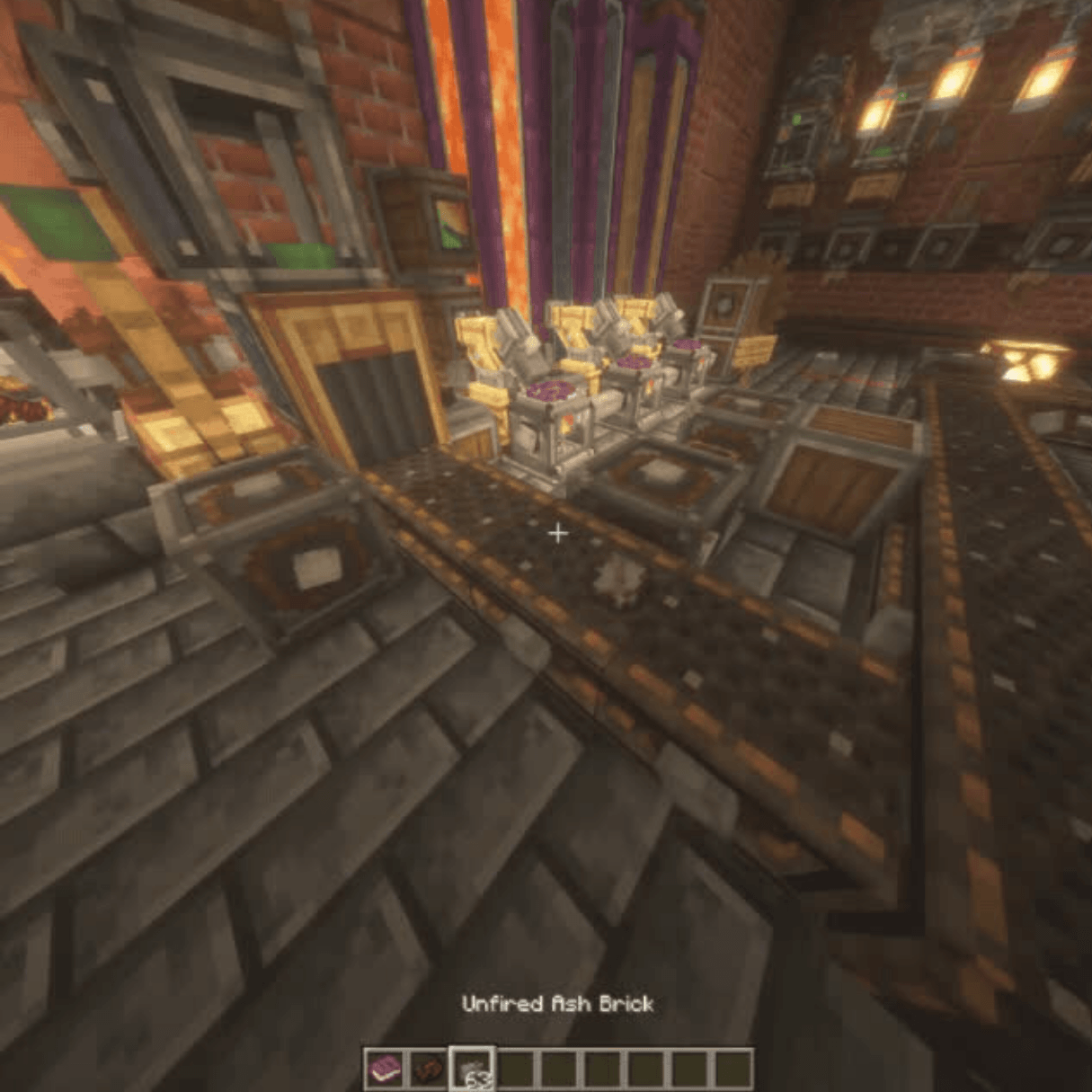
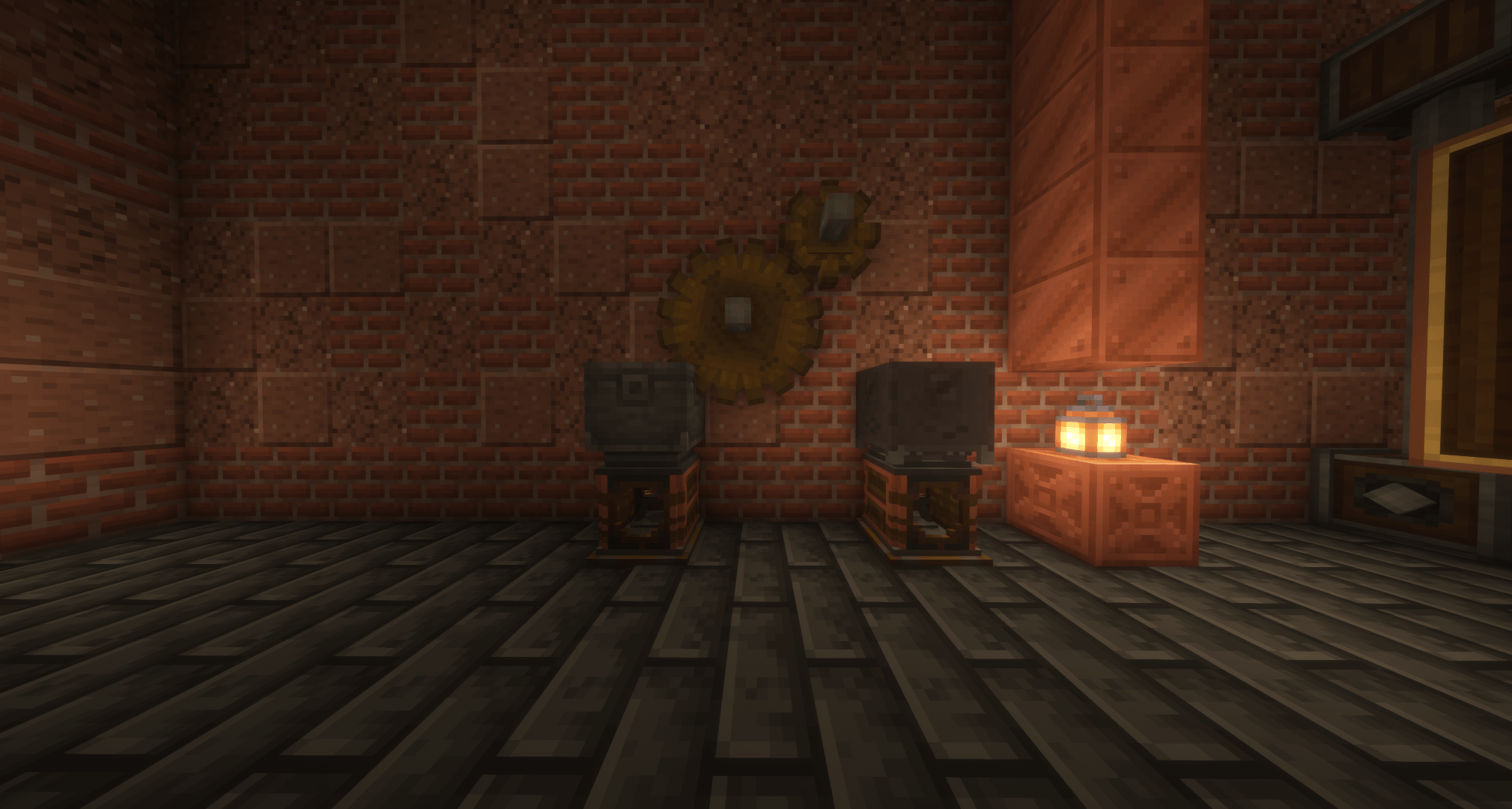
The Molten Rotor Furnace is the main high-output heat and kinetic generator in CSR.
It doesn't just switch between ON and OFF.
Its output changes with temperature.
Features include:
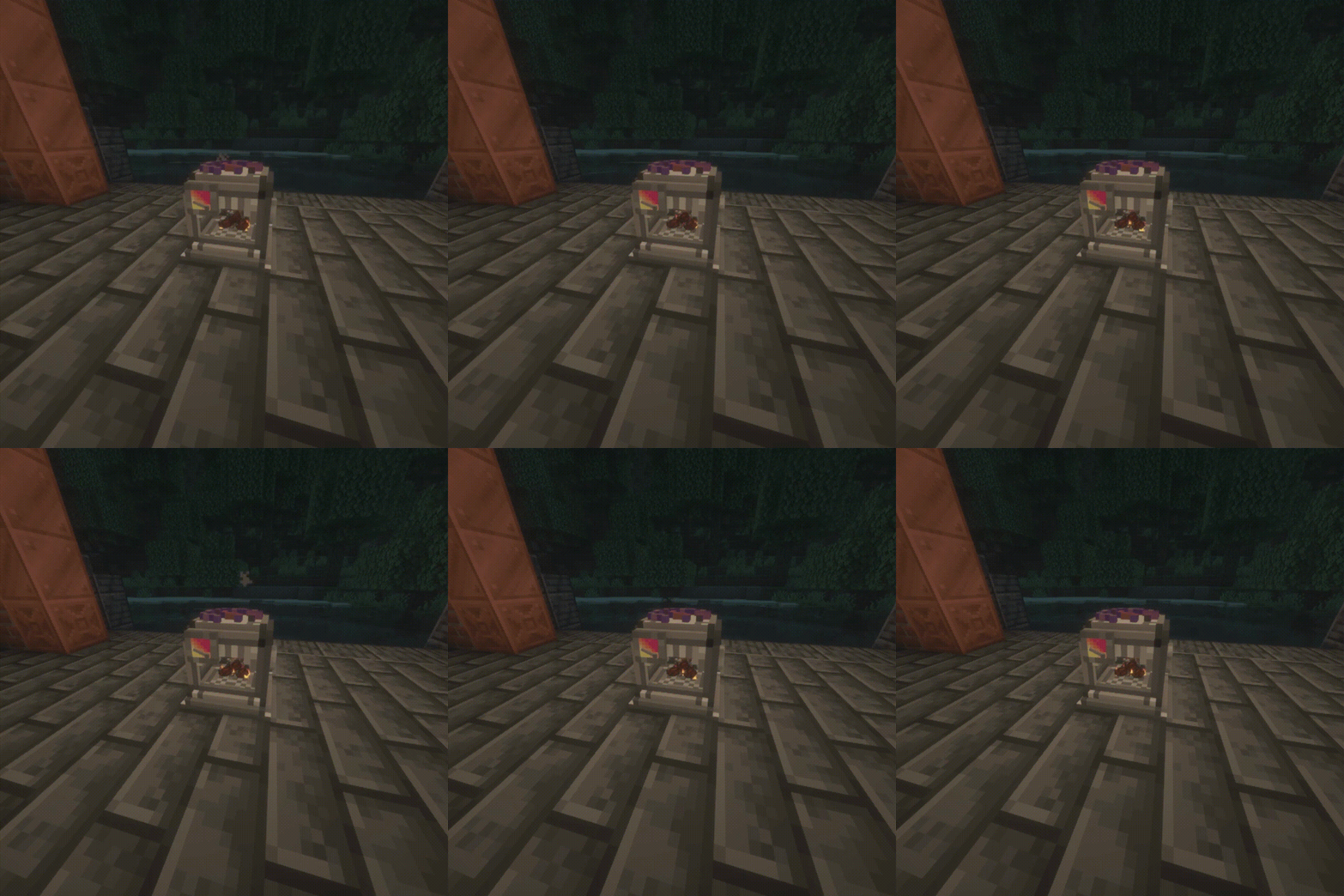
Different fuels can push the Rotor into very different operating ranges.
The Sulfur Burner is a smaller sulfur-powered heat source for thermochemical networks.
Unlike the Molten Rotor Furnace, it is focused on producing heat rather than rotational power.
In 0.3.1 its five-second warmup now has an actual combustion sequence instead of simply waiting for a timer:
The mechanics are still the same underneath. It just communicates what it is doing much better now.
0.3.1 adds the Thermochemical Boiler Interface.
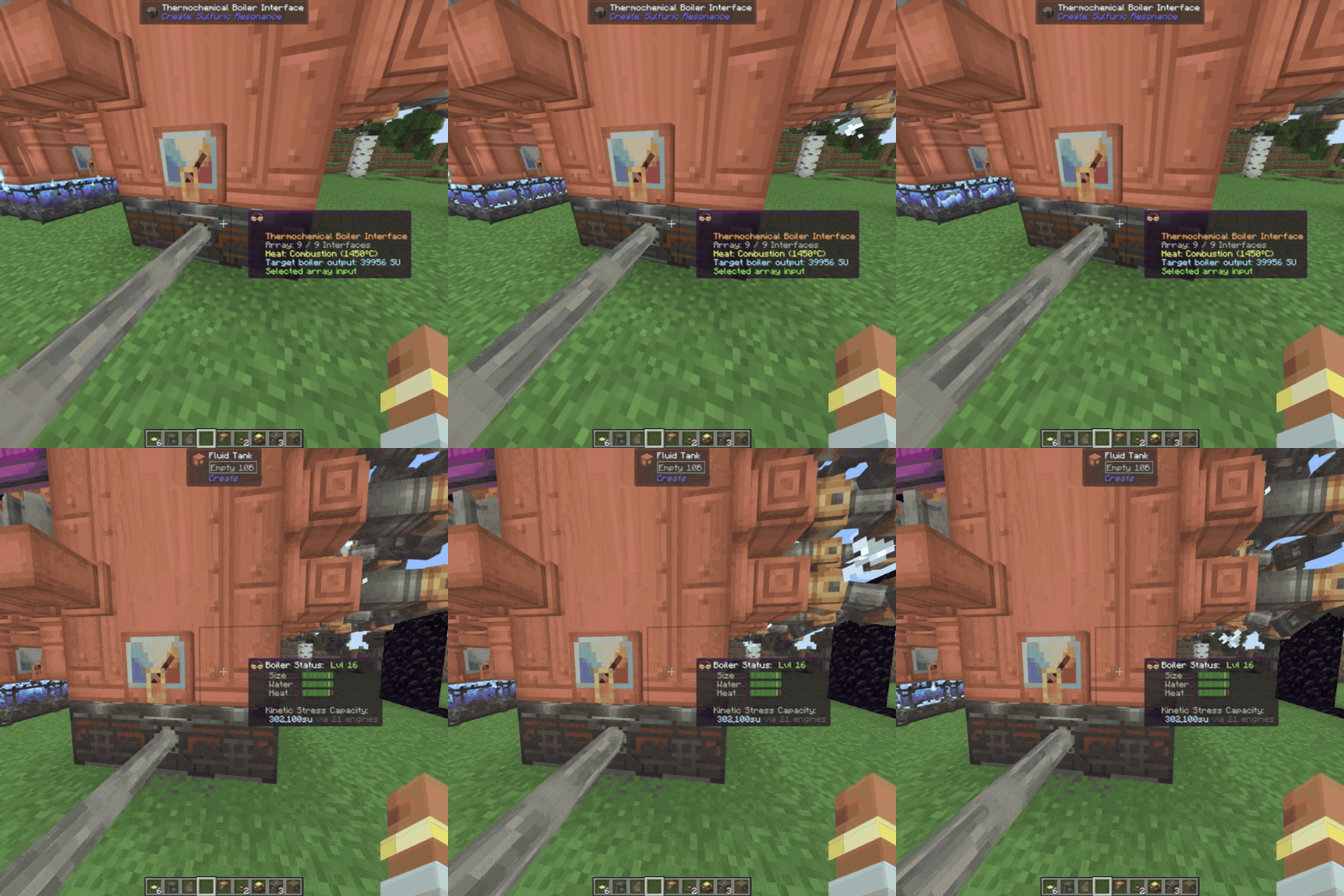
This gives CSR's heat network a direct connection to Create steam power.
Interfaces are placed underneath a Create boiler and can automatically form connected arrays from a single Interface up to a full 3x3 installation.
One thermochemical shaft connection can supply the whole connected array.
Larger arrays provide more boiler heating, but with diminishing returns, and Create's normal boiler size, water supply, and Steam Engine limits still apply.
The Interface does not consume or transmit kinetic Stress Units.
The progression is intentionally:
thermochemical heat → boiler → Steam Engine → rotation
rather than requiring rotation just to produce rotation again.
The shaft connection can also be moved with a Wrench, and Engineer's Goggles show useful information about the array and its heat source.
Sulfur runs through a large part of CSR's progression.
It is used for:
CSR uses common sulfur tags where practical so properly tagged sulfur from other mods can work with the same processing chains.
Sulfuric Acid isn't just a crafting ingredient.
It is a hazardous fluid that damages living entities, reacts with parts of the environment, and is used throughout CSR's processing and material progression.
Uses include:
CSR adds several processing methods on top of normal Create manufacturing.
Processes items while they move through a heated factory line.
High-temperature Basin processing used throughout CSR's chemistry and material chains.
The Precision Spritzer adds much more control over industrial spraying, including item and entity filtering.
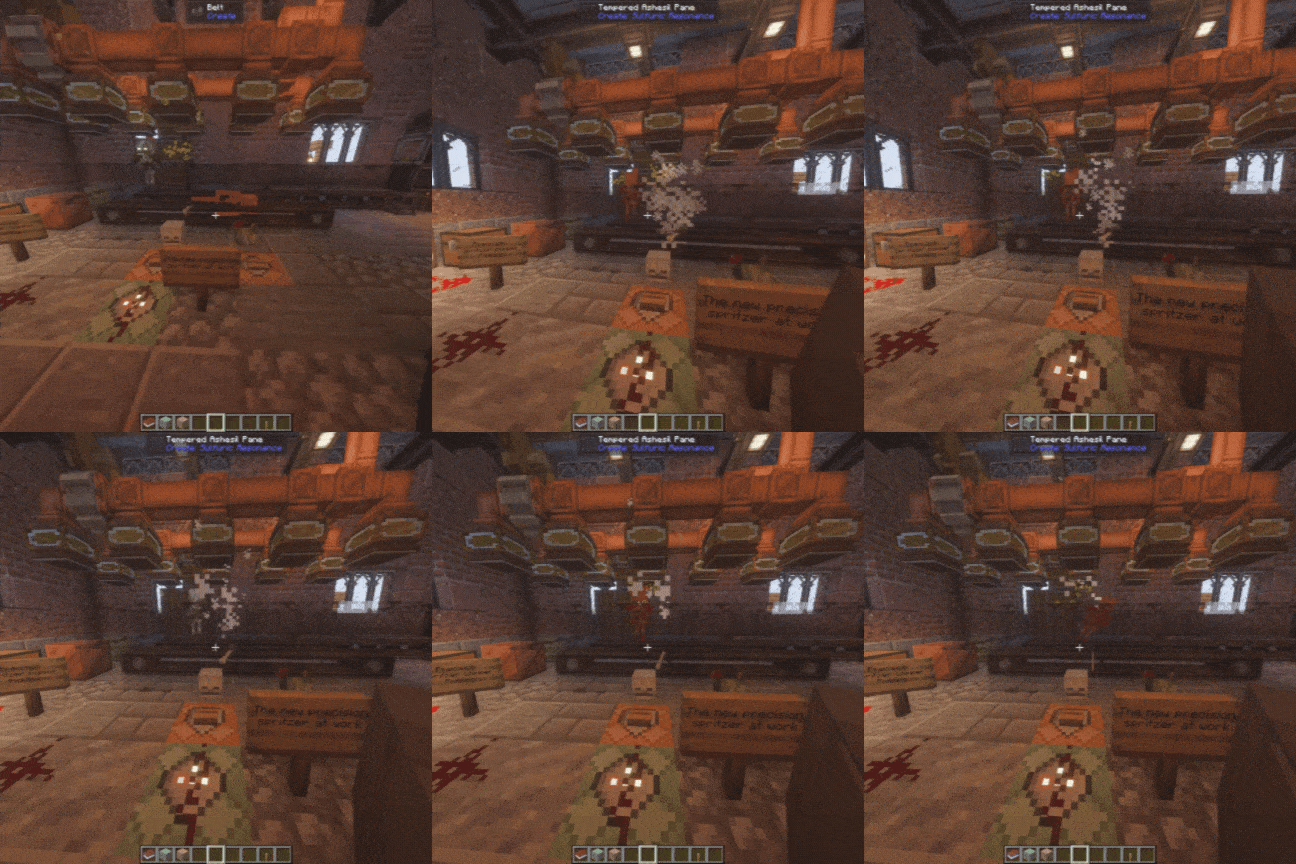
Later recipes can require heat, rotation, Sulfuric Acid, specialized reagents, and longer processing conditions at the same time.
Exact recipes and requirements are left to JEI/EMI and in-game discovery.
Resonance is one of the later stages of CSR's progression.
It brings together heat, rotation, sulfur chemistry, specialized materials, and more demanding processing.
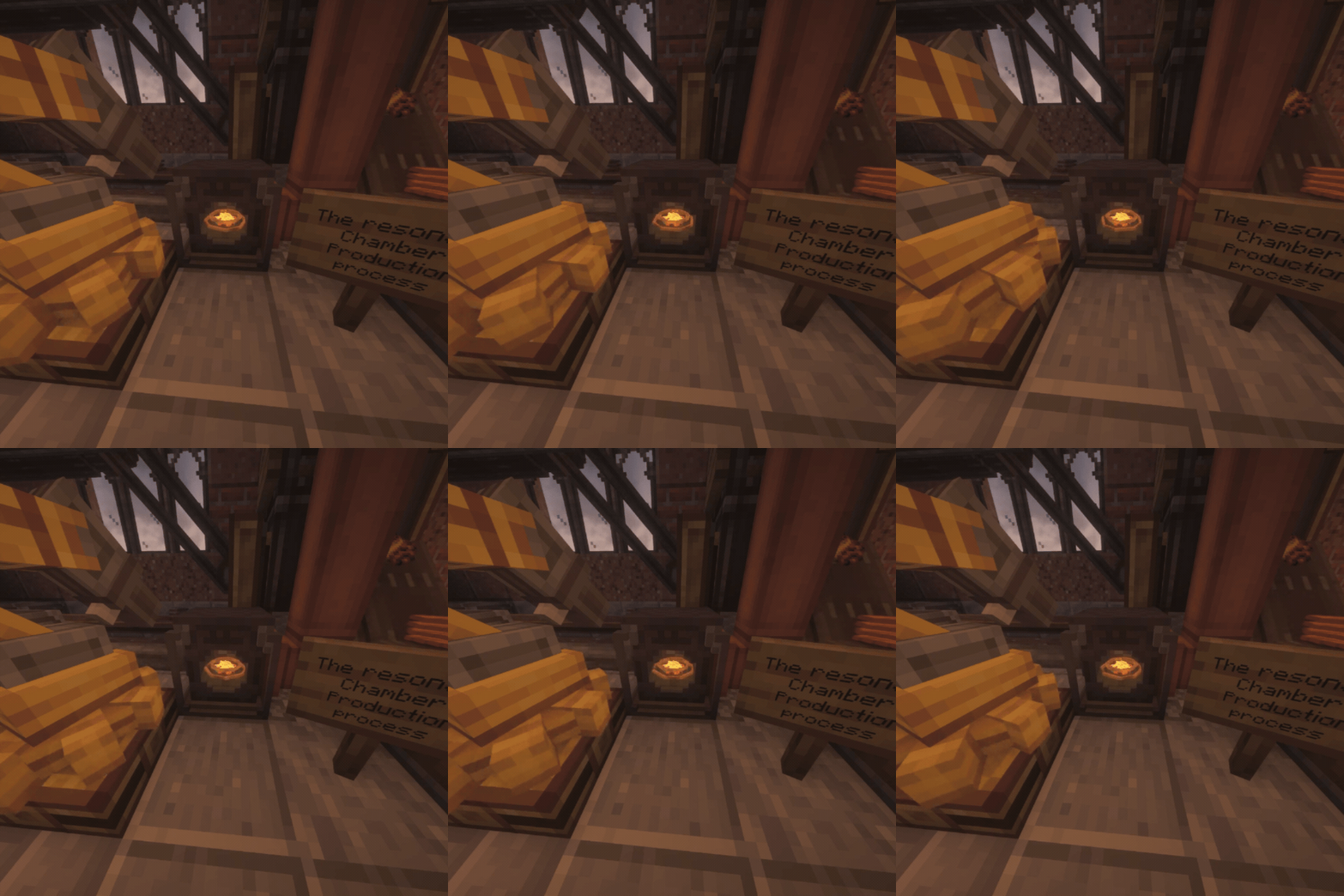
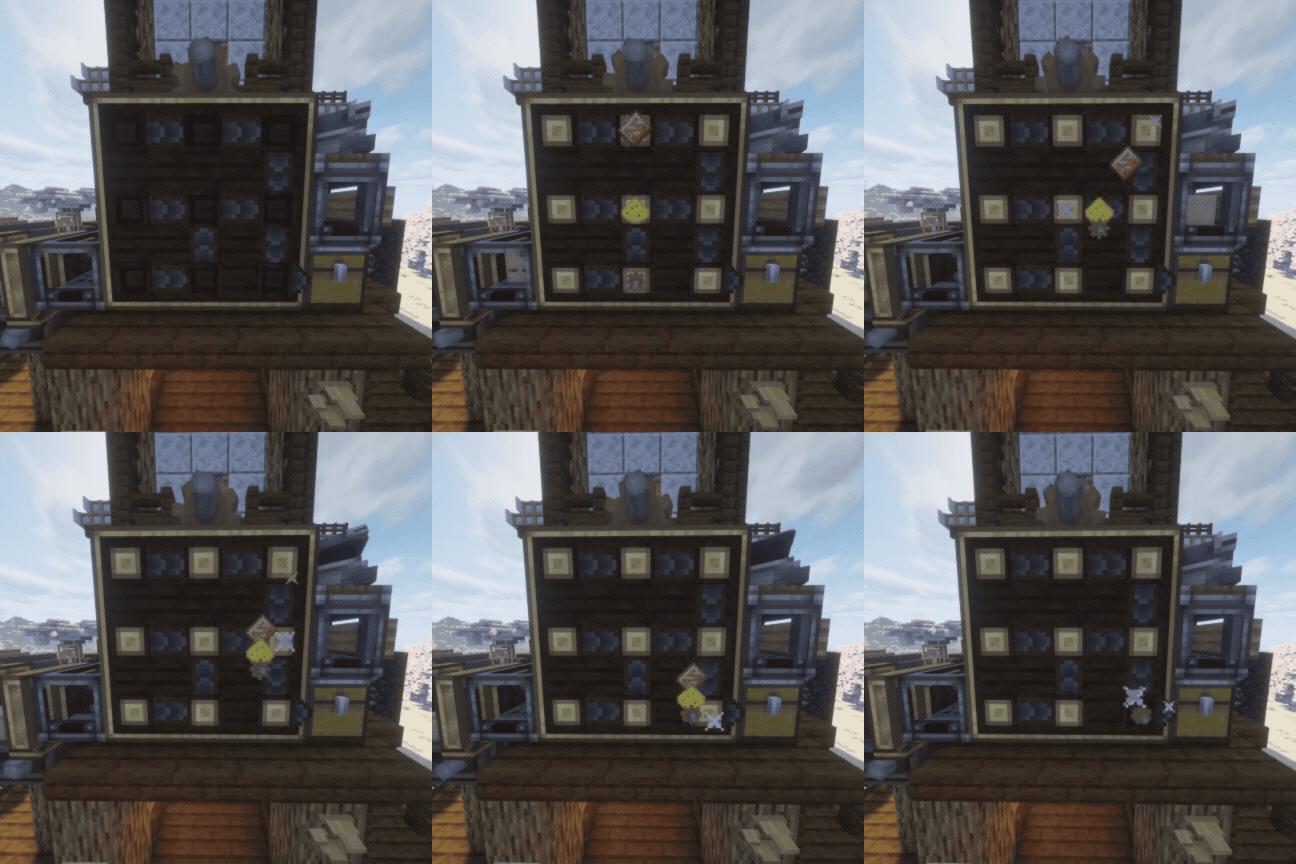
The Sulfuric Resonance Chamber is the main machine behind it.
The Chamber can process recipes with different combinations of:
0.3.1 also gives the Chamber a much more physical response to what is happening.
Its reaction platform moves, the rings react differently to machine state, startup behavior changes depending on the reaction, and insufficient heat, insufficient speed, READY, processing, completion, and blocked output no longer all look the same.
0.3.0 introduced machine-state automation through Intelligent Industry.
CSR machines can report states such as:
That information can then be used by other factory equipment.
The system includes things like:
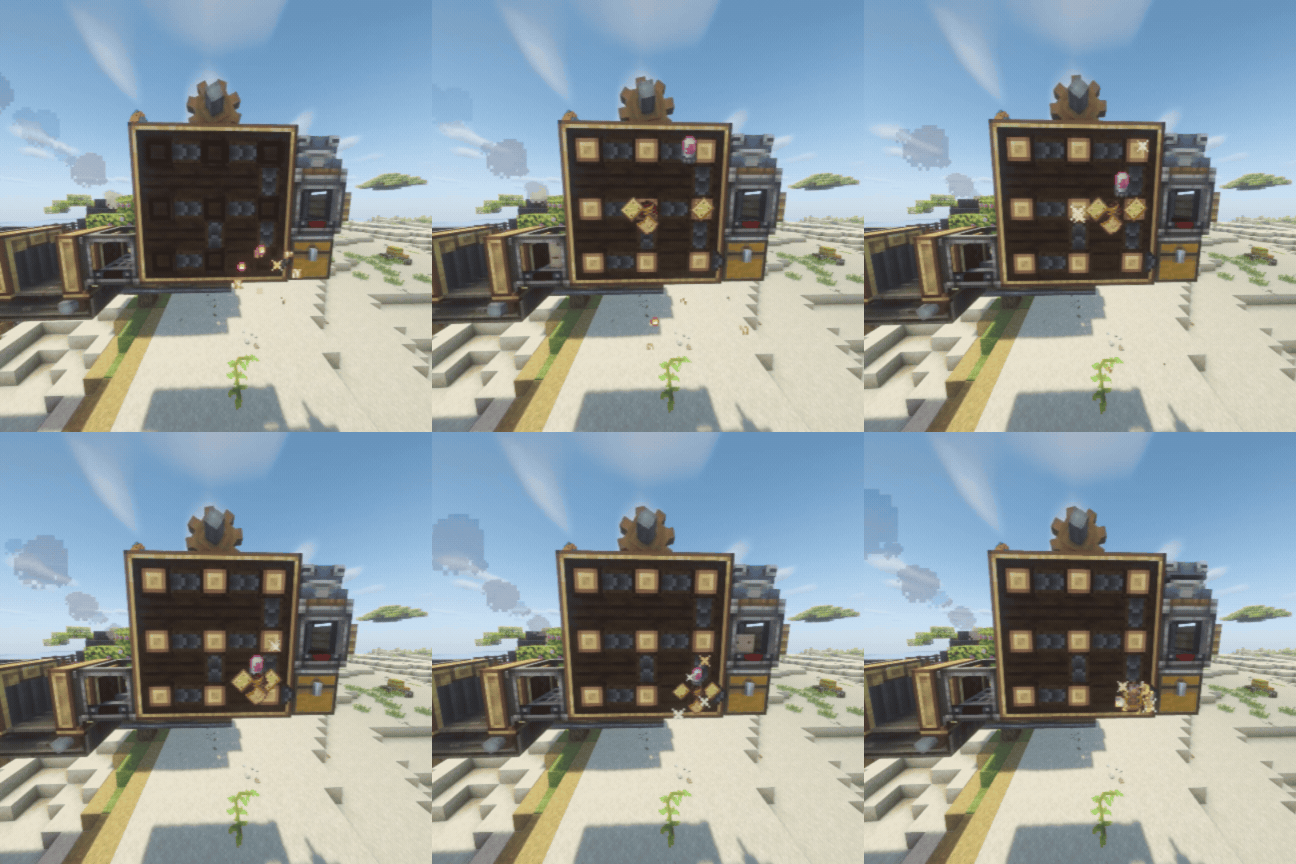
The point isn't to turn CSR into a computer mod.
It gives normal Create-style automation more information to react to.
CSR has several material chains that feed back into machinery, heat infrastructure, chemistry, and factory construction.
These include:
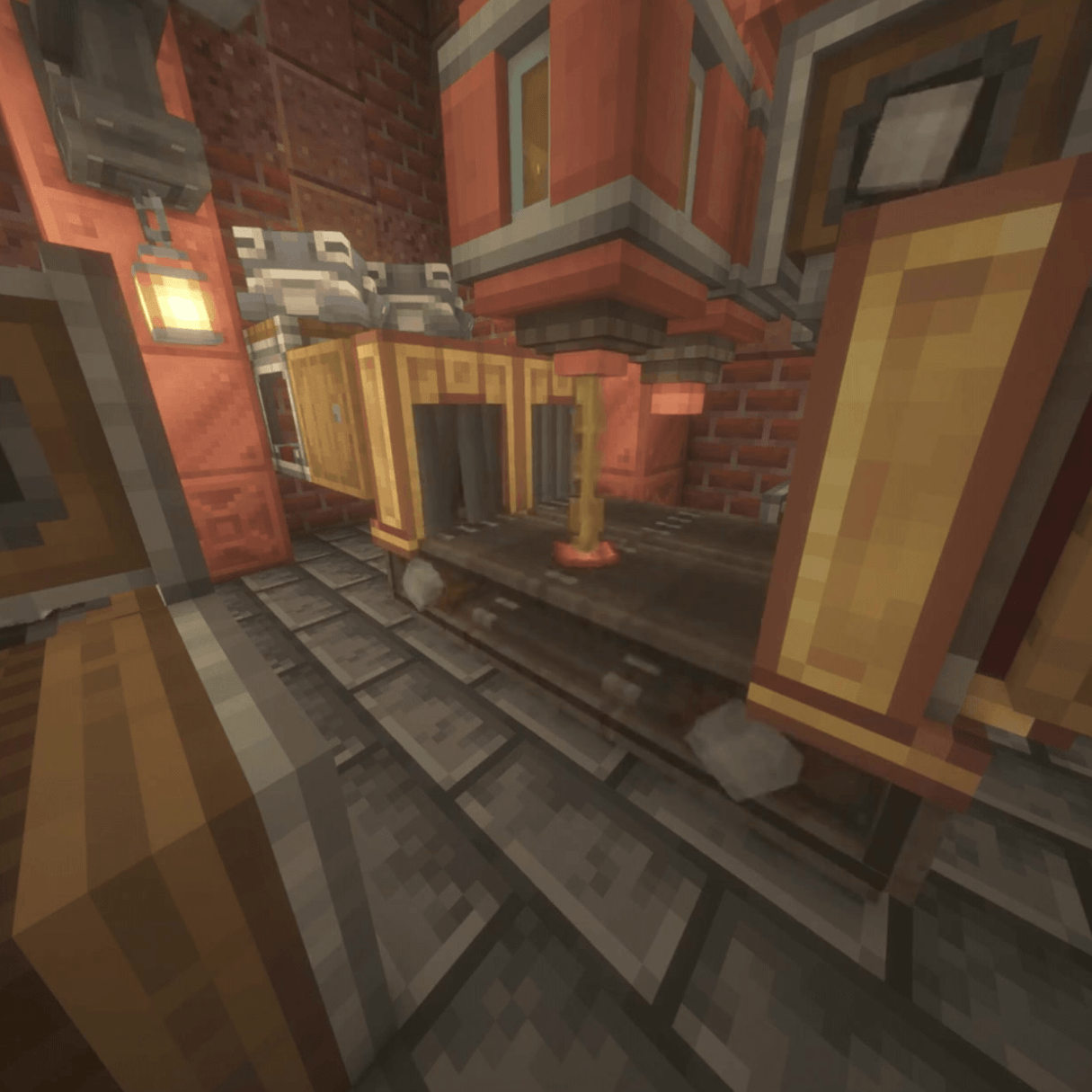
Not every intermediate item is listed here. There are quite a few.
Tempered Ashesil and its Pane variant are explosion-resistant transparent building materials.
They are mainly intended for hazardous processing areas, protected machinery, and industrial builds where normal glass may not survive very long.
CSR also has a rubber-processing chain used for machinery and factory components.
Rubber Padding is one of the more unusual results.
It can:
This makes it useful for both movement and item-handling contraptions.
The Perforated Spritzer stores and disperses fluids downward.
Its interactions include things involving:
The Precision Spritzer builds on this with configurable item and entity filtering for more controlled automation.
CSR is built with automation in mind.
Most machinery works with the same things already used around a Create factory:
Machines are supposed to become parts of production lines, not isolated GUI boxes you walk over to every few minutes.
Most major CSR machinery has in-game Ponder documentation.
Ponder scenes currently cover systems such as:
More are added as the mod grows.
CSR has dedicated recipe-viewer support for:
Both are optional.
Custom categories cover CSR processing systems such as:
Animated machine displays are used where they actually help explain the recipe.
JEI and EMI can be used separately or together.
CSR has its own advancement tree covering major machines, materials, progression, and a few stranger interactions.
It is there to give players a direction without turning the mod into a checklist.
Some advancements are intentionally hidden until you discover what triggers them.
CSR currently includes:
Localization covers major machinery, tooltips, GUIs, advancements, Ponder scenes, subtitles, and recipe-viewer text.
.jar in your mods folder.Create is required and must be installed separately.
0.3.1 — Industrial Pulse is the current public release.
CSR is still under active development.
New systems, integrations, fixes, compatibility work, and general cleanup will continue in later versions.
As with any modded Minecraft update, backing up important worlds before changing large parts of a modpack is a good idea.
If something breaks, reproducible reports are much more useful than "it crashed."
Please include:
Dedicated issue forms are available for bugs, crashes, and feature requests.
Generative AI is used as a development assistant for portions of code, debugging, refactoring, and documentation/publishing text.
Game design, testing, integration, release decisions, and manually created project assets remain developer-directed and are reviewed before release.
Copyright © 2026 Hxney, Ł. All Rights Reserved.
Create: Sulfuric Resonance is proprietary software.
Official compiled releases may be used for personal, non-commercial gameplay.
Unauthorized redistribution, re-uploading, modified releases, forks, ports, source-code reuse, asset reuse, impersonation, or false claims of ownership are prohibited except where explicitly permitted by the included license.
Create: Sulfuric Resonance is an unofficial Create addon and is not affiliated with or endorsed by Mojang Studios, Microsoft, NeoForged, or the Create Team.
Project description from CurseForge.
Pick your setup
Choose the version and loader you play, then open the matching release.
Check the dependencies, then try the file in a copied instance before changing a world you care about.
Recent files
sulfuricresonance-0.3.1.jar
29 Aug 2026
sulfuricresonance-0.3.0.jar
21 Aug 2026
sulfuricresonance-0.2.9-beta.jar
15 Aug 2026
sulfuricresonance-0.2.8-beta-hotfix3.jar
12 Aug 2026
sulfuricresonance-0.2.8-beta-hotfix2.jar
12 Aug 2026
sulfuricresonance-0.2.8-beta-hotfix1.jar
11 Aug 2026
sulfuricresonance-0.2.8-beta-dev.jar
10 Aug 2026
sulfuricresonance-0.2.7-beta.jar
7 Aug 2026
sulfuricresonance-0.0.2.6-beta-hotfix2.jar
3 Aug 2026
sulfuricresonance-0.0.2.6-beta-hotfix1.jar
2 Aug 2026
sulfuricresonance-0.0.2.6-beta.jar
2 Aug 2026
sulfuricresonance-0.0.2.5-beta.jar
30 Jul 2026
Looking for an older file? The official CurseForge project page is in Resources.
 mod
modMakes your hotbar seemingly float in place by shifting it a few pixels upward.
 mod
modAllows Create Aeronautics To Be Played On Controller
 mod
modModular tools for NeoForge 1.21.1: build tools from parts and materials, melt and cast metals in a smeltery, forge alloys, add modifiers, and pick up material traits — plus shortbow, longbow and crossbow. Tools break, never vanish.