
Minecraft version
Back to mods 
Modrinth · Minecraft mod
AutoFishS
A fishing helper mod for Starcatcher.
Choose a version Pick your version below, then grab the matching file.
Quick answer
Which AutoFishS release should I use?
Latest stable file 0.5.3
Game version 1.21.1
Loader NeoForge
AutoFishS 0.5.3 targets 1.21.1 with NeoForge. It must be installed on the client. Do not install it on the dedicated server. No extra mods listed for this file.
Where it goes
Is AutoFishS required on the client, server, or both?
It must be installed on the client. Do not install it on the dedicated server.
Client Required
Dedicated server Not supported
Loader for this release NeoForge
Required install it here Optional supported, not mandatory Not supported do not install here Source doesn’t say do not assume
This file is marked client-only.
What else does AutoFishS 0.5.3 need?
0.5.3. Change the file and its required mods may change too.
This file does not list any required mods. Do not add a library just because a different file uses it.
This file does not list any required or optional mods.
Before you install it
Add AutoFishS without breaking your instance.
Built for AutoFishS 0.5.3. Pick another file and the loader, install side or required mods may change.
- 01
Stick to this file
Use 0.5.3. It targets 1.21.1 with NeoForge; another release may have different loader, side or dependency requirements.
- 02
Bring the mods it needs
This file does not list any required mods. Do not add a library just because a different file uses it.
- 03
Put it on the correct side
It must be installed on the client. Do not install it on the dedicated server.
- 04
Pick the file you checked
Use the “Get this file” button beside 0.5.3. It opens that exact file at the source.
About this project
What does AutoFishS add?
AutoFishS 🎣
A fishing helper mod for StarCatcher.

✨ Features
🎯 Minigame auto-hit
When the fishing minigame appears, it automatically hits as soon as the pointer reaches a sweet spot. Supports AUTO (any hit counts) and PERFECT (aim for perfect) modes.
Includes smart strategies like treasure focus and skipping negative spots (frozen/explosive). If the auto-hitter ever misses, you can also adjust the perfect leeway angle to fix it.
🪝 Auto-reel & auto-cast
Reels in automatically the moment a fish bites, then casts again after each catch — AFK fishing without staring at the screen.
🚫 Fishing blacklist
Don't want certain fish? Press F7 to open the blacklist screen and click a fish to blacklist/unblacklist it. Item-icon grid with search support; red slots mean blacklisted — blacklisted fish are skipped automatically.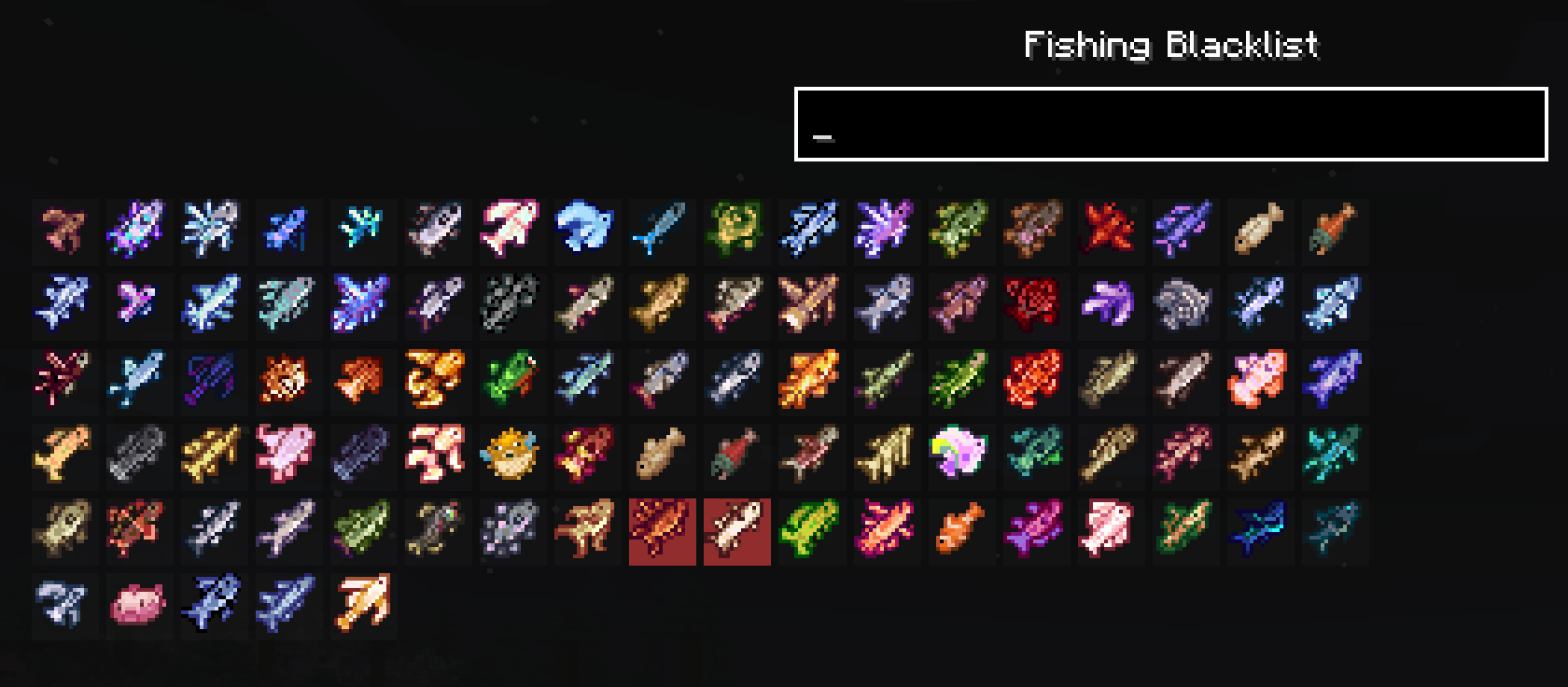
🧩 Fishing Overhaul compatibility
When Fishing Overhaul is installed, its fishing minigame is also supported.
🎮 Default controls
- F8: open the settings screen
- F7: open the fishing blacklist
⚠️ Notes
- Does not activate during tournaments, and does not apply to fish you haven't unlocked yet.
- May affect vanilla fishing rod behavior.
Project description from Modrinth.
Pick your setup
AutoFishS by Minecraft version and loader
Choose the version and loader you play, then open the matching release.
Minecraft version
1.20.6
1 loader buildMinecraft version
1.20.5
1 loader buildMinecraft version
1.20.4
1 loader buildMinecraft version
1.20.3
1 loader buildMinecraft version
1.20.2
1 loader buildMinecraft version
1.20.1
1 loader buildCheck the dependencies, then try the file in a copied instance before changing a world you care about.
Recent files
AutoFishS versions and loaders
0.5.3
autofishs-0.5.3-neoforge.jar
19 Nov 2026
Client Required Server Not supported Dependencies No extras listed Listed on Release listing
Check the 1.21.1 · NeoForge setup 1.21.1NeoForge release
0.5.3
autofishs-0.5.3-forge.jar
19 Nov 2026
Client Required Server Not supported Dependencies No extras listed Listed on Release listing
Check the 1.20.1 · Forge setup 1.20.1Forge release
0.5.2
autofishs-0.5.2-forge.jar
13 Nov 2026
Client Required Server Not supported Dependencies No extras listed Listed on Release listing
Check the 1.20.1 · Forge setup 1.20.1Forge release
0.5.2
autofishs-0.5.2-neoforge.jar
13 Nov 2026
Client Required Server Not supported Dependencies 1 required · 1 unchecked Listed on Release listing
Check the 1.21.1 · NeoForge setup 1.21.1NeoForge release
0.5.1
autofishs-0.5.1.jar
10 Aug 2026
Client Required Server Not supported Dependencies No extras listed Listed on Release listing
Check the 1.20.6 · Forge setup 1.20.11.20.21.20.31.20.4 release
Looking for an older file? The official Modrinth project page is in Resources.
 mod
CurseForge + Modrinth · Minecraft
Doom Block
Doom Block adds a deadly block with instant damage to the game. Flexible settings and full compatibility with NeoForge.
 mod
CurseForge + Modrinth · Minecraft
TaCZ: Lights
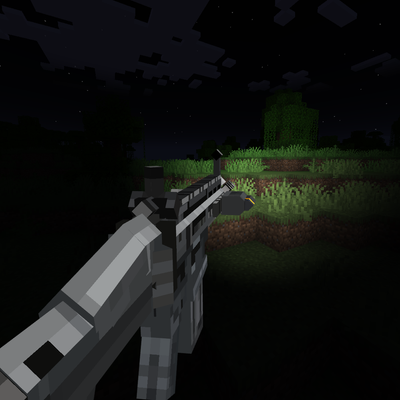
Adds TaCZ compatibility with Veil, as well as multiple visual effects using Veil
 mod
Modrinth · Minecraft
Better Revive
A death & revive system with graves, revive potions, grave compass, revive scroll, Hardcore Support and more!