



Minecraft version
Back to mods 
Modrinth · Minecraft mod
Jump Delay Fix
Eliminates vanilla jump delay for instant, ultra-responsive movement. Lightweight client-side mod for Fabric & NeoForge with smart server auto-tuning, perfect for PvP & parkour.
Choose a version Pick your version below, then grab the matching file.
Quick answer
Which Jump Delay Fix release should I use?
Latest stable file 1.4.2-neoforge
Game version 26.3
Loader NeoForge
Jump Delay Fix 1.4.2-neoforge targets 26.3 with NeoForge. It must be installed on the client. Do not install it on the dedicated server. No extra mods listed for this file.
Where it goes
Is Jump Delay Fix required on the client, server, or both?
It must be installed on the client. Do not install it on the dedicated server.
Client Required
Dedicated server Not supported
Loader for this release NeoForge
Required install it here Optional supported, not mandatory Not supported do not install here Source doesn’t say do not assume
This file is marked client-only.
What else does Jump Delay Fix 1.4.2-neoforge need?
1.4.2-neoforge. Change the file and its required mods may change too.
This file does not list any required mods. Do not add a library just because a different file uses it.
This file does not list any required or optional mods.
Before you install it
Add Jump Delay Fix without breaking your instance.
Built for Jump Delay Fix 1.4.2-neoforge. Pick another file and the loader, install side or required mods may change.
- 01
Stick to this file
Use 1.4.2-neoforge. It targets 26.3 with NeoForge; another release may have different loader, side or dependency requirements.
- 02
Bring the mods it needs
This file does not list any required mods. Do not add a library just because a different file uses it.
- 03
Put it on the correct side
It must be installed on the client. Do not install it on the dedicated server.
- 04
Pick the file you checked
Use the “Get this file” button beside 1.4.2-neoforge. It opens that exact file at the source.
About this project
What does Jump Delay Fix add?
⚡ Jump Delay Fix
Jump Delay Fix is a lightweight, purely client-side Minecraft mod designed to eliminate vanilla jump delay for smoother, instant, and hyper-responsive movement. Built for casual survival, technical parkour, and competitive PvP!
In vanilla Minecraft, the client enforces an artificial post-landing delay counter before allowing another jump. Jump Delay Fix eliminates this delay, giving you instantaneous control over your movement while intelligently protecting against server lag-backs.
✨ Features
- 🚀 Instant Jump Response: Removes the hardcoded jump cooldown upon landing for immediate, fluid jumping.
- ⚡ Multi-Loader Support: Official builds available for both Fabric and NeoForge.
- 🧠 Smart Auto-Tuning: Dynamically analyzes server round-trip latency and rollback history to adapt jump timings on the fly.
- 💾 Per-Server Profile Memory: Automatically remembers and applies your preferred jump profile for each multiplayer server.
- ⚙️ In-Game Settings GUI: Seamlessly integrated into ModMenu (Fabric) and Mod Options (NeoForge), featuring an in-game hotkey and a one-click Reset to Defaults button.
- 📊 Visual Actionbar Feedback: Displays subtle, color-coded status updates directly above your hotbar when toggling states or switching profiles.
- 🛡️ 100% Client-Side: No server-side mod installation required—works on vanilla, Paper, Purpur, and modded servers alike.
🎮 Jump Profiles
Jump Delay Fix includes three distinct tuning profiles to fit any playstyle or connection quality:
| Profile | Timing Offset | Description | Recommended For |
|---|---|---|---|
SMART (Default) |
0 ticks |
Dynamically balances immediate responsiveness with rollback mitigation based on real-time server latency. | Everyday survival, parkour, and general multiplayer servers |
COMPETITIVE |
-1 tick |
Maximizes responsiveness with aggressive jump dispatch and tight latency validation. | PvP servers, speedruns, and low-ping environments |
STABLE |
+1 tick |
Introduces a conservative timing buffer with higher penalty recovery tolerance to prevent anti-cheat pushbacks. | High-ping connections, cross-continental play, or strict anti-cheat servers |
💡 Enable Auto-Profile Switching in the settings GUI to allow the mod to dynamically transition between profiles based on connection quality!
⌨️ Controls & Hotkeys
All keybinds are fully customizable in Minecraft's Options → Controls → Key Binds under the Jump Delay Fix category:
| Action | Default Key | Description |
|---|---|---|
| Toggle Mod On/Off | J |
Instantly enables or disables mod functionality with an on-screen notification. |
| Cycle Jump Profile | H |
Cycles sequentially through SMART → STABLE → COMPETITIVE. |
| Open Config GUI | O |
Opens the Jump Delay Fix settings screen directly without leaving your world. |
🧩 In-Game Settings Screen
Access the settings screen via hotkey (O), through ModMenu (Fabric), or via the Mod List (NeoForge):
- Mod State: Toggle the mod
ONorOFFat any time. - Active Profile: View or cycle between
SMART,COMPETITIVE, andSTABLE. - Auto-Switch: Enable or disable real-time latency/rollback auto-tuning.
- Reset to Defaults: Instantly restores factory baseline settings.
🛡️ Anti-Cheat & Multiplayer Safety
- Jump Delay Fix is strictly a client-side input responsiveness utility.
- It never alters vertical velocity values (
motion.y), modifies jump height, accelerates movement speed, or sends illegal packets. - The mod simply processes the client's jump input immediately upon confirmed ground collision, rather than waiting for vanilla's artificial post-landing cooldown.
- Jump Delay Fix respects your game state: jump attempts are safely inhibited during respawn transitions, player death, and sleeping.
📦 Requirements
| Loader | Required Dependencies | Recommended Addons |
|---|---|---|
| Fabric | Fabric Loader + Fabric API | ModMenu (Settings GUI) |
| NeoForge | NeoForge Loader | — |
📥 Installation
- Select your target Minecraft version and loader (Fabric or NeoForge) from the Versions tab.
- Download the corresponding
.jarfile. - Place the downloaded file into your
.minecraft/modsfolder. - Launch the game and enjoy responsive movement!
📄 License & Links
- Source Code: GitHub Repository
- Issue Tracker: GitHub Issues
- Changelog: CHANGELOG.md
- License: Apache License 2.0
Project description from Modrinth.
Pick your setup
Jump Delay Fix by Minecraft version and loader
Choose the version and loader you play, then open the matching release.
Minecraft version
26.2
2 loader buildsMinecraft version
26.1.2
2 loader buildsMinecraft version
26.1.1
2 loader buildsMinecraft version
26.1
2 loader buildsMinecraft version
1.21.11
2 loader buildsMinecraft version
1.21.10
2 loader buildsMinecraft version
1.21.9
2 loader buildsCheck the dependencies, then try the file in a copied instance before changing a world you care about.
Recent files
Jump Delay Fix versions and loaders
1.4.2-neoforge
jumpdelayfix-neoforge-26.3-1.4.2.jar
28 Oct 2026
Client Required Server Not supported Dependencies No extras listed Listed on Release listing
Check the 26.3 · NeoForge setup 26.3NeoForge release
1.4.2-fabric
jumpdelayfix-fabric-26.3-1.4.2.jar
28 Oct 2026
Client Required Server Not supported Dependencies 1 required · 1 unchecked Listed on Release listing
Check the 26.3 · Fabric setup 26.3Fabric release
1.3.2-neoforge
jumpdelayfix-neoforge-26.2-1.3.2.jar
28 Oct 2026
Client Required Server Not supported Dependencies No extras listed Listed on Release listing
Check the 26.2 · NeoForge setup 26.2NeoForge release
1.3.2-fabric
jumpdelayfix-fabric-26.2-1.3.2.jar
28 Oct 2026
Client Required Server Not supported Dependencies 1 required · 1 unchecked Listed on Release listing
Check the 26.2 · Fabric setup 26.2Fabric release
1.2.2-neoforge
jumpdelayfix-neoforge-26.1.2-1.2.2.jar
28 Oct 2026
Client Required Server Not supported Dependencies No extras listed Listed on Release listing
Check the 26.1.2 · NeoForge setup 26.126.1.126.1.2NeoForge release
1.2.2-fabric
jumpdelayfix-fabric-26.1.2-1.2.2.jar
28 Oct 2026
Client Required Server Not supported Dependencies 1 required · 1 unchecked Listed on Release listing
Check the 26.1.2 · Fabric setup 26.126.1.126.1.2Fabric release
1.1.2-neoforge
jumpdelayfix-neoforge-1.21.11-1.1.2.jar
28 Oct 2026
Client Required Server Not supported Dependencies No extras listed Listed on Release listing
Check the 1.21.11 · NeoForge setup 1.21.101.21.111.21.9NeoForge release
1.1.2-fabric
jumpdelayfix-fabric-1.21.11-1.1.2.jar
28 Oct 2026
Client Required Server Not supported Dependencies 1 required · 1 unchecked Listed on Release listing
Check the 1.21.11 · Fabric setup 1.21.101.21.111.21.9Fabric release
1.1.1-neoforge
jumpdelayfix-neoforge-1.21.11-1.1.1.jar
25 Oct 2026
Client Required Server Not supported Dependencies No extras listed Listed on Release listing
Check the 1.21.11 · NeoForge setup 1.21.101.21.111.21.9NeoForge release
1.1.1-fabric
jumpdelayfix-fabric-1.21.11-1.1.1.jar
25 Oct 2026
Client Required Server Not supported Dependencies 1 required · 1 unchecked Listed on Release listing
Check the 1.21.11 · Fabric setup 1.21.101.21.111.21.9Fabric release
1.4.1-neoforge
jumpdelayfix-neoforge-26.3-1.4.1.jar
25 Oct 2026
Client Required Server Not supported Dependencies No extras listed Listed on Release listing
Check the 26.3 · NeoForge setup 26.3NeoForge release
1.4.1-fabric
jumpdelayfix-fabric-26.3-1.4.1.jar
25 Oct 2026
Client Required Server Not supported Dependencies 1 required · 1 unchecked Listed on Release listing
Check the 26.3 · Fabric setup 26.3Fabric release
Looking for an older file? The official Modrinth project page is in Resources.
 mod
CurseForge + Modrinth · Minecraft
Gouge
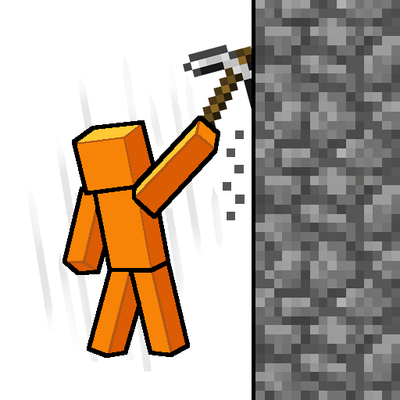
Slam your pickaxe into a wall mid-fall to slow your descent or lock yourself in place before you hit the ground.
 mod
Modrinth · Minecraft
Announcement
Simple announcement plugin.
 mod
Modrinth · Minecraft
Infinity Nexus Miner
A mining company to mine everything!