Just Enough Items (JEI) Needed by Tinted Grass 1.0.9
requiredMatching file found Matched file: 19.57.0.450

Modrinth · Minecraft mod
Grass Blocks are now Dyeable!
Quick answer
Tinted Grass 1.0.9 targets 1.21.1 with NeoForge. Installation on the client is optional. Installation on the dedicated server is optional. All 3 required mods have matching files.
Where it goes
Installation on the client is optional. Installation on the dedicated server is optional.
The source marks this as usable on both the client and server.
1.0.9. Change the file and its required mods may change too.
Install Just Enough Items (JEI), Tinted Dyes, MezzConfig first. We found matching files for this game-version and loader setup. 2 come through another mod in the chain.
2 extra mods were pulled in by other dependencies. Indented rows show who needs each one. We only count dependency files that match this setup. A file for another loader does not fill the gap.
Before you install it
Built for Tinted Grass 1.0.9. Pick another file and the loader, install side or required mods may change.
Use 1.0.9. It targets 1.21.1 with NeoForge; another release may have different loader, side or dependency requirements.
Install Just Enough Items (JEI), Tinted Dyes, MezzConfig first. We found matching files for this game-version and loader setup. 2 come through another mod in the chain.
Installation on the client is optional. Installation on the dedicated server is optional.
Use the “Get this file” button beside 1.0.9. It opens that exact file at the source.
About this project
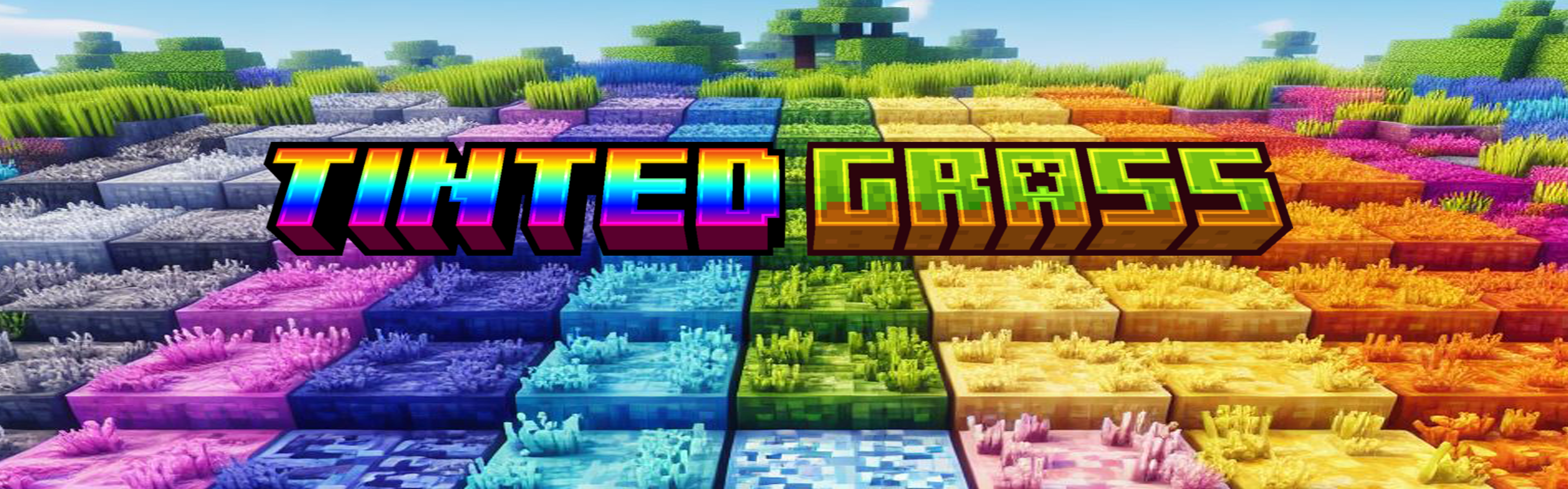


My Projects
Have you played Minecraft for awhile now and ever thought?..... Gee what I wouldn't give to be able to dye grass blocks to colors I could actually use for my builds?
Well Guess what!
NOW YOU CAN!!!!!!!!
I would like to Proudly introduce you to.....
TINTED GRASS!!!!!
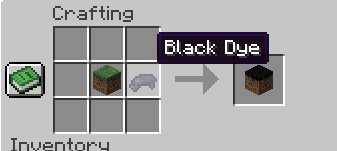
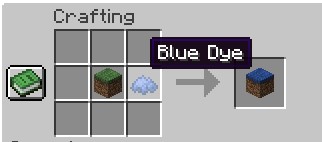
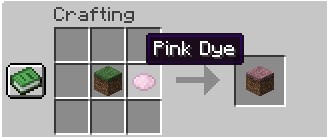
Tinted Grass is a mod that allows you to add colored dyes into the crafting grid with 1 grass block at the center, allowing you to change their color.

Black Grass
Blue Grass
Cherry Blossom Grass
Cyan Grass
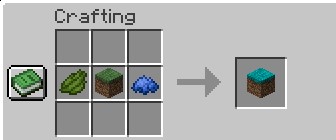
Just to show a few of them.
You Are Free To Use This In Modpacks!
Please Report Any Issues to the issue tracker. It will redirect you to the appropriate Discord Channel!!!!
Wanna Help Support Me?
Project description from Modrinth.
Pick your setup
Choose the version and loader you play, then open the matching release.
Check the dependencies, then try the file in a copied instance before changing a world you care about.
Recent files
tinted_grass-1.0.9-neoforge-1.21.1.jar
14 Aug 2025
tinted_grass-1.0.8-forge-1.20.1.jar
6 May 2025
tinted_grass-1.20.1-1.0.7.jar
23 Jan 2025
tinted_grass-neo-1.21.1-1.0.6.jar
18 Dec 2024
tinted_grass-1.20.1-1.0.6.jar
18 Dec 2024
tinted_grass-neo-1.21.1-1.0.5.jar
31 Oct 2024
tinted_grass-1.20.1-1.0.5.jar
17 May 2024
tinted_grass-1.20.1-1.0.4.jar
3 Apr 2024
tinted_grass-1.20.1-1.0.3.jar
3 Apr 2024
tinted-grass-1.0.2.jar
14 Mar 2024
tinted_grass-1.0.1.jar
13 Mar 2024
tinted-grass-1.0.0.jar
11 Mar 2024
Looking for an older file? The official Modrinth project page is in Resources.
 mod
modQuickly get you and your friends online, or find playmates in the lobby
 mod
modA lightweight excavation mod for modern Minecraft versions
 mod
modAdds a stamp onto crafted items with information about their creation. Tracks player, crafting type, biome, and more, with mod api for additional integrations.












