Minecraft version
Back to mods 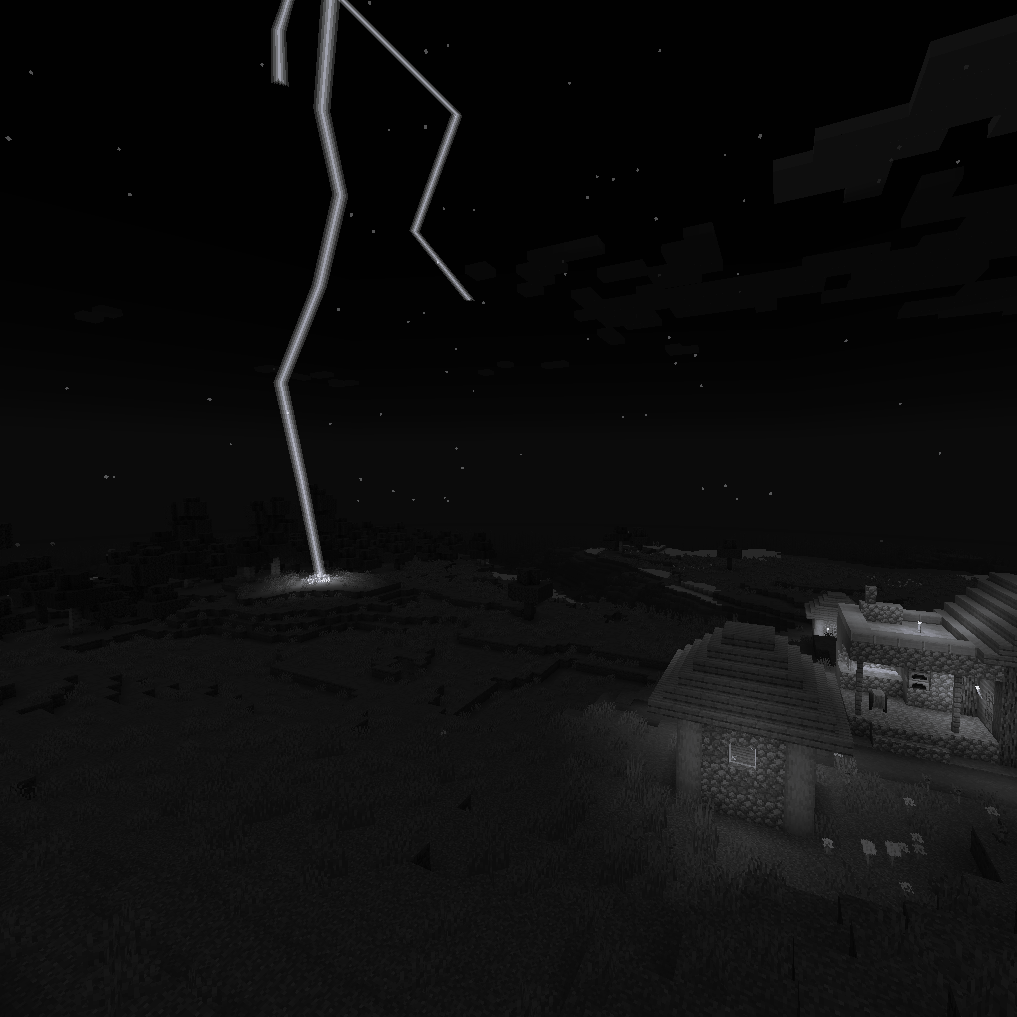
CurseForge · Minecraft mod
Delayed Thunder
Realistic distance-based lightning -> thunder delay with custom thunder sounds
Choose a version Pick your version below, then grab the matching file.
Quick answer
Which Delayed Thunder release should I use?
Latest stable file betterlightning-1.1.0-1.20.4.jar
Game version 1.20.4, 1.20.5, 1.20.6
Loader Forge
Delayed Thunder betterlightning-1.1.0-1.20.4.jar targets 1.20.4, 1.20.5, 1.20.6 with Forge. The project page does not say whether this file belongs on the client, dedicated server, or both. No extra mods listed for this file.
Where it goes
Is Delayed Thunder required on the client, server, or both?
The project page does not say whether this file belongs on the client, dedicated server, or both.
Client Source doesn’t say
Dedicated server Source doesn’t say
Loader for this release Forge
Required install it here Optional supported, not mandatory Not supported do not install here Source doesn’t say do not assume
The source does not explicitly classify this release as client-only or server-only.
What else does Delayed Thunder betterlightning-1.1.0-1.20.4.jar need?
betterlightning-1.1.0-1.20.4.jar. Change the file and its required mods may change too.
This file does not list any required mods. Do not add a library just because a different file uses it.
This file does not list any required or optional mods.
Before you install it
Add Delayed Thunder without breaking your instance.
Built for Delayed Thunder betterlightning-1.1.0-1.20.4.jar. Pick another file and the loader, install side or required mods may change.
- 01
Stick to this file
Use betterlightning-1.1.0-1.20.4.jar. It targets 1.20.4, 1.20.5, 1.20.6 with Forge; another release may have different loader, side or dependency requirements.
- 02
Bring the mods it needs
This file does not list any required mods. Do not add a library just because a different file uses it.
- 03
Put it on the correct side
The project page does not say whether this file belongs on the client, dedicated server, or both.
- 04
Pick the file you checked
Use the “Get this file” button beside betterlightning-1.1.0-1.20.4.jar. It opens that exact file at the source.
About this project
What does Delayed Thunder add?
As of Version 1.0, this mod is required on both the server and client.
Delayed Thunder overhauls vanilla thunder sounds with improved audio for immersion, then delays the sound for each player based on distance.
Distances for each level of delay are changeable in the configuration file.
Check out a video showcasing the sounds:
https://www.youtube.com/watch?v=OmK9YXnVWdI&t=23s
Compatibility
Compatibility has not been tested too much, but Delayed Thunder is currently incompatible with:
- Bad Wither No Cookie
Sound Credits
- Natural Thunder by SoundsForYou https://pixabay.com/sound-effects/natural-thunder-113219/
- Thunder by UNIVERSFIELD https://pixabay.com/sound-effects/thunder-124463/
- Distant Thunder Clap_Gentle by Pixabay https://pixabay.com/sound-effects/distant-thunder-clap-gentle-72248/
- Loud Thunder by UNIVERSFIELD https://pixabay.com/sound-effects/loud-thunder-192165/
- Thunder - 1 by bone666138 https://freesound.org/people/bone666138/sounds/198857/
- Lightning Strike by Pixabay https://pixabay.com/sound-effects/lightning-strike-27463/
- Clean Thunder by Pixabay https://pixabay.com/sound-effects/clean-thunder-69077/
Project description from CurseForge.
Pick your setup
Delayed Thunder by Minecraft version and loader
Choose the version and loader you play, then open the matching release.
Minecraft version
1.20.5
1 loader buildMinecraft version
1.20.4
1 loader buildMinecraft version
1.20.3
1 loader buildMinecraft version
1.20.2
1 loader buildMinecraft version
1.20.1
1 loader buildCheck the dependencies, then try the file in a copied instance before changing a world you care about.
Recent files
Delayed Thunder versions and loaders
betterlightning-1.1.0-1.20.4.jar
29 Oct 2024
Client Source doesn’t say Server Source doesn’t say Dependencies No extras listed Listed on Release listing
Check the 1.20.6 · Forge setup Forge1.20.41.20.51.20.6 release
betterlightning-1.1.0-1.20.1.jar
29 Oct 2024
Client Source doesn’t say Server Source doesn’t say Dependencies No extras listed Listed on Release listing
Check the 1.20.6 · Forge setup 1.20.1Forge1.20.21.20.3 release
betterlightning-1.0.1-1.20.4.jar
25 Jul 2024
Client Source doesn’t say Server Source doesn’t say Dependencies No extras listed Listed on Release listing
Check the 1.20.4 · Forge setup Forge1.20.4 release
betterlightning-1.0.1-1.20.1.jar
25 Jul 2024
Client Source doesn’t say Server Source doesn’t say Dependencies No extras listed Listed on Release listing
Check the 1.20.1 · Forge setup 1.20.1Forge release
betterlightning-1.0.0-1.20.1.jar
24 Jul 2024
Client Source doesn’t say Server Source doesn’t say Dependencies No extras listed Listed on Release listing
Check the 1.20.1 · Forge setup 1.20.1Forge release
Looking for an older file? The official CurseForge project page is in Resources.
 mod
CurseForge · Minecraft
ZombieApocalypseAddon
Customize Everything! Transform Minecraft into a zombie apocalypse. Zombies no longer burn in sunlight, spawn continuously near players, and get stronger over time. Features horde events, blood moon nights, biome modifiers, and 40+ config options.
 mod
CurseForge · Minecraft
Livestock
A vanilla-style overhaul that brings deeper, more immersive life to Minecraft's farm animals.
 mod
CurseForge + Modrinth · Minecraft
Mod Recipe Book
Adds a customizable, progression-based, vanilla-friendly recipe book for modded Minecraft.