Minecraft version
Back to mods 
Modrinth · Minecraft mod
Changed: Minecraft Mod
Gooey transfur game inspired by DragonSnow's Changed.
Choose a version Pick your version below, then grab the matching file.
Quick answer
Which Changed: Minecraft Mod release should I use?
Latest stable file 0.15.7
Game version 1.20.1
Loader Forge
Changed: Minecraft Mod 0.15.7 targets 1.20.1 with Forge. Installation on the client is optional. Installation on the dedicated server is optional. No extra mods listed for this file.
Where it goes
Is Changed: Minecraft Mod required on the client, server, or both?
Installation on the client is optional. Installation on the dedicated server is optional.
Client Optional
Dedicated server Optional
Loader for this release Forge
Required install it here Optional supported, not mandatory Not supported do not install here Source doesn’t say do not assume
The source marks this as usable on both the client and server.
What else does Changed: Minecraft Mod 0.15.7 need?
0.15.7. Change the file and its required mods may change too.
This file does not list any required mods. Do not add a library just because a different file uses it.
This file does not list any required or optional mods.
Before you install it
Add Changed: Minecraft Mod without breaking your instance.
Built for Changed: Minecraft Mod 0.15.7. Pick another file and the loader, install side or required mods may change.
- 01
Stick to this file
Use 0.15.7. It targets 1.20.1 with Forge; another release may have different loader, side or dependency requirements.
- 02
Bring the mods it needs
This file does not list any required mods. Do not add a library just because a different file uses it.
- 03
Put it on the correct side
Installation on the client is optional. Installation on the dedicated server is optional.
- 04
Pick the file you checked
Use the “Get this file” button beside 0.15.7. It opens that exact file at the source.
About this project
What does Changed: Minecraft Mod add?
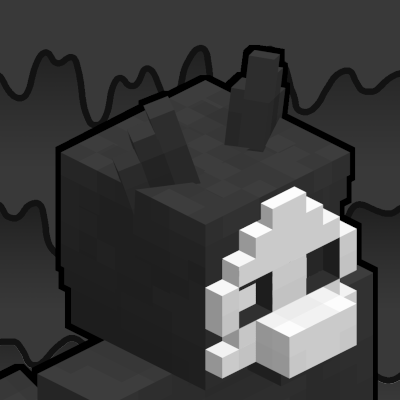


Warning: This mod includes content from Changed, which is not suitable for all audiences.
If you are playing with this mod in a large modpack, disable unique latex block generation in the config, or the game will take forever to start.
Changed:MC is a translation of the world of Changed by DragonSnow into Minecraft 1.18.2, inspired by alex_n_italy's Turned mod, it's built in mind with transfurring. It contains structures, blocks, latex creatures, emotes, and too many mixins. You can become one of these creatures and benefit from the upgrades (and suffer some downsides) of transfurring yourself.
All credits for contributors are available on GitHub Insights and in the mod menu. To access the config menu, install Configured.
Gameplay FAQ
How do I transfur?
Use an infuser to infuse a syringe filled with your own blood, purify it (takes some time), insert the purified syringe into a stasis chamber a give it a canister of oxygenated water, and select "Transfur" under the "Programs" menu in the stasis chamber. There is also a gamerule changed:keepConscious that will transfur you in places where you would normally be killed, it's off by default, and is entirely up to you if you want on.
Alternatively, with cheats, use /transfur or /tf.
Okay, but how do I untransfur?
You can't. Well, dying removes the transfur and turns you back. This however can be prevented with the gamerule changed:keepForm. The reason for this is that untransfurring isn't possible in the original game as stated by DragonSnow. There are mods to solve this problem, however.
Once again, if you have cheats, use /untransfur or /untf.
What are the syringe recipes?
The recipes are given to you when you pick up a Latex Base, check the recipe book in the infuser table.
How do I open the lab doors?
The lab doors are locked when not powered, power them using redstone. When the lab doors are unlocked, you can open it like a regular door, but it will automatically close if it loses power.
General FAQ
What about that drama involving Changed?
We do not take a stance on the drama, please research anything before believing. If you are at most concern, this mod is intentionally designed without very suggestive content, and the main characters are not included.
Will there be a Fabric/Quilt version?
There are no current plans to port to another modloader, this is subject to change.
Can you port the mod to 1.xx.x?
The mod will only be developed for one Minecraft version at a time. We will not be porting the mod to multiple versions until all/most of the content is completed.
Can you make the mod for Pocket Edition?
If you're asking this, you're probably too young to be getting into Changed...
What mods are compatible?
There (hopefully) shouldn't be too many mods that are incompatible. If you do find a mod which behaves weird with Changed:MC, feel free to report it on the GitHub.
Project description from Modrinth.
Pick your setup
Changed: Minecraft Mod by Minecraft version and loader
Choose the version and loader you play, then open the matching release.
Minecraft version
1.18.2
1 loader buildCheck the dependencies, then try the file in a copied instance before changing a world you care about.
Recent files
Changed: Minecraft Mod versions and loaders
0.15.7
Changed-m1.20.1-v0.15.7-all.jar
8 Jun 2026
Client Optional Server Optional Dependencies No extras listed Listed on Release listing
Check the 1.20.1 · Forge setup 1.20.1Forge release
0.15.6
Changed-m1.20.1-v0.15.6-all.jar
6 Jun 2026
Client Optional Server Optional Dependencies No extras listed Listed on Release listing
Check the 1.20.1 · Forge setup 1.20.1Forge release
0.15.5
Changed-m1.20.1-v0.15.5-all.jar
31 May 2026
Client Optional Server Optional Dependencies No extras listed Listed on Release listing
Check the 1.20.1 · Forge setup 1.20.1Forge release
0.15.4
Changed-m1.20.1-v0.15.4-all.jar
10 Apr 2026
Client Optional Server Optional Dependencies No extras listed Listed on Release listing
Check the 1.20.1 · Forge setup 1.20.1Forge release
0.15.3
Changed-m1.20.1-v0.15.3-all.jar
4 Apr 2026
Client Optional Server Optional Dependencies No extras listed Listed on Release listing
Check the 1.20.1 · Forge setup 1.20.1Forge release
0.15.2
Changed-m1.20.1-v0.15.2-all.jar
21 Mar 2026
Client Optional Server Optional Dependencies No extras listed Listed on Release listing
Check the 1.20.1 · Forge setup 1.20.1Forge release
0.15.1
Changed-m1.20.1-v0.15.1-all.jar
13 Mar 2026
Client Optional Server Optional Dependencies No extras listed Listed on Release listing
Check the 1.20.1 · Forge setup 1.20.1Forge release
0.15.0
Changed-m1.20.1-v0.15.0-all.jar
28 Feb 2026
Client Optional Server Optional Dependencies No extras listed Listed on Release listing
Check the 1.20.1 · Forge setup 1.20.1Forge release
0.14.1c
Changed-m1.18.2-v0.14.1c-all.jar
28 Aug 2025
Client Optional Server Optional Dependencies No extras listed Listed on Release listing
Check the 1.18.2 · Forge setup 1.18.2Forge release
0.14.1b
Changed-m1.18.2-v0.14.1b-all.jar
21 Aug 2025
Client Optional Server Optional Dependencies No extras listed Listed on Release listing
Check the 1.18.2 · Forge setup 1.18.2Forge release
0.14.1
Changed-m1.18.2-v0.14.1-all.jar
14 Aug 2025
Client Optional Server Optional Dependencies No extras listed Listed on Release listing
Check the 1.18.2 · Forge setup 1.18.2Forge release
0.14c
Changed-m1.18.2-v0.14c.jar
19 Feb 2025
Client Optional Server Optional Dependencies No extras listed Listed on Release listing
Check the 1.18.2 · Forge setup 1.18.2Forge release
Looking for an older file? The official Modrinth project page is in Resources.
 mod
CurseForge + Modrinth · Minecraft
Curios API
A flexible and expandable accessory/equipment API for users and developers.
 mod
CurseForge · Minecraft
Otherworld [Horror]
We live in a world of fools and frauds
 mod
CurseForge + Modrinth · Minecraft
Tinkers' Gadgets
A lightweight Tinkers' Construct addon featuring tools, new materials, and exclusive projectile traits.