SkinsRestorer Needed by HrdaNick 3.2
requiredMatching file found Matched file: 15.12.0

Modrinth · Minecraft mod
Easily change your nickname with skin!
Quick answer
HrdaNick 3.2 targets 26.3, 26.2, 26.1.2 with bukkit, paper, purpur. Do not install it on the client. It must be installed on the dedicated server. All 3 required mods have matching files.
Where it goes
Do not install it on the client. It must be installed on the dedicated server.
This file is marked server-only.
3.2. Change the file and its required mods may change too.
Install SkinsRestorer, PacketEvents, HrdaAPI first. We found matching files for this game-version and loader setup. 1 comes through another mod in the chain.
1 extra mod was pulled in by another dependency. Indented rows show who needs each one. We only count dependency files that match this setup. A file for another loader does not fill the gap.
Before you install it
Built for HrdaNick 3.2. Pick another file and the loader, install side or required mods may change.
Use 3.2. It targets 26.3, 26.2, 26.1.2 with bukkit, paper, purpur; another release may have different loader, side or dependency requirements.
Install SkinsRestorer, PacketEvents, HrdaAPI first. We found matching files for this game-version and loader setup. 1 comes through another mod in the chain.
Do not install it on the client. It must be installed on the dedicated server.
Use the “Get this file” button beside 3.2. It opens that exact file at the source.
About this project

A simple plugin for changing nicknames and skins at the same time!
⚠️ IMPORTANT UPDATE (v3.0+)
Starting from version 3.0, NickAPI is no longer used. You need to have SkinsRestorer and HrdaAPI on your server.📥 Download HrdaAPI Here: Download HrdaAPI-1.1.jar
HrdaAPI also needs PacketEvents
(Note: If you are using HrdaNick v2.9 or older, NickAPI is still required).
I also highly recommend using PAPI for working placeholders, and LuckPerms for the Fake Ranks feature.
For working advancements with nicks you need to have gamerule announceAdvancements to false
random.yml (prefixes, names, suffixes)./tp Nickname).Only in ver 2.8 or higher For working placeholders → PlaceholdersAPI required
Placeholder supports TAB by neznamy or DecentHolograms
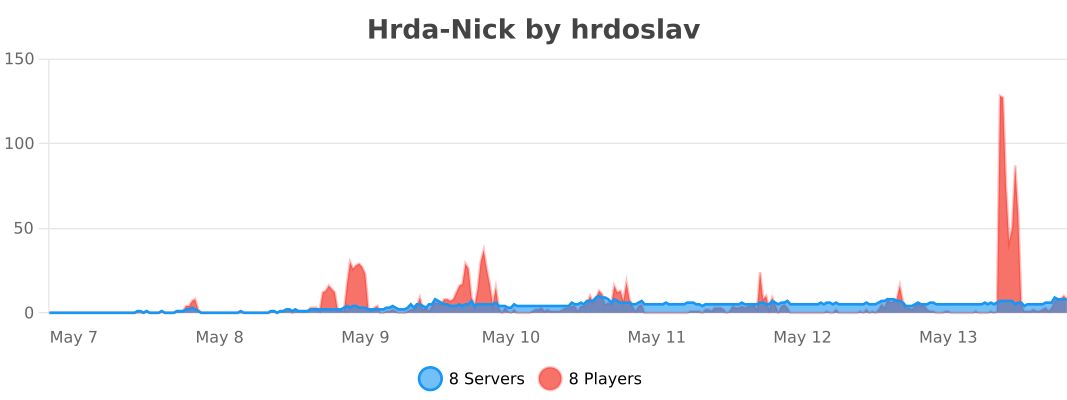
If you have any problems with the plugin, just message me on our discord server: https://dsc.gg/hrda-plugins
For the Developer API documentation, please look on our official website: https://hrdaplugins.eu/wiki/hrdanick.php (Note: In v3.0+, the API is handled via HrdaAPI)
Thanks for downloading!
Project description from Modrinth.
Pick your setup
Choose the version and loader you play, then open the matching release.
Showing the newest 12 of 24 game versions. Older files are in the list below.
Check the dependencies, then try the file in a copied instance before changing a world you care about.
Recent files
HrdaNick-3.2.jar
29 Nov 2026
HrdaNick-3.1.jar
13 Nov 2026
HrdaNick-3.0.jar
21 Aug 2026
HrdaNick-2.9.2.jar
13 Jun 2026
HrdaNick-2.9.1.jar
2 Jun 2026
HrdaNick-2.9.jar
27 May 2026
HrdaNick-2.8.jar
25 May 2026
HrdaNick-2.7-all.jar
7 May 2026
HrdaNick-2.6.jar
10 Mar 2026
HrdaNick-2.5.jar
25 Feb 2026
HrdaNick-2.4.jar
24 Feb 2026
HrdaNick-2.3.jar
18 Feb 2026
Looking for an older file? The official Modrinth project page is in Resources.