Applied Energistics 2 Needed by AdvancedAE 26.1.7
requiredMatching file found Matched file: 26.1.13-beta

Modrinth · Minecraft mod
An AE2 addon that adds a lot of utilities and quality of life.
Quick answer
AdvancedAE 26.1.7 targets 26.1.2 with NeoForge. Installation on the client is optional. Installation on the dedicated server is optional. All 3 required mods have matching files.
Where it goes
Installation on the client is optional. Installation on the dedicated server is optional.
The source marks this as usable on both the client and server.
26.1.7. Change the file and its required mods may change too.
Install Applied Energistics 2, Geckolib, GuideME first. We found matching files for this game-version and loader setup. 14 come through another mod in the chain.
14 extra mods were pulled in by other dependencies. Indented rows show who needs each one. We only count dependency files that match this setup. A file for another loader does not fill the gap.
Before you install it
Built for AdvancedAE 26.1.7. Pick another file and the loader, install side or required mods may change.
Use 26.1.7. It targets 26.1.2 with NeoForge; another release may have different loader, side or dependency requirements.
Install Applied Energistics 2, Geckolib, GuideME first. We found matching files for this game-version and loader setup. 14 come through another mod in the chain.
Installation on the client is optional. Installation on the dedicated server is optional.
Use the “Get this file” button beside 26.1.7. It opens that exact file at the source.
About this project


Advanced AE focuses on convenience and improving user experience when handling your ME System.

By utilizing an Advanced Pattern Encoder, you can modify Processing Patterns to select to which face each input will be sent, eliminating the need for multiple pipes and used sides to interact with machines that require them.


Quantum Computer is a special type of Crafting Unit. It is capable of running an unlimited amount of crafting tasks, as long as it has enough crafting storage.
Furthermore, all of these concurrent tasks are able to share all co-processors present in the Quantum Computer Multiblock!
The Quantum Core can be used as a standalone crafting unit with 256M storage and 8 co-processors. By creating a multiblock with one of them, you can extend those capabilities by a large amount.
Specially when using two special block types: The Quantum Data Entangler and the Quantum Multi-Threader, which multiply storage and co-processors present in the multiblock by 4, respectively.
The multiblock can be scaled up to a 5x5x5, and consumes a single channel for all of this computing power!

A very powerful auto crafter that can perform a series of crafting operations every tick while accessing the ME System's
inventory directly. It is also capable of doing recursive crafting (like smithing templates) and multiple crafts that
require a non-consumed ingredient (Like Mystical Agriculture's essence upgrading). It can be configured to keep stacks
of the ingredients to avoid consuming all of it, or limit the end product, to keep an amount in stock.

An armor set capable of connecting to the ME System to harness its resources for various quality of life functionality.
It is also very powerful defensively and includes various quality of life upgrades, like flight with no inertia,
night vision, magnet, auto feeding directly from ME Storage, immunity to various damage sources, and much more!

The reaction chamber is a machine that uses a ton of power to provide very efficient ways of processing materials. It is
used in the creation of various items needed to progress in AdvancedAE as well as offering efficient recipes for other mods.

An Export bus that reads the contents of the target inventory and regulates an exact amount to be kept in it at all times,
provided that the ME system has them available. It accepts a crafting card, enabling the export bus to craft the items
needed.

A special monitor that can be used to keep a close watch on the development of resources on your system. It can track
items, fluids and even energy in FE Cells (from AppliedFlux). To set it to track fluids or energy, right click with a
container with the desired ingredient twice. You can also configure the scale by using the Throughput Monitor Configurator.
Right-clicking a monitor with it will cycle between the options of "per tick", "per second" and "per minute".
Found a bug? Missing a feature?

Project description from Modrinth.
Pick your setup
Choose the version and loader you play, then open the matching release.
Check the dependencies, then try the file in a copied instance before changing a world you care about.
Recent files
AdvancedAE-26.1.7.jar
8 Aug 2026
AdvancedAE-1.3.6-1.20.1.jar
2 Aug 2026
AdvancedAE-1.6.12-1.21.1.jar
2 Aug 2026
AdvancedAE-26.1.6.jar
2 Aug 2026
AdvancedAE-26.1.5.jar
30 Jul 2026
AdvancedAE-26.1.4.jar
6 Jul 2026
AdvancedAE-26.1.2.jar
6 Jul 2026
AdvancedAE-26.1.3-alpha.jar
12 Jun 2026
AdvancedAE-26.1.2-alpha.jar
24 May 2026
AdvancedAE-26.1.1-alpha.jar
24 May 2026
AdvancedAE-26.1.0-alpha.jar
23 May 2026
AdvancedAE-1.3.5-1.20.1.jar
17 Apr 2026
Looking for an older file? The official Modrinth project page is in Resources.
 mod
Applied Kinetics's integration with Create
 mod
A lightweight Tinkers' Construct addon featuring tools, new materials, and exclusive projectile traits.
 mod
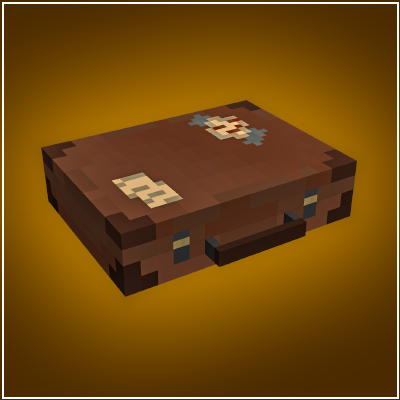
Adds a bigger on the inside suitcase.