Just Enough Items (JEI) Optional for Ectoluminescence 1.2.1+1.21.11
optionalMatching file found Matched file: 27.54.0.116

Modrinth · Minecraft mod
Ectolum - Adds more use cases for "USELESS" minecraft features such as Glow Ink Sac, Phantom Membrane or Echo Shard. The mod implements ideas proposed by Nekoma in their youtube video
Quick answer
Ectoluminescence 1.2.1+1.21.11 targets 1.21.11 with Fabric. Installation on the client is optional. Installation on the dedicated server is optional. No extra mods listed for this file.
Where it goes
Installation on the client is optional. Installation on the dedicated server is optional.
The source marks this as usable on both the client and server.
1.2.1+1.21.11. Change the file and its required mods may change too.
This file does not list any required mods. Do not add a library just because a different file uses it.
3 extra mods were pulled in by other dependencies. Indented rows show who needs each one. We only count dependency files that match this setup. A file for another loader does not fill the gap.
Before you install it
Built for Ectoluminescence 1.2.1+1.21.11. Pick another file and the loader, install side or required mods may change.
Use 1.2.1+1.21.11. It targets 1.21.11 with Fabric; another release may have different loader, side or dependency requirements.
This file does not list any required mods. Do not add a library just because a different file uses it.
Installation on the client is optional. Installation on the dedicated server is optional.
Use the “Get this file” button beside 1.2.1+1.21.11. It opens that exact file at the source.
About this project

or "Ectolum" for short
It's a mod that gives more purposes to a few of features already existing in vanilla minecraft, including: Glow Ink Sac, Phantom Membrane and Echo Shard.
Ideas for these features were taken, with the consent of the creator, from youtube video 'I Fixed "USELESS" Minecraft Features' by Nekoma (Note, that the mod only includes ideas for items listed above).
Full preview of features listed above is available in the gallery :>
Makes the armor trim glow in the dark! There is little to none difference in daylight (also, due to lack of light in the UI, it's not really visible here. Check the gallery for better reference)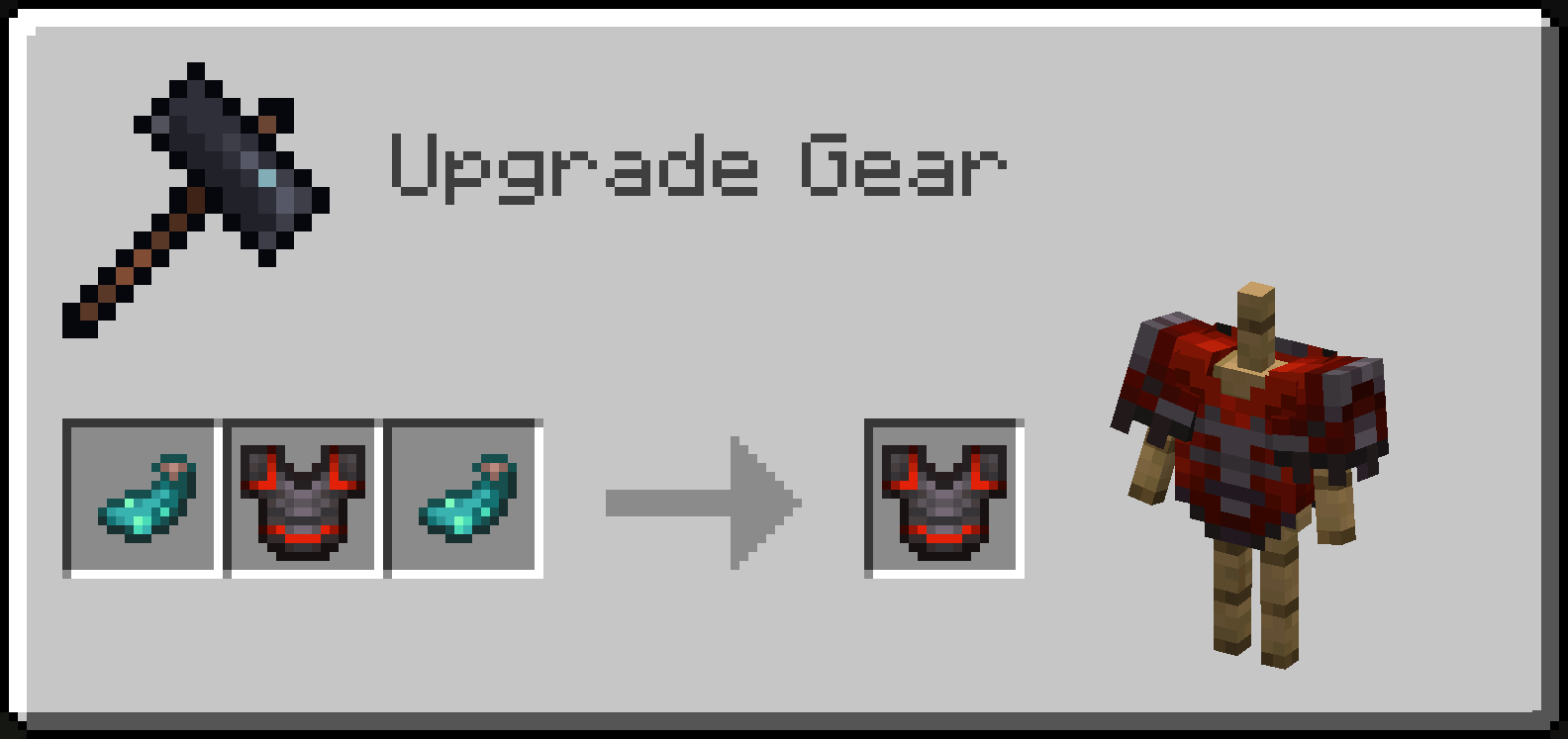
Makes the armor trim disappear periodically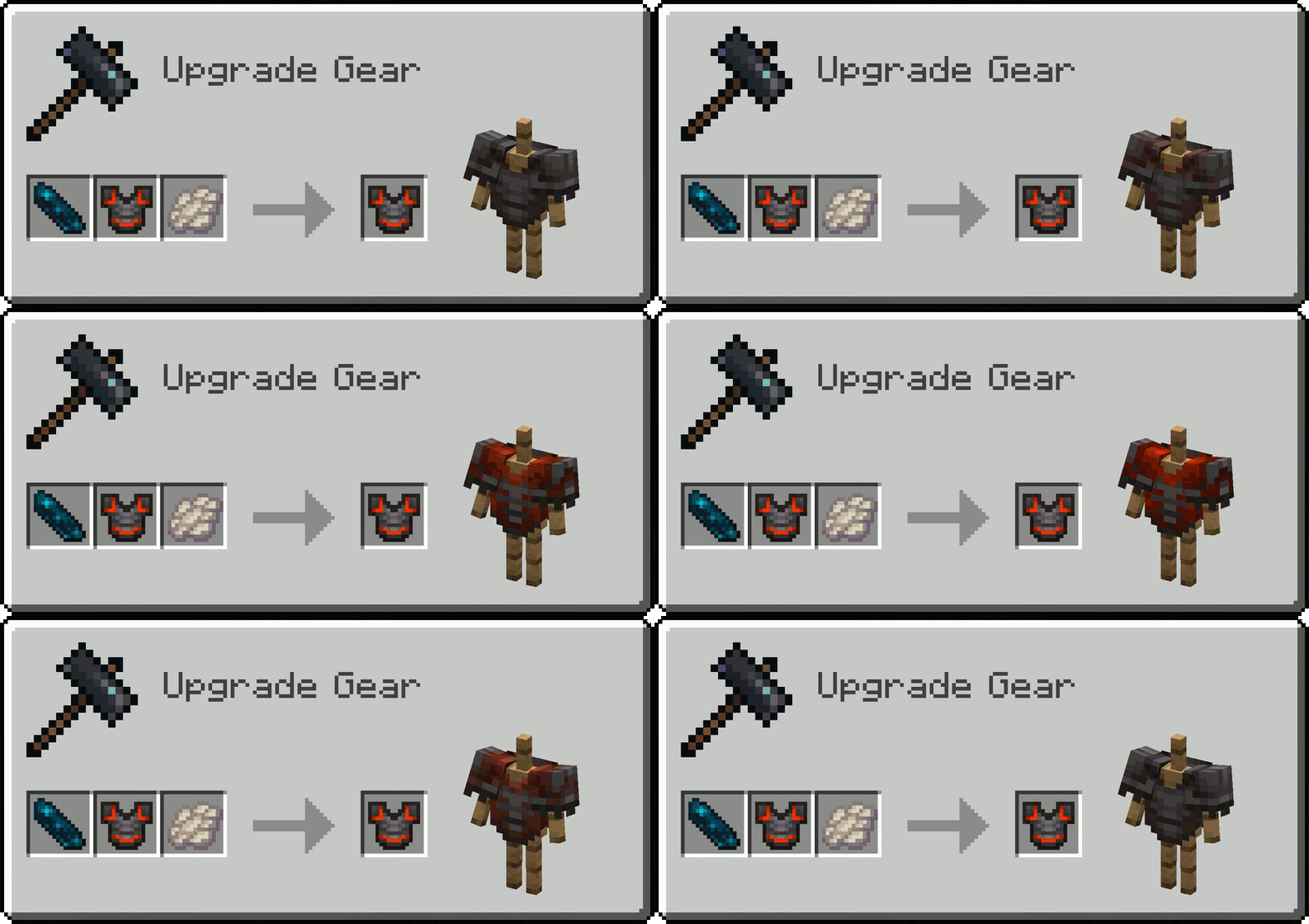
Makes the armor trim periodically emissive (it is best observed in the dark)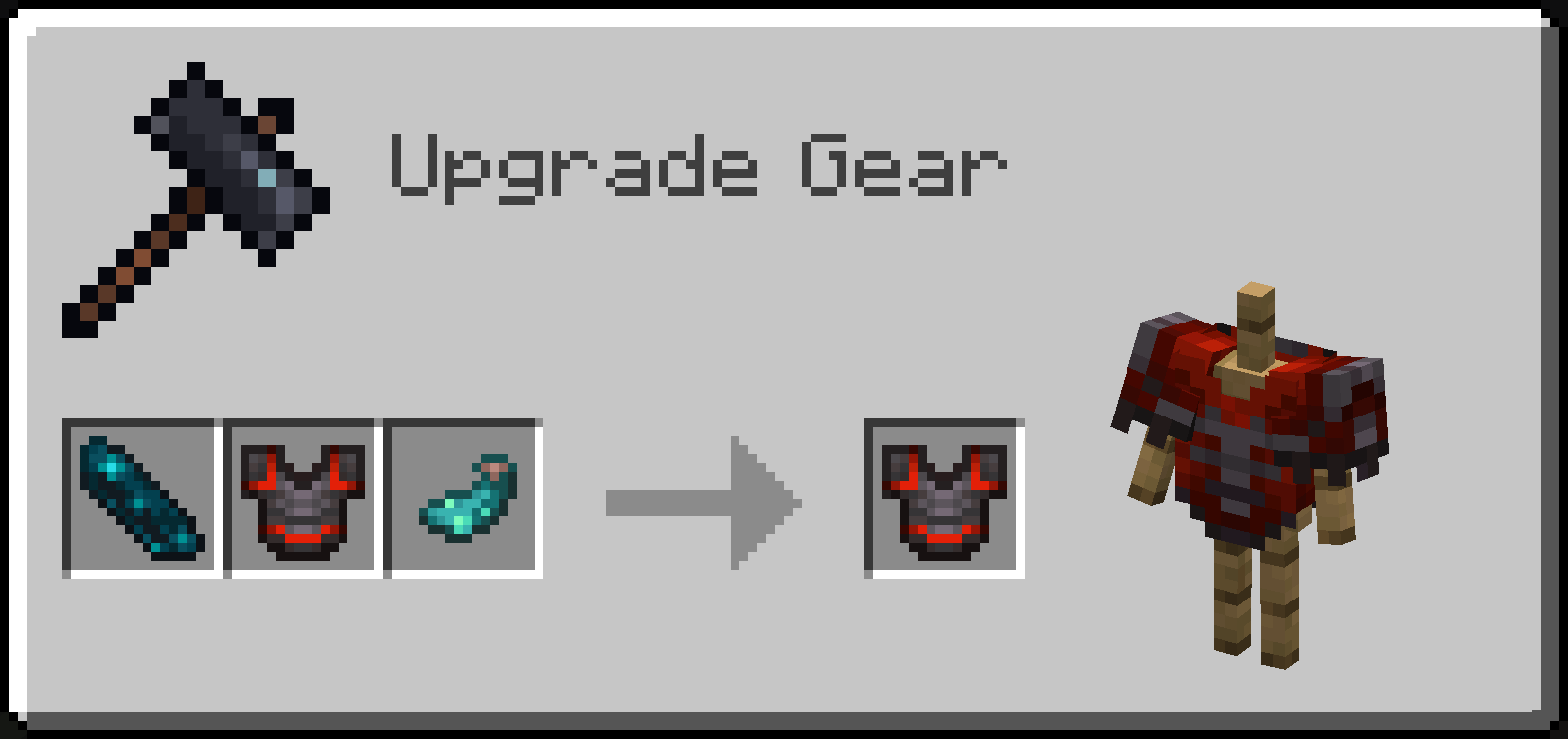
Combining an Echo Shard with a trimmed armor and any trim material makes the armor trim change color periodically, from the one from original trim, to a new one that depends on a material used
As mentioned earlier, these echoing effects can be stacked, making them apply one by one over time in a loop!
ectolum.glowing (boolean) nbt that decides whether it's glowing or notectolum.hide_background (boolean) nbt for blocks that you can use Phantom Membrane onectolum.sherd_glow_overrides (byte array with 4 elements, eg. [B; 1b, 0b, 0b, 1b]) nbt deciding which faces in Sherds list glowectolum.glowing (boolean) and ectolum.hidden (boolean) nbt tags inside the Trim nbt compound, but also additional ectolum.echoing_layers (compound list) nbt containing information on how its properties changes between each "echo". Each "echoing layer" can have any of glowing (boolean), hidden (boolean) or material (trim material ID, eg. "minecraft:iron") specified, all of these parameters are optional. For example, in order to make a netherite trim with silence pattern glow for 3 intervals, and then not glow for another 3 (counting in the interval in which the default trim's parameters are read), so 6 intervals in total, the nbt would look like so: {Trim: {pattern: "silence", material: "netherite", ectolum.glowing: true ectolum.echoing_layers: [{}, {}, {glowing: false}, {}, {}]}} /give @p netherite_chestplate{Trim:{pattern: "silence", material: "redstone", ectolum.glowing: true, ectolum.echoing_layers: [{material:"copper"},{material:"gold"},{material:"emerald"},{material:"diamond"},{material:"lapis"},{material:"amethyst"}]}}Shader used for screenshots in gallery: Photon
Project description from Modrinth.
Pick your setup
Choose the version and loader you play, then open the matching release.
Check the dependencies, then try the file in a copied instance before changing a world you care about.
Recent files
ectolum-1.2.1+1.21.11.jar
3 Nov 2026
ectolum-1.2.0+1.21.11.jar
23 Oct 2026
ectolum-1.1.0+1.21.11.jar
11 Oct 2026
ectolum-1.1.0+1.21.1.jar
21 Sept 2026
ectolum-1.1.0.jar
28 Aug 2026
ectolum-1.0.0.jar
30 Sept 2025
Looking for an older file? The official Modrinth project page is in Resources.
 mod
Simple Tracking Compass is a Minecraft mod that adds a Compass to the top-left corner of your screen which lets you track other players.
 mod
Create custom world portal to travel between dimensions.
 mod
Spill blood for power. Altars that consume life, sigils that bend the world, custom demons in an endless dungeon, sentient armor that drinks souls, a shield that pays your damage in essentia. Datapack-driven from the ground up.