Cloth Config API (Fabric/Forge/NeoForge) Needed by Branded Logs v2.2.0 for NeoForge 1.21.3
requiredMatching file found Matched file: [NeoForge 1.21.2/3] v16.0.143
CurseForge · Minecraft mod
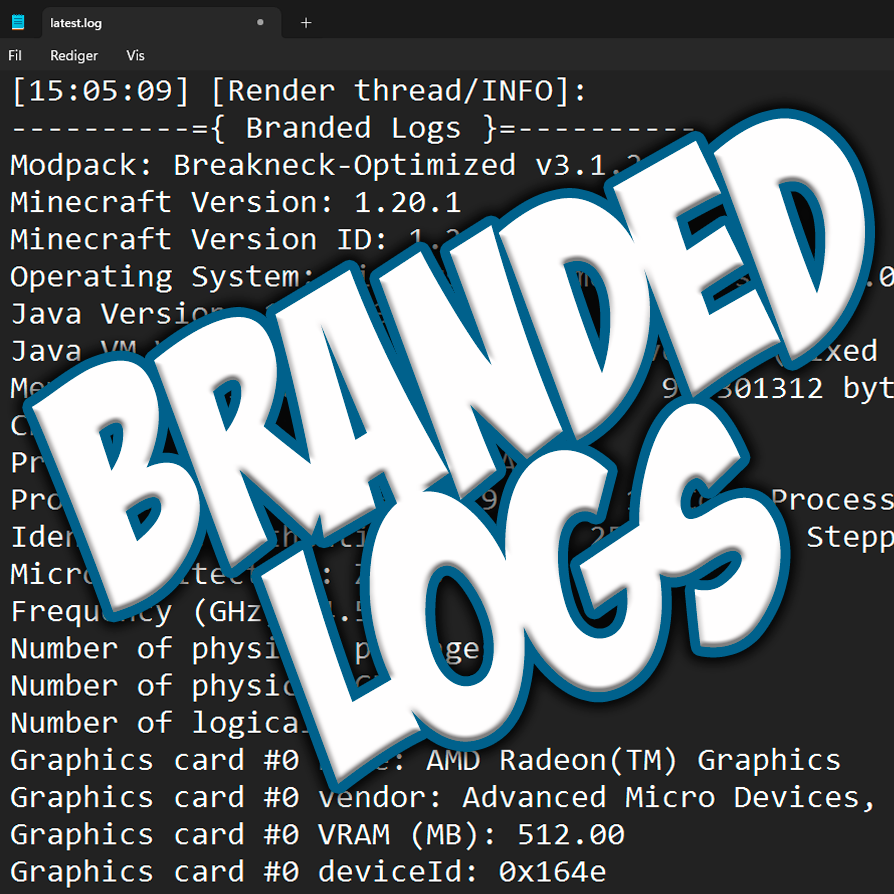
Prints information about your modpack into the logs & crash logs!
Quick answer
Branded Logs v2.2.0 for NeoForge 1.21.3 targets 1.21.3, 1.21.2 with NeoForge. The project page does not say whether this file belongs on the client, dedicated server, or both. All 2 required mods have matching files.
Where it goes
The project page does not say whether this file belongs on the client, dedicated server, or both.
The source does not explicitly classify this release as client-only or server-only.
v2.2.0 for NeoForge 1.21.3. Change the file and its required mods may change too.
Install Cloth Config API (Fabric/Forge/NeoForge), Cloth Config API first. We found matching files for this game-version and loader setup.
We only count dependency files that match this setup. A file for another loader does not fill the gap.
Before you install it
Built for Branded Logs v2.2.0 for NeoForge 1.21.3. Pick another file and the loader, install side or required mods may change.
Use v2.2.0 for NeoForge 1.21.3. It targets 1.21.3, 1.21.2 with NeoForge; another release may have different loader, side or dependency requirements.
Install Cloth Config API (Fabric/Forge/NeoForge), Cloth Config API first. We found matching files for this game-version and loader setup.
The project page does not say whether this file belongs on the client, dedicated server, or both.
Use the “Get this file” button beside v2.2.0 for NeoForge 1.21.3. It opens that exact file at the source.
About this project
This is a simple mod that allows modpack creators to print additional information about their modpack into the game's logs. This includes the name of the modpack and its version, as well as information about the user's machine, operating system, Java version, and RAM allocation.
This mod was greatly inspired by [Log More Info].



As a modpack author, you may often receive logs from players asking for help with an issue or crash. With this mod, there will no longer be any confusion about which version of your modpack a log was generated from. You will also no longer have to ask them about the hardware or Java configuration of their system, as that can easily be deduced from the logs!
The mod will automatically parse modpack information from supported launchers right out of the box. However, if a configuration file from Better Compatibility Checker (bcc.json) is present, it will always take priority.
To enable the mod to retrieve the version number and name of your modpack in an unsupported launcher, you need to include a configuration file from Better Compatibility Checker in your pack. You can either use the Better Compatibility Checker mod to generate the config file, or create one manually using the template below:
./config/bcc.json{"modpackName": "INSERT_MODPACK_NAME_HERE", "modpackVersion": "INSERT_MODPACK_VERSION_HERE"}

Optional: Better Compatibility Checker



Project description from CurseForge.
Pick your setup
Choose the version and loader you play, then open the matching release.
Check the dependencies, then try the file in a copied instance before changing a world you care about.
Recent files
brandedlogs-neoforge-2.2.0+1.21.3.jar
2 Dec 2024
brandedlogs-neoforge-2.2.0+1.21.1.jar
2 Dec 2024
brandedlogs-neoforge-2.2.0+1.20.6.jar
2 Dec 2024
brandedlogs-forge-2.2.0+1.20.1.jar
2 Dec 2024
brandedlogs-fabric-2.2.0+1.21.3.jar
2 Dec 2024
brandedlogs-fabric-2.2.0+1.21.1.jar
2 Dec 2024
brandedlogs-fabric-2.2.0+1.20.6.jar
2 Dec 2024
brandedlogs-fabric-2.2.0+1.20.1.jar
2 Dec 2024
brandedlogs-neoforge-2.1.1+1.21.3.jar
31 Oct 2024
brandedlogs-neoforge-2.1.1+1.21.1.jar
31 Oct 2024
brandedlogs-neoforge-2.1.1+1.20.6.jar
31 Oct 2024
brandedlogs-forge-2.1.1+1.20.1.jar
31 Oct 2024
Looking for an older file? The official CurseForge project page is in Resources.
 mod
modThis library allow you to render and animate anything in game. Totally anything. Entities, blocks even items can be animated
 mod
modA vanilla enhancing mod that aims to enhance the mining and tool systems, while also adding archaeology.
 mod
modFind and use all your keybinds instantly from one clean menu or action wheel