Mod Menu Optional for Fresh Armor Bar 2.1 | 26.2
optionalMatching file found Matched file: v20.0.1 for 26.2
CurseForge · Minecraft mod
A clean and modern armor bar that improves Minecraft's vanilla HUD.
Quick answer
Fresh Armor Bar 2.1 | 26.2 targets 26.2 with Fabric. The project page does not say whether it belongs on the client. The project page does not say whether it belongs on the dedicated server. No extra mods listed for this file.
Where it goes
The project page does not say whether it belongs on the client. The project page does not say whether it belongs on the dedicated server.
The source does not explicitly classify this release as client-only or server-only.
Fresh Armor Bar 2.1 | 26.2. Change the file and its required mods may change too.
This file does not list any required mods. Do not add a library just because a different file uses it.
3 extra mods were pulled in by other dependencies. Indented rows show who needs each one. We only count dependency files that match this setup. A file for another loader does not fill the gap.
Before you install it
Built for Fresh Armor Bar 2.1 | 26.2. Pick another file and the loader, install side or required mods may change.
Use Fresh Armor Bar 2.1 | 26.2. It targets 26.2 with Fabric; another release may have different loader, side or dependency requirements.
This file does not list any required mods. Do not add a library just because a different file uses it.
The project page does not say whether it belongs on the client. The project page does not say whether it belongs on the dedicated server.
Use the “Get this file” button beside Fresh Armor Bar 2.1 | 26.2. It opens that exact file at the source.
About this project





Enjoy affordable servers, 24/7 support, 100% uptime, and modpack-ready performance, perfect for playing with friends anywhere in the world.


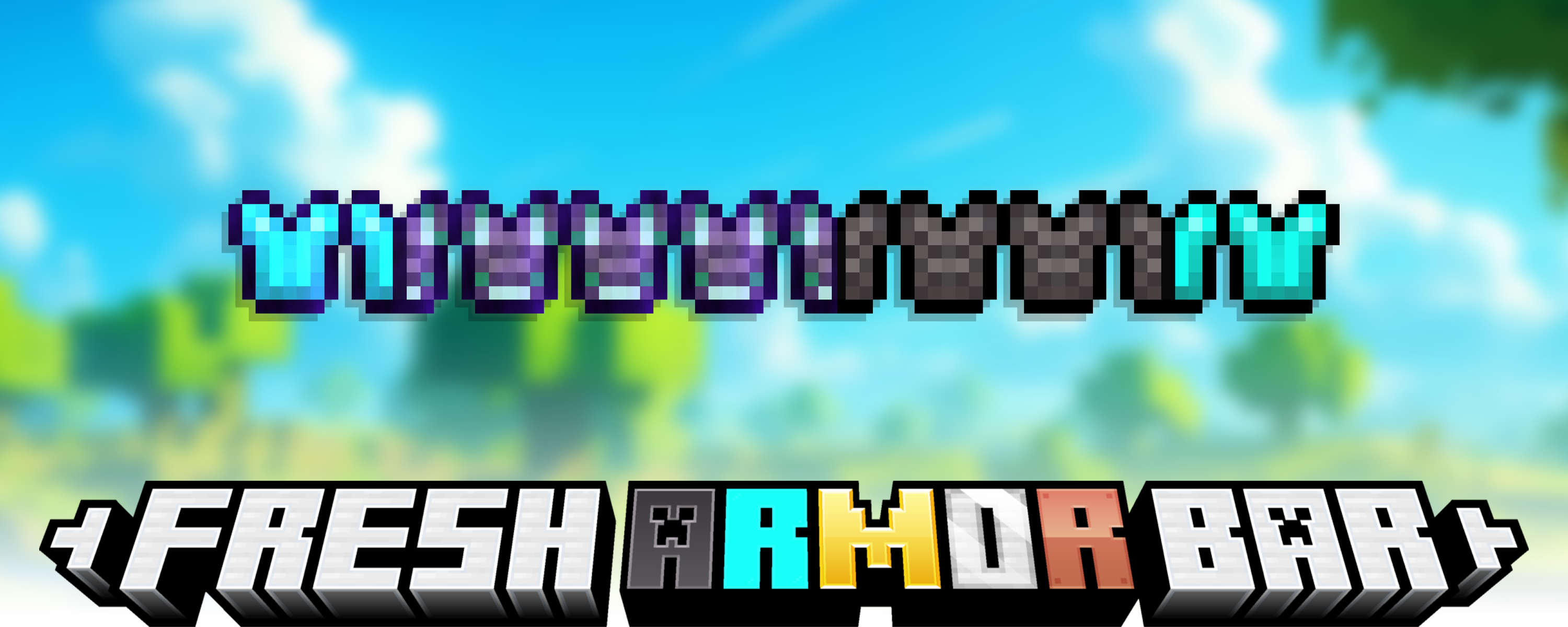
Fresh Armor Bar upgrades Minecraft's vanilla armor HUD with a cleaner, more readable and more responsive design.
The default armor bar always looks almost the same, regardless of the equipment being worn. Fresh Armor Bar gives each armor material its own visual identity, displays enchantments and armor trims directly on the HUD, and provides immediate visual feedback when armor is damaged or repaired.
The mod is designed to feel like a natural extension of Minecraft rather than a completely different interface. It preserves the vanilla style, remains lightweight and client-side, and allows its visual feedback effects to be configured individually.

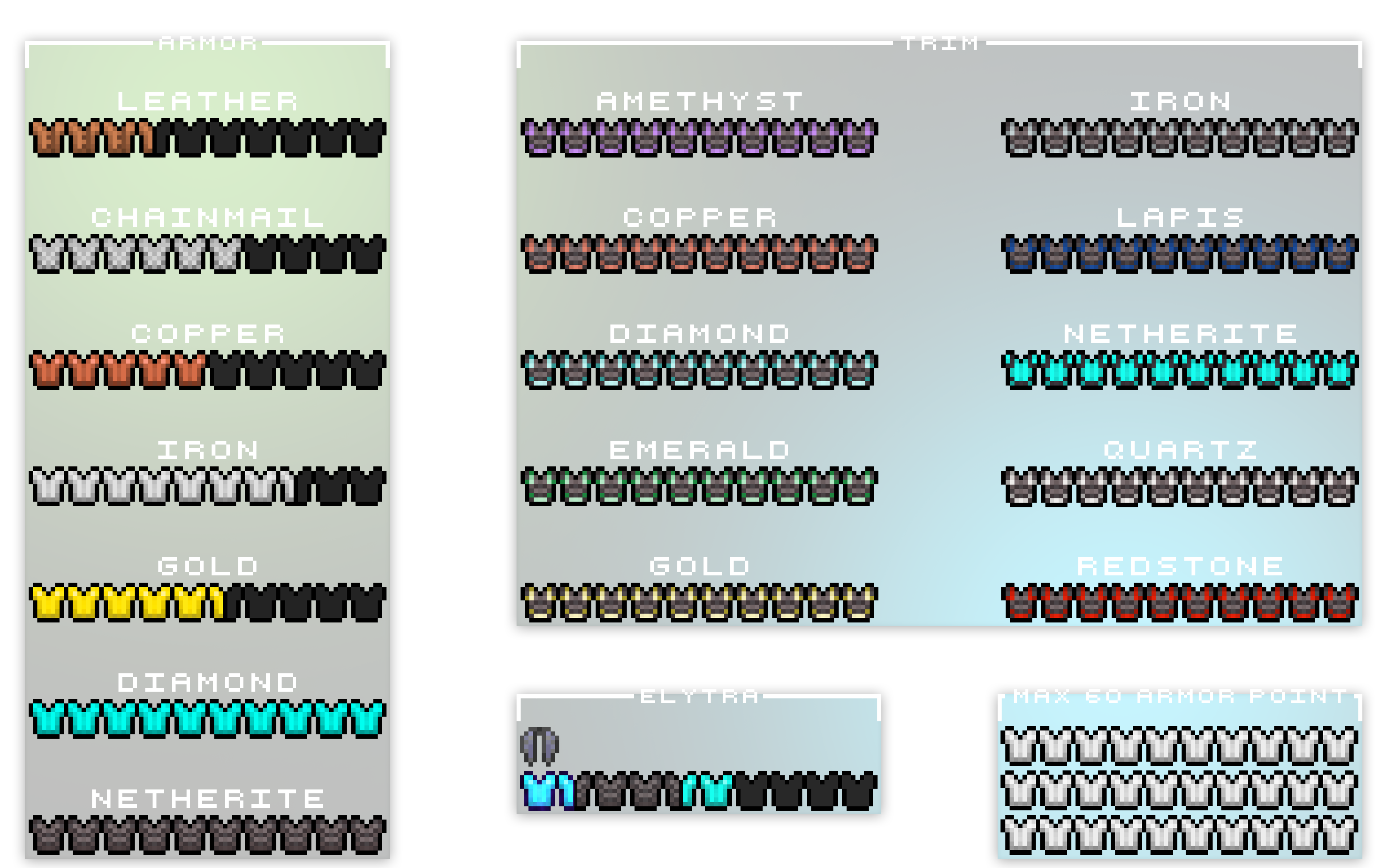
A quick look at how Fresh Armor Bar changes the vanilla armor HUD.
ENCHANTMENT GLINT

ARMOR FEEDBACK
EXPLOSION DAMAGE
FALL DAMAGE
FIRE DAMAGE
NORMAL DAMAGE
PROJECTILE DAMAGE
MENDING REPAIR
Each material keeps its own visual identity, while armor damage and restoration effects provide immediate feedback without compromising HUD readability.

Each armor material has its own dedicated HUD appearance.
Leather, chainmail, iron, gold, diamond, netherite and turtle shell armor are immediately recognizable while preserving Minecraft's original visual style.
Armor icons react whenever equipped gear loses durability. Normal hits, heavy durability loss, fire, explosions, projectiles and fall damage each produce dedicated visual effects.
When Mending restores armor durability, a separate restoration effect is displayed directly on the HUD. Every feedback effect can be enabled or disabled individually.
Enchanted armor displays a dedicated visual glint directly on the armor bar.
The effect makes enchanted equipment easier to recognize while remaining consistent with the vanilla Minecraft aesthetic.
Armor trims are displayed directly on the HUD icons, preserving their materials, patterns and colors.
Trimmed armor remains visually recognizable without changing the original purpose of the vanilla armor bar.
Dyed leather armor icons reflect the selected leather color directly on the HUD.
Leather color, armor trims and enchantment effects can be displayed together.
Fresh Armor Bar is not limited to Minecraft's standard 20 armor points.
The HUD can display armor values up to 60 points, making it suitable for modded equipment and heavily armored gameplay.
When an Elytra is equipped, Fresh Armor Bar displays a dedicated icon in the armor HUD.
Compatible Elytra accessory slots are also detected when supported Trinkets-family mods are installed.
Fresh Armor Bar includes a dedicated configuration screen for controlling its visual feedback effects.
When Mod Menu is installed, the configuration screen can be opened directly from the Mods menu.
Damage types and the Mending effect can be enabled or disabled individually without manually editing configuration files.
Fresh Armor Bar can display dedicated icons for armor materials added by other mods.
When a specific texture is unavailable, the mod uses a visual fallback so that unknown armor materials remain clearly visible.
Armor icons, trims, enchantment effects and supported modded materials can be customized through standard Minecraft resource packs.
This allows resource-pack creators to adapt Fresh Armor Bar to custom visual styles and modded equipment.
Fresh Armor Bar is fully client-side and does not add new gameplay systems.
Its rendering system is designed to remain lightweight, responsive and compatible during normal gameplay.

Fresh Armor Bar is fully client-side and does not require server-side installation.
| Minecraft Version | Loader | Status |
|---|---|---|
| 1.20.1 | Fabric | ✅ Supported |
| 1.21.1 | Fabric | ✅ Supported |
| 1.21.11 | Fabric | ✅ Supported |
| 26.1.2 | Fabric | ✅ Supported |
| 26.2 | Fabric | ✅ Supported |
Older Minecraft versions may remain available for download, but they are no longer actively maintained.
Fresh Armor Bar includes dedicated support for the following modded armor sets:
| Mod | Supported Armor Icon |
|---|---|
| Advanced Netherite | 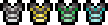 |
| Deeper and Darker |  |
Other modded armor materials are supported through dedicated textures and automatic fallback icons.
Compatible Elytra accessory slots are also detected when the appropriate Trinkets-family mod is installed. Additional armor sets can be supported through resource packs.

Visual feedback effects can be enabled or disabled individually. This includes normal armor damage, heavy durability loss, fire, explosions, projectiles, fall damage and Mending restoration.
When Mod Menu is installed, the configuration screen can be opened directly from the Mods menu.
Fresh Armor Bar can be customized through standard Minecraft resource packs.
Resource packs can replace armor icons, trim textures, enchantment effects and supported modded material icons.
For texture paths, file names, dimensions and implementation examples, see the complete Resource Pack Guide on GitHub.
You are free to create and publish resource packs for Fresh Armor Bar.
I only ask that any public release, whether on Modrinth, CurseForge or any other platform, clearly credits and links back to Fresh Armor Bar.
This helps people find the original mod and supports the project.

Yes. Fresh Armor Bar only needs to be installed on the client and can be used on servers that do not have the mod installed.
No. Fresh Armor Bar only changes how armor information is displayed.
Yes. Armor trims are displayed directly on the armor HUD, including trims applied to dyed leather armor.
Yes. Fresh Armor Bar can display up to 60 armor points.
Yes. The mod supports dedicated textures for modded armor materials and uses a fallback icon when a specific texture is unavailable.
Yes. Armor icons, trims, enchantment effects and modded armor materials can be customized through resource packs.

Designed & developed by

💠 ZeroXXII 💠
🐛 Found a bug? 🐛
Please report it on GitHub or Discord.
✨ Suggestions and feedback are always welcome ✨
💙 Thanks to everyone who downloads, tests and supports Fresh Armor Bar 💙
Project description from CurseForge.
Pick your setup
Choose the version and loader you play, then open the matching release.
Showing the newest 12 of 18 game versions. Older files are in the list below.
Check the dependencies, then try the file in a copied instance before changing a world you care about.
Recent files
FreshArmorBar-2.1-26.2.jar
16 Jul 2026
FreshArmorBar-2.1-26.1.2.jar
16 Jul 2026
FreshArmorBar-2.1-1.21.11.jar
16 Jul 2026
FreshArmorBar-2.1-1.21.1.jar
16 Jul 2026
FreshArmorBar-2.1-1.20.1.jar
16 Jul 2026
FreshArmorBar-2.0-26.2.jar
17 Jun 2026
FreshArmorBar-2.0-26.1.2.jar
17 Jun 2026
FreshArmorBar-2.0-26.1.1.jar
17 Jun 2026
FreshArmorBar-2.0-26.1.jar
17 Jun 2026
FreshArmorBar-2.0-1.21.11.jar
17 Jun 2026
FreshArmorBar-2.0-1.21.10.jar
17 Jun 2026
FreshArmorBar-2.0-1.21.9.jar
17 Jun 2026
Looking for an older file? The official CurseForge project page is in Resources.
 mod
modAttack enemies through obstructions! FORGE & FABRIC!
 mod
modMaterial based rain sound effects and some cool thunder
 mod
modOur mod is based off of the fantasy universe; Naruto, Marvel and God of War ETX