Fabric API Needed by ModernConfig 1.4
requiredMatching file found Matched file: 0.158.0+26.2

Modrinth · Minecraft mod
ModernConfig is a Configuration Library for Modern Fabric Mods
Quick answer
ModernConfig 1.4 targets 26.2 with Fabric. It must be installed on the client. Do not install it on the dedicated server. All 1 required mods have matching files.
Where it goes
It must be installed on the client. Do not install it on the dedicated server.
This file is marked client-only.
1.4. Change the file and its required mods may change too.
Install Fabric API first. We found matching files for this game-version and loader setup.
We only count dependency files that match this setup. A file for another loader does not fill the gap.
Before you install it
Built for ModernConfig 1.4. Pick another file and the loader, install side or required mods may change.
Use 1.4. It targets 26.2 with Fabric; another release may have different loader, side or dependency requirements.
Install Fabric API first. We found matching files for this game-version and loader setup.
It must be installed on the client. Do not install it on the dedicated server.
Use the “Get this file” button beside 1.4. It opens that exact file at the source.
About this project

A beautiful, modern configuration library for Minecraft mods




ModernConfig is a sleek configuration library for Minecraft Fabric mods that makes managing settings easy. No more config commands - ModernConfig has animations, a modern style, and its really easy to implement in your mods.
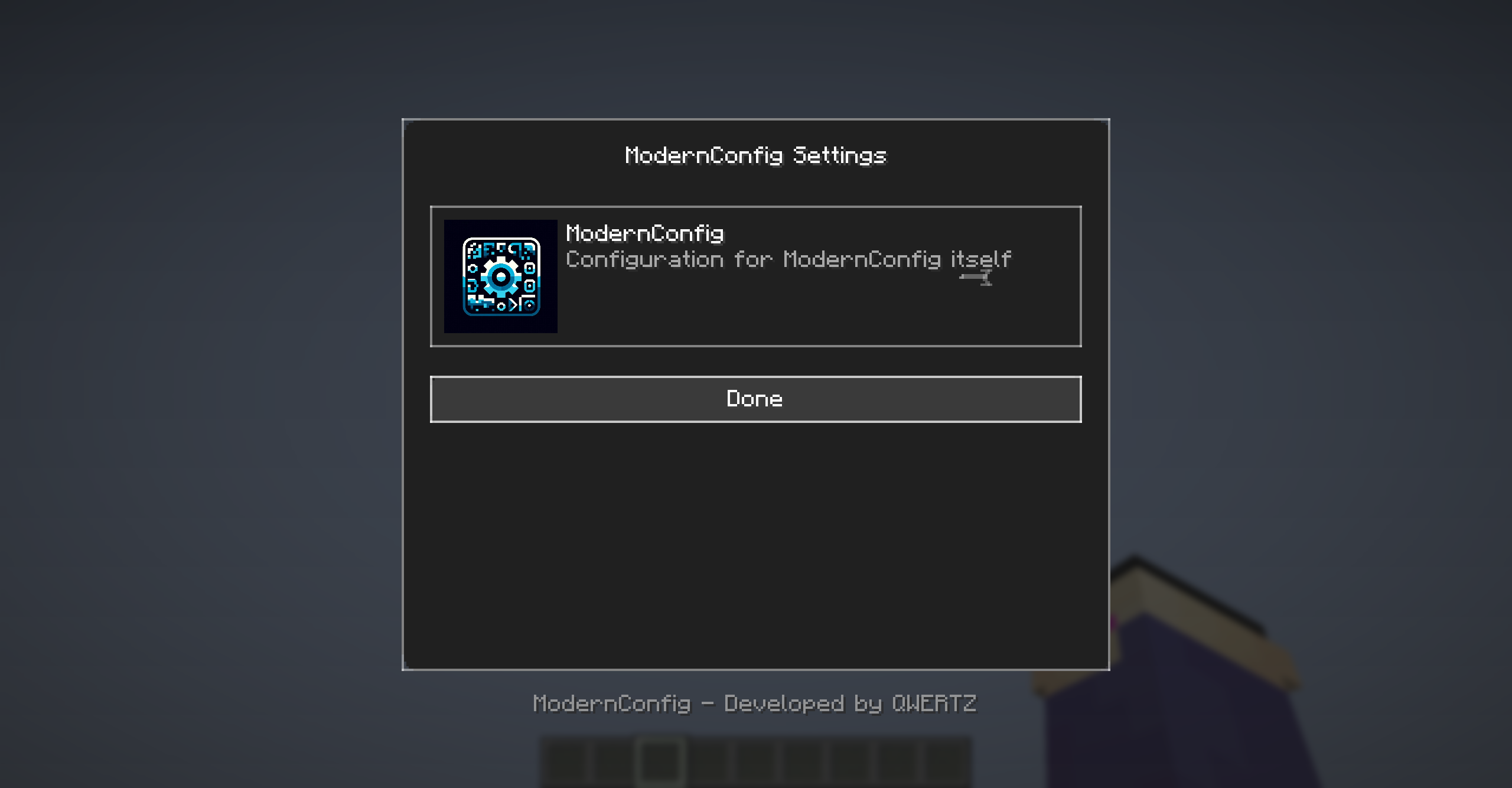
Main interface with animations and modern design
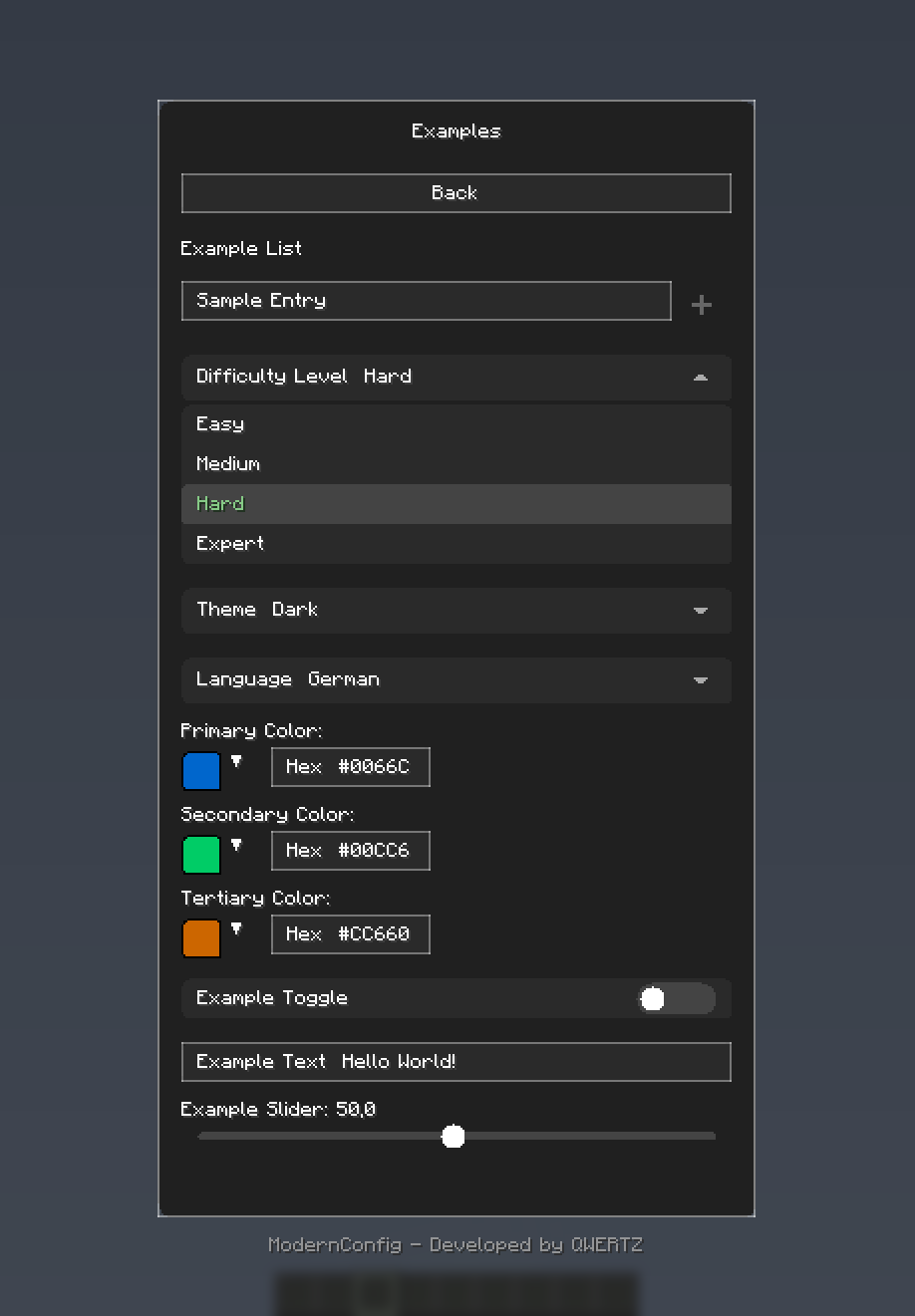
Rich variety of input types: toggles, sliders, text fields, and more
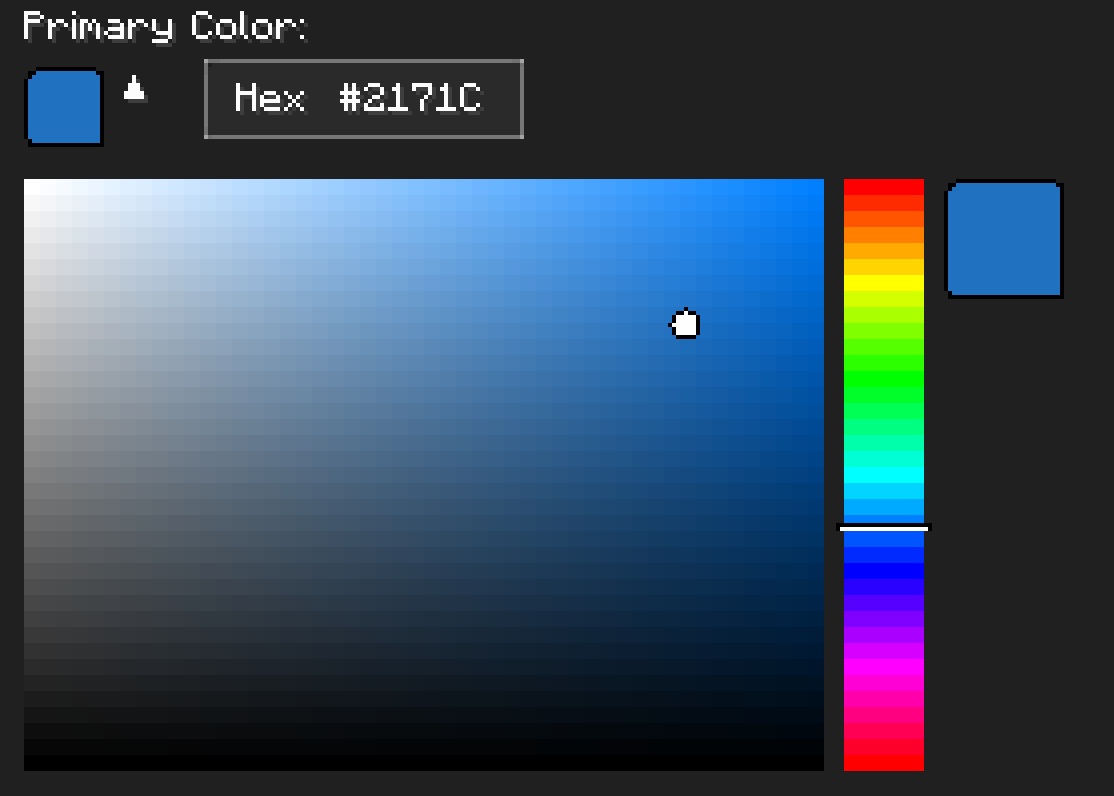
HSV color picker with real-time preview
Download and Install Fabric
Download ModernConfig
Install the Mod
.jar file in your mods folderAdd ModernConfig to your build.gradle:
repositories {
    maven {
        name = 'QWERTZ-Repo'
        url = 'https://repo.qwertz.app/'
    }
}

dependencies {
    modImplementation 'app.qwertz:modernconfig:1.3'
}
Right Shift (you can change this keybind)Here is how easy it is to set up a config:
public class YourMod implements ClientModInitializer {

    @Override
    public void onInitializeClient() {
        ModernConfig config = ConfigBuilder.create("YourMod", "Your Mod Configuration")
            .toggle("enabled", "Enable Mod", true)
            .slider("power", "Power Level", 50, 0, 100, 1)
            .text("username", "Player Name", "Steve")
            .color("theme_color", "Theme Color", 0x4A90E2)
            .list("whitelist", "Player Whitelist", "Player Name")
            .dropdown("difficulty", "Difficulty", Arrays.asList("Easy", "Normal", "Hard"), "Normal")
            .build();
    }
}
When you have lots of settings, organize them into categories:
ModernConfig config = ConfigBuilder.create("AdvancedMod", "Advanced Mod Settings")
    .category("general", "General Settings", "Main configuration options", category -> category
        .toggle("enabled", "Enable Mod", true)
        .slider("update_interval", "Update Interval", 20, 1, 100, 1)
        .text("server_url", "Server URL", "https://api.example.com")
    )
    .category("ui", "User Interface", "Customize the user interface", category -> category
        .color("primary_color", "Primary Color", 0x4A90E2)
        .color("secondary_color", "Secondary Color", 0x2ECC71)
        .dropdown("theme", "Theme", Arrays.asList("Dark", "Light", "Auto"), "Dark")
        .slider("ui_scale", "UI Scale", 1.0f, 0.5f, 2.0f, 0.1f)
    )
    .category("advanced", "Advanced Settings", "Advanced configuration options", category -> category
        .toggle("debug_mode", "Debug Mode", false)
        .list("blocked_items", "Blocked Items", "Item ID")
        .list("whitelist", "Whitelisted Servers", "IP")
        .text("api_key", "API Key", "")
    )
    .build();
// Get configuration options by category path
ConfigOption<?> enabledOption = config.getOption("general", "enabled");
ConfigOption<?> updateOption = config.getOption("general", "update_interval");
ConfigOption<?> whitelistOption = config.getOption("advanced", "whitelist");

// Get the actual values
boolean isEnabled = (Boolean) enabledOption.getValue();
int updateInterval = (Integer) updateOption.getValue();
List<String> whitelist = (List<String>) whitelistOption.getValue();
.toggle("toggle_id", "Display Name", defaultValue)
.text("text_id", "Display Name", "default_value")
.text("text_id", "Display Name", "default_value", maxLength)
.slider("slider_id", "Display Name", defaultValue, minValue, maxValue, step)
.color("color_option_id", "Display Name", 0xRRGGBB)
.list("list_id", "Display Name", "Item Display Name")
.dropdown("dropdown_id", "Display Name", Arrays.asList("Option1", "Option2"), "Default")
.category("category_id", "Category Name", "Description", category -> category
    // Add options here
)
Project description from Modrinth.
Pick your setup
Choose the version and loader you play, then open the matching release.
Check the dependencies, then try the file in a copied instance before changing a world you care about.
Recent files
ModernConfig-1.4.jar
30 Jul 2026
ModernConfig-1.3.jar
24 Mar 2026
ModernConfig-1.2-1.21.9-1.21.11.jar
12 Mar 2026
ModernConfig-1.2.jar
1 Mar 2026
ModernConfig-1.1.jar
11 Aug 2025
ModernConfig-1.0.jar
7 Jul 2025
Looking for an older file? The official Modrinth project page is in Resources.
 mod
modAn AI-powered Carpet extension mod packed with practical utilities, including longer player name support and fake-player area mining.
 mod
modEnchantment Shifter is a Minecraft mod that allows players to freely move enchantments between items using the anvil. Transfer enchantments to books for storage, shift enchantments between tools, and customize XP costs and limits.
 mod
modMulti-platform Minecraft web chat with map/standalone UI, DM & groups, secure server relay, moderation/content filters, rich media, notifications, and optional ImageEmojis-Bero/SimpleNicks-Bero integration.