Window Display Lib Needed by Window Display - Patches 1.0.1
requiredMatching file found Matched file: 1.0.1
Vintage Story Mod DB · Vintage Story mod
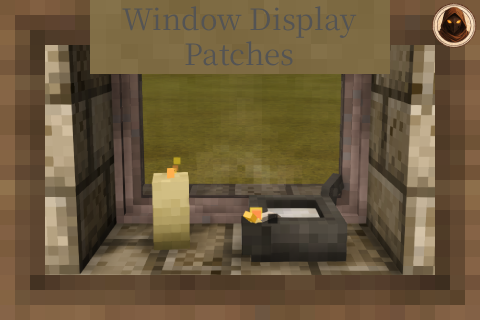
Window Display - Patches Makes items sit properly on a window sill, gives candles their flame, and converts your old windows across To see what has been patched, check the changelog Required Mods Required Window Display Lib You will want Window Display
Quick answer
Window Display - Patches 1.0.1 targets 1.22.0, 1.22.1, 1.22.2. It must be installed on the client. Installation on the dedicated server is optional. All 2 required mods have matching files.
Where it goes
It must be installed on the client. Installation on the dedicated server is optional.
This release supports both sides, but the source does not require it on the server.
1.0.1 on 1.22.0. Every mod below is checked against that same setup.
Install Window Display Lib, Attribute Rendering Library first. We found matching files for this game-version and loader setup. 1 comes through another mod in the chain.
1 extra mod was pulled in by another dependency. Indented rows show who needs each one. We only count dependency files that match this setup. A file for another loader does not fill the gap.
Before you install it
Built for Window Display - Patches 1.0.1 on 1.22.0. Pick another file and the loader, install side or required mods may change.
Use 1.0.1. It targets 1.22.0, 1.22.1, 1.22.2; another release may have different loader, side or dependency requirements.
Install Window Display Lib, Attribute Rendering Library first. We found matching files for this game-version and loader setup. 1 comes through another mod in the chain.
It must be installed on the client. Installation on the dedicated server is optional.
Use the “Get this file” button beside 1.0.1. It opens that exact file at the source.
About this project
Makes items sit properly on a window sill, gives candles their flame,
and converts your old windows across
To see what has been patched, check the changelog
Required
You will want
This mod only supplies data. Window Display is what gives you the windows to put it on.
Most things already work on a window without any help. If the game has ever told it how to sit on a shelf, it inherits that and turns up at the right size on its own.
This mod is for the ones that do not. Two cases come up:
Sizes are worked out from the actual model and then checked by eye in game, not guessed. Where an item family shares one entry - all the antlers, all the amulets - it is sized off the largest one so nothing overhangs.
Put a candle or an oil lamp on a sill and it lights the room either way - that part is Window Display Lib and needs nothing from here. What this mod adds is the flame and the smoke: the actual particles, burning where the item is, turning with it when you rotate it.
Without it a lit candle glows but has no visible flame, which looks odd once you notice it.
It has to be set per item, because nothing in the game says where a wick is - the offset is found by looking at it and nudging it until the flame sits right. So only things somebody has tuned will burn. That is deliberate: an untuned item putting its flame in the wrong place looks worse than no flame at all.
If you are moving over from Window Storage or Vanilla Pane Storage, this is the part you want.
The conversion recipes only appear if you actually have the old mod installed, so nothing clutters your handbook otherwise.
This mod is never really finished. If something you use will not go on a window, or goes on looking wrong, say so in the comments and I will take a look - it is usually a small job.
Useful things to include: the mod it comes from, the item, and a screenshot if it is a sizing problem rather than a "will not place at all" problem. I patch against the version I can install and test, so telling me which version you are on helps.
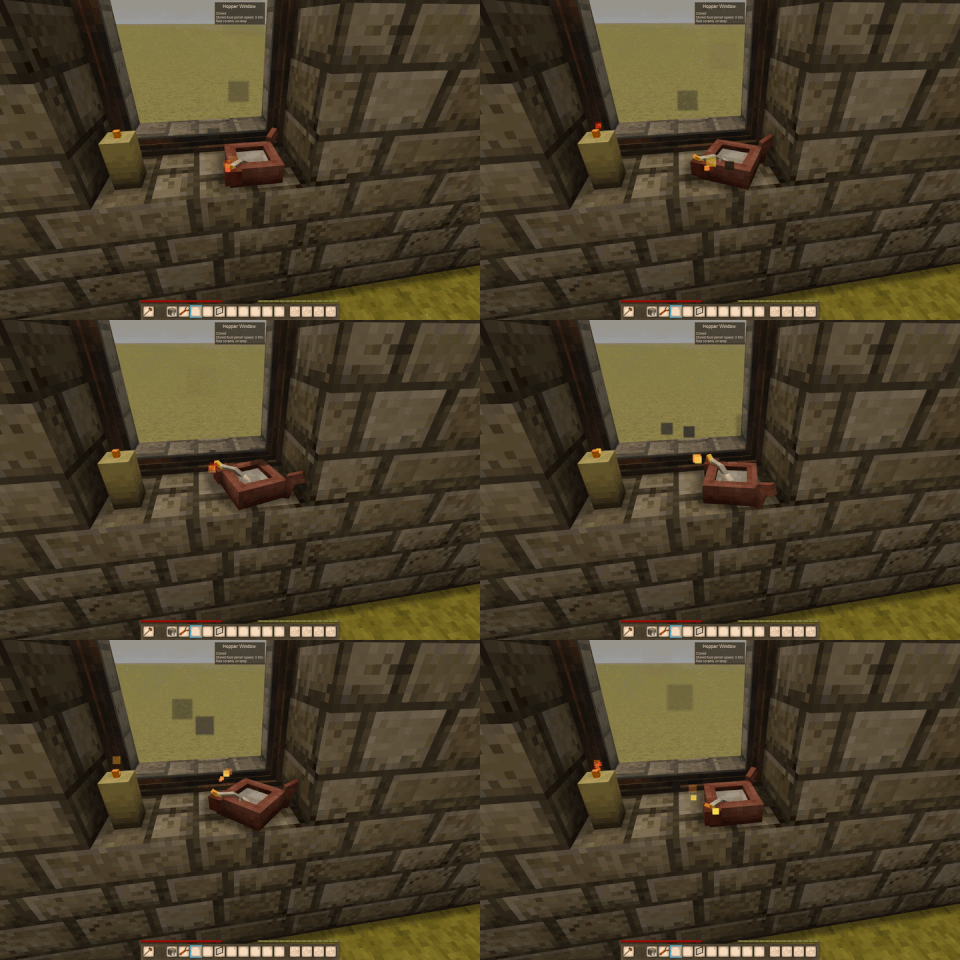
Candles and lamps keep burning where they sit.
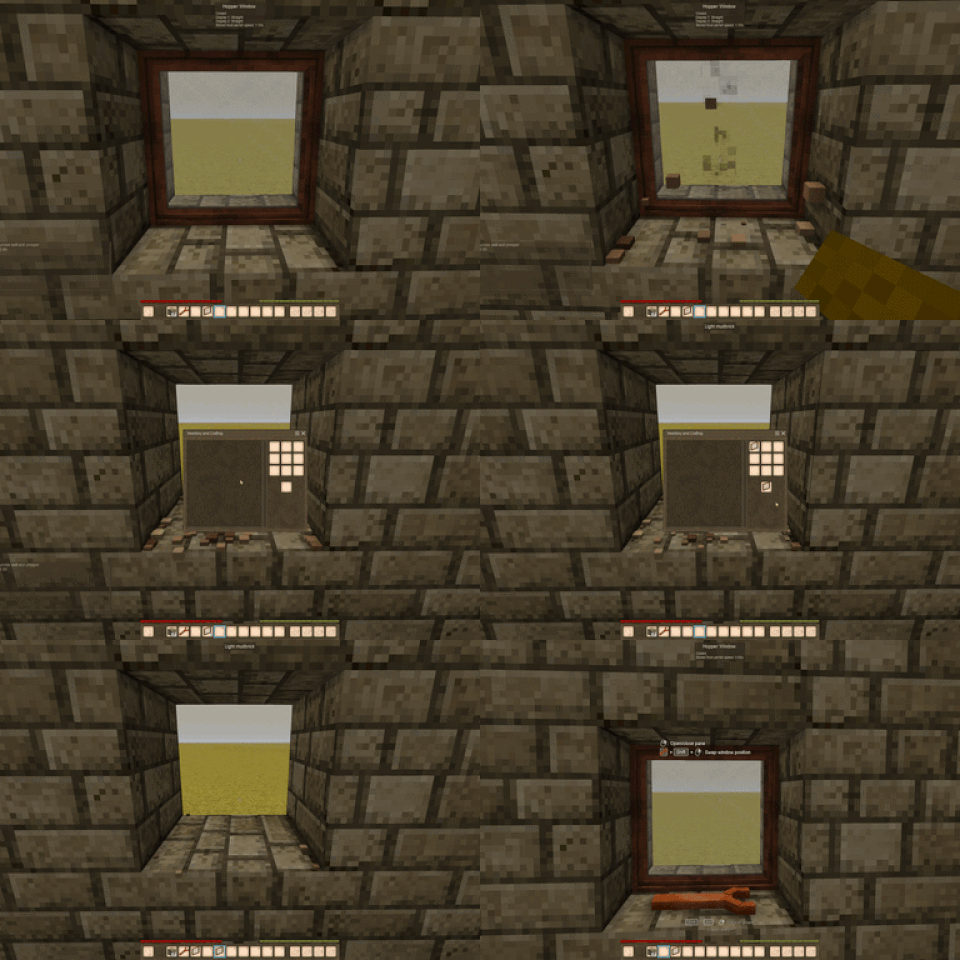
An old window going into the grid and coming back across, wood and glass intact.
For the windows themselves see Window Display, and for what the surfaces can actually do see Window Display Lib.
Project description from Vintage Story Mod DB.
Pick your setup
Choose the version and loader you play, then open the matching release.
Check the dependencies, then try the file in a copied instance before changing a world you care about.
Recent files
windowdisplaypatches_1.0.1.zip
31 Jul 2026
windowdisplaypatches_1.0.0.zip
27 Jul 2026
Looking for an older file? The official Vintage Story Mod DB project page is in Resources.
 mod
modIncreases the bulk stack quantity on a few base game resources.
 mod
modA collection of patches for the modpack & server that we're running
Changes some traits of the Threadweaver class from Aldi's Classes