Vintage Story Mod DB · Vintage Story mod
Scribe: Notes & Tasks
⚠️ Requires LibGUI (gui mod 3.1.0) — Scribe won't load without it. Install LibGUI from the mod DB first, on both client and server. Vintage Story is an epic journey — and a logistical nightmare. You log off mid-project, trek 3,000 blocks for ore,
Quick answer
Which Scribe: Notes & Tasks release matches 1.22.5?
Scribe: Notes & Tasks 1.0.1 targets 1.22.0, 1.22.1, 1.22.2. It must be installed on the client. Installation on the dedicated server is optional. All 1 required mods have matching files.
Where it goes
Is Scribe: Notes & Tasks required on the client, server, or both?
It must be installed on the client. Installation on the dedicated server is optional.
This release supports both sides, but the source does not require it on the server.
What else does Scribe: Notes & Tasks 1.0.1 need?
1.0.1 on 1.22.5. Every mod below is checked against that same setup.
Install libGUI first. We found matching files for this game-version and loader setup.
We only count dependency files that match this setup. A file for another loader does not fill the gap.
Before you install it
Add Scribe: Notes & Tasks without breaking your instance.
Built for Scribe: Notes & Tasks 1.0.1 on 1.22.5. Pick another file and the loader, install side or required mods may change.
- 01
Stick to this file
Use 1.0.1. It targets 1.22.0, 1.22.1, 1.22.2; another release may have different loader, side or dependency requirements.
- 02
Bring the mods it needs
Install libGUI first. We found matching files for this game-version and loader setup.
- 03
Put it on the correct side
It must be installed on the client. Installation on the dedicated server is optional.
- 04
Pick the file you checked
Use the “Get this file” button beside 1.0.1. It opens that exact file at the source.
About this project
What does Scribe: Notes & Tasks add?
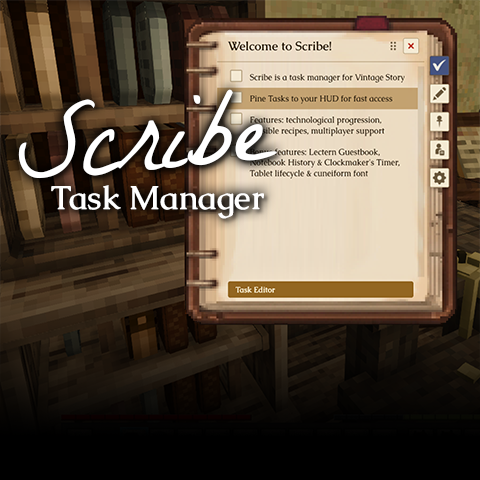
Vintage Story is an epic journey — and a logistical nightmare. You log off mid-project, trek 3,000 blocks for ore, and by the time you return, that vital mental note to 'smelt bronze before winter' has completely evaporated somewhere between baking pies and clayforming.
Scribe is my attempt to bridge that gap — a mod for keeping your goals inside the world, instead of on a sticky note next to your monitor.
📖 What you get
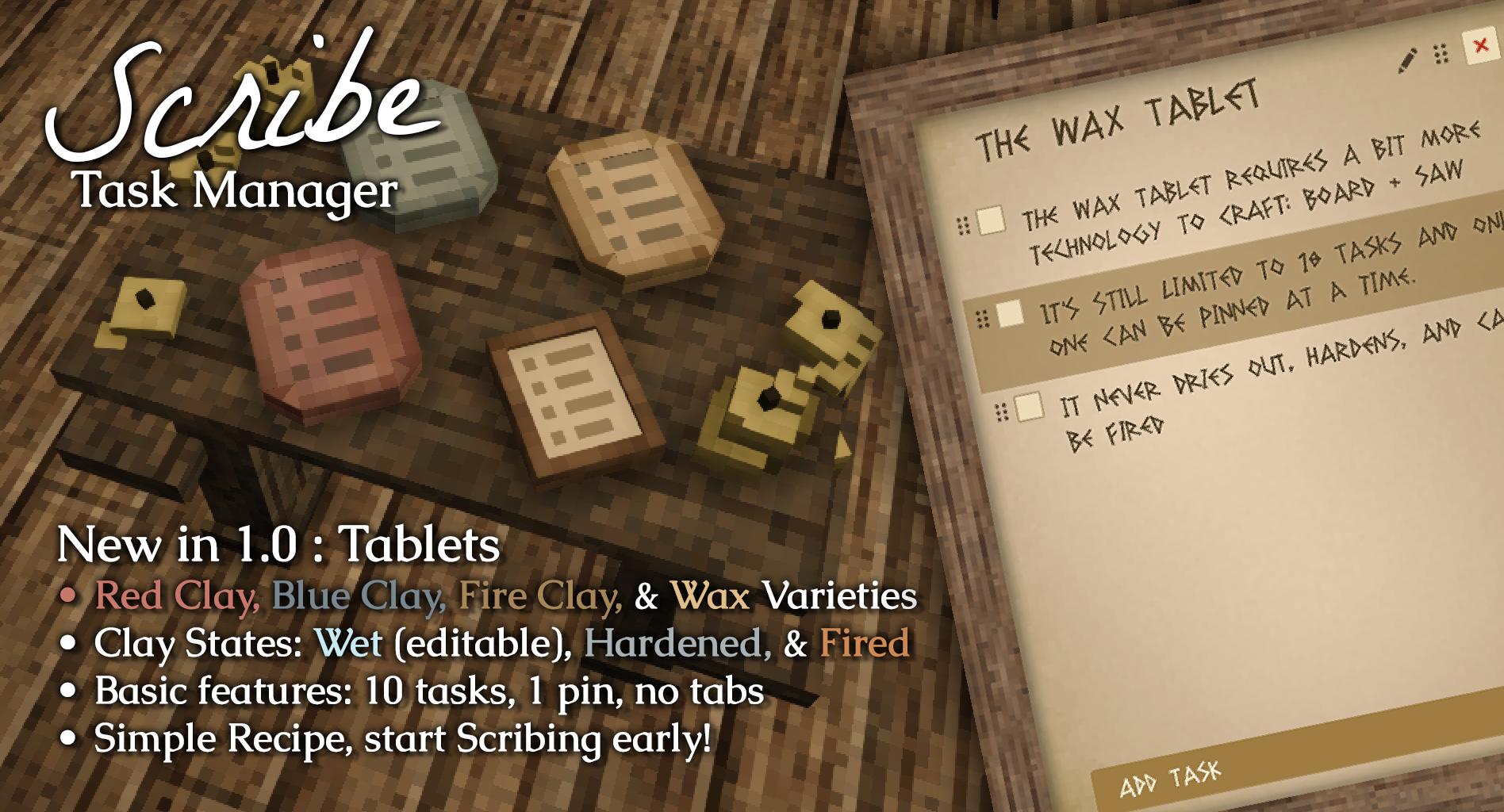
- Clay & Wax Tablets (NEW in v1.0) — the earliest, cheapest writing surface, craftable in the stone age long before a Notebook or Lectern. A quick handheld scratchpad (up to 10 tasks, 1 pin). A fresh clay tablet is wet and editable; left alone it dries hard over a couple of in-game days, locking the writing — then dunk it in water to soften it back and revise, or fire it in a fire pit to make the writing permanent. The Wax Tablet is a reusable step up that never dries or fires. Tablet text is written in a carved-wedge cuneiform script by default (toggle to plain text in Settings). Clay comes in red, blue, and fire-clay colours.
- Lectern block — a craftable, placeable notebook you write directly on. Task checklist + freeform note section. Multiplayer-safe: edits sync live, one person edits at a time while everyone else reads. Drop one outside your base and its Guest Book tab records visitors, who can leave a note.
- Notebook — a carried, craftable item you write in anywhere. Same task checklist + notes as the Lectern, but personal and portable: it's yours, it travels with you, and it quietly keeps a History chronicle of what happened while you carried it (crafted, picked up, deaths, PvP and boss kills, temporal storms).
- Clockmaker's Notebook — the Notebook's advanced sibling, adding a Timer tab for real-time and in-game-time reminders that fire a toast and sound (optionally alongside your pinned tasks). Crafted from a Notebook + a temporal gear + metal parts. Its craft is gated to the Clockmaker character class (the tinkerer trait) by default, or anyone can craft it with the trader-sold Schematic.
- Pinned Task HUD — hover any task, click the pin icon, and it appears on an always-on overlay visible while you play. Your pins are yours — pinning doesn't affect other players on the same Lectern.
- Pin Tab — a dedicated view that lists all your pinned tasks across every Scribe item and Lectern in the world, editable in place.
- Scribe Settings — all preferences in one panel: pixel-art notebook theme, window size, HUD anchor and size, completion policy, font selector, and a UI sound mute. Everything updates live.
- Font selector — pick the typeface for your task and note text: Scapholène, Caudex, La Belle Aurore, Noto Sans, Noto Serif, Playfair Display, or Cormorant Unicase.
🔧 Getting started
- Install the required mod: LibGUI from the mod DB (hard dependency — don't skip this).
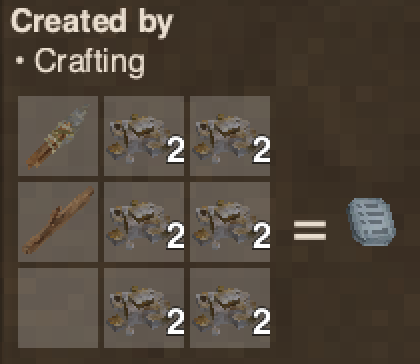
- In game, craft a Clay Tablet — the fastest way in, no writing set or fired ink needed:
A knife, a stick, and six clay. Crafts one wet, ready-to-write tablet. - Hold the tablet and right-click to open it, then type your tasks straight in. Shift + right-click quick-adds a task. Leave a clay tablet alone and it dries hard, locking the writing — dunk it in water to soften it back, or fire it in a fire pit to permanently lock it in.
- Hover a task row → click the pin icon → task appears on your HUD immediately.
- Ready for more room? Craft a Notebook to carry a full checklist and notes anywhere, or place a Lectern to write on and share with others.
For crafting recipes, keyboard shortcuts, completion policies, and the full settings reference, see the Scribe wiki on GitHub.
📌 The Pinned Task HUD
Pinned tasks show as a compact, glow-outlined list over the game world — no background plate, just readable text wherever you've anchored it. It defaults to the top-right corner with enough clearance for the minimap (and automatically removes that clearance if you've hidden the minimap).
Checking a task off from the HUD starts a 1.5-second undo window — the text fades as a countdown. Uncheck within the window to fully cancel (nothing is sent to the server). When the window elapses, your chosen completion policy fires: keep it pinned, keep and sink to bottom, unpin, unpin and sink to bottom, or delete the task from the document entirely.
Press P (rebindable under Controls → Scribe) or click the ▾ header to collapse the HUD to just its header. Position, size, row cap, and text scale are all configurable in Scribe Settings.
⚙️ Scribe Settings
Open from the gear icon in the Lectern sidebar or the gear on the HUD header — same panel either way. Notable options:
- Pixel-Art Display — toggles the notebook backdrop art and Scribe's parchment theme on/off. Off = your global game GUI theme.
- Pixel Art Size — the Lectern window width. Scales the whole layout live.
- Task text font — font selector for task and note row text.
- HUD position — pick any corner or mid-edge anchor, nudge with X/Y offsets.
- Mute Scribe UI sounds — silences Scribe's own button clicks without affecting the rest of the game.
All settings above are per-player. The one server setting is to grant easier access to Clockmaker's Notebooks, disabling the need for either the Trait or the Schematic. A server can lift that with /worldconfig scribeClockmakerRequiresTrait false (takes effect on restart).
🗺️ Roadmap
Note-taking tools grow with your tech tree — scratchy clay in the stone age, carried books and placed lecterns in the metal age, shared boards later. v1.0 completes that early-to-mid arc.
- ✅ v0.1 — Lectern + Pinned HUD (released)
- ✅ v0.2 — Notebook & Clockmaker's Notebook — a carried item for personal notes with a passive History chronicle; the Clockmaker's variant adds timers and reminders (released)
- ✅ v1.0 — Clay & Wax Tablets — the early-game handheld tier, with the dry/harden/re-wet/fire life-cycle and a cuneiform script; Scribe's first "complete" cut (released)
- ⬜ v1.1 — QoL Update — Refining animations, adding a dedicated Scribe button, other potential fixes.
- ⬜ v1.2 — Writing Desk — a private block with richer organization and copy/paste export between the Lectern, Notebook, and Desk. It might feature assigning tasks to others, it might feature tasks by amount (track how many temporal gears in inventory, for instance). I don't know what should be on the desk yet, tell me your ideas!
- ⬜ Later — Bulletin Board — a shared, immediately visible, public board for multiplayer
📚 You might also like
If you're into putting your mark on the world, these mods pair well with Scribe:
| Billposting by Moby_ Pin written parchments to walls as in-world notices and announcements. |
Wanderer's Sketchbook by JeanPierre An in-game sketchbook for freehand drawing, journaling, and sharing between worlds. |
| Frontier's Map by JeanPierre A physical map with drawing tools and 130+ hand-drawn stamps for charting your world. |
Vintage Canvas by TonyMurchison Oil painting on canvas and directly onto walls as frescos. |
🔗 Requirements
- Vintage Story 1.22.x
- LibGUI (gui) 3.1.0 — required on both client and server
Source and issue tracker: github.com/EdzyWhat/vintagestory-scribe-libgui
💬 Credits & thanks
- LibGUI by ripls — the UI framework that powers Scribe's interface. Saved an enormous amount of work.
- Atlas by Pixnop — a headless VS server test harness that made integration testing actually possible.
- Artekuno — suggested the Scapholène font (now the default recommendation) and the option to mute Scribe's audio.
- JeanPierre (Wanderer's Sketchbook) — inspiration for the task-pinning concept.
Bundled fonts: Caudex (SIL OFL), Scapholène (Scapholène Font License v1.0), La Belle Aurore (SIL OFL), Noto Sans (SIL OFL), Noto Serif (SIL OFL). All shipped unmodified. Playfair Display and Cormorant Unicase provided by LibGUI.
Project description from Vintage Story Mod DB.
Pick your setup
Scribe: Notes & Tasks releases for each Vintage Story version.
Choose the version and loader you play, then open the matching release.
1.22.6
1 loader build1.22.5
1 loader build1.22.4
1 loader build1.22.3
1 loader build1.22.2
1 loader build1.22.1
1 loader build1.22.0
1 loader buildCheck the dependencies, then try the file in a copied instance before changing a world you care about.
Recent files
Scribe: Notes & Tasks versions and loaders
1.0.1
scribe_1.0.1.zip
7 Aug 2026
1.0.0
scribe_1.0.0.zip
7 Aug 2026
0.2.0
scribe_0.2.0.zip
2 Aug 2026
0.1.2
scribe_0.1.2.zip
29 Jul 2026
0.1.1
scribe_0.1.1.zip
29 Jul 2026
0.1.0
scribe_0.1.0.zip
28 Jul 2026
Looking for an older file? The official Vintage Story Mod DB project page is in Resources.