Vintage Story version
Back to mods
Vintage Story Mod DB · Vintage Story mod
Linux 1-click install handler
vs1clickmodinstaller It's simple python script for mods installation through 1-click link without starting client. Arch Linux users can install it from AUR For other distrs 1) sudo cp vs1clickmodinstaller /usr/bin/ 2) sudo chmod +x /usr/bin/vs1clickmodinst
Choose a version Pick your version below, then grab the matching file.
Quick answer
Which Linux 1-click install handler release should I use?
Latest stable file 0.2.0
Game version 0.0.0
Loader Built-in Vintage Story mod system
Linux 1-click install handler 0.2.0 targets 0.0.0. The project page does not say whether this file belongs on the client, dedicated server, or both. No extra mods listed for this file.
Where it goes
Is Linux 1-click install handler required on the client, server, or both?
The project page does not say whether this file belongs on the client, dedicated server, or both.
Client Source doesn’t say
Dedicated server Source doesn’t say
Loader for this release Built-in Vintage Story mod system
Required install it here Optional supported, not mandatory Not supported do not install here Source doesn’t say do not assume
No client/server declaration is available from this source.
What else does Linux 1-click install handler 0.2.0 need?
0.2.0. Change the file and its required mods may change too.
This file does not list any required mods. Do not add a library just because a different file uses it.
This file does not list any required or optional mods.
Before you install it
Add Linux 1-click install handler without breaking your instance.
Built for Linux 1-click install handler 0.2.0. Pick another file and the loader, install side or required mods may change.
- 01
Stick to this file
Use 0.2.0. It targets 0.0.0; another release may have different loader, side or dependency requirements.
- 02
Bring the mods it needs
This file does not list any required mods. Do not add a library just because a different file uses it.
- 03
Put it on the correct side
The project page does not say whether this file belongs on the client, dedicated server, or both.
- 04
Pick the file you checked
Use the “Get this file” button beside 0.2.0. It opens that exact file at the source.
About this project
What does Linux 1-click install handler add?
vs1clickmodinstaller
It's simple python script for mods installation through 1-click link without starting client. Arch Linux users can install it from AUR
For other distrs
1) sudo cp vs1clickmodinstaller /usr/bin/
2) sudo chmod +x /usr/bin/vs1clickmodinstaller
3) sudo cp vs1clickmodinstaller.desktop /usr/share/applications/
*4) xdg-mime default vs1clickmodinstaller.desktop x-scheme-handler/vintagestorymodinstall
Script require some python modules: requests, tk (see instructions for your distr how to install it)
*Optional, often works without it
vintagestory binary must be in /usr/bin, but you can change path in vs1clickmodinstaller.desktop if you need
vs1clickmodinstaller-native
This version uses native implementation and starting client for mod installation. It was integrated by copygirl into VintageStory package in AUR.
For other distrs
You can install a vs1clickmodinstaller.desktop or make changes to an existing one.
If install file
1) sudo cp vs1clickmodinstaller.desktop /usr/share/applications/
*2) xdg-mime default vs1clickmodinstaller.desktop x-scheme-handler/vintagestorymodinstall
If make changes
In vintagestory.desktop:
1) replace Exec=/usr/bin/vintagestory to Exec=/usr/bin/vintagestory -i %u
2) add MimeType=x-scheme-handler/vintagestorymodinstall;
You can also copy desktop-file to ~/.local/share/applications/ and make changes there.
*3) xdg-mime default vintagestory.desktop x-scheme-handler/vintagestorymodinstall
*Optional, often works without it
vintagestory binary must be in /usr/bin, but you can change path in vs1clickmodinstaller.desktop if you need
Project description from Vintage Story Mod DB.
Pick your setup
Linux 1-click install handler releases for each Vintage Story version.
Choose the version and loader you play, then open the matching release.
Check the dependencies, then try the file in a copied instance before changing a world you care about.
Recent files
Linux 1-click install handler versions and loaders
0.2.0
vs1clickmodinstaller-0.2.zip
13 Sept 2023
Client Source doesn’t say Server Source doesn’t say Dependencies No extras listed Listed on Release listing
Check the 0.0.0 setup 0.0.0 release
0.1.0
vs1clickmodinstaller-0.1-native.zip
12 Sept 2023
Client Source doesn’t say Server Source doesn’t say Dependencies No extras listed Listed on Release listing
Check the 0.0.0 setup 0.0.0 release
0.1.0
vs1clickmodinstaller-0.1.zip
12 Sept 2023
Client Source doesn’t say Server Source doesn’t say Dependencies No extras listed Listed on Release listing
Check the 0.0.0 setup 0.0.0 release
Looking for an older file? The official Vintage Story Mod DB project page is in Resources.
 mod
mod Vintage Story
Reinforced Tool Belt
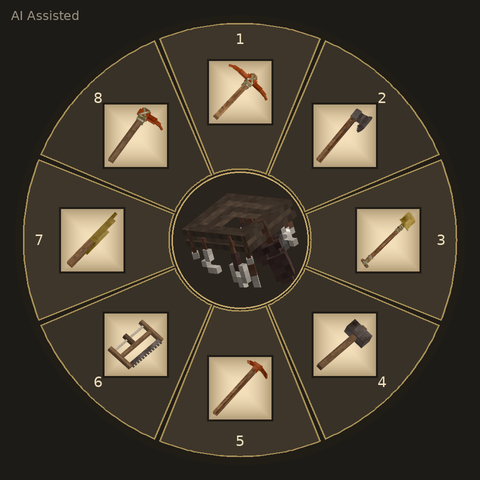
Store up to 8 tools in your Reinforced Tool Belt and switch quickly with a hotkey wheel!
 mod
mod Vintage Story
Server Trade Listings
Server-wide player market with listings, offers, item icons, moderation, and trade HUD.
mod
Vintage Story
WWServerUtils
Kits, homes, TPA, random teleports, rentable market plots and admin tools for my server.