Vintage Story version
Back to mods 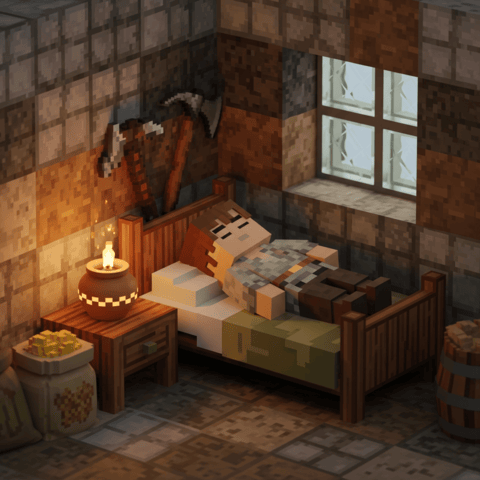
Vintage Story Mod DB · Vintage Story mod
SleepNeed
When i first started playing this game, the following questions quickly came to me: Why is there no penalty for staying up all night? Why even upgrade your bed for longer sleep hours, if there is only a downside for doing so? Why am i taking instantly damag
Choose a version Pick your version below, then grab the matching file.
Quick answer
Which SleepNeed release should I use?
Latest stable file 3.1.4
Game version 1.22.0, 1.22.3
Loader Built-in Vintage Story mod system
SleepNeed 3.1.4 targets 1.22.0, 1.22.3. It must be installed on the client. Installation on the dedicated server is optional. No extra mods listed for this file.
Where it goes
Is SleepNeed required on the client, server, or both?
It must be installed on the client. Installation on the dedicated server is optional.
Client Required
Dedicated server Optional
Loader for this release Built-in Vintage Story mod system
Required install it here Optional supported, not mandatory Not supported do not install here Source doesn’t say do not assume
This release supports both sides, but the source does not require it on the server.
What else does SleepNeed 3.1.4 need?
3.1.4. Change the file and its required mods may change too.
This file does not list any required mods. Do not add a library just because a different file uses it.
This file does not list any required or optional mods.
Before you install it
Add SleepNeed without breaking your instance.
Built for SleepNeed 3.1.4. Pick another file and the loader, install side or required mods may change.
- 01
Stick to this file
Use 3.1.4. It targets 1.22.0, 1.22.3; another release may have different loader, side or dependency requirements.
- 02
Bring the mods it needs
This file does not list any required mods. Do not add a library just because a different file uses it.
- 03
Put it on the correct side
It must be installed on the client. Installation on the dedicated server is optional.
- 04
Pick the file you checked
Use the “Get this file” button beside 3.1.4. It opens that exact file at the source.
About this project
What does SleepNeed add?
When i first started playing this game, the following questions quickly came to me:
Why is there no penalty for staying up all night?
Why even upgrade your bed for longer sleep hours, if there is only a downside for doing so?
Why am i taking instantly damage when satiety is 0, when it only takes so little time reaching that state?
Therefore i made this mod aiming to implement an enhanced survival experience complimenting the already in-depth survival aspect of the game.
Beware!!
This will absolutely change the way you used to play, so be prepared to learn how to manage the new system because your piorities will deffinetly shift around. And be prepared to be role-playing your story. Things will absolutely slow down, since you now need to sleep.
If you are gonna use this mod on a multiplayer server i recommend disabling the sleepiness mechanic in the config file, located in the bottom of the file.
This ensures that players don't get punished by time but only from actions like mining and sprinting. You will still need sleep to gain your energy back.
Tips and Tricks!
The Primitive Sleeping Spot
This is an on-demand way to get rest without having a bed or shelter.
-
How to Build: You can now build a fully functional sleeping spot anywhere without using any resources.
-
-
-
-
- To activate it, the player must be Sitting down, holding the Sneak-Button, and holding the Left Mouse Button while aiming at the same block for 5 seconds.
-
-
-
-
-
Sleep Duration: It provides 4.5 hours of sleep.
-
Destruction: It self-destroys after you wake up or move away from it more than 20 blocks.
- Guide: Crafting instructions are added to the handbook.
-
Relaxing (Sitting Down):
-
New Rule: Sitting down now prevents block breaking.
-
-
-
-
This means you can no longer sit down and mine blocks to mitigate the energy cost. (There is a config option to turn this off if you want to).
-
-
-
-
-
Energy Cap: You will not gain energy from sitting/relaxing if your energy level is above 75%.
-
Sleepiness Relief: If your sleepiness is high (above 70%), relaxing by sitting down will now reduce that sleepiness in relation to the energy gained.
-
-
-
-
Making it a viable management tool if you are caught out at night while "not tired enough to sleep".
-
-
-
-
-
CRITICAL WARNING: If your sleepiness is "overloaded," you will gain almost no energy from relaxing.
-
-
-
-
At this point, you must save your remaining energy to find a real place to sleep.
-
-
-
-
-
-
Wellness Spa Bonus: You gain a boost to energy gained from relaxing by sitting when you are in water while being indoors, or when the outside temperature is above 20°C.
-
-
-
-
-
(The boost is adjustable in the config "WaterSpaRelaxingSpeedModifier").
-
-
-
-
-
-
Invigoration Requirement: You can only gain Invigoration from the Wellness Spa relaxing if your Energy is above 50% and your Sleepiness is below 50%.
-
-
-
-
-
A full night's sleep remains the best way to get it.
-
-
-
-
-
-
Low Energy Aid:
-
When your energy is under 30%, walking consumes less and less energy the lower your energy gets.
-
-
-
-
This is a safety measure to give you a better chance of getting back home.
-
-
-
-
- Sitting Work Bonus: If your energy rate is elevated, performing only light tasks (using hands or light tools like a knife or shears) while sitting down will significantly reduce the energy cost for that work type.
-
-
Climate:
-
Water Counters Heat: Standing in water while in a hot climate will counter the energy rate increase from the hot weather.
- Sprinting/Jumping Counters Cold: Sprinting or jumping increases the body temperature.
-
- Real-Time Config Settings:
- Tweaking config values are now possible during game-play.
- Adjust values in sleepneed.json, save the file, go into game and enter command /sleepneedreload and the new config will sync to server.
- Perfect for admins tweaking values.
Mod Feature Overview
New HUD Bars
| Mechanic: | HUD Color | Function | Distinction from Vanilla |
| Energy | Green | Represents capacity for physical labor. Drains from actions. Running out = Death (only when starving). | Governs long-term physical exertion. |
| Sleepiness | Purple | Represents the mental need for sleep. Fills up throughout the day. | Different from Tiredness; governs mental fatigue. |
| Invigoration | (Character page) | Represents vitality and feeling "refreshed." Hard to gain, easy to lose. | Contributes to Overall Health and boosts all positive stats. |
Core Mechanics
| Mechanic: | Details |
| Energy Drain | Drained by movement (walks drain very little, sprints/jumps a lot), tool use (axe > knife), and taking damage. |
| Energy Rate Increase |
The rate at which Energy drains increases ALOT when: - Body Temperature is outside the optimal range (37°C–37.8°C) and outside temperature is above 37C. - Satiety is below 30%. - Sleepiness is in the overloaded state. If it's HOT, standing in water removes the debuff to energy rate. If it's COLD, sprinting or jumping raises the body temperature. |
| Energy Regen (Sitting) |
Sitting slowly regenerates Energy, but the amount is limited by: High Sleepiness, current Energy level and if you are in water while it's hot or while inside. (Regen is strong when energy is below 40%, mild until 60% and weak from 60% to 75%. You can't regen more than 75%). |
| Sleepiness Overload | Sleepiness can fill past 100% (shown as a color change/refill), leading to penalties: Increased Energy drain rate and worsened Ranged Weapon Accuracy. |
| Sleepiness Control | Energy, Sleepiness (low is good), and Overall Health determine the rate of Sleepiness increase. Taking damage or using healing remedies increases Tiredness, allowing the player to sleep when injured. |
| Tiredness | Functions as vanilla: determines when the player can physically fall asleep. |
Starvation, Famine, and Death
| Status: | Effect |
| Hunger (Low Satiety) | Increasing Energy usage. |
| Starving | When Satiety is completely drained, the body uses up stored Nutrition Values (Protein, Fruit, Grain, etc.). Invigoration is aggressively penalized. |
| Famine/Death | Death occurs ONLY when all 5 Nutrition Values are at 0, satiety is at 0 AND the Energy bar reaches 0%. The player does not die from hunger/starving directly. |
| Health Penalty | Low Satiety/Starving severely increases the Energy drain rate and reduces Energy gain from sleeping. |
Invigoration and Overall Health
| Feature: | Details |
| Invigoration Gain |
If the player is sitting in water, while being inside or if outside temperature is above 20C, invigoration is gained slowly when regenerating energy while Energy is above 50% and Sleepiness is sufficiently low (< 50%). Cannot be gained while starving or when Overall Health is poor. |
| Invigoration Loss | Drains drastically (full to zero) when Energy drops below 30%. Also penalized by starvation. |
| Overall Health | Calculated as a ratio of Invigoration, Nutrition level (all 5 types), and Current Health. |
| Overall Health Benefits | Improves Healing Effectiveness, provides Extra Health Points, and increases Lung Capacity. |
Sleep Regeneration
| Status: | Effect on Sleep |
| Sleep Efficiency | Governed by Overall Health, Satiety and Energy Levels. |
| Energy Regen | Dependent on Sleepiness (lower = better) and Satiety. A "boost" to stats is applied if Energy is above 70%. |
| Satiety Penalty | If Satiety is below 20%, Sleepiness cannot be fully eliminated (cannot reach the "Refreshed" threshold). |
| Invigoration Boost | If Sleepiness is completely eliminated during a sleep session, the player gains a regeneration boost for the remaining sleep, which significantly increases Invigoration if Energy is also near full. |
Stat Penalties/Bonuses (Thresholds)
If Energy is above 70% (Energized) or below 30% (Exhausted), the player experiences changes in:
-
Tool mining speed, Jump height, Walk speed
-
Hunger rate, Ranged weapon speed/damage, Melee weapon damage
-
Armor's effect on walk speed, Bow drawing strength, Animal harvest/butcher time.
Note: All positive stat changes are further boosted if the player is Refreshed (Sleepiness is below a config threshold).
Description
(Can also be found in the handbook in-game)
Summary: During the day you get sleepy and the actions you make cost you energy. That means you now need to sleep to gain your energy back and feel rested. If you neglect your sleep and stay up all night, it will have consequences.
Good to know:
-
Hunger won't kill you directly: You can only die if hunger, nutrition and energy is at 0.
-
Sitting down prevents the player from breaking blocks.
-
If energy is low, you will have a significantly lower jump height. (Less than 1 block in height)
Overall health: Your overall health is consisting of how much invigoration, nutrition and current health you have. Overall health by itself, unrelated to sleepiness and energy, gives the following:
-
Increased lung capacity.
-
Extra health points.
-
Increased healing effectiveness. It is a mean ratio of your invigoration level and your nutrition level multiplied with your current health ratio. This means that the most optimal health profile is full invigoration, full fruit, vegetable, grain, protein and dairy and full health.
Sleepiness: The purple HUD bar. Sleepiness fills opposite of the energy bar. This is because low sleepiness is a good thing, so when sleepiness goes up, it goes in the same direction as when energy goes down. Sleepiness can fill more than the bar shows, this is the overloaded state and is shown as another color filling up the sleepiness bar all over again. It will punish the player with increased energy rate and worsened ranged weapon accuracy the higher it goes. Sleepiness goes up about the same rate as tiredness, and tiredness determines when the player can sleep just like how it has always been. Your current sleepiness level, your energy level and your overall health determines how fast you gain sleepiness. A good amount of energy, a low amount of sleepiness and a good overall health will slow down the sleepiness increase per hour. If energy is getting low, naturally the sleepiness will increase faster.
Using healing remedies like poultice, will increase sleepiness and tiredness, so you can go to sleep when returning home injured and have patched up the wounds.
It is possible to reduce sleepiness a little when gaining energy from relaxing by sitting.
Energy: The green HUD bar. Energy should in theory never be lower than 30%. This is because the only way to die, is if your hunger-bar is empty and you are experiencing famine by having 0 in all of the 5 nutrition values like fruit, protein etc. and then run out of energy. So in other words, if you run out of energy you are basically starting to die from complete exhaustion.
Energy rate is controlling how fast your energy drains. Energy rate is decreased when feeling refreshed. Energy rate is increased ALOT when:
-
Body temperature is below 37 C.
-
When the weather temperature is extremely hot (above 37C).
-
Being in water negates the energy rate increase from being hot.
-
Staying inside negates the energy rate increase from being cold.
- Sprinting and jumping will increase body temperature.
-
-
Overall health counters the energy rate increase from hot and cold weather.
-
If satiety is below 30%.
-
If sleepiness is in an overloaded state.
Energy drains when performing actions like walking, sprinting, jumping, using tools etc.. Actions have different energy costs. Jumping and sprinting costs alot of energy, where walking cost very little. Same goes for tools, where an axe cost more to use than a knife. Taking damage drains energy and invigoration, where if you have 0 energy and 0 satiety, you will also loose nutrition values fast.
You can regain a little energy by sitting, but the amount is based on your overall health and how much sleepiness you have. If sleepiness is high, you regenerate very little energy from sitting. Energy regenerates the most when below 40%. When above 40% energy you gain a little less, and above 60% energy you don't gain much. You can't regenerate more than 75% of the base maximum energy capacity. Being in water while inside or if outside temp is above 20C, you get a boost to energy gain from relaxing. But you won't be at your best before you have had a good nights sleep. You can't regain energy by relaxing while starving. But you can gain energy when starving by sleeping, but this is not as effective as going to sleep on a full stomach.
If energy is above 70% or below 30% of the base max energy level, you experience changes to the following stats:
-
Tool mining speed
-
Jump height
-
Walk speed
-
Hunger rate
-
Ranged weapons speed
-
Ranged weapons damage
-
Melee weapons damage
-
How much armor affects walk speed
-
Bow drawing strength
-
The time it takes to harvest/butcher an animal
All values are further boosted when being refreshed. Refreshed is when sleepiness is below 3.
-
threshold is set in config.
-
If the player is sitting down, it is not possible to breake any blocks.
-
If energy is VERY low, you can't jump over most blocks.
Invigoration: Invigoration is best translated as being stimulated, vitalized, or energized. Invigoration is hard to obtain, but can be maintained. Invigoration is gained from sleep while energy is above 50% and sleepiness is less than 50%. It is possible to gain invigoration by sitting down relaxing in water. But only if being indoor or if outside temperature is above 20C. (Wellness relaxation) You can't gain invigoration while starving. When overall health is poor you gain very little. Invigoration is reduced drastically when energy is less than 30%. Invigoration will drain from full to 0, the same rate as energy goes from 30% to 0%. Invigoration is also punished by starvation, but not as aggressively, since you can starve and be hungry while having plenty of energy.
Sleeping: Sleep efficiency is governed by your overall health and the sleep duration provided by the bed type. Sleepiness decreases in relation to energy. The more energy you have, the more sleepiness is decreased during sleep. If energy is above 70% there is a boost. When satiety is less than 20%, you can not decrease sleepiness further than the threshold for feeling refreshed e.g. can't decrease sleepiness to less than 3 (default). If you decreased sleepiness completely during sleep, you then gain a boost to how much energy you regenerate for the rest of the sleep session. This also increases invigoration ALOT when energy is also almost full during sleep. Energy regeneration from sleeping is depending on your sleepiness level and your satiety, so if you have high sleepiness and/or low satiety you gain less energy.
See Primitive Sleeping Spot in handbook for how to craft a primitive bed without resources.
Spoiler!
Cheat commands...
Set energy level: /setenergy [player] [value]
Set sleepiness level: /setsleepiness [player] [value]
Set invigoration level: /setinvigoration [player] [value]
Set tiredness level: /settiredness [player] [value]
Reload server config file: /sleepneedReload
Reload client config file: .sleepneedClientReload
Mod Compatibility
Mod list...
I play with about 280+ mods, so i explicitly made this mod compatible with everything while filling a void some of us had when playing VS.
I can highly recommend playing with Victy's Real Time Firepit, StepUp, HoD, Expanded Stomach, Ana's Taste Mod, All of Salty's (that you like), Nature's Call and Vigor, since they add alot to the realism.
If you are playing with HoD or just alot of mods, then you may have to go in to HoD config and set "IncreaseMarkDirtyThreshold": true.
An alternative if you are not playing with HoD, is to use Rubberbandaid.
For Rustbound Magic users: Setting the energy and sleepiness bar to -15 on the Y-axis in the sleepneed_client config file, is a good place to start when adjusting the HUD-bars placement.
The mod is highly configurable with the config file, where you can disable most of these changes and modify almost all variables.
You can now find instructions on what the config values mean directly in the config file.
You can make changes to the config files while playing, just save the file and enter the command "/sleepneedreload" for the server file sleepneed.json and ".sleepneedclientreload" for the client file sleepneed_client.json.
If you notice that any of the configs is not behaving as intended, please let me know.
A special thanks
I did not have any knowledge about coding or how to set it all up and get going. So i wan't to thank the developers of this beautiful game to make a dedicated wiki helpinging me to get started with modding.
I also wan't to thank jayu for teaching me how to build a code mod with entity behaviors, config files and GUI. He dosn't know he helped me, but it was a huge help looking at the code for some of his mods.
Project description from Vintage Story Mod DB.
Pick your setup
SleepNeed releases for each Vintage Story version.
Choose the version and loader you play, then open the matching release.
Vintage Story version
1.22.0
1 loader buildVintage Story version
1.21.6
1 loader buildVintage Story version
1.21.5
1 loader buildVintage Story version
1.21.4
1 loader buildVintage Story version
1.21.2
1 loader buildVintage Story version
1.21.1
1 loader buildVintage Story version
1.21.0
1 loader buildVintage Story version
1.20.12
1 loader buildCheck the dependencies, then try the file in a copied instance before changing a world you care about.
Recent files
SleepNeed versions and loaders
3.1.4
SleepNeed_3.1.4.zip
4 Jun 2026
Client Required Server Optional Dependencies No extras listed Listed on Release listing
Check the 1.22.3 setup 1.22.01.22.3 release
3.1.2
SleepNeed_3.1.2.zip
21 Feb 2026
Client Required Server Optional Dependencies No extras listed Listed on Release listing
Check the 1.21.6 setup 1.21.01.21.6 release
3.1.1
SleepNeed_3.1.1.zip
25 Jan 2026
Client Required Server Optional Dependencies No extras listed Listed on Release listing
Check the 1.21.6 setup 1.21.01.21.6 release
3.1.0
SleepNeed_3.1.0.zip
7 Jan 2026
Client Required Server Optional Dependencies No extras listed Listed on Release listing
Check the 1.21.6 setup 1.21.01.21.6 release
3.0.9
SleepNeed_3.0.9.zip
2 Jan 2026
Client Required Server Optional Dependencies No extras listed Listed on Release listing
Check the 1.21.6 setup 1.21.01.21.6 release
3.0.8
SleepNeed_3.0.8.zip
30 Dec 2025
Client Required Server Optional Dependencies No extras listed Listed on Release listing
Check the 1.21.6 setup 1.21.01.21.6 release
3.0.7
SleepNeed_3.0.7.zip
30 Dec 2025
Client Required Server Optional Dependencies No extras listed Listed on Release listing
Check the 1.21.6 setup 1.21.01.21.6 release
3.0.6
SleepNeed_3.0.6.zip
18 Dec 2025
Client Required Server Optional Dependencies No extras listed Listed on Release listing
Check the 1.21.6 setup 1.21.01.21.6 release
3.0.5
SleepNeed_3.0.5.zip
5 Dec 2025
Client Required Server Optional Dependencies No extras listed Listed on Release listing
Check the 1.21.5 setup 1.21.01.21.5 release
3.0.4
SleepNeed_3.0.4.zip
5 Dec 2025
Client Required Server Optional Dependencies No extras listed Listed on Release listing
Check the 1.21.5 setup 1.21.01.21.5 release
3.0.3
SleepNeed_3.0.3.zip
4 Dec 2025
Client Required Server Optional Dependencies No extras listed Listed on Release listing
Check the 1.21.5 setup 1.21.01.21.5 release
3.0.2
SleepNeed_3.0.2.zip
4 Dec 2025
Client Required Server Optional Dependencies No extras listed Listed on Release listing
Check the 1.21.5 setup 1.21.01.21.5 release
Looking for an older file? The official Vintage Story Mod DB project page is in Resources.