Vintage Story version
Back to mods
Vintage Story Mod DB · Vintage Story mod
Th3ServerStats
This mod exposes a HTTP server that serves server statistics in JSON format by default on http://localhost:42421/stats (if server port is 42420). The default port used is game port + 1. You can change the host, port and the endpoint within the modconfig Th3S
Choose a version Pick your version below, then grab the matching file.
Quick answer
Which Th3ServerStats release should I use?
Latest stable file 0.2.1
Game version 1.18.15, 1.19.8, 1.20.12
Loader Built-in Vintage Story mod system
Th3ServerStats 0.2.1 targets 1.18.15, 1.19.8, 1.20.12. Do not install it on the client. It must be installed on the dedicated server. No extra mods listed for this file.
Where it goes
Is Th3ServerStats required on the client, server, or both?
Do not install it on the client. It must be installed on the dedicated server.
Client Not supported
Dedicated server Required
Loader for this release Built-in Vintage Story mod system
Required install it here Optional supported, not mandatory Not supported do not install here Source doesn’t say do not assume
This Vintage Story file is marked server-only.
What else does Th3ServerStats 0.2.1 need?
0.2.1. Change the file and its required mods may change too.
This file does not list any required mods. Do not add a library just because a different file uses it.
This file does not list any required or optional mods.
Before you install it
Add Th3ServerStats without breaking your instance.
Built for Th3ServerStats 0.2.1. Pick another file and the loader, install side or required mods may change.
- 01
Stick to this file
Use 0.2.1. It targets 1.18.15, 1.19.8, 1.20.12; another release may have different loader, side or dependency requirements.
- 02
Bring the mods it needs
This file does not list any required mods. Do not add a library just because a different file uses it.
- 03
Put it on the correct side
Do not install it on the client. It must be installed on the dedicated server.
- 04
Pick the file you checked
Use the “Get this file” button beside 0.2.1. It opens that exact file at the source.
About this project
What does Th3ServerStats add?
This mod exposes a HTTP server that serves server statistics in JSON format by default on http://localhost:42421/stats (if server port is 42420).
The default port used is game port + 1.
You can change the host, port and the endpoint within the modconfig Th3ServerStatsConfig.json
It was created to allow TCAdmin to read server information of the game server through a custom query script.
Side
- 1 Server
- 2 Client
- 3 Universal
{
  "ServerName": "Vintage Story Server",
  "WorldName": "A new world",
  "WorldType": "standard",
  "OnlinePlayers": 1,
  "MaxPlayers": 16,
  "Players": [
    {
      "Name": "Th3Dilli",
      "Ping": 0.293
    }
  ],
  "Mods": [
    {
      "Name": "Essentials",
      "Version": "1.18.15",
      "ModId": "game",
      "Side": 3
    },
    {
      "Name": "Server Stats",
      "Version": "0.2.0",
      "ModId": "th3serverstats",
      "Side": 1
    },
    {
      "Name": "Creative Mode",
      "Version": "1.18.15",
      "ModId": "creative",
      "Side": 3
    },
    {
      "Name": "Survival Mode",
      "Version": "1.18.15",
      "ModId": "survival",
      "Side": 3
    }
  ]
}
For more information see the readme at the repository
Project description from Vintage Story Mod DB.
Pick your setup
Th3ServerStats releases for each Vintage Story version.
Choose the version and loader you play, then open the matching release.
Vintage Story version
1.22.0-rc.9
1 loader buildVintage Story version
1.22.0-rc.8
1 loader buildVintage Story version
1.22.0-rc.7
1 loader buildVintage Story version
1.22.0-rc.6
1 loader buildVintage Story version
1.22.0-rc.5
1 loader buildVintage Story version
1.22.0-rc.4
1 loader buildVintage Story version
1.22.0-rc.3
1 loader buildVintage Story version
1.22.0-rc.2
1 loader buildVintage Story version
1.22.0-rc.1
1 loader buildVintage Story version
1.22.0-pre.5
1 loader buildVintage Story version
1.22.0-pre.4
1 loader buildShowing the newest 12 of 27 game versions. Older files are in the list below.
Check the dependencies, then try the file in a copied instance before changing a world you care about.
Recent files
Th3ServerStats versions and loaders
0.2.1
th3serverstats_0.2.1.zip
10 Sept 2025
Client Not supported Server Required Dependencies No extras listed Listed on Release listing
Check the 1.22.0-rc.10 setup 1.18.151.19.81.20.121.21.0 release
0.2.0
th3serverstats_0.2.0.zip
16 Dec 2023
Client Not supported Server Required Dependencies No extras listed Listed on Release listing
Check the 1.21.0-rc.7 setup 1.18.151.19.81.20.101.20.11 release
0.1.1
th3serverstats_0.1.1.zip
1 Jul 2022
Client Not supported Server Required Dependencies No extras listed Listed on Release listing
Check the 1.17.0-pre.0 setup 1.16.51.17.0-pre.0 release
0.1.0
th3serverstats_0.1.0.zip
1 Jul 2022
Client Not supported Server Required Dependencies No extras listed Listed on Release listing
Check the 1.16.5 setup 1.16.5 release
Looking for an older file? The official Vintage Story Mod DB project page is in Resources.
 mod
mod Vintage Story
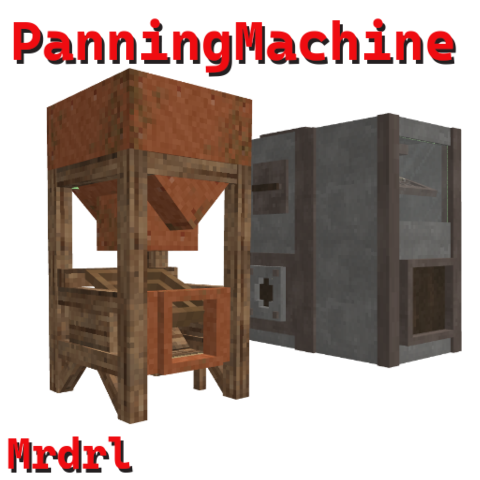
Panning Machine
Simple machine for panning, now with a heavy-duty Industrial Panning Machine ⚙️
 mod
mod Vintage Story
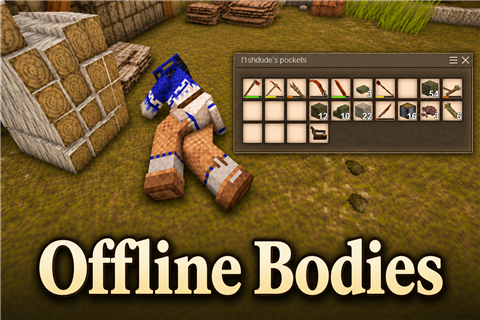
Offline Bodies
Logged-out players leave a sleeping body others can loot and drag. They wake in it when they return.
 mod
mod Vintage Story
Boric Alchemy
Welcome to the alchemists' guild <3