Vintage Story version
Back to mods 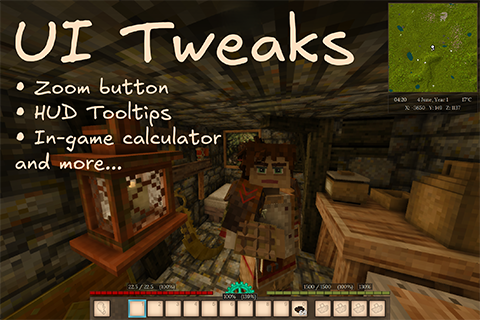
Vintage Story Mod DB · Vintage Story mod
UI-Tweaks
Documentation | Source Code (GitHub) | Changelog | Discord A note on development UI Tweaks is AI-assisted. Some of the code in this mod was written with the help of AI tools — but this is not a "vibe-coded" project. Design, architecture, and testing a
Choose a version Pick your version below, then grab the matching file.
Quick answer
Which UI-Tweaks release matches 1.22.4?
Best match for your filters 0.8.0
Game version 1.22.0, 1.22.1, 1.22.2
Loader Built-in Vintage Story mod system
UI-Tweaks 0.8.0 targets 1.22.0, 1.22.1, 1.22.2. It must be installed on the client. Do not install it on the dedicated server. No extra mods listed for this file.
Where it goes
Is UI-Tweaks required on the client, server, or both?
It must be installed on the client. Do not install it on the dedicated server.
Client Required
Dedicated server Not supported
Loader for this release Built-in Vintage Story mod system
Required install it here Optional supported, not mandatory Not supported do not install here Source doesn’t say do not assume
This Vintage Story file is marked client-only.
What else does UI-Tweaks 0.8.0 need?
0.8.0 on 1.22.4. Every mod below is checked against that same setup.
This file does not list any required mods. Do not add a library just because a different file uses it.
This file does not list any required or optional mods.
Before you install it
Add UI-Tweaks without breaking your instance.
Built for UI-Tweaks 0.8.0 on 1.22.4. Pick another file and the loader, install side or required mods may change.
- 01
Stick to this file
Use 0.8.0. It targets 1.22.0, 1.22.1, 1.22.2; another release may have different loader, side or dependency requirements.
- 02
Bring the mods it needs
This file does not list any required mods. Do not add a library just because a different file uses it.
- 03
Put it on the correct side
It must be installed on the client. Do not install it on the dedicated server.
- 04
Pick the file you checked
Use the “Get this file” button beside 0.8.0. It opens that exact file at the source.
About this project
What does UI-Tweaks add?
Documentation | Source Code (GitHub) | Changelog | Discord
A note on development
UI Tweaks is AI-assisted.
Some of the code in this mod was written with the help of AI tools — but this is not a "vibe-coded" project. Design, architecture, and testing are handled by a human, and a meaningful share of the code is hand-written as well; AI is used to execute well-defined coding tasks under direction. Every change is reviewed and verified before it lands in the codebase, and nothing reaches a release unless it meets the quality bar set for how the mod should look, feel, and behave in your game. If something falls short of that, please report it.
UI Tweaks respects vanilla game
All major features are optional and disabled by default, so you can choose exactly what to enable and how it should behave. See the Configuration section below to turn on the features you want and adjust them to your liking.
Configuration
Press Shift + N (default) in-game to configure UI Tweaks.
Mod configuration file is located at ModConfig/ui-tweaks.json, generated automatically on first launch. See Configuration for full reference.
Features
Zoom Button💡 Inspired by Zoom Button.
Enable Zoom, then hold Z to zoom the camera in for a closer look at distant blocks, animals, ruins, and suspicious shapes on the horizon.
For locating cattails, clay, ruins, and every other thing you swear was right there a second ago.
HUD
Environment Widget
A small overlay showing the in-game date and time, current temperature, and your coordinates. Position, size, format, and background opacity are all configurable.
Because “I should check the character menu” is how bears get closer.
Status Tooltips 💡 Inspired by Extended HUD Info.
Numeric readouts on your HUD bars:
- HP — current / max health above the health bar
- Satiety — current / max satiety above the satiety bar
- Hunger rate — your current hunger drain rate
- Temporal Stability — personal stability and location stability
Each tooltip can be toggled and repositioned independently.
If your character is cold, wet, hungry, temporally unstable, and somehow still carrying twelve stacks of stones, the least the HUD can do is be specific.
Custom Tooltips
You can define your own HUD tooltip elements from the config file — choose what to display, where to place it, and how to format it. Supports VTML and variable placeholders.
If the game tracks it, someone will eventually want it pinned to the screen.
Quick Search & Calculator💡 Inspired by Satisfactory's quick-search.
Press N (configurable) to search handbook entries by name without opening the handbook. Results filter as you type.
Also evaluates arithmetic expressions (+, -, *, /) directly in the search bar. Useful when you don't want to resort to an external calculator.
For when the crucible wants percentages and your brain has already left the room.
Game Tweaks
Various tweaks applied to the vanilla game:
- Calendar year — years now start at 1 instead of 0 (display only, no effect on in-game logic).
- Meal indicator — shows how much food is left in meal bowls, both in the hotbar and inventory.
A harmless little oddity, now safely overreacted to.
Compatibility
Mod Compatibility
| Status | Mod | Comment |
|---|---|---|
| 🟢 | Status Hud Continued | - |
| 🟢 | Calendar: Shire-reckoning | - |
| 🟡 | Hydrate or Diedrate | Displaying thirst tooltips is not supported (yet 🌚). Satiety-related tooltips should be repositioned in config to accommodate the thirst bar. |
Fully compatible 🟢
Mostly compatible 🟡
Not compatible 🔴
Project description from Vintage Story Mod DB.
Pick your setup
UI-Tweaks releases for each Vintage Story version.
Choose the version and loader you play, then open the matching release.
Vintage Story version
1.22.5
1 loader buildVintage Story version
1.22.4
1 loader buildVintage Story version
1.22.3
1 loader buildVintage Story version
1.22.2
1 loader buildVintage Story version
1.22.1
1 loader buildVintage Story version
1.22.0-rc.10
1 loader buildVintage Story version
1.22.0-rc.8
1 loader buildVintage Story version
1.22.0-rc.7
1 loader buildVintage Story version
1.22.0
1 loader buildCheck the dependencies, then try the file in a copied instance before changing a world you care about.
Recent files
UI-Tweaks versions and loaders
0.8.0
UI-Tweaks_v0.8.0.zip
1 Aug 2026
Client Required Server Not supported Dependencies No extras listed Listed on Release listing
Check the 1.22.4 setup 1.22.01.22.11.22.21.22.3 release
0.7.0
UI-Tweaks_v0.7.0.zip
28 Jul 2026
Client Source doesn’t say Server Source doesn’t say Dependencies No extras listed Listed on Release listing
Check the 1.22.4 setup 1.22.01.22.11.22.21.22.3 release
0.6.4
UI-Tweaks_v0.6.4.zip
26 May 2026
Client Source doesn’t say Server Source doesn’t say Dependencies No extras listed Listed on Release listing
Check the 1.22.4 setup 1.22.01.22.11.22.21.22.3 release
Looking for an older file? The official Vintage Story Mod DB project page is in Resources.
 mod
mod Vintage Story
Zoom Button Patch
Hides minimap, coordinates hud and chat while zooming.
mod
Vintage Story
The Almanac: Trades, Callings & Mastery
Twenty-one trades, Novice to Grandmaster, earned by the work of your hands, not by grinding.
 mod
mod Vintage Story
TentBag-Reworked
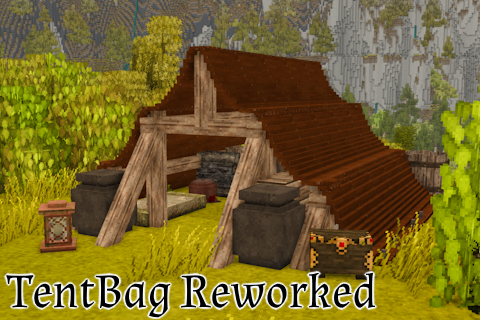
Adds a tent bag for Vintage Story with scaling hunger cost based on tent complexity