Vintage Story version
Back to mods 
Vintage Story Mod DB · Vintage Story mod
Death Control
- Works fine in 1.22.3 - This mod allows you to set how much health, satiety (hunger), and temporal stability players should have when they respawn after dying. By default, all these stats are set to 50% of your maximum when you respawn. Also, this mod applie
Choose a version Pick your version below, then grab the matching file.
Quick answer
Which Death Control release should I use?
Latest stable file 1.0.0
Game version 1.22.2
Loader Built-in Vintage Story mod system
Death Control 1.0.0 targets 1.22.2. Do not install it on the client. It must be installed on the dedicated server. No extra mods listed for this file.
Where it goes
Is Death Control required on the client, server, or both?
Do not install it on the client. It must be installed on the dedicated server.
Client Not supported
Dedicated server Required
Loader for this release Built-in Vintage Story mod system
Required install it here Optional supported, not mandatory Not supported do not install here Source doesn’t say do not assume
This Vintage Story file is marked server-only.
What else does Death Control 1.0.0 need?
1.0.0. Change the file and its required mods may change too.
This file does not list any required mods. Do not add a library just because a different file uses it.
This file does not list any required or optional mods.
Before you install it
Add Death Control without breaking your instance.
Built for Death Control 1.0.0. Pick another file and the loader, install side or required mods may change.
- 01
Stick to this file
Use 1.0.0. It targets 1.22.2; another release may have different loader, side or dependency requirements.
- 02
Bring the mods it needs
This file does not list any required mods. Do not add a library just because a different file uses it.
- 03
Put it on the correct side
Do not install it on the client. It must be installed on the dedicated server.
- 04
Pick the file you checked
Use the “Get this file” button beside 1.0.0. It opens that exact file at the source.
About this project
What does Death Control add?
- Works fine in 1.22.3 -
This mod allows you to set how much health, satiety (hunger), and temporal stability players should have when they respawn after dying. By default, all these stats are set to 50% of your maximum when you respawn. Also, this mod applies, by default, a 50% chance for each item/itemstack in your inventories to be deleted (25% for container items in your backpack slots). Note that item-deletion ONLY works if you set Death punishment to "Keep inventory contents" at world creation.
Health, satiety, and temporal stability at respawn can be set via the config file (DeathControlConfig.json).
Default values are:
"RespawnHealthPercent": 0.5 // you respawn at 50% health, 0.25 would be 25%, 1.0 (or more) would be full health etc.
"RespawnTStabilityPercent": 0.5
"RespawnSatietyPercent": 0.5
Loss of items is controlled through 5 categories:
- Hotbar (your hotbar, including the off-hand slot, excluding the four bag slots)
- Backpack (the four slots where you equip baskets, sacks, backpacks etc.)
- Inventory (your main inventory slots, by that I mean the contents of your baskets, sacks, backpacks etc.)
- Armor (head, chest, leggings)
- Clothes (the cosmetic wearables, shirt, belt, gloves etc.)
Each category has its own configureable value that determines the chance for items to be deleted. The default values are:
"ChanceDeleteHotbarSlots": 0.5 // 50% chance for each itemstack to be deleted, 0.0 would mean no items in you hotbar are deleted, 1.0 (or more) means entire hotbar is deleted.
"ChanceDeleteBackpackSlots": 0.25
"ChanceDeleteInventorySlots": 0.5
"ChanceDeleteArmorSlots": 0.5
"ChanceDeleteClothesSlots": 0.5
(So if you don't like losing items, set all these values to 0)
Again, item-deletion ONLY works if you set Death punishment to "Keep inventory contents" at world creation.
--- WARNING ---
Excpect weirdness if you have any mods that increase or decrease the number of armor/clothing slots or any slots in the hotbar. Custom sacks/backpacks with different inventory sizes are fine.
Project description from Vintage Story Mod DB.
Pick your setup
Death Control releases for each Vintage Story version.
Choose the version and loader you play, then open the matching release.
Check the dependencies, then try the file in a copied instance before changing a world you care about.
Recent files
Death Control versions and loaders
1.0.0
DeathControl_1.0.0.zip
23 May 2026
Client Not supported Server Required Dependencies No extras listed Listed on Release listing
Check the 1.22.2 setup 1.22.2 release
Looking for an older file? The official Vintage Story Mod DB project page is in Resources.
 mod
mod Vintage Story
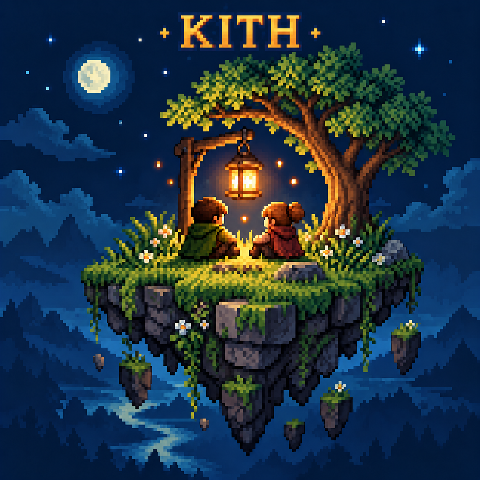
Kith
Host your world for friends, comes with an island hub, cosmetics, emotes, and chat.
 mod
mod Vintage Story
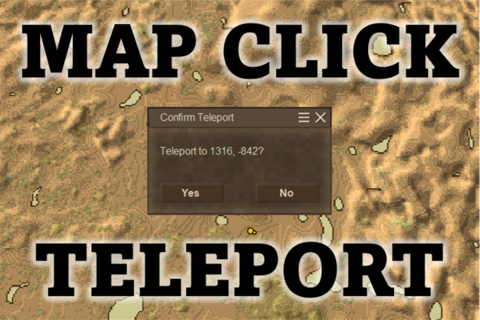
Map Click Teleport
Allows you to "Shift + Left Click" on the world map to teleport to that location.
 mod
mod Vintage Story
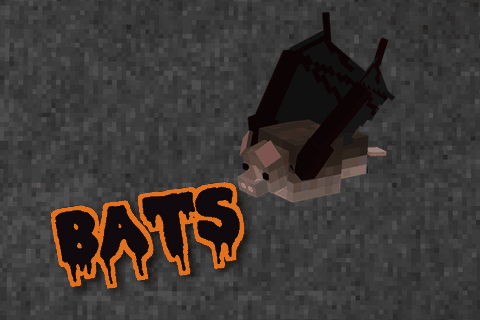
BATS!
The original flying animal mod featuring BATS! Also, renewable saltpeter.