AbbreviationPlugin-0.2.3.jar
21 Jan 2026
Client Not supported Server Required Dependencies No extras listed Listed on Project page
Check the setup 
CurseForge · Hytale mod
Create abbreviations for commands you frequently use.
Quick answer
Command Abbreviations AbbreviationPlugin-0.2.3.jar targets Hytale. Do not install it as a separate client mod. Enable it on the world host—the local server in singleplayer or the dedicated server in multiplayer. No required dependencies listed for this file.
Where it goes
Do not install it as a separate client mod. Enable it on the world host—the local server in singleplayer or the dedicated server in multiplayer.
Put Hytale mods on the world host or dedicated server. Singleplayer runs a local server too; Hytale does not use separate client mods.
AbbreviationPlugin-0.2.3.jar. Change the file and its required mods may change too.
This file does not list any required mods. Do not add a library just because a different file uses it.
This file does not list any required or optional project dependencies. Check the creator notes before changing an existing world.
Before you install it
Built for Command Abbreviations AbbreviationPlugin-0.2.3.jar. Pick another file and the loader, install side or required mods may change.
Use AbbreviationPlugin-0.2.3.jar. It targets Hytale; another release may target a different game build or dependency set.
This file does not list any required mods. Do not add a library just because a different file uses it.
Do not install it as a separate client mod. Enable it on the world host—the local server in singleplayer or the dedicated server in multiplayer.
Use the “Get this file” button beside AbbreviationPlugin-0.2.3.jar. It opens that exact file at the source.
About this project
This mod was created to avoid having to type out long commands repeatedly.
Usage:
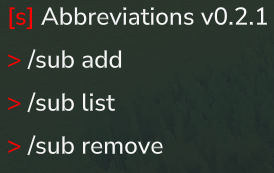
Type /sub to get the list of commands. Type one of the subcommands to get further instructions.
Examples:
Zero parameter command
/sub add /ic /inventory clear
/ic executes /inventory clear
Single parameter command
/sub add /t $0 /time set $0
/t day executes as /time set day
Two parameter command
/addsub /w $0 $1 /weather $0 $1
/w set Zone4_Wastes_Rain executes as /weather set Zone4_Wastes_Rain
Changing parameter order
/sub add /zyx $0 $1 $2 /tp $2 $1 $0
/zyx 12 120 50 executes /tp 12 120 50
Multi command
/sub add /clearnoon /weather clear /time noon
/clearnoon executes /weather clear and then /time noon.
Command with optional parameter
/sub add /g $i $q /give $i ++quantity $q
/g Food_Popcorn 664 executes /give Food_Popcorn --quantity 664
++ converts to -- to get optional parameters to work.
Overriding a vanilla command
/sub add /help /echo "testing"
/help executes /echo "testing" without opening the help menu
Same parameter multiple times
/sub add /same $0 /tp $0 $0 $0
/same 100 executes /tp 100 100 100
Permissions:
In a vanilla server with op you have all perms.
For servers admins:
potato.abbreviations.command.sub
potato.abbreviations.command.*
Adding abbreviations to non admin groups:
potato.abbreviations.command.thecommandname
In addition to the perm for the abbreviated command, the perms for the original command(s) is also required. So for example after doing "/sub add /ic /inventory clear", the command /ic requires permission for /ic and /inventory clear.
If you use luckperms I recommend "/lp verbose on" to see which permissions are missing.
Config file:
The config file appears at ./mods/AbbreviationPlugin/cmdsubstitutions.json
Install:
Use curseforge app
or
Put the .jar into your singeplayer or multiplayer server folder titled "mods" You can verify the mod is working by seeing if /day is recognized as a command.
Project description from CurseForge.
Recent files
21 Jan 2026
21 Jan 2026
19 Jan 2026
18 Jan 2026
16 Jan 2026
14 Jan 2026
Looking for an older file? The official CurseForge project page is in Resources.
 mod
modAdds 4 Seasons to the world, Greenhouse blocks, Seasonal Farming, Seasonal Fishing, Customizable Weather. It also adds dynamic Snow, (WIP) temperature system, Configurable Settings, and an optional Seasons Spellbook.
 mod
modA sponge that feels familiar to most
 mod
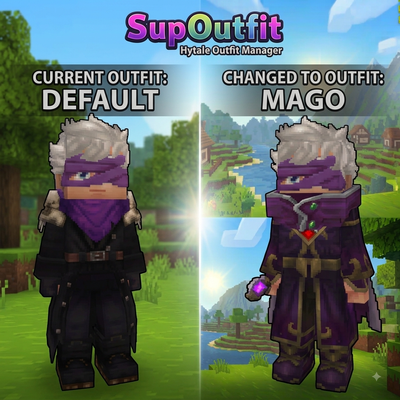
modServer-side outfit management system with commands and custom UI support.