dclink-hytale-1.4.0.jar
18 Jan 2026
Client Not supported Server Required Dependencies No extras listed Listed on Project page
Check the setup 
CurseForge · Hytale mod
Whitelist plugin for Hytale and Discord that enables players to link their accounts. An integrated Discord bot is used to authenticate users and grant whitelist access.
Quick answer
dclink-hytale-1.4.0.jar targets Hytale. Do not install it as a separate client mod. Enable it on the world host—the local server in singleplayer or the dedicated server in multiplayer. No required dependencies listed for this file.
Where it goes
Do not install it as a separate client mod. Enable it on the world host—the local server in singleplayer or the dedicated server in multiplayer.
Put Hytale mods on the world host or dedicated server. Singleplayer runs a local server too; Hytale does not use separate client mods.
dclink-hytale-1.4.0.jar. Change the file and its required mods may change too.
This file does not list any required mods. Do not add a library just because a different file uses it.
This file does not list any required or optional project dependencies. Check the creator notes before changing an existing world.
Before you install it
Built for dclink-hytale-1.4.0.jar. Pick another file and the loader, install side or required mods may change.
Use dclink-hytale-1.4.0.jar. It targets Hytale; another release may target a different game build or dependency set.
This file does not list any required mods. Do not add a library just because a different file uses it.
Do not install it as a separate client mod. Enable it on the world host—the local server in singleplayer or the dedicated server in multiplayer.
Use the “Get this file” button beside dclink-hytale-1.4.0.jar. It opens that exact file at the source.
About this project
DCLink is a Hytale plugin that enables you to link your Hytale and Discord accounts on a server. By default, only linked accounts can join, meaning players need a Discord account to play on the server.
Players only need to authenticate when they first join; after that, they are added to a local SQLite database.
As defined in the configuration file, a Discord account can be linked to one or more Hytale accounts.
There are lookup commands both in-game and on Discord to see which players are linked to which Discord accounts, and vice versa.
| Command | Description | Permissions | Platform |
|---|---|---|---|
| /discord (player) | Sends you the linked Discord Account | dclink.command.discord | Hytale |
| /unlink [player] | Remove link between the Hytale account and Discord | dclink.command.unlink | Hytale |
| /alts [player] | Shows alternative accounts linked with the same Discord account | dclink.command.alts | Hytale |
| /link | Sends you your linking Code (Is only registered if require-link is off) | dclink.command.link | Hytale |
| /link [discordAccount] [hytaleAccount] | Manually links a Discord account with the given Hytale Account | Can be changed in Discords Integration settings (Default: Only Admins) | Discord |
| /unlink discordAccount | Removes all (or the specified) linked Hytale Account(s) with the given Discord Account | Can be changed in Discords Integration settings (Default: Only Admins) | Discord |
| /lookup discord [discordAccount] | Shows all linked Hytale Accounts | Can be changed in Discords Integration settings (Default: Only Admins) | Discord |
| /lookup Hytale [HytaleName] | Shows the linked Discord Account (if any account is linked) | Can be changed in Discords Integration settings (Default: Only Admins) | Discord |
Go to Discord's Developer Portal and create a new Application
Click on Bot and create a new Bot (Click on Reset Token to get the token and put it into the config file)
Enable Server Member's Intent and Message Content Intent
Create an Invite URL with the following settings and add the Bot to your server. 
Create/Select a Channel where the Bot should post its message. Copy the Channel's ID and put it into the config.
Done :)
Project description from CurseForge.
Recent files
18 Jan 2026
15 Jan 2026
14 Jan 2026
Looking for an older file? The official CurseForge project page is in Resources.
 mod
modA sponge that feels familiar to most
 mod
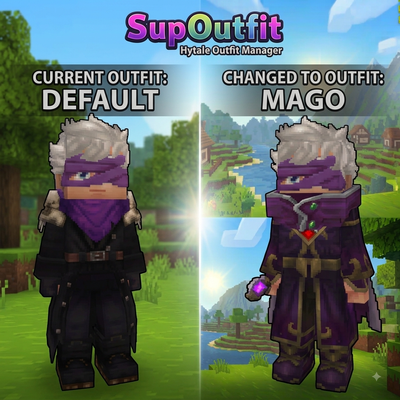
modServer-side outfit management system with commands and custom UI support.
 mod
modUnofficial Patch fixes bugs, inconsistencies, exploits, and unfinished vanilla mechanics while preserving the original Hytale experience.