FunMessages 1.1
31 Jan 2026
Client Not supported Server Required Dependencies No extras listed Listed on Project page
Check the setup 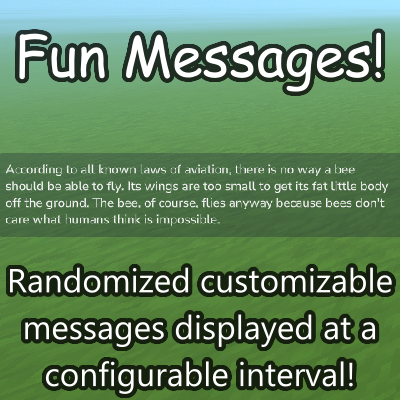
CurseForge · Hytale mod
Randomized customizable messages displayed at a configurable interval!
Quick answer
FunMessages 1.1 targets Hytale. Do not install it as a separate client mod. Enable it on the world host—the local server in singleplayer or the dedicated server in multiplayer. No required dependencies listed for this file.
Where it goes
Do not install it as a separate client mod. Enable it on the world host—the local server in singleplayer or the dedicated server in multiplayer.
Put Hytale mods on the world host or dedicated server. Singleplayer runs a local server too; Hytale does not use separate client mods.
FunMessages 1.1. Change the file and its required mods may change too.
This file does not list any required mods. Do not add a library just because a different file uses it.
This file does not list any required or optional project dependencies. Check the creator notes before changing an existing world.
Before you install it
Built for FunMessages 1.1. Pick another file and the loader, install side or required mods may change.
Use FunMessages 1.1. It targets Hytale; another release may target a different game build or dependency set.
This file does not list any required mods. Do not add a library just because a different file uses it.
Do not install it as a separate client mod. Enable it on the world host—the local server in singleplayer or the dedicated server in multiplayer.
Use the “Get this file” button beside FunMessages 1.1. It opens that exact file at the source.
About this project
A simple and fun way to entertain your users with random messages. Easily customizable with a single txt file for the messages and some JSON for the interval.
Inspired by Minecraft Indev+'s FunMessages.txt implementation for multiplayer.
Files are located at [HytaleUserData]/saves/[YourSaveName]/mods/xyz.starrymic_FunMessages
/refreshfunmessages - Reloads all messages from FunMessages.txt
Project description from CurseForge.
Recent files
31 Jan 2026
24 Jan 2026
Looking for an older file? The official CurseForge project page is in Resources.
 mod
modEarn currency by killing mobs, mining ores, chopping trees, and harvesting crops. Direct deposit to Ecotale balance with RPG Leveling level-scaling support.
 mod
modDaily login calendar, streak system, and return rewards — MMORPG retention mechanics for Hytale servers.
 mod
modProgressive weapon & armor upgrading system for Hytale servers