jszza-games-1.1.0.jar
17 Feb 2026
Client Not supported Server Required Dependencies No extras listed Listed on Project page
Check the setup 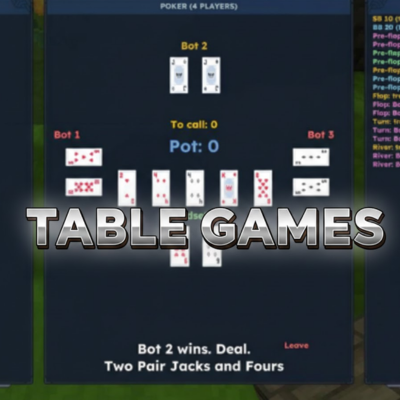
CurseForge · Hytale mod
A modular table games system including poker, blackjack, and future expansions.
Quick answer
Table Games jszza-games-1.1.0.jar targets Hytale. Do not install it as a separate client mod. Enable it on the world host—the local server in singleplayer or the dedicated server in multiplayer. No required dependencies listed for this file.
Where it goes
Do not install it as a separate client mod. Enable it on the world host—the local server in singleplayer or the dedicated server in multiplayer.
Put Hytale mods on the world host or dedicated server. Singleplayer runs a local server too; Hytale does not use separate client mods.
jszza-games-1.1.0.jar. Change the file and its required mods may change too.
This file does not list any required mods. Do not add a library just because a different file uses it.
This file does not list any required or optional project dependencies. Check the creator notes before changing an existing world.
Before you install it
Built for Table Games jszza-games-1.1.0.jar. Pick another file and the loader, install side or required mods may change.
Use jszza-games-1.1.0.jar. It targets Hytale; another release may target a different game build or dependency set.
This file does not list any required mods. Do not add a library just because a different file uses it.
Do not install it as a separate client mod. Enable it on the world host—the local server in singleplayer or the dedicated server in multiplayer.
Use the “Get this file” button beside jszza-games-1.1.0.jar. It opens that exact file at the source.
About this project
This mod allows you to play competitive table games with your friends in a fully configurable system.
It features an advanced configuration file where you can customize stake items, blinds, starting stack, entry fees, visibility modes, and much more. Each mode can have separate settings, giving you full control over both bot matches and player-versus-player games.
Currently available game modes:
This is currently a test version.
After installing the mod, you can find the configuration files inside your Mods folder. Simply place the mod in your Mods directory, launch the game once, and the config files will be automatically generated there and ready for editing.
Both the game table and the token item can be crafted in the Misc tab at the Furniture Workbench.
Project description from CurseForge.
Recent files
17 Feb 2026
16 Feb 2026
13 Feb 2026
12 Feb 2026
Looking for an older file? The official CurseForge project page is in Resources.
 mod
modThe Skylight Zone: Gimme Da' Loot is a Drop-List Addon for (Drops/Lootbags). - It Adds 3 New 'Lootbags' that have the chance to reward the player with Gemstones & Fragment Drops from The Skylight Gemstones Mod to NPCs and Containers.
 mod
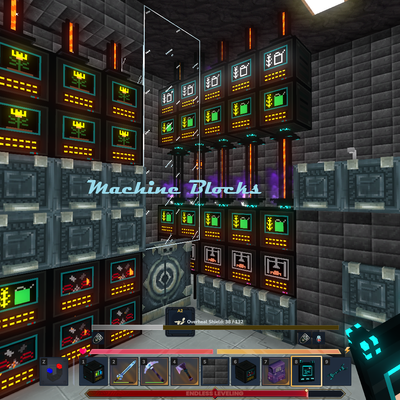
modMake your Hytale Factory dream come true using technology through a tiered discovery system. Mostly Single block machines (normal and easy mode). Tech, furnace, crusher, plant, fuel, alloy, miner, crop, farm, ore, power, tree, fish, pipe, gas
 mod
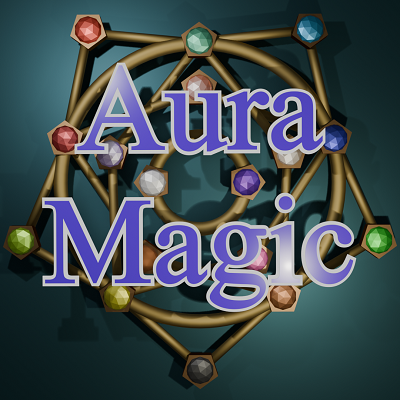
modPlanning to add 11 more elements to the existing 6 and to enhance the existing magic system. I am currently working on Wind (Magic Spells, Sprites, Quests, Dragons, Prefabs and more)